
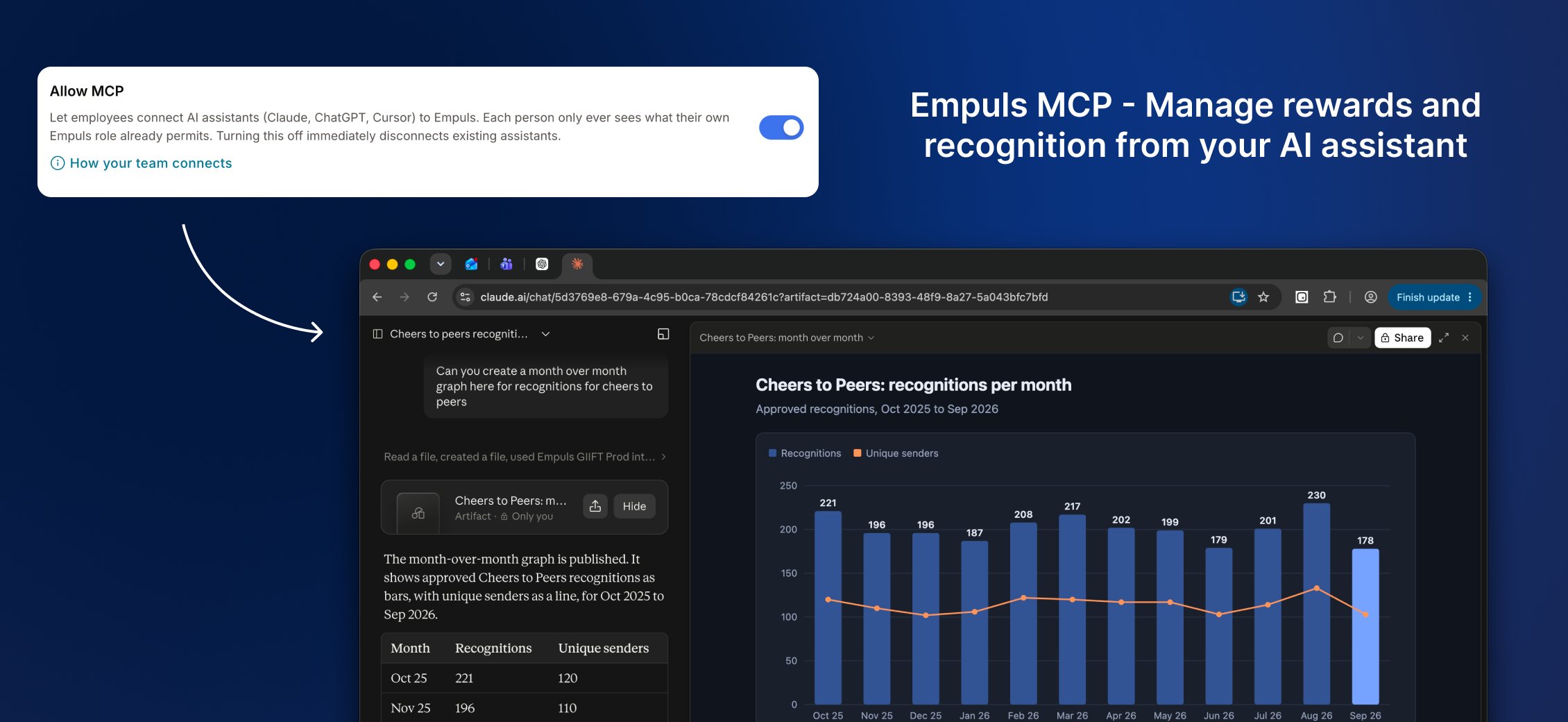
- Get answers instantly: Run admin reports, look up colleagues and reporting lines, or check upcoming birthdays and work anniversaries — answers come back from live Empuls data.
- Control access: Admins choose what the connection can reach, and OAuth keeps it tied to your tenant and to each user’s existing Empuls permissions, so nothing is exported.
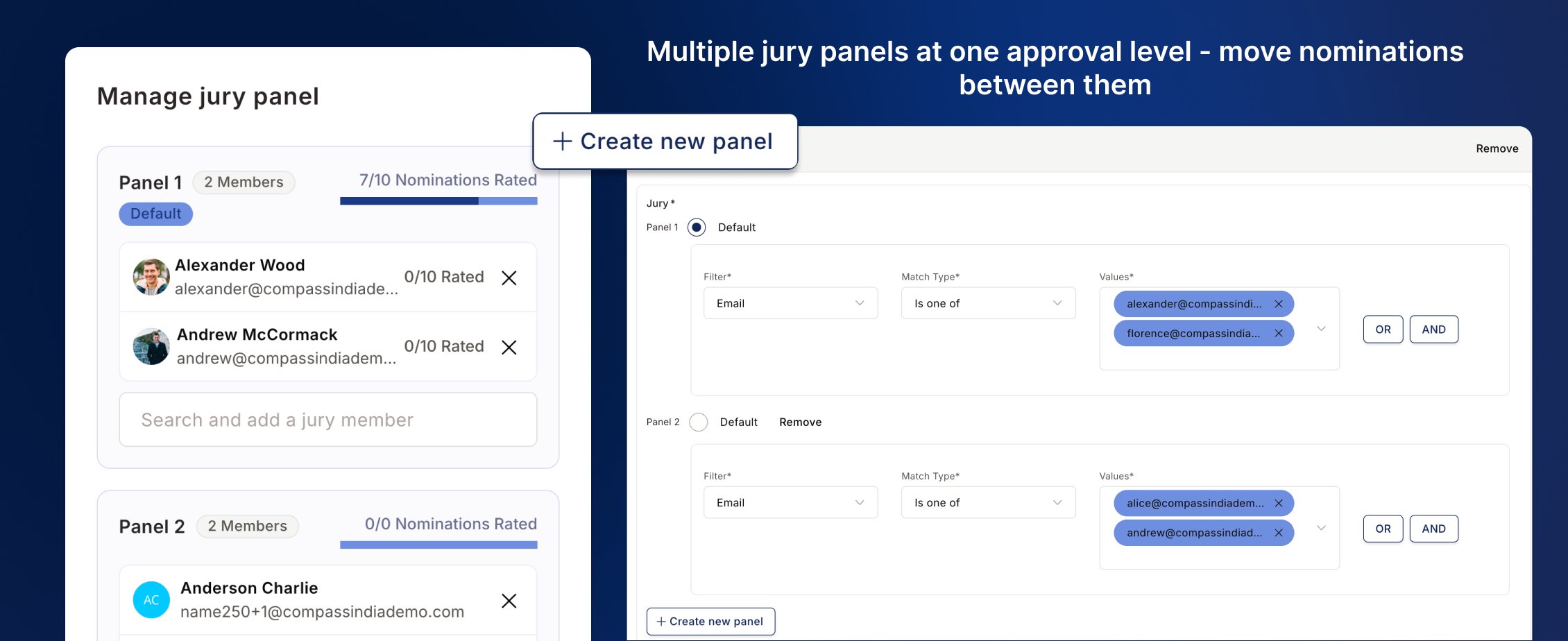
2. Manage multiple jury panels at the same approval level When one jury panel is overloaded with nominations to review, you can now distribute the workload across multiple panels.
- Create additional panels at the same approval level, add or remove members, and track rating progress for each panel.
- Move multiple nominations to another panel in one action.
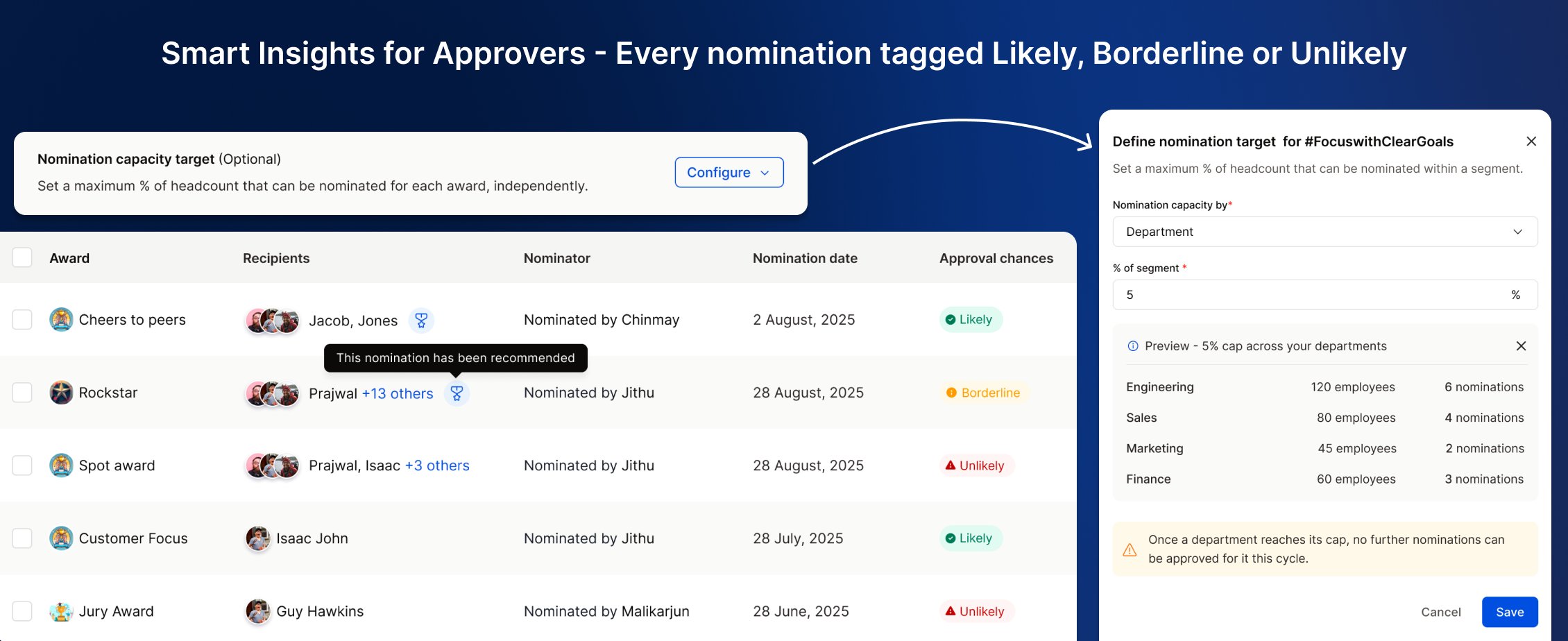
3. Smart Insights for Approvers — see which nominations are likely to be approved Make approval decisions more easily by quickly identifying which nominations are most likely to be approved.
- Set nomination targets by department, business unit or location. Each pending nomination is then marked Likely, Borderline or Unlikely based on budget, segment targets, recommendation status and approval level.
- The first approver can mark nominations as Recommended for later approvers to see. Both signals guide decisions without restricting them.
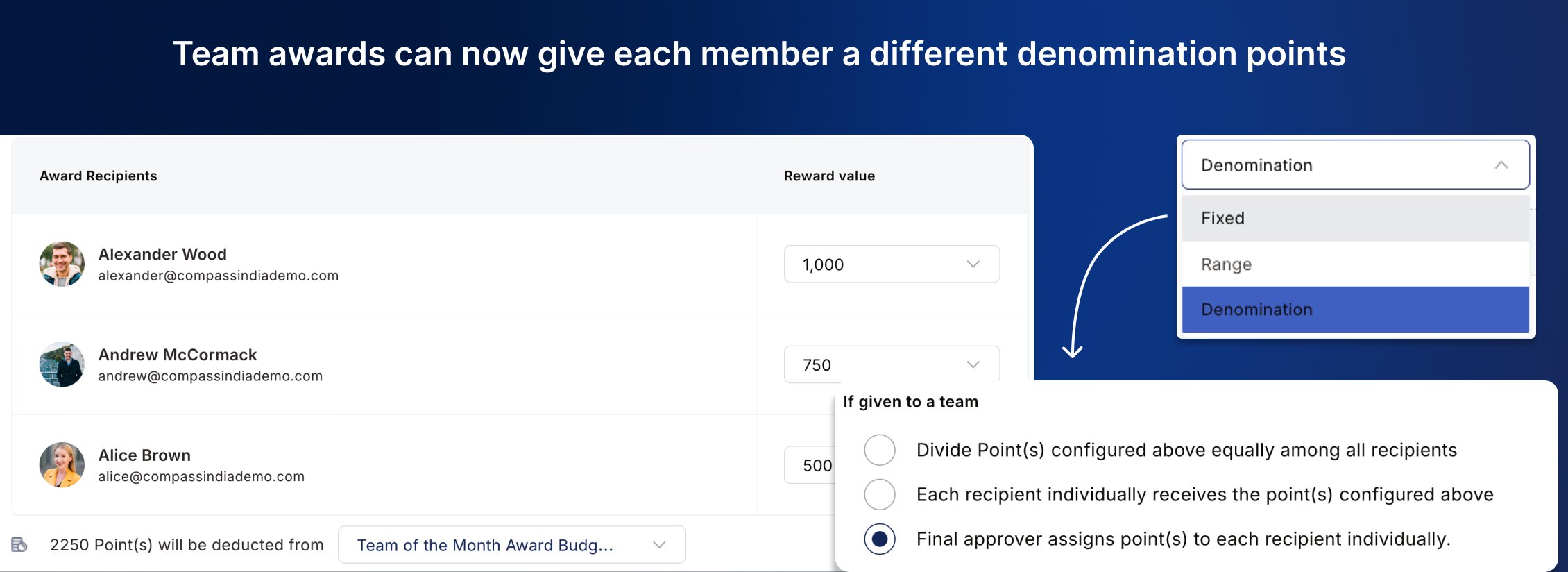
4. Team awards can now give each member a different denomination Recognise team members according to their individual contributions, even when they are part of the same nomination.
- At final approval, assign each team member a different denomination from the values configured for the award.
- Enable this while creating the award. It works for approval-based awards where the final approver is the budget holder and auto-approval is disabled.
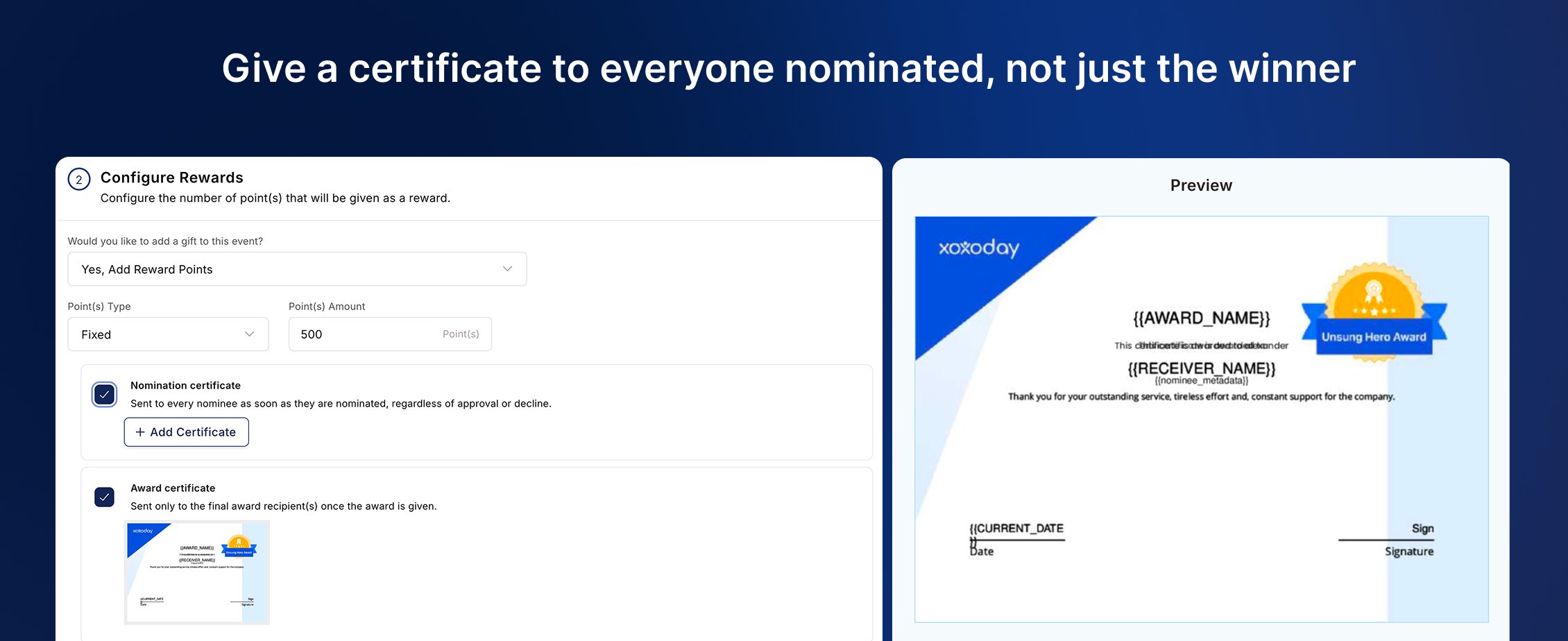
5. Give a certificate to everyone nominated, not just the winner Recognise everyone who was nominated for an award with a certificate, not just the person who won.
- Choose whether certificates go to nominees, winners or both when setting up the award.
- Nominee certificates are issued whether the nomination is ultimately approved or declined.
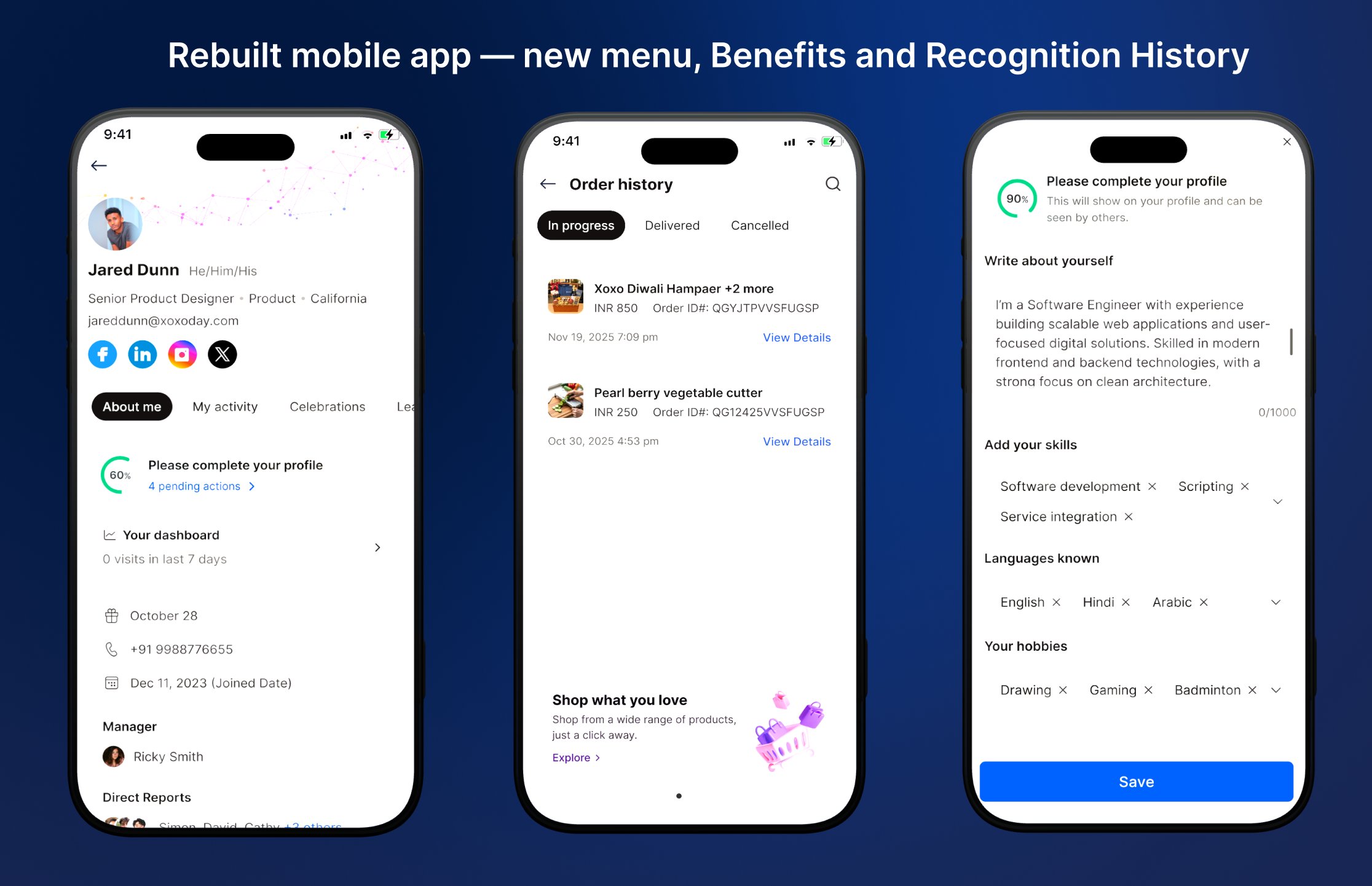
6. Rebuilt mobile app with new menus and Recognition History screens The mobile experience has been redesigned around the actions employees use most.
- A reorganised menu brings Profile, Social, Recognition, Benefits and Account together, with new Benefits and Recognition History screens.
- Profile now includes privacy settings, celebration and leaderboard widgets, redesigned recognition cards, and dedicated bio, skills and hobbies screens.
- Order History now has In Progress, Delivered and Cancelled filters with dedicated order details, and Account Statement has also been redesigned.
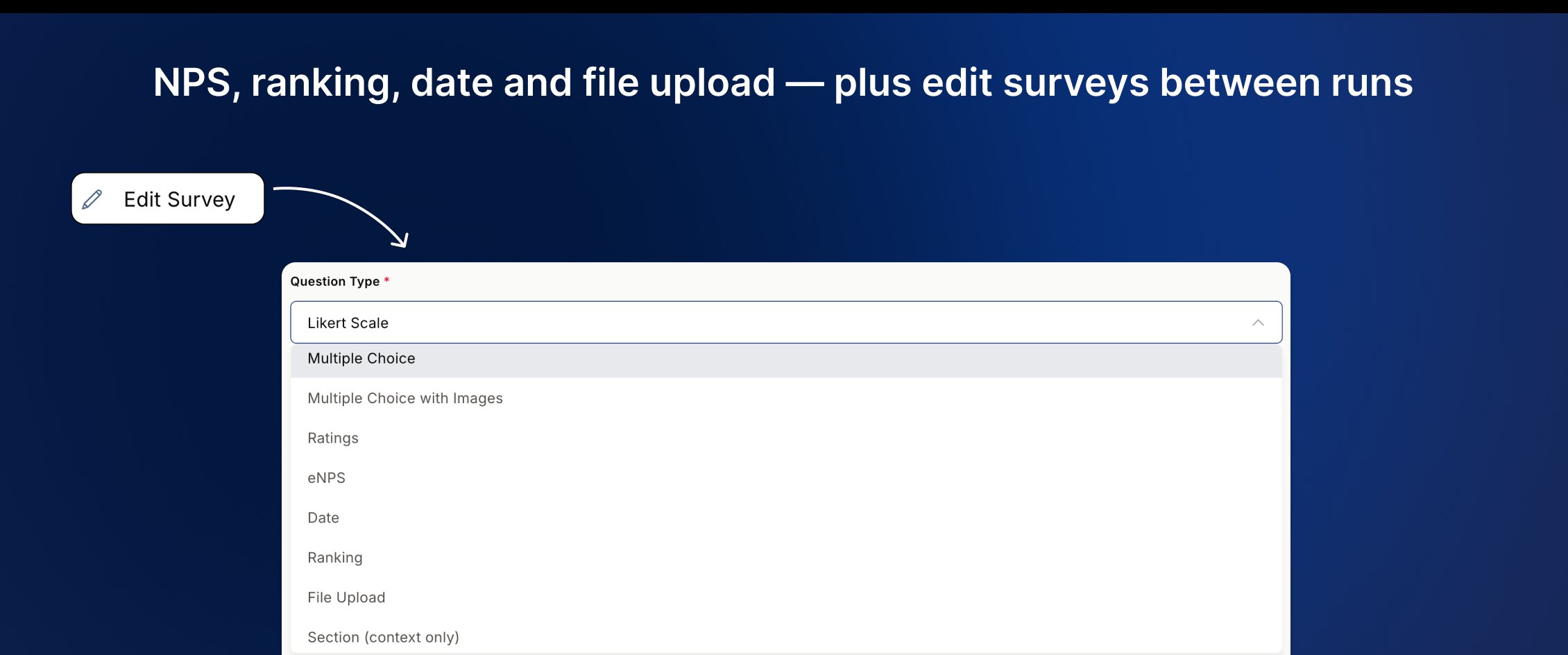
7. Edit surveys between runs and add new question types If you need to make changes after a survey has already been used, you can now update it without losing historical responses or trends.
- Add, reword, reorder or disable questions and update audience filters from the builder. Disabled questions retain past responses and trend data.
- Add NPS on a 0–10 scale with a Promoter, Passive and Detractor split and a distribution chart, plus ranking, date and file-upload questions, sections, skip logic, question or answer shuffling to reduce bias, and bulk MCQ uploads.
- Turn MCQ questions into filters on the response dashboard for easier analysis.
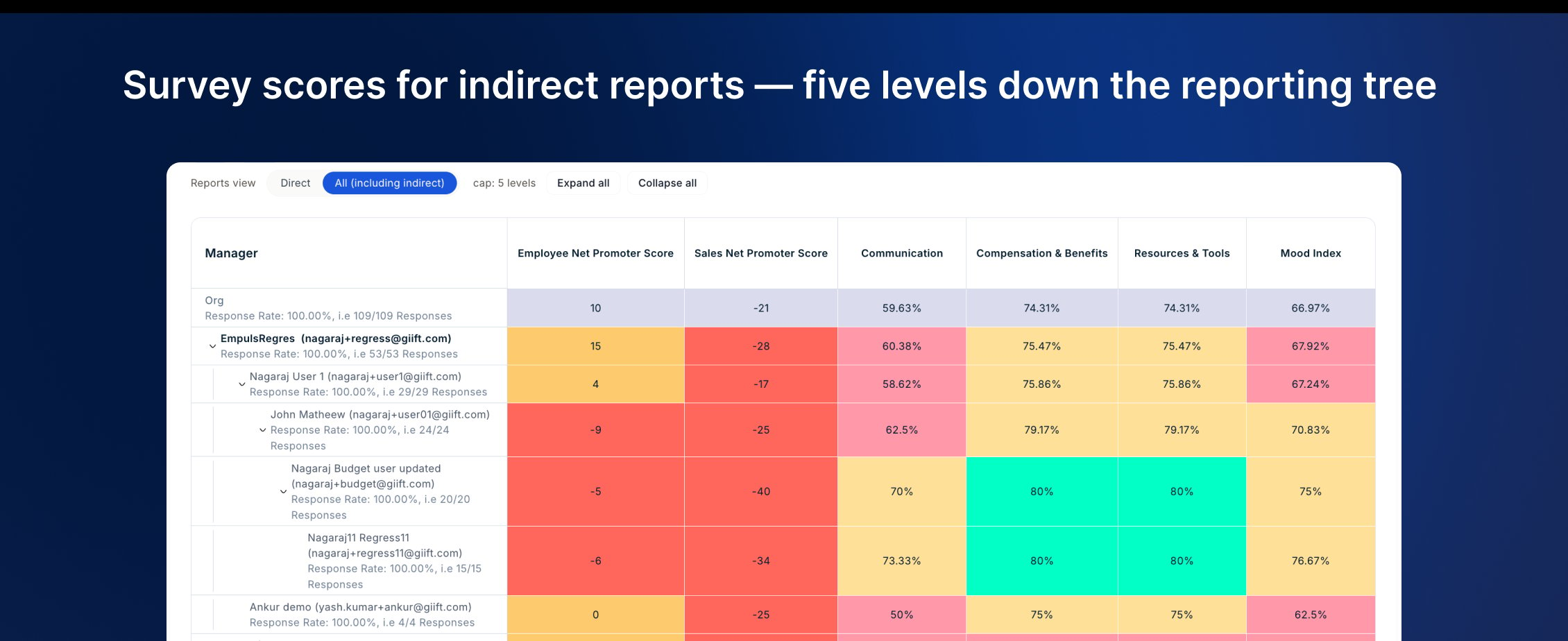
8. Survey reporting for direct and indirect reports When a reporting line runs deeper than one level, managers can now see scores across the whole tree, not just direct reports.
- Roll up scores across up to five reporting levels with the All (incl. indirect) view on the Feedback Comparison heat map. Cells with fewer than five responses stay masked.
- View question trends across custom, quarterly and yearly ranges, now on one-time and onboarding surveys too. Mood-o-Meter data filters by HOD, URF and UDF fields and exports with comments and sentiment.
- Transfer survey ownership or share dashboards without Super Admin access, and restrict run downloads to CSV.
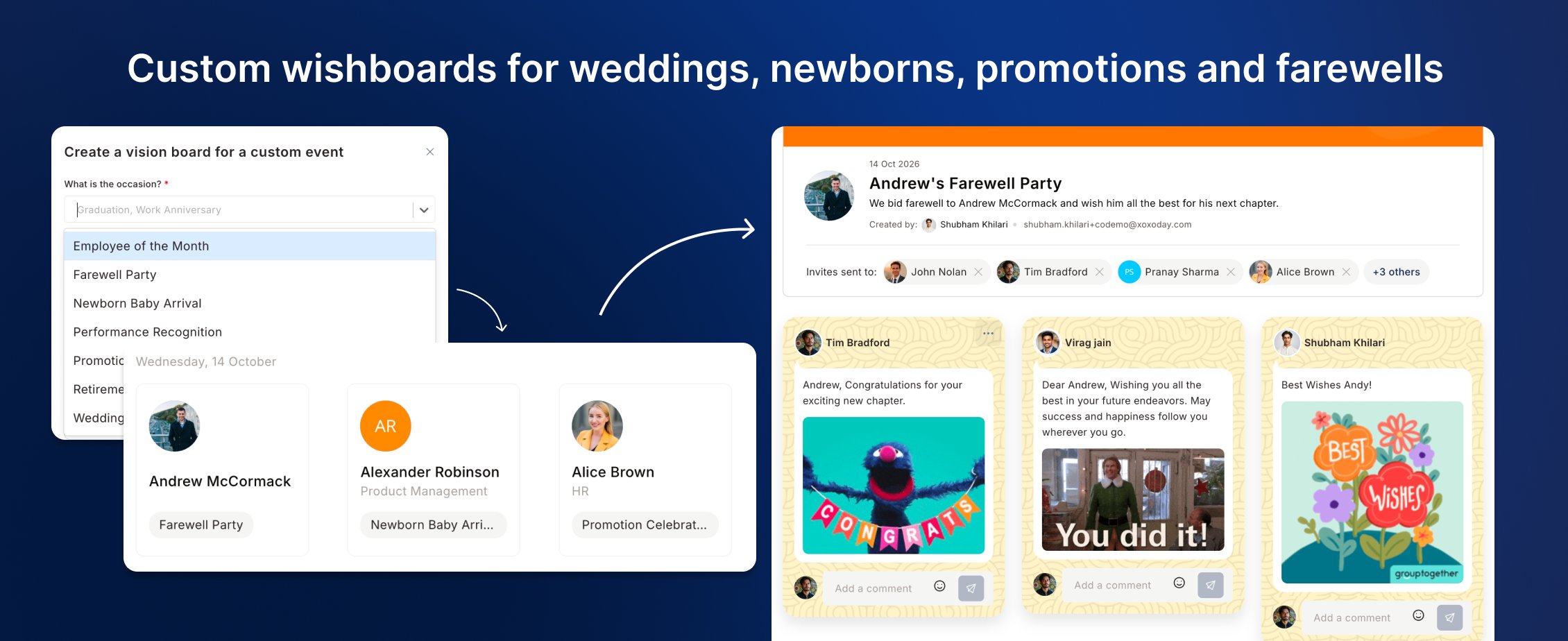
9. Custom wishboards for weddings, promotions, farewells and more Celebrate the milestones your HR calendar doesn’t track, beyond birthdays and work anniversaries.
- Set up boards for weddings, newborn arrivals, personal achievements, promotions, farewells, retirements and more.
- Employees can add wishes to these boards using the same experience as existing celebration boards.
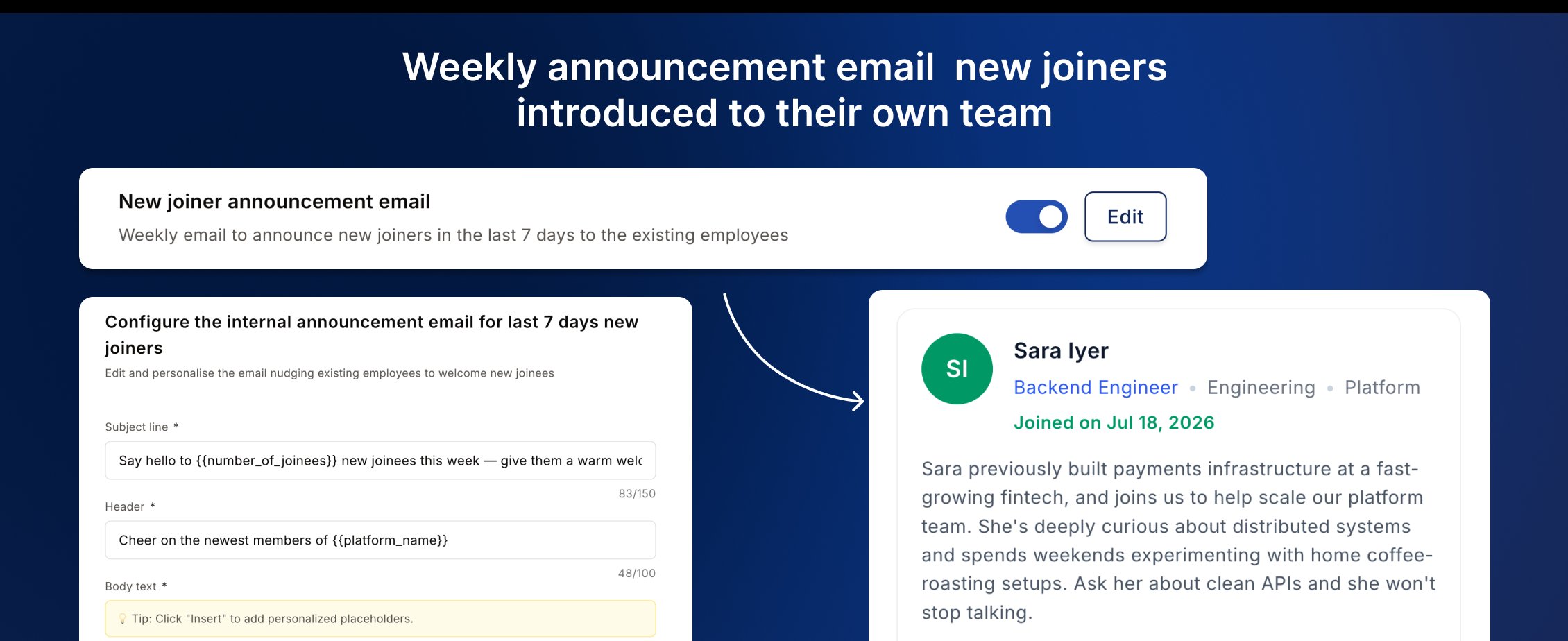
10. Configure automated weekly new joiner announcements Introduce new joiners to their teams without HR writing a post for each one.
- Configure the subject, header, body and CTA from Notification settings, with tone presets and AI assistance for the copy.
- Group emails by department or another field so each team sees introductions relevant to them. New joiners can add an introduction, photo and hobbies, with introductions auto-filled from LinkedIn or written themselves.
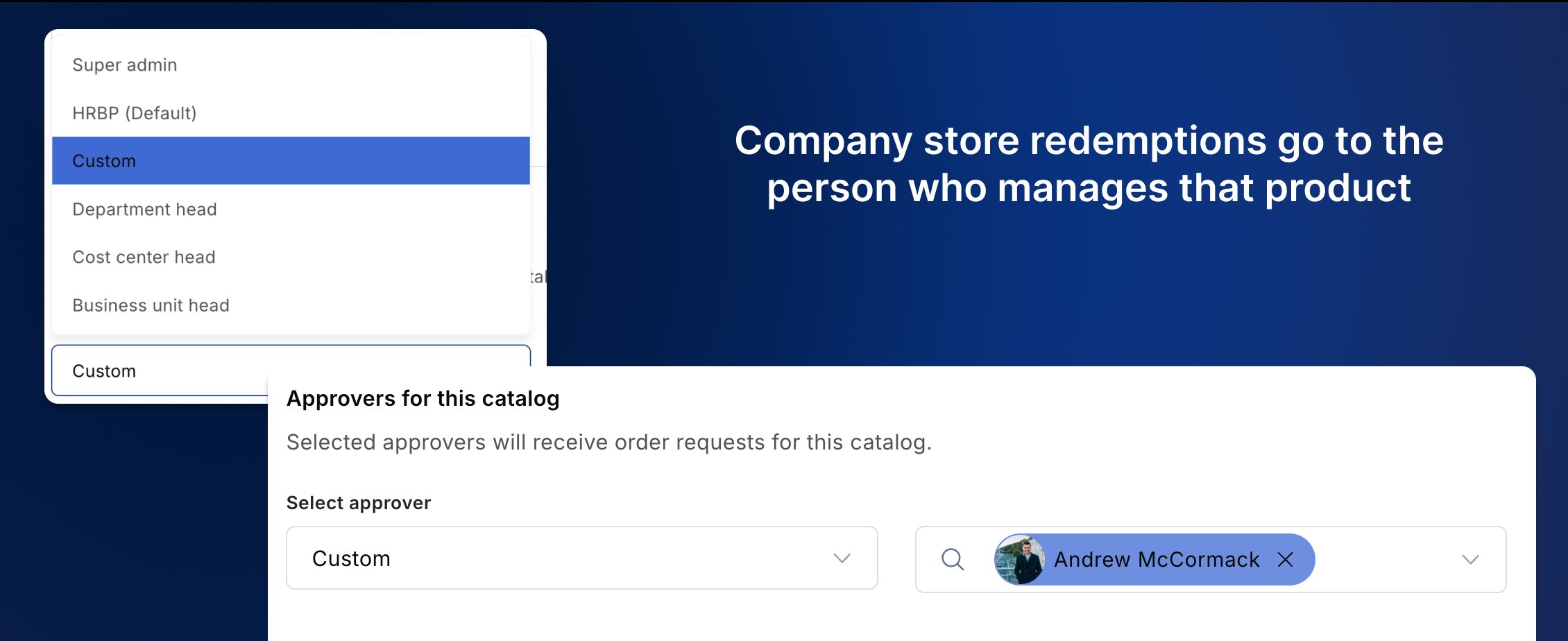
11. Route company store redemptions to designated stakeholders When every redemption notifies all Super Admins, each request has to be forwarded on to whoever actually fulfils it — now it goes straight there.
- Assign stakeholders to individual products, or route requests based on the redeeming employee’s HRBP. Products you leave unassigned behave exactly as they do today. Approvers can also search and filter by employee ID, department, designation and location before taking action.
- Product creation and redemption approval now have separate permissions, while store name, description, images and terms can be edited directly.
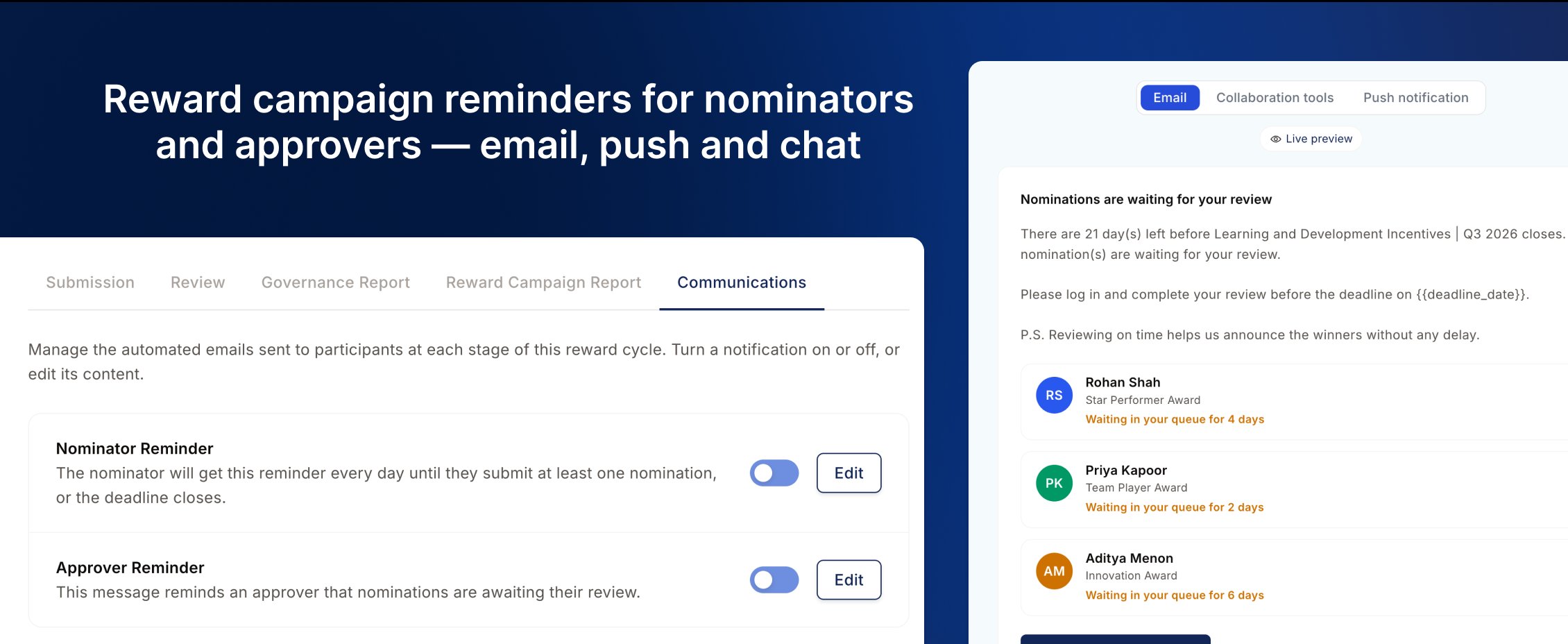
12. Set automated reminders for nominators and approvers in Reward Campaigns Keep reward campaigns moving without chasing nominators and approvers yourself.
- Set reminders from the campaign’s Communications tab, including audience, frequency and channels. One template can cover email, push and collaboration tools.
- Reminders automatically stop once the person takes action or the campaign deadline passes.
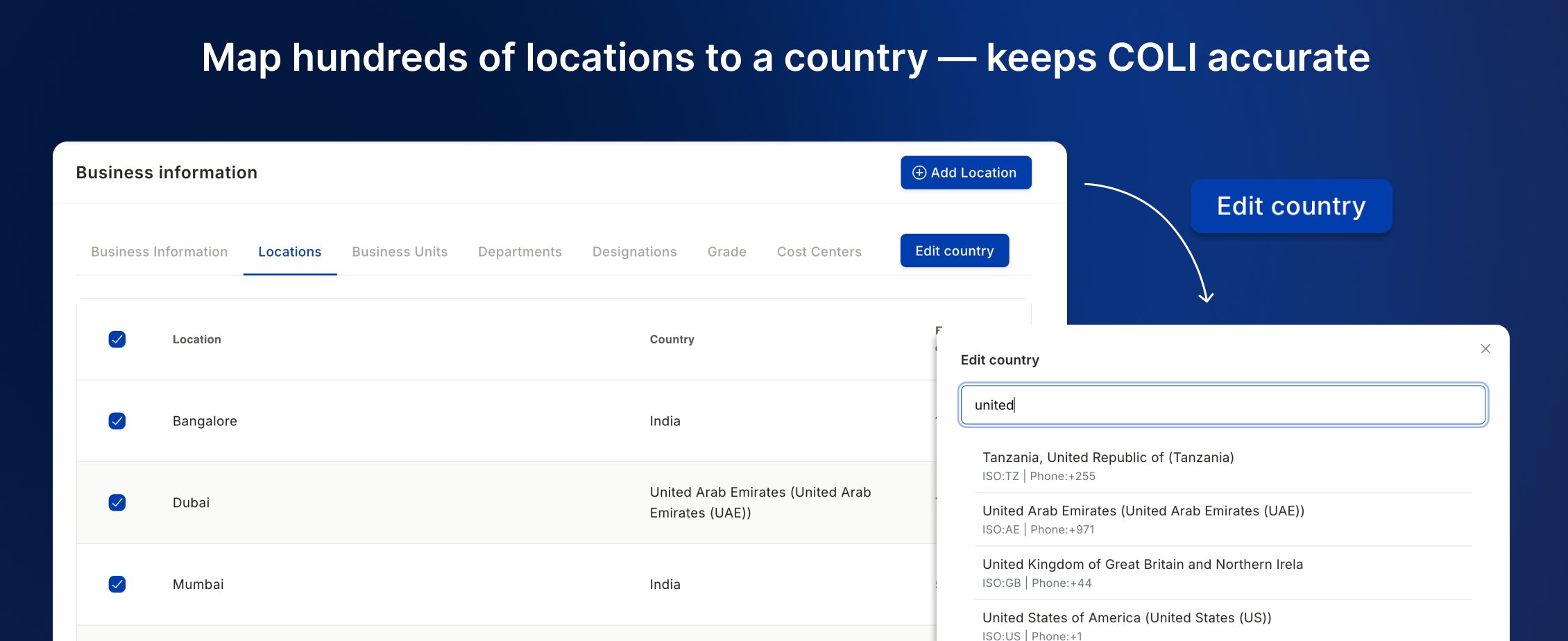
13. Bulk country mapping for Cost of Living Index Map hundreds of locations to a country in one action, so COLI can convert reward points correctly.
- Select multiple locations, choose a country and apply the mapping in one action, across a hundred or more locations in a single pass. COLI uses this mapping for reward point conversion, while unmapped locations are excluded.
- Sort locations by country mapping, location name or employee count to quickly identify gaps.
Coming up next
- Continuous listening surveys: Move from one-off surveys to always-on feedback, with AI analysing responses as they come in and surfacing what is changing.
- Group by in custom reports: Group custom reports by fields such as department, location or manager without exporting and pivoting outside Empuls.
- Approval routing by point value: Route high-value nominations through a different approval path based on configurable conditions.
- Skip an approval level when the nominator sits in it: If the nominator is also an approver at level 2, the nomination can move directly to level 3.
- More from Empuls MCP: Richer reporting and more actions directly from your AI assistant.