
Wish board types
Birthday
Double the joy of celebrating a birthday with personalised greetings.
New joinee
Collate best wishes for new employees and welcome them to the team.
Work anniversary
Collate wishes for employees on their work anniversary and service milestones.
Leaving a wish
1
Navigate to celebrations
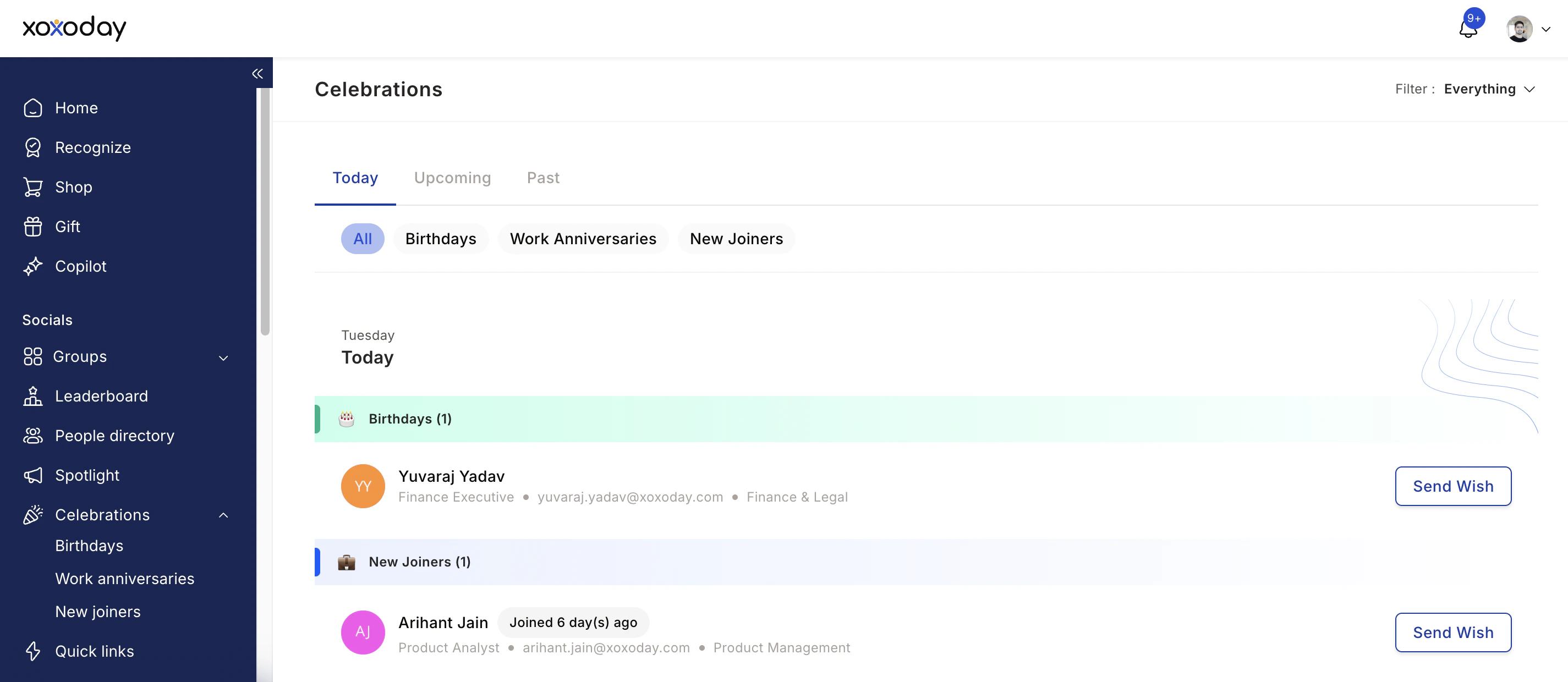
Go to Home and view all events under the celebrations card on the right. You can also access Home > Celebration tab to view all present, past, and upcoming celebrations.
- Filter by Past, Today’s, or Upcoming
- Filter by Birthdays, Work anniversaries, New joiners, or Others (custom celebrations)
- Switch from My circle to Everything to view all celebrations
2
Click Wish and compose your message
Click Wish next to the person you’d like to greet. Write a personal message referencing something specific about them or your shared experience.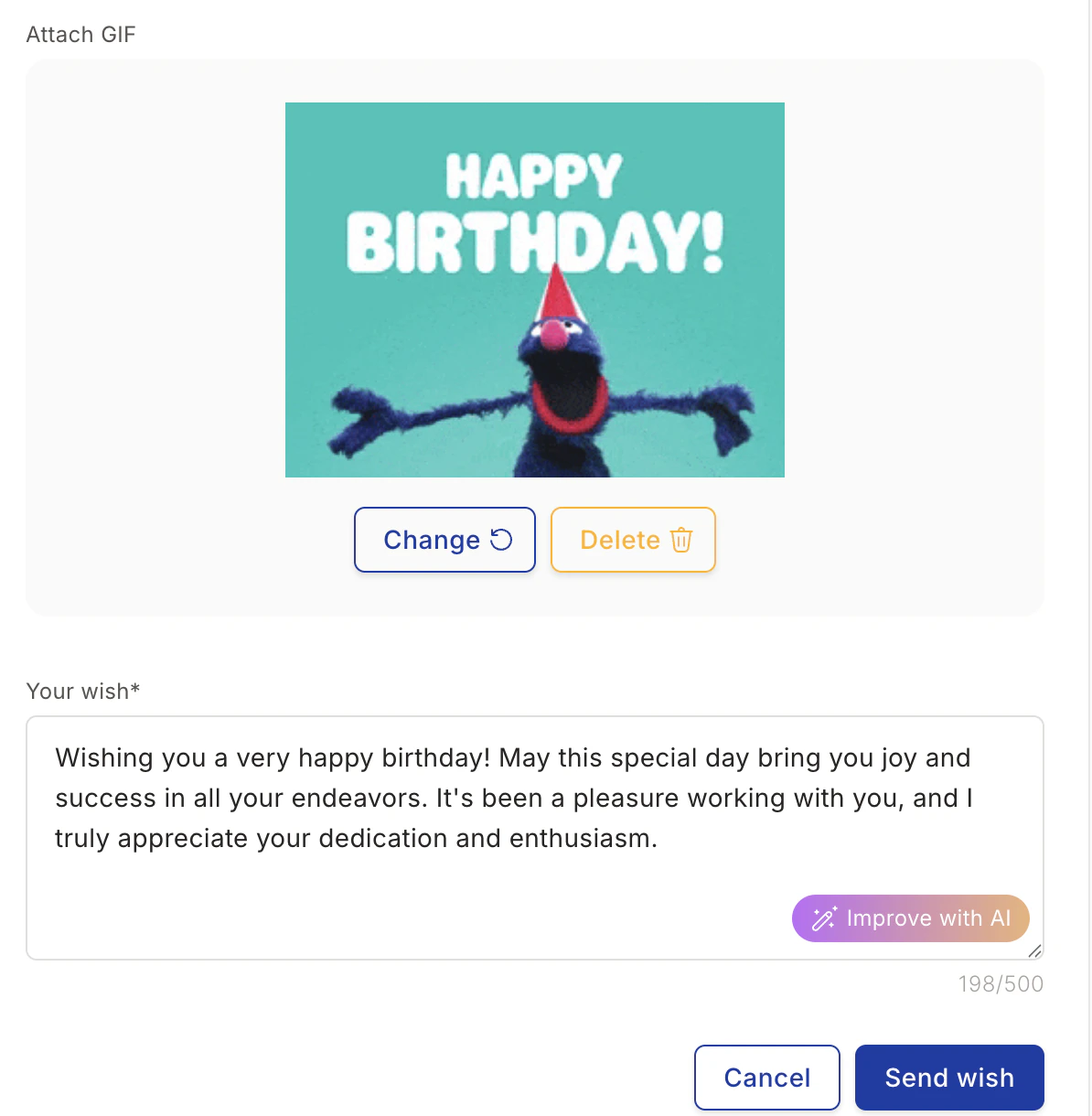
3
Add a GIF (optional)
Click Search GIF to browse the GIF library. Select a GIF and click Attach.
4
Use AI to improve your message (optional)
Click Improve with AI to generate a more thoughtful message. You can refresh the suggestion, copy it, or replace your text with it.
5
Send your wish
Click Send wish to post on the wish board. After publishing, you can also send a gift voucher to the recipient.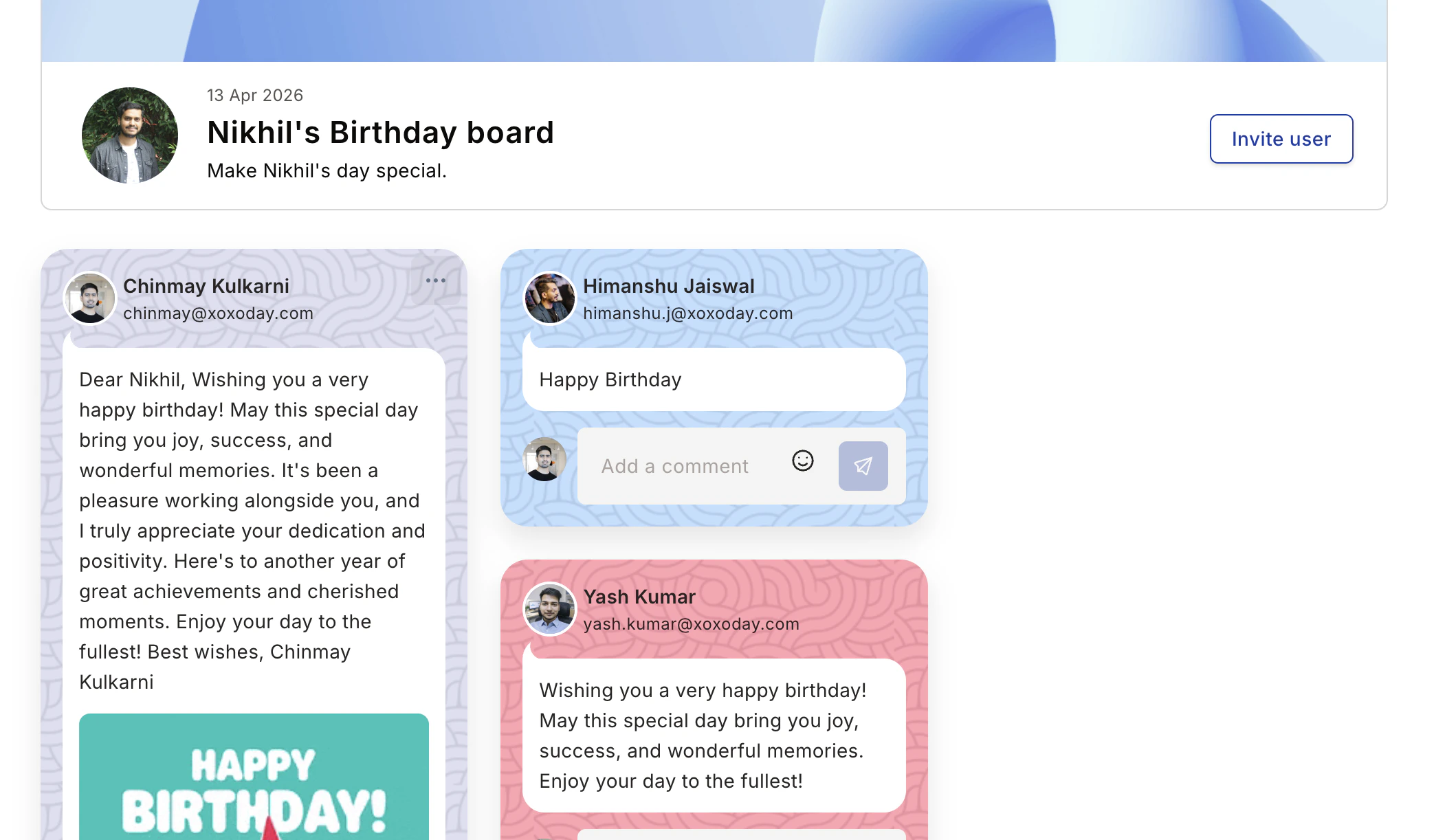
Custom celebrations
Custom celebrations let you open a wish board for any occasion Empuls doesn’t already track — for example, a certification, a project launch, a team farewell, or a promotion. You pick the occasion, the celebrant(s), and the date, then teammates post wishes just like they would for a birthday. Custom celebrations appear on the Celebrations page under the Others tab, alongside Birthdays, Work anniversaries, and New joiners.Your admin controls who can view and who can create custom celebrations. If you don’t see the Others tab or the Create event button, your role isn’t enabled for that action.
Create a custom celebration
1
Open the Others tab
Go to Home > Celebrations and select the Others tab.
2
Start a new event
Select Create event.
3
Pick an occasion
Choose an occasion from the dropdown, or type a new one to add it — for example, Farewell party, Promotion, or Certification. Occasion names can be up to 50 characters. New occasions you add become available to everyone in your company for future celebrations.
4
Add celebrants and the event date
Search and select one or more colleagues to celebrate, and set the event date.
5
Add a short message (optional)
Add a board subtitle of up to 100 characters to give the wish board more context, such as the reason for the celebration.
6
Add editors (optional)
Search and add editors who can update the event later — a co-organizer who may need to adjust the date, add celebrants, or change the message.
7
Turn on auto-invite (optional)
Enable Auto-send invite to peers to notify the celebrants’ teammates when the event is created. You can also invite additional participants at any time after the board opens.
8
Publish
Select Create event. The wish board opens on the event date and appears on the Others tab.
Manage a custom celebration
If you created the event (or you’re listed as an editor), open the event card and select Edit to change:- Occasion name
- Event date
- Celebrants
- Editors
- Short message
Invite more participants
After a custom celebration is live, open its wish board and use Invite to notify additional teammates. This is separate from Auto-send invite to peers, which only fires once when the event is created.Filtering custom celebrations
Custom celebrations follow the same relevance rules as built-in ones. When you switch the Celebrations page to My circle, My site, My department, My cost center, or My business unit, only custom celebrations whose celebrants match that filter appear on the Others tab.Signature pages
Some wish boards include a signature page where colleagues can sign digitally. Click Sign on the wish board to add your signature. All signatures are compiled into the yearbook alongside the wishes.Yearbook
When the celebration window ends, Empuls automatically compiles every wish, photo, GIF, and signature into a page-by-page yearbook you can keep and download.When you get a yearbook
You receive a yearbook for each celebration that ran a wish board on your behalf:- Your birthday (annual)
- Each work anniversary
- Each service-award milestone (1 yr, 3 yr, 5 yr, etc.)
- Welcome / new-joiner wish boards
- Farewell wish boards
What’s inside
View and download
- Click the View your yearbook link in the in-app notification or email.
- Use the page navigation at the bottom to flip through pages.
- Click Download PDF to save a copy.
Share your yearbook
Yearbooks are private to you by default. You can:- Share via internal link — Send the yearbook URL to a colleague (Empuls login required).
- Share PDF — Send the PDF outside Empuls.
- Make public to your org — Only available for milestone anniversaries; turns the yearbook into a public page on the Wall of Fame.
Yearbooks generate once the wish board window closes. Wishes posted after generation won’t appear.