
Send a peer recognition
1
Navigate to the group feed
Go to the group where you want to share the recognition — this could be your team group, an all-company group, or any other group you’re part of. Click Recognize in the feed input box.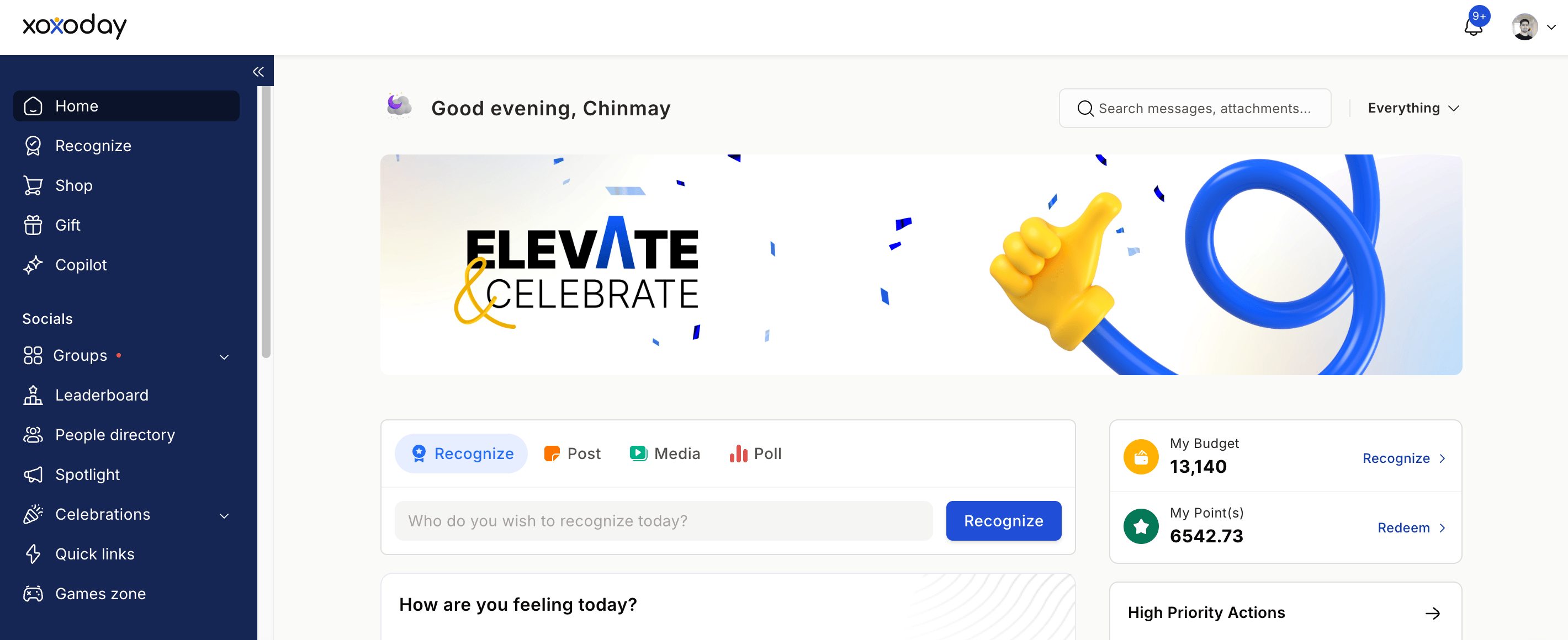
2
Find your colleague
Search for your colleague by name or email, or paste their email address directly into the search field. You can view the number of nominations they’ve received in the last quarter or six months directly from this screen. Click Next.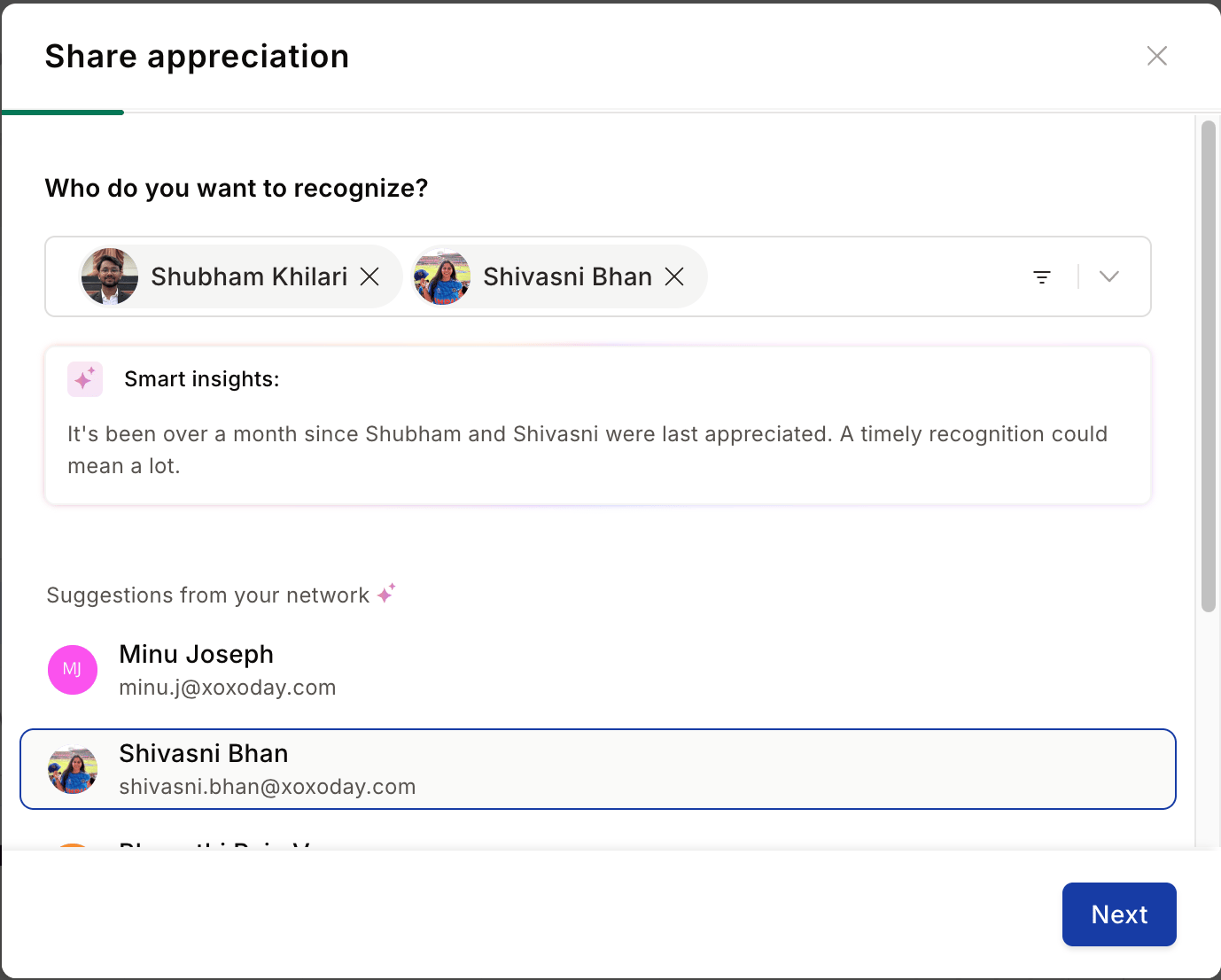
3
Choose an award
Select a Spot Award, Approval Award, or Core Value to recognise the achievement. Click on any award to read its purpose before choosing. Click Next to continue.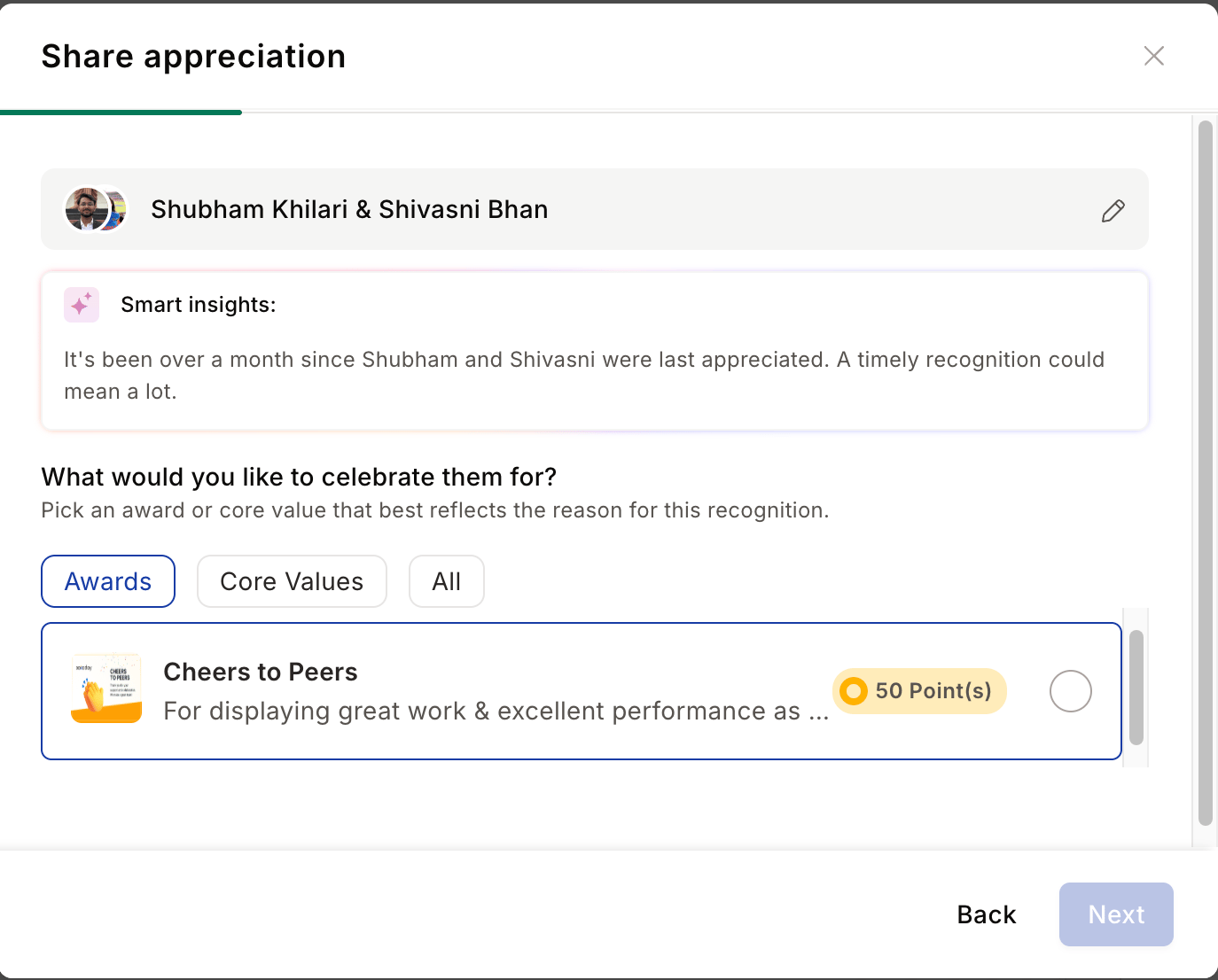
4
Write your message
Write a personalised message in the text box. For maximum impact, include: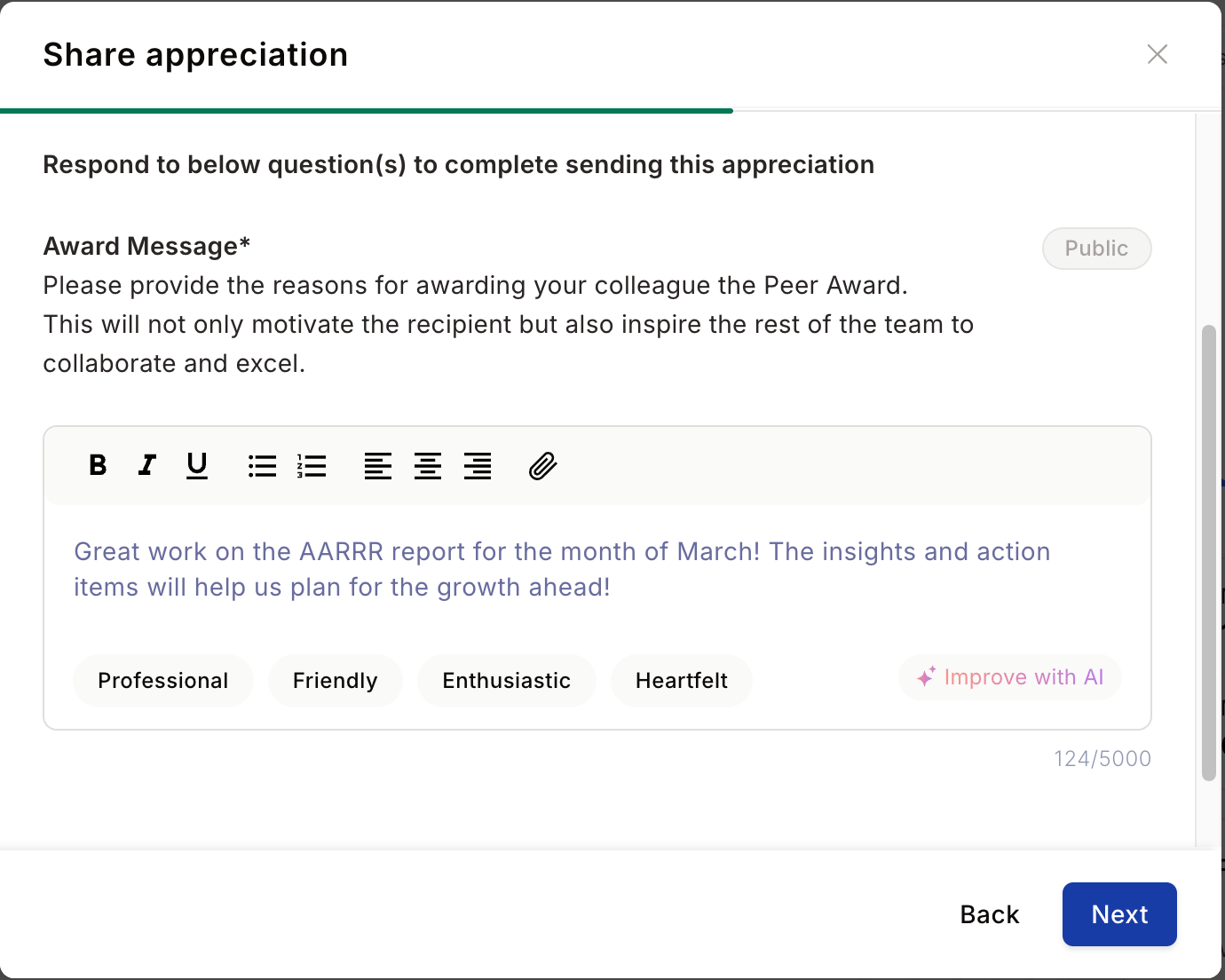
- What they did — the specific action or contribution
- Why it mattered — the importance of their effort
- The business impact — how it made a difference
5
Improve with AI (optional)
Click Improve with AI to enhance or rephrase your message. You can Refresh for a new suggestion, Copy it to paste manually, or Replace your existing message with the AI-generated version. Close the popup if you prefer to keep your original.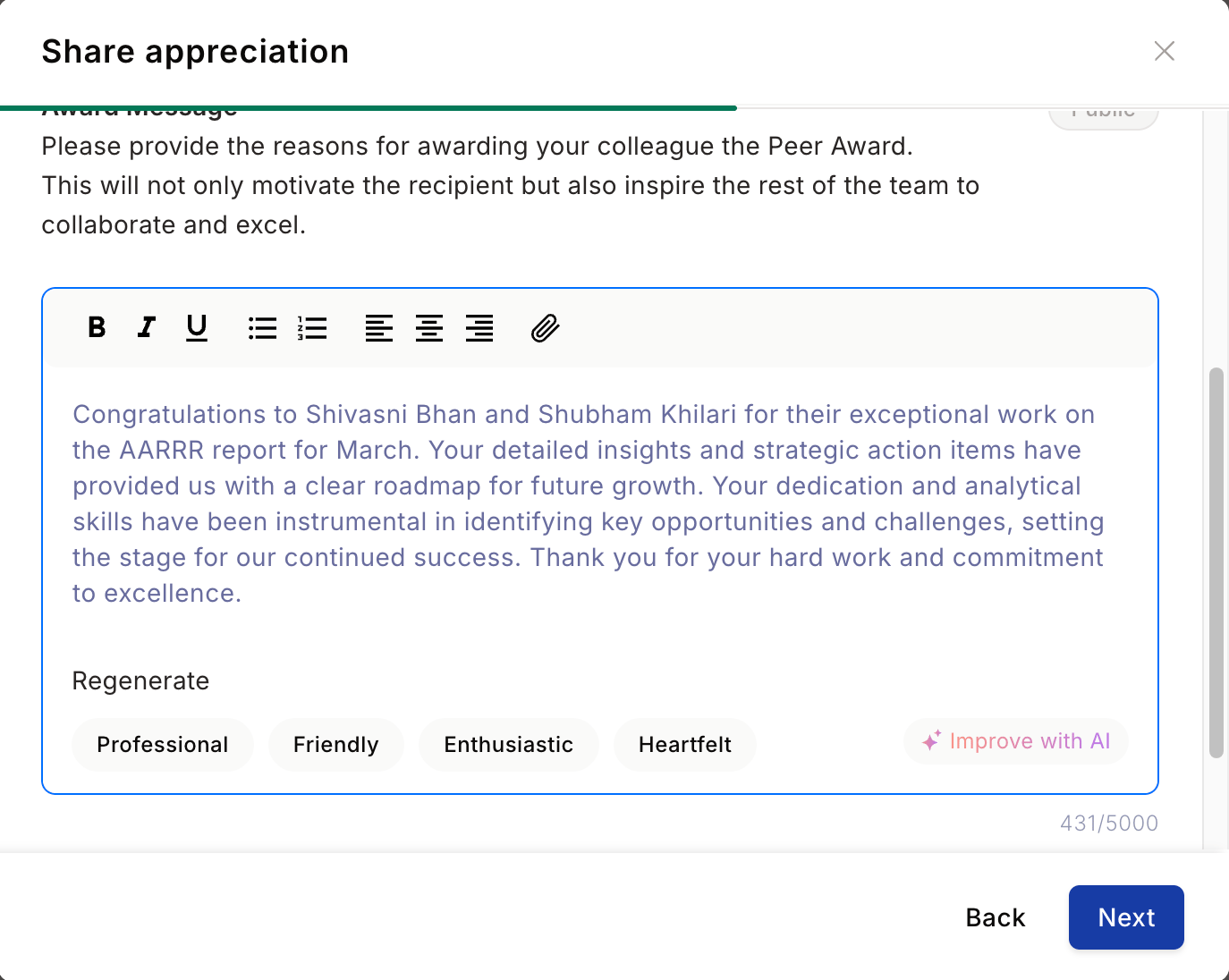
6
Preview and share
A live preview of the recognition post appears on the right side of the screen. Click Read More to see the full post. When you’re satisfied, click Share Recognition to post it publicly in the group feed. Your colleague is notified instantly.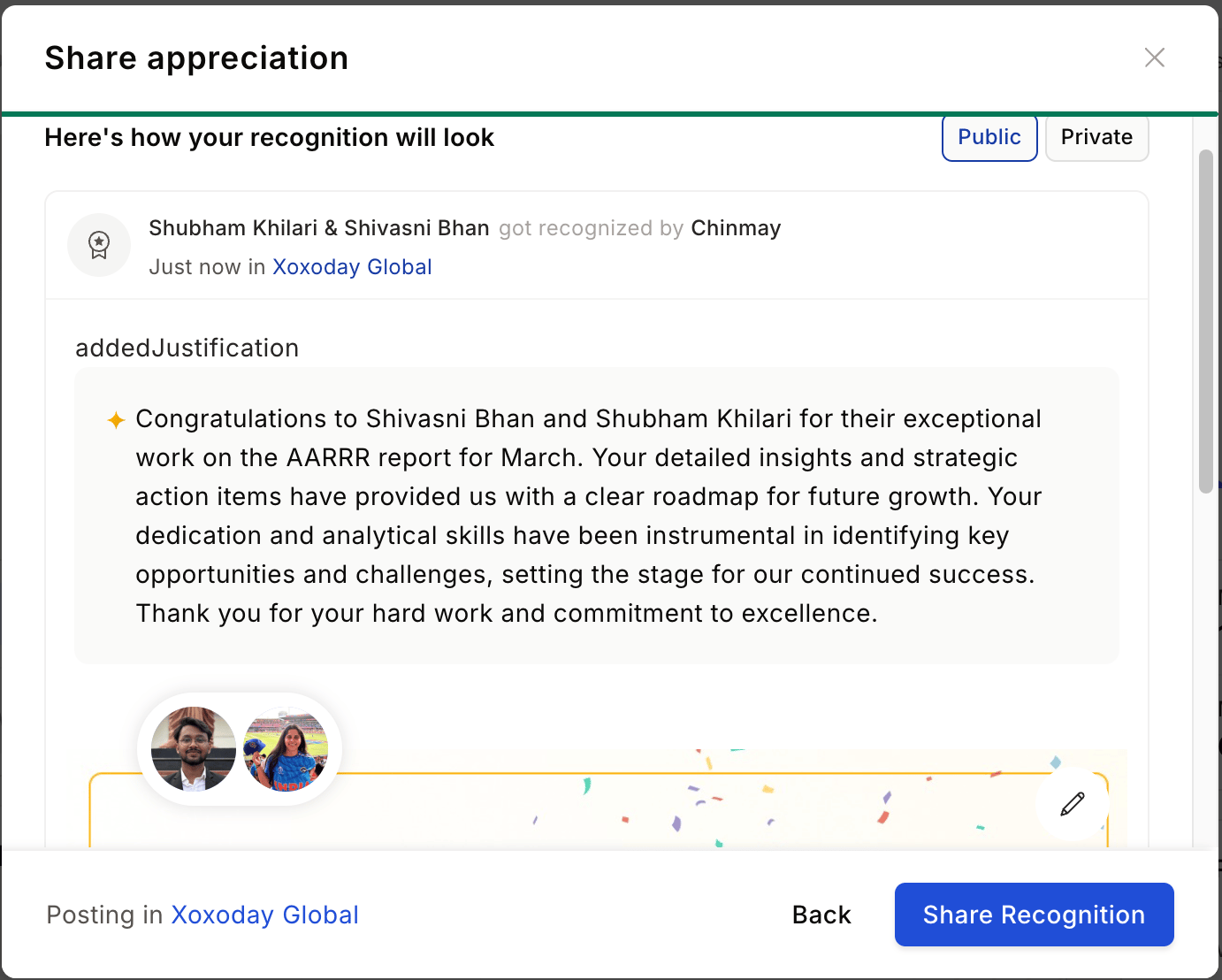
Smart recognition walkthrough
Empuls’s Smart Recognition uses AI to surface a recommendation before you send recognition, helping you spot when someone hasn’t been appreciated in a while or has just been recognised recently.View and respond to recognitions you’ve received
1
Go to your profile
Click your profile picture in the navigation bar and select My Profile.
2
View your recognitions
Scroll down to the Recognitions section to see all recognition you’ve received in chronological order.
3
Respond to a recognition
Click on any recognition to open the full message. Click the thumbs up to like it, choose a reaction, or add a reply message to thank your colleague personally.
Share a recognition on LinkedIn
You can amplify recognitions you’ve received by sharing them directly to your LinkedIn profile.1
Find the recognition post
Locate the recognition in your group feed or on your profile page.
2
Share to LinkedIn
Click Share on the recognition post and select Share on LinkedIn.
3
Authenticate with LinkedIn
A popup will ask you to authenticate with your LinkedIn credentials and grant Empuls permission to post on your behalf. Empuls does not store your LinkedIn credentials or personal information during this process.
4
Confirm and post
Once authenticated, review the pre-filled message and click Post on LinkedIn to share your recognition with your professional network.
FAQs
Can I recognise a manager or someone senior to me?
Can I recognise a manager or someone senior to me?
Yes. You can recognise peers, direct reports, and managers. Recognition in all directions is encouraged.
What happens if I select an approval-based award?
What happens if I select an approval-based award?
Approval-based awards require a manager or administrator to approve the nomination before the recognition is posted and any points are awarded. You’ll see the status in your feed once it’s reviewed.
I sent a recognition but can't see it in the feed
I sent a recognition but can't see it in the feed
Refresh the page and check the Sent section of your profile. If it was an approval-based award, it may be pending review. Reach out through Contact Support if it’s still missing after refreshing.
My points haven't been credited after receiving a recognition
My points haven't been credited after receiving a recognition
Wait up to 24 hours for points to appear. Check your account statement to verify. Contact support if points are still missing after 24 hours.
Does Empuls store my LinkedIn login details?
Does Empuls store my LinkedIn login details?
No. Empuls does not capture or save your LinkedIn credentials or personal information during the authentication process.