
Access the People Directory
1
Log into your Empuls account
2
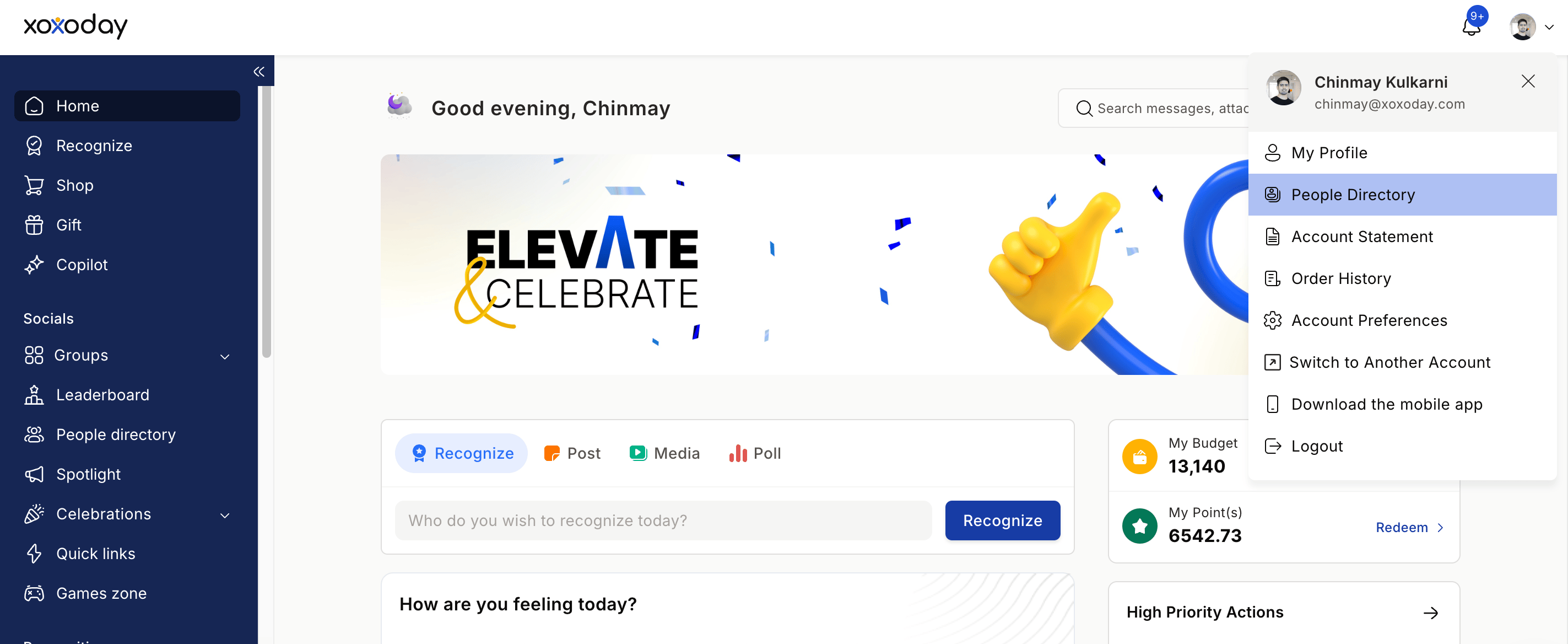
Click on your profile image on the bottom left and select the People Directory from the drop-down menu
3
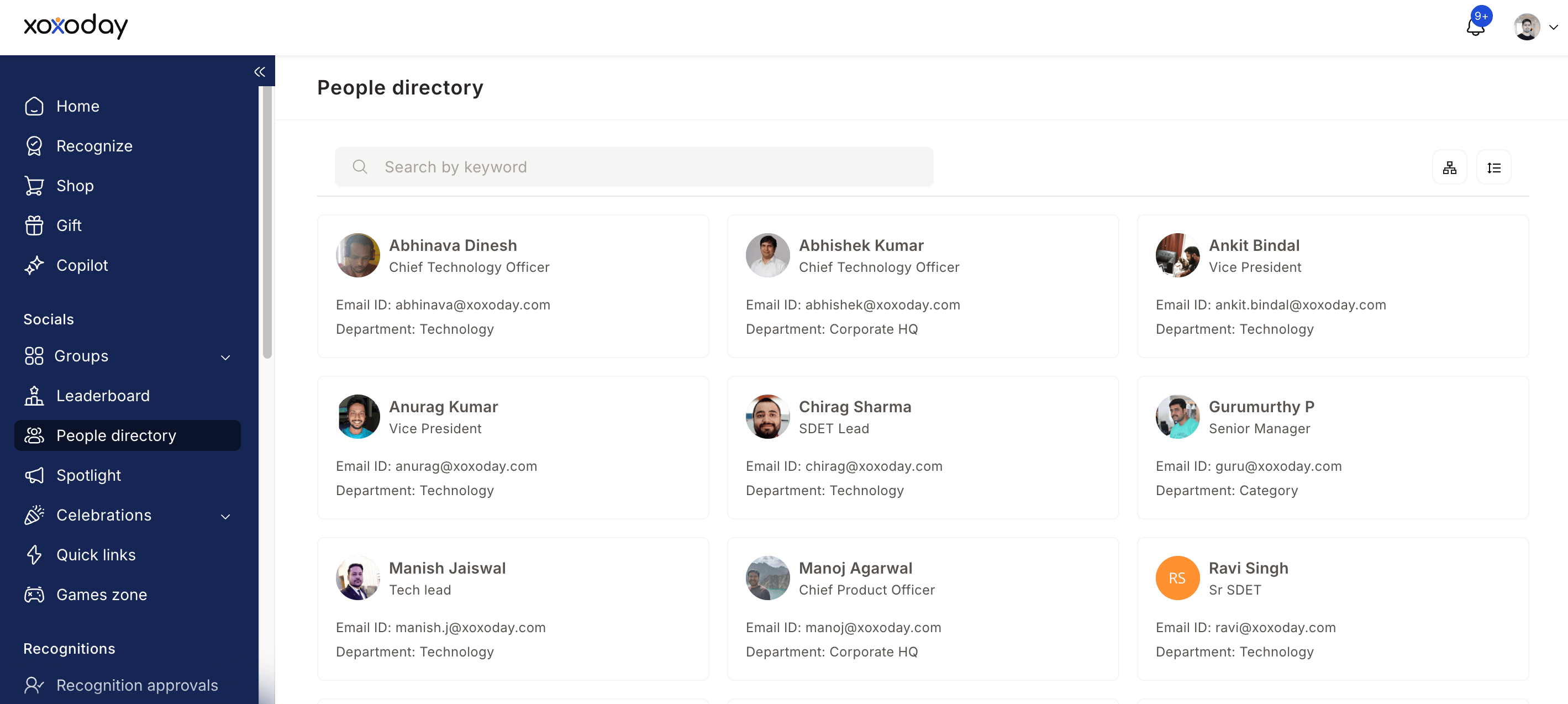
Browse the list of colleagues — you'll see names, job titles, photos, and departments
Explore the Org Chart
1
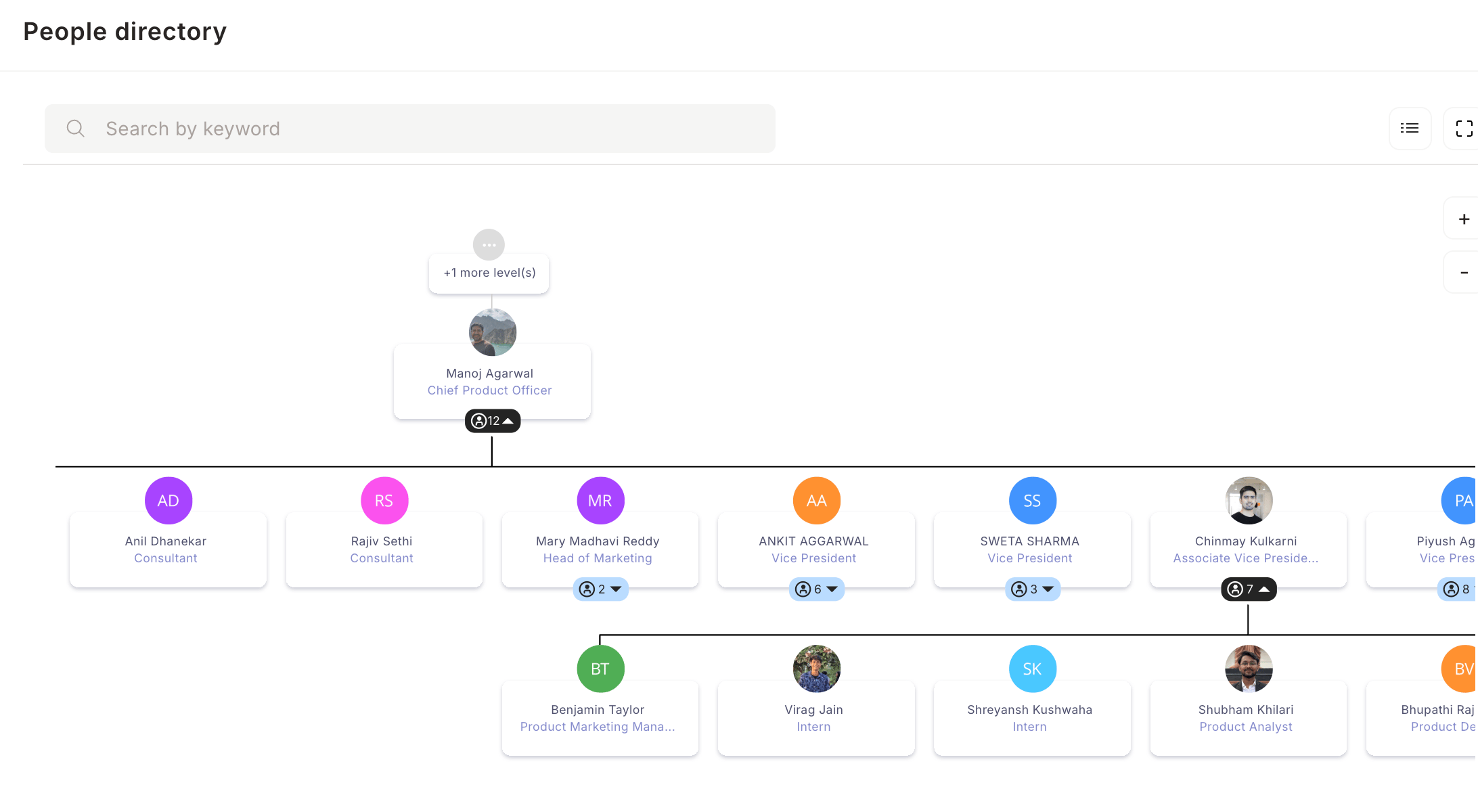
Click the org chart icon located on the right-hand side
2
View your company's full reporting hierarchy
3
Click the + icon to expand levels beneath a person
4
Click any manager's name to see their direct reports
5
Navigate up and down the hierarchy to explore the full structure
Filter the Directory
1
Click the filter icon to sort or narrow down the employee list
Choose from three options: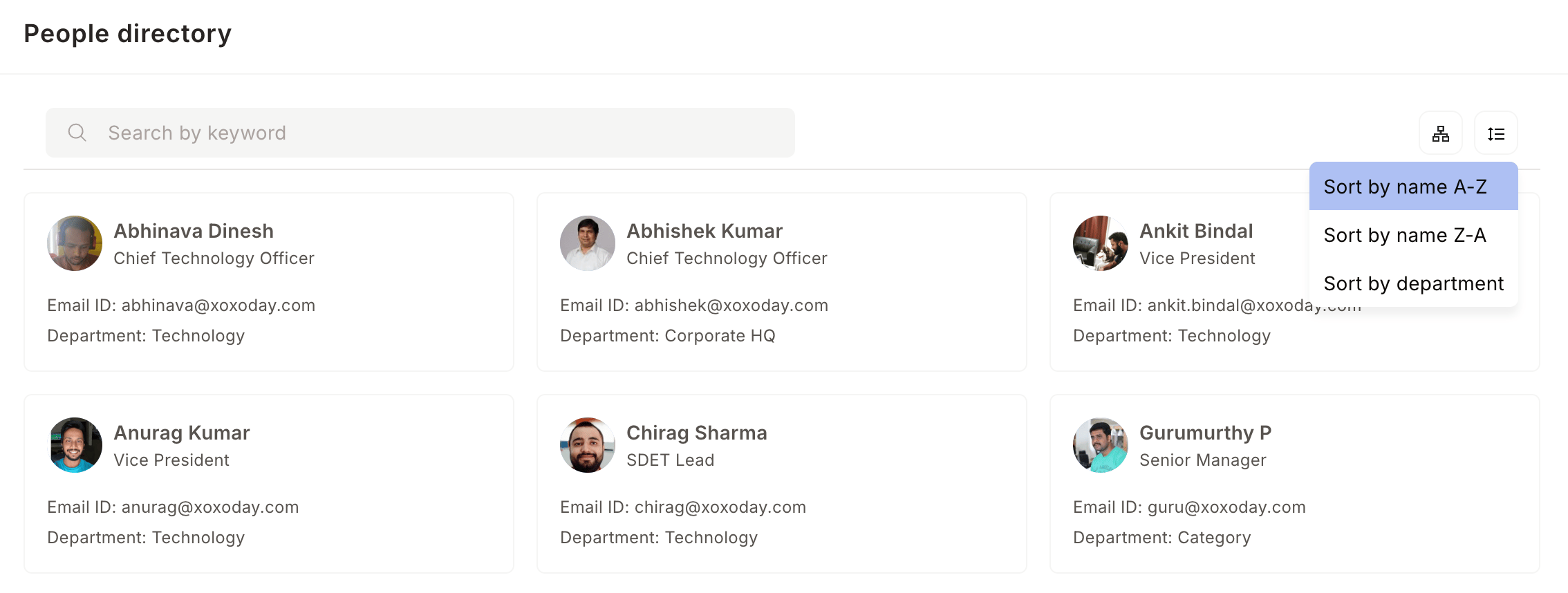
- A → Z — sort employees alphabetically by name
- Z → A — sort employees in reverse alphabetical order
- Department — filter by a specific team or department