Overview
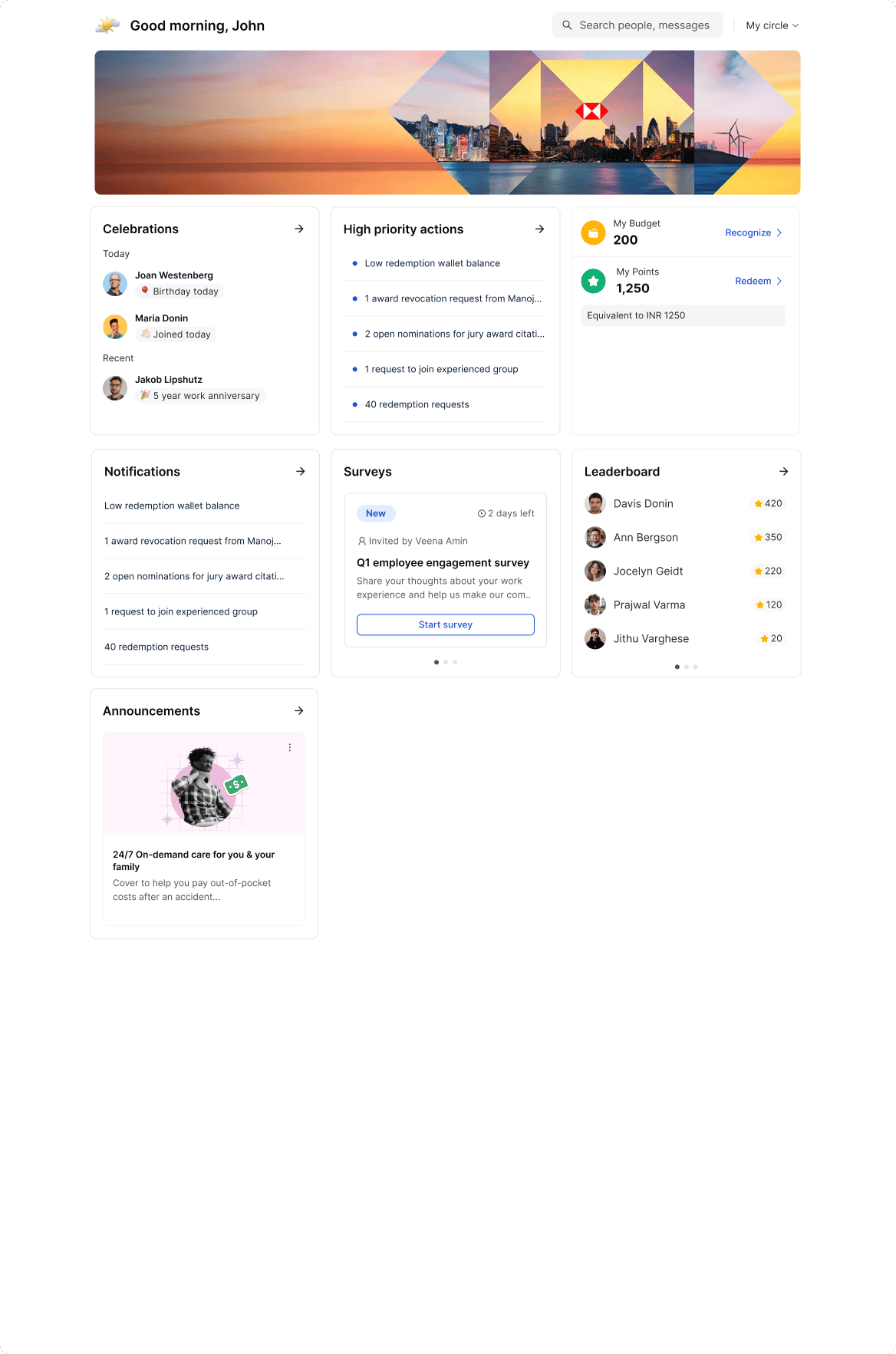
Empuls offers three homepage layout options to help organizations personalize the employee experience based on their communication and engagement priorities. Each layout contains the same widgets but arranges them differently to support various goals such as:- Peer recognition
- Leadership communication
- Employee engagement
- Balanced collaboration experiences
Note: Layout changes can be enabled from the backend upon request. Reach out through Contact Support for assistance.
Choosing a Homepage Layout
Step 1: Go to Admin Dashboard
Click on Reports and Admin to open the admin dashboard.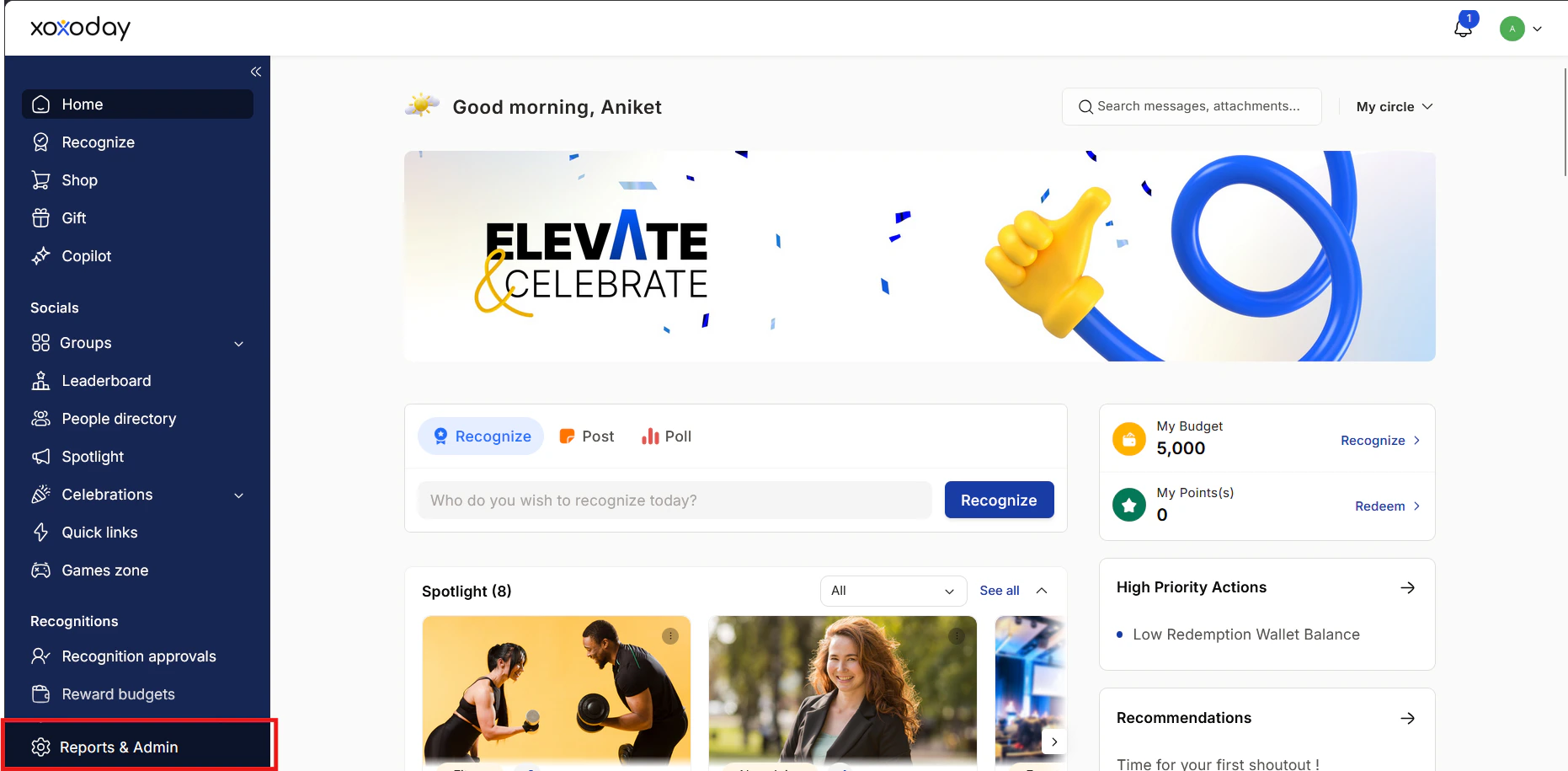
Step 2: Open Homepage Editor
Navigate to:Platform Settings > Homepage Editor
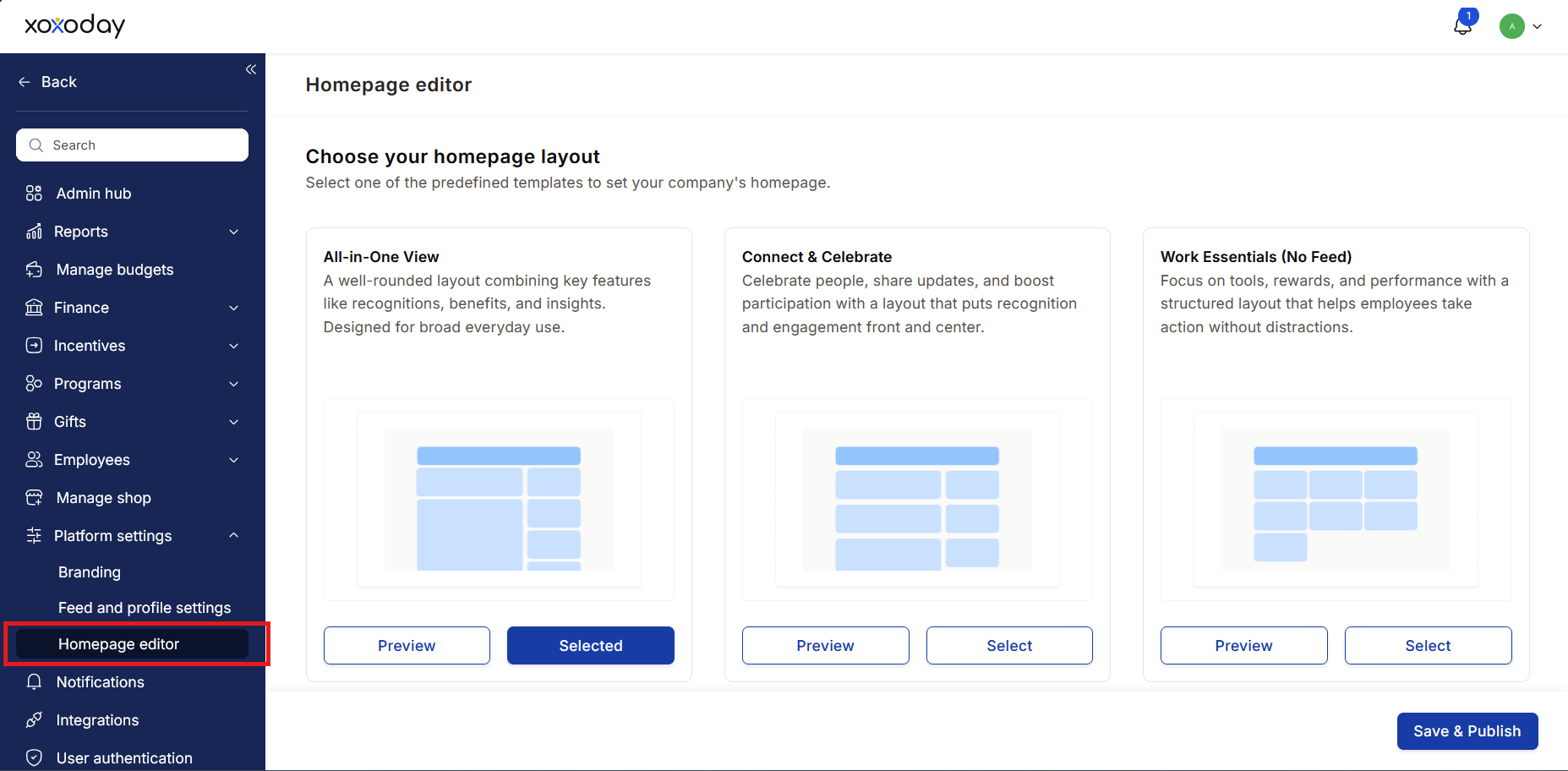
Step 3: Preview and Select Layout
Preview the available homepage layouts.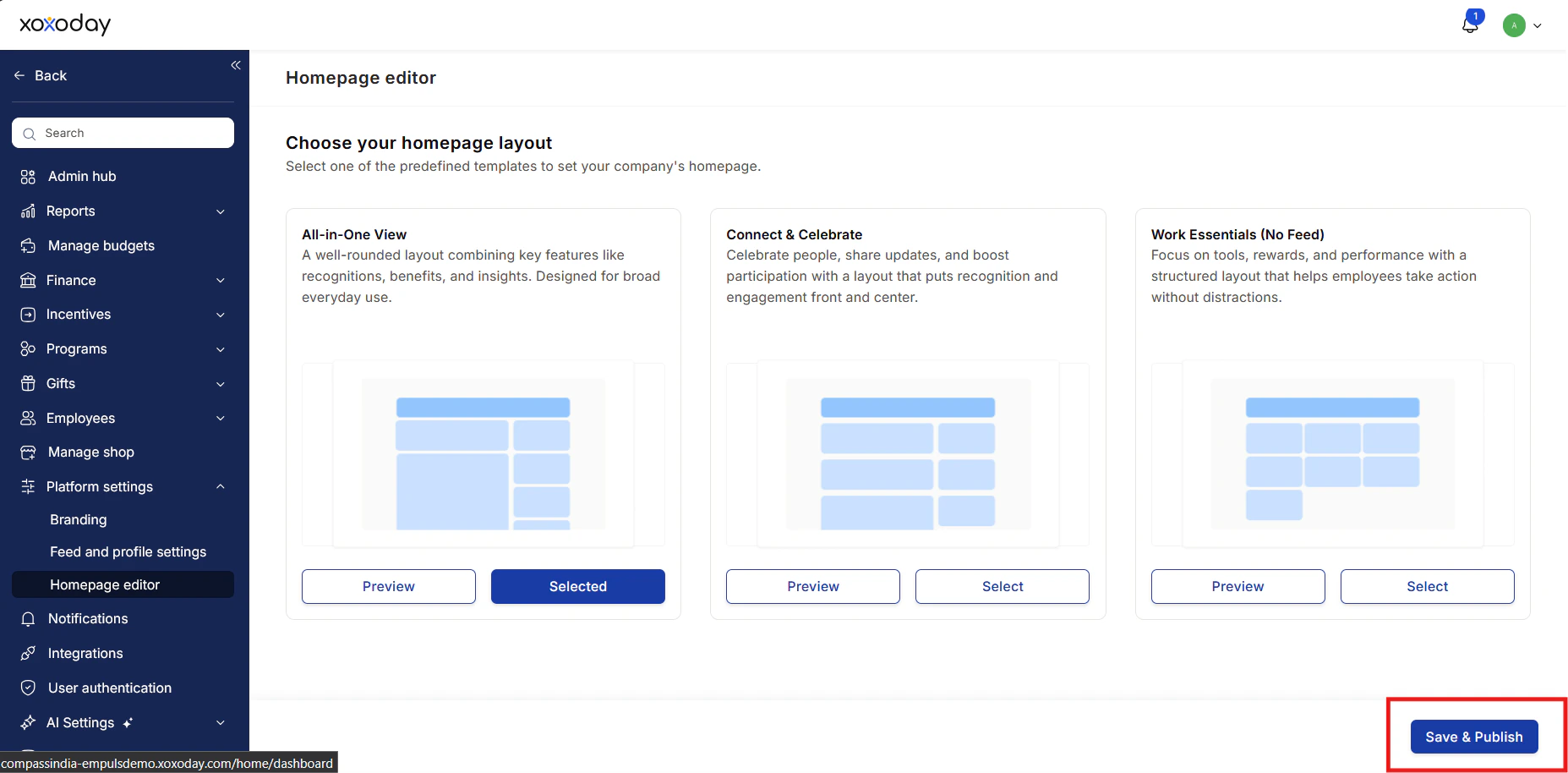
- Click Select below the preferred layout
- Click Save and Publish
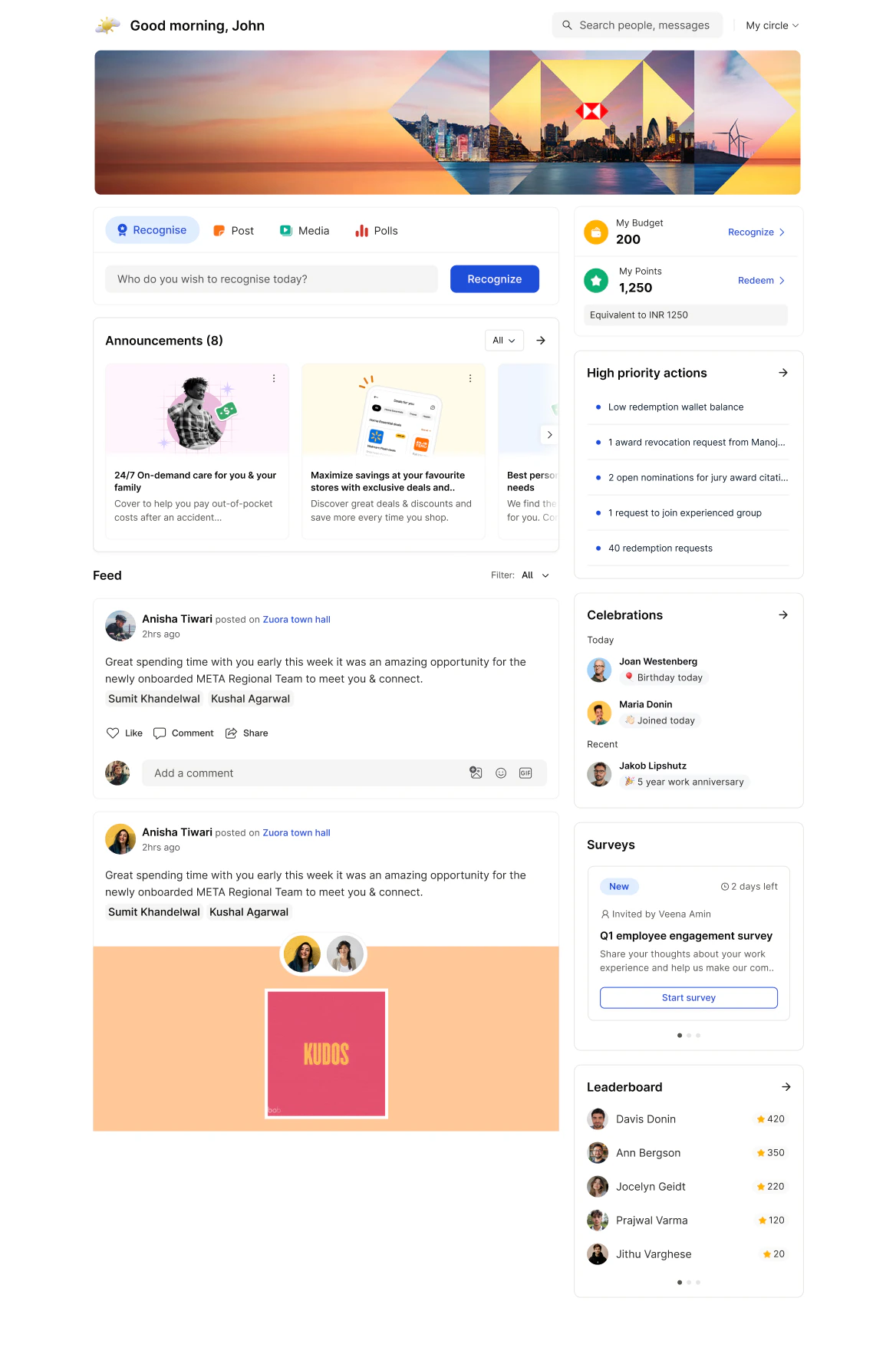
Layout 1: Current Feed (Default)
Best for: Organizations looking for a balanced employee experience combining recognition, updates, and engagement tools.Widget Flow
- Banner – Displays your organization’s customized banner
- Spotlight – Highlights important announcements
- Feed – Shows recognitions, social interactions, and company updates
- Points – Displays the user’s reward point balance
- Recommendations – Suggests people to recognize or actions to take
- Surveys – Displays pulse surveys and feedback requests
- Celebrations – Shows birthdays, new joiners, and anniversaries
- Leaderboard – Displays leaderboard winners
- High Priority Actions – Highlights tasks requiring user attention
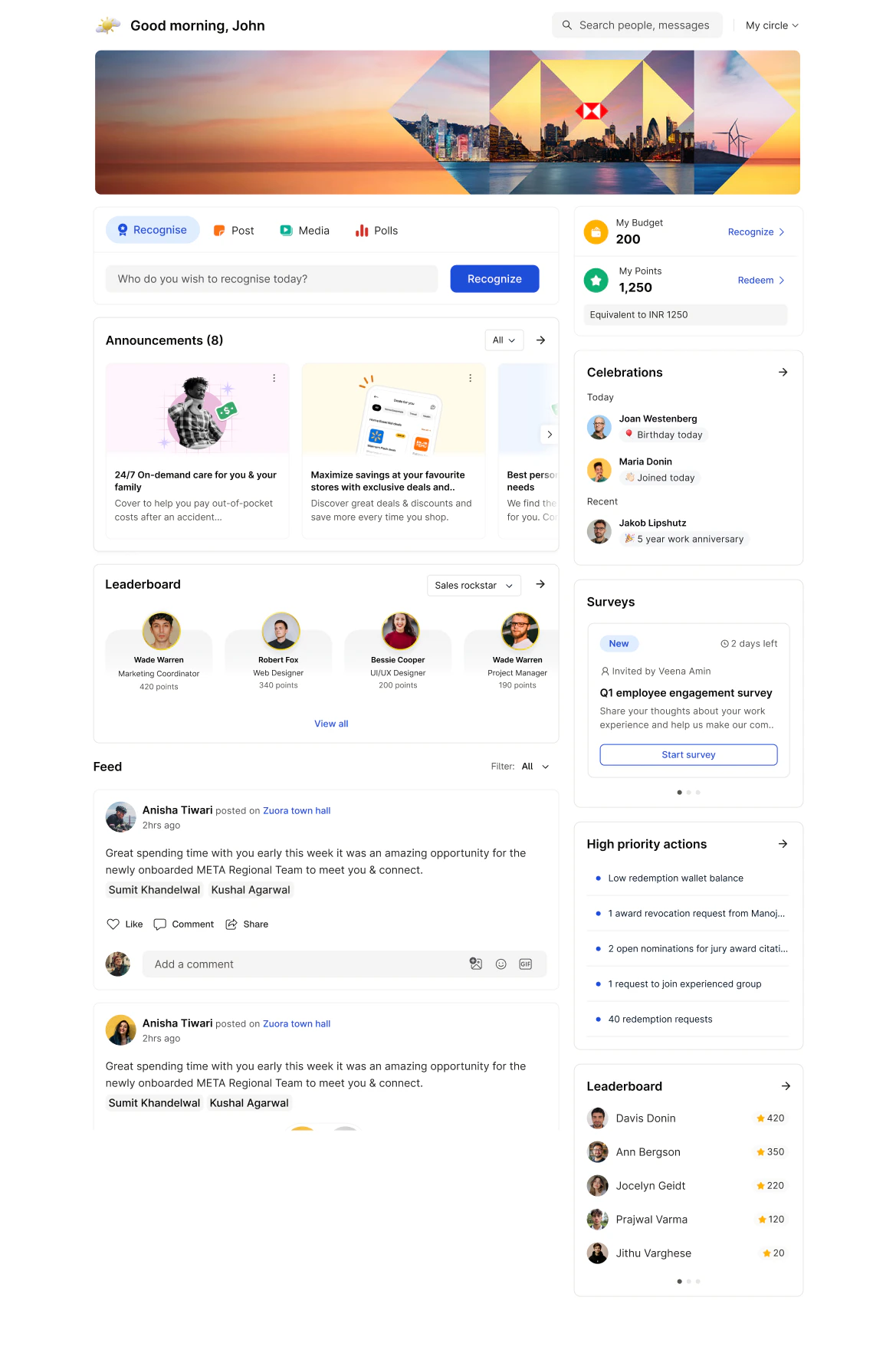
Layout 2: Communication-First
Best for: Organizations focused on leadership communication and company-wide updates.Widget Flow
- Banner – Displays your organization’s customized banner
- Spotlight – Highlights important announcements
- Feed – Shows recognitions, social interactions, and company updates
- Surveys – Displays pulse surveys and feedback requests
- High Priority Actions – Highlights tasks requiring user attention
- Celebrations – Shows birthdays, new joiners, and anniversaries
- Points – Displays the user’s reward point balance
- Leaderboard – Displays leaderboard winners
- Recommendations – Suggests people to recognize or actions to take
Layout 3: Goal & Recognition Focused
Best for: Organizations that want to spotlight achievements and encourage continuous engagement.Widget Flow
- Banner – Displays your organization’s customized banner
- Spotlight – Highlights important announcements
- Points – Displays the user’s reward point balance
- Recommendations – Suggests people to recognize or actions to take
- Surveys – Displays pulse surveys and feedback requests
- Leaderboard – Displays leaderboard winners
- High Priority Actions – Highlights tasks requiring user attention