
Navigation and customisation
- Filter view: Utilise the global drop-down menu to filter the current data view based on your specific requirements.
- Report options: You can pivot data by User, Department, Cost Center and more to analyse redemption patterns at different organisational levels.
- Advanced filters: Further refine your search by filtering for specific Budgets, Recipients, and more.
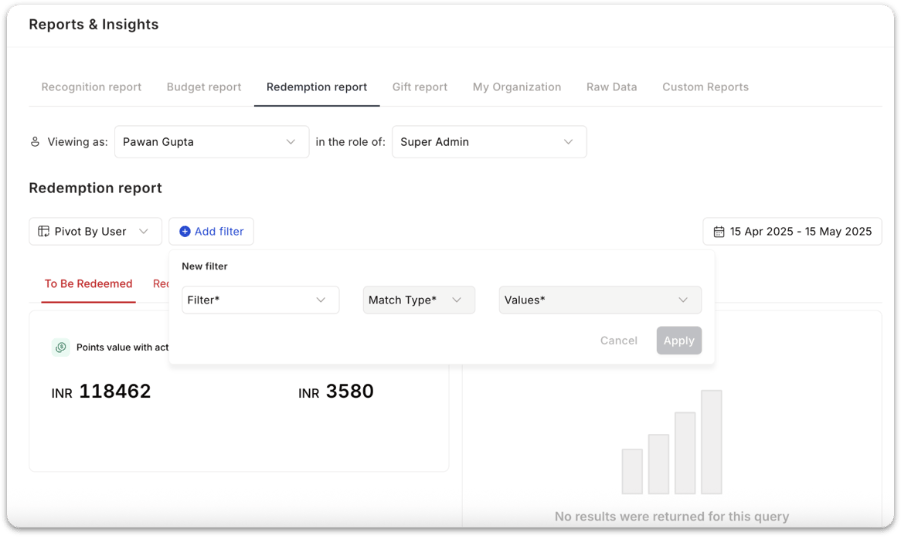
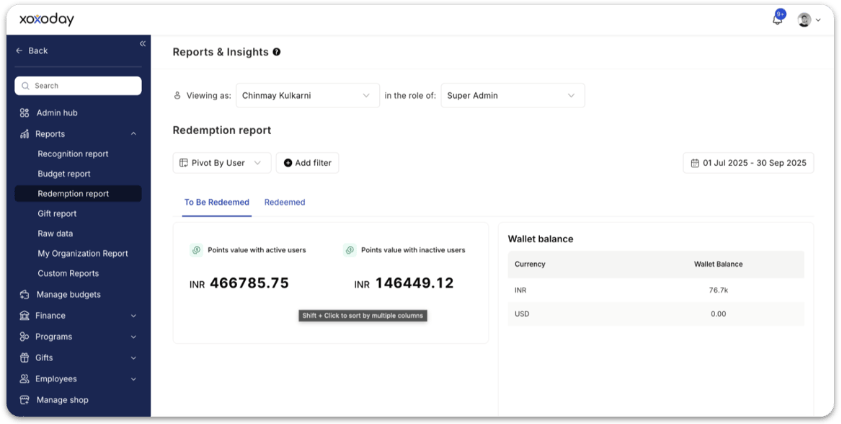
To be redeemed
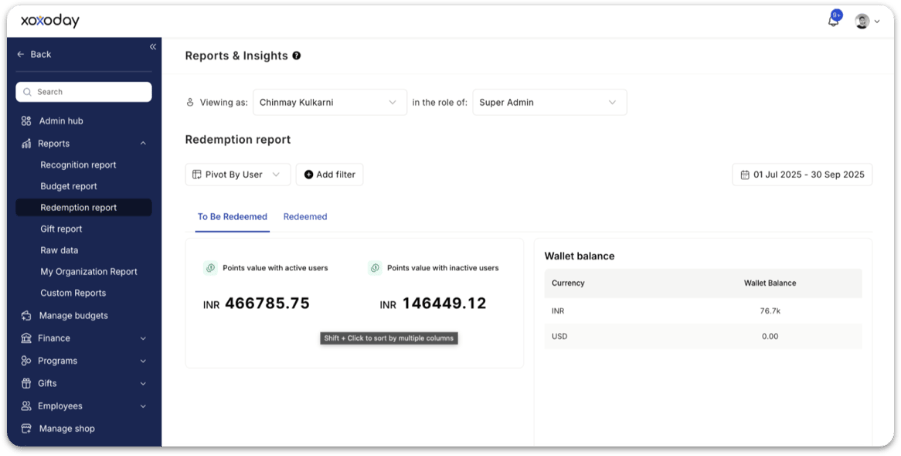
Tracks all points that are yet to be redeemed by users. You’ll see:- Points value with active users — Total redeemable points currently held by active employees.
- Points value with inactive users — Redeemable points held by users who have left or become inactive.
- Wallet balance — Displays the current balance in your redemption wallet.
Redeemed
Tracks all points that have already been redeemed. You’ll see:- Redeemed points value — Total redeemed point value within the selected period
- Number of orders placed — Total number of redemptions made by employees
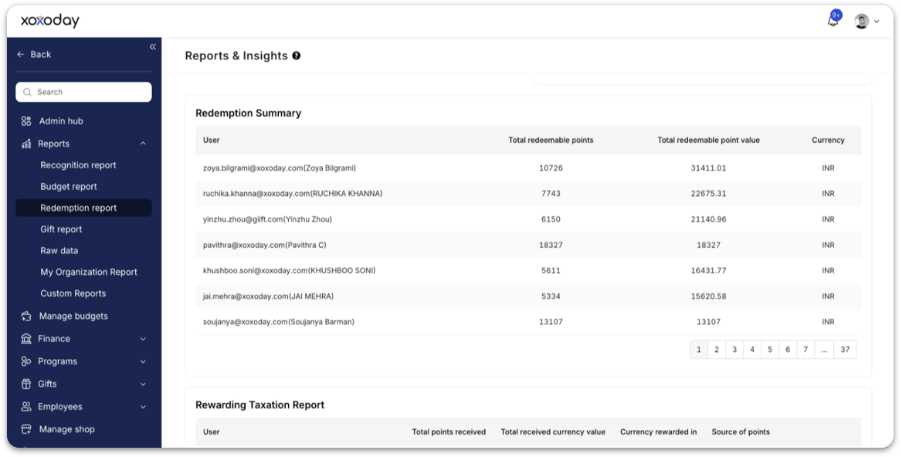
Redemption summary table
The redemption summary provides a line-by-line breakdown of each user’s redemption activity. The table includes:- User
- Total redeemable points
- Total redeemable point value
- Currency
Taxation reports
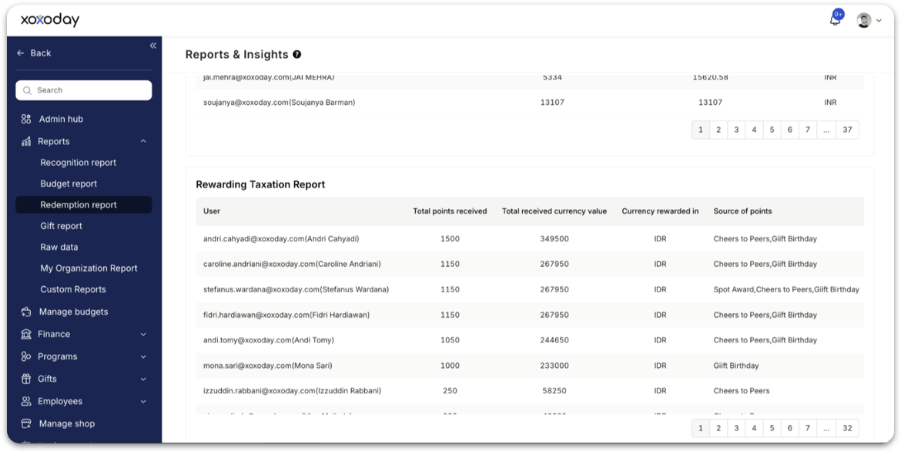
Rewarding taxation report
This report simplifies tax compliance related to rewards. It includes:- User
- Total points received
- Total received currency value
- Currency rewarded in
- Source of points (e.g. Work Anniversary, Christmas, Special Awards)
Redeemed taxation report
This section appears under the Redeemed tab. It shows:- Total taxable impact only for redeemed rewards, ensuring compliance for countries that tax only actual benefits received.
How to use this dataFor HR
- Track which teams redeem more often
- Identify users who haven’t redeemed points
- Improve communication for low-redemption groups
- Understand redemption liabilities
- Reconcile payments against redemption wallet balance
- Download taxation reports for payroll processing
- Monitor wallet depletion
- Estimate upcoming funding needs
- Evaluate catalogue/menu performance
FAQs
Can the platform report on multi-currency usage?
Can the platform report on multi-currency usage?
Yes. Reward reports capture the value of redemptions in the applicable local or configured currency, enabling precise tracking of reward costs and budgets across regions. The platform supports base and local currency views, dual currency reporting, and flexible export options.
What is the difference between the rewarding and redeemed taxation reports?
What is the difference between the rewarding and redeemed taxation reports?
The rewarding taxation report covers all points received by employees regardless of whether they have been redeemed — useful in countries that tax rewards at the point of receipt. The redeemed taxation report covers only points that have been exchanged for rewards — useful in countries that tax only at the point of redemption.
Related
Reports
Overview of all report types available in Empuls.
Budget report
See how recognition budgets are allocated and spent.
Redeem points
The employee-side experience for redeeming reward points.
Budgets
Configure redemption wallets and reward budgets.