
Recognitions received
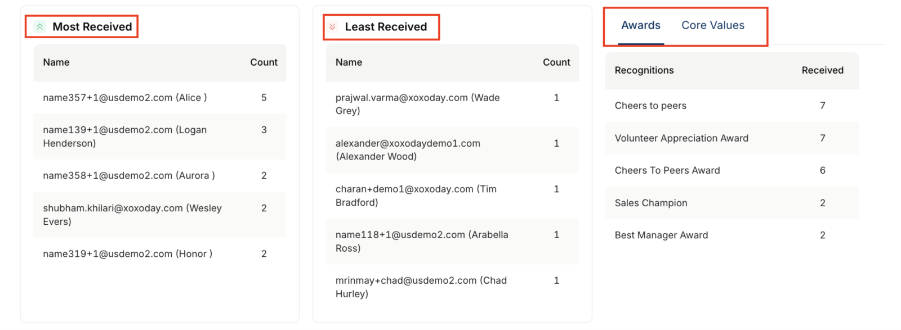
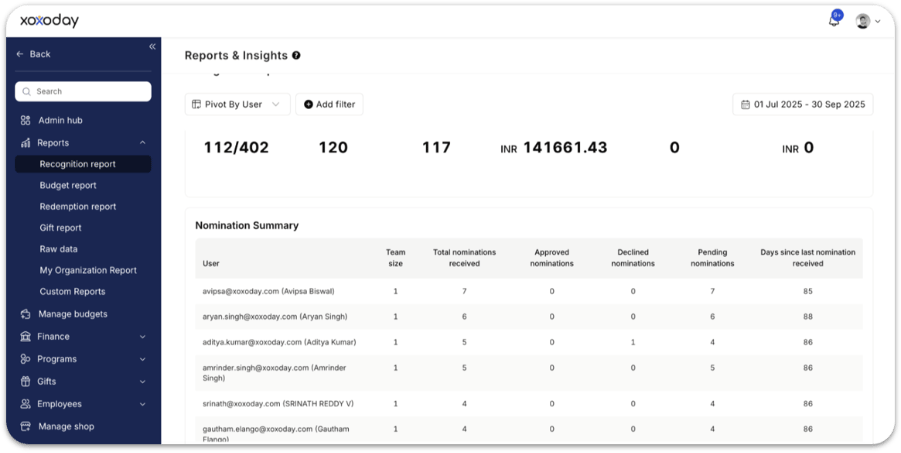
This section allows you to monitor your personal impact and the awards you have accumulated. Core metrics: View how many unique individuals have recognised you, the total number of non-monetary awards received, and the cumulative value of all award points you have earned.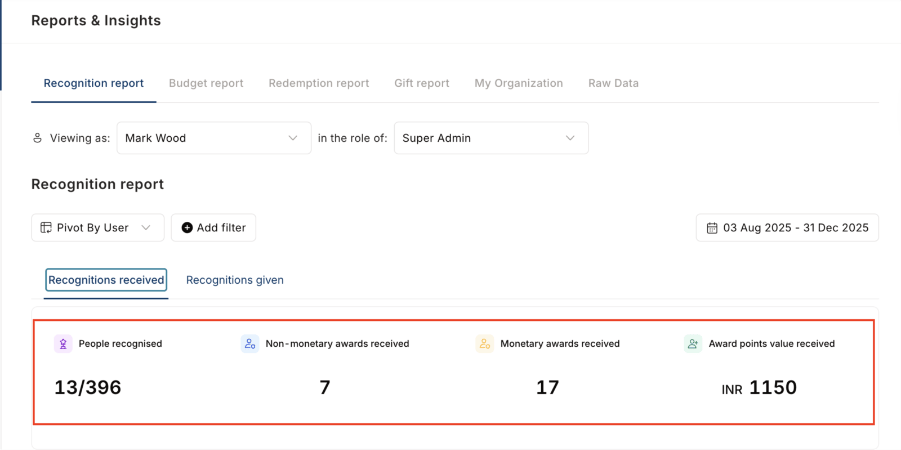
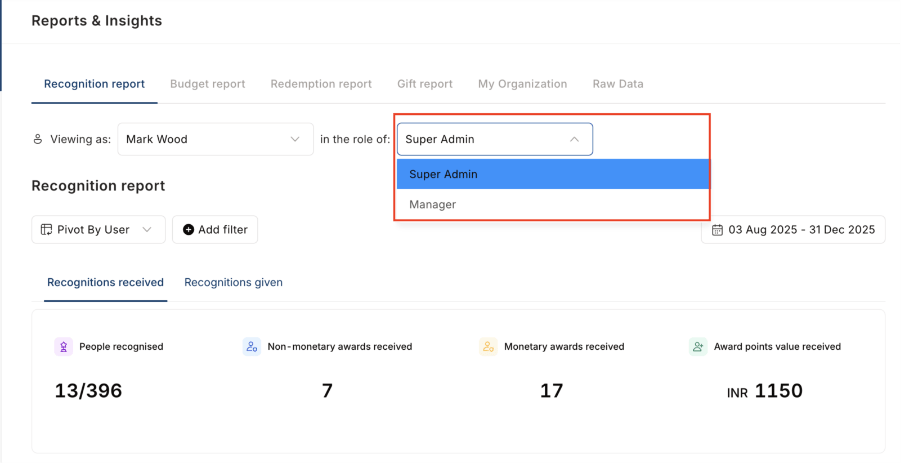
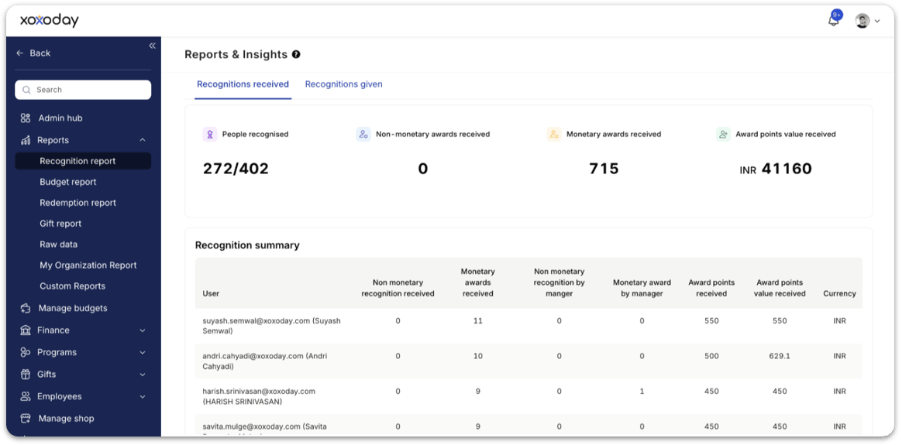
- Non-monetary recognitions received
- Monetary awards received
- Recognition received from managers vs peers
- Total award points received and total redemption value
- Currency of awards
Recognitions given
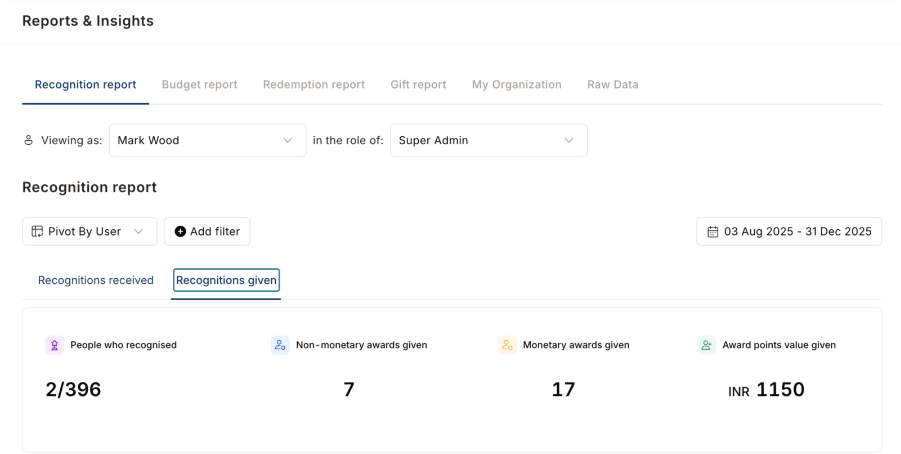
This section focuses on your activity as a nominator and your contribution to the company culture.- Activity overview: Track the total number of people you have recognised, the non-monetary awards you have distributed, and the total monetary value of all awards you have granted.
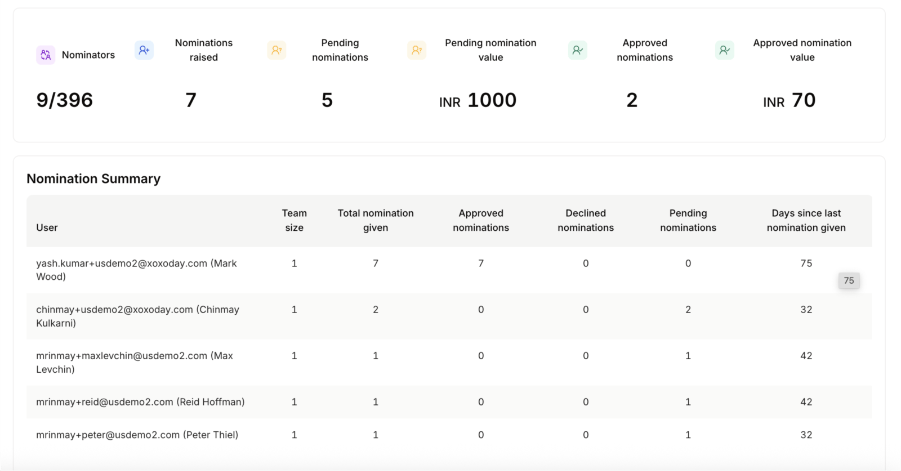
- Summary table: Analyse your giving patterns through a table showing the colleagues you recognise most (and least), the total number of awards you’ve issued, and the different core value types you emphasise.
FAQs
What details are shown in the recognition summary table?
What details are shown in the recognition summary table?
For each employee, the table shows:
- Non-monetary recognitions received
- Monetary awards received
- Recognition received from managers vs peers
- Total award points received and total redemption value
- Currency of awards
Can I filter recognition data by date or department?
Can I filter recognition data by date or department?
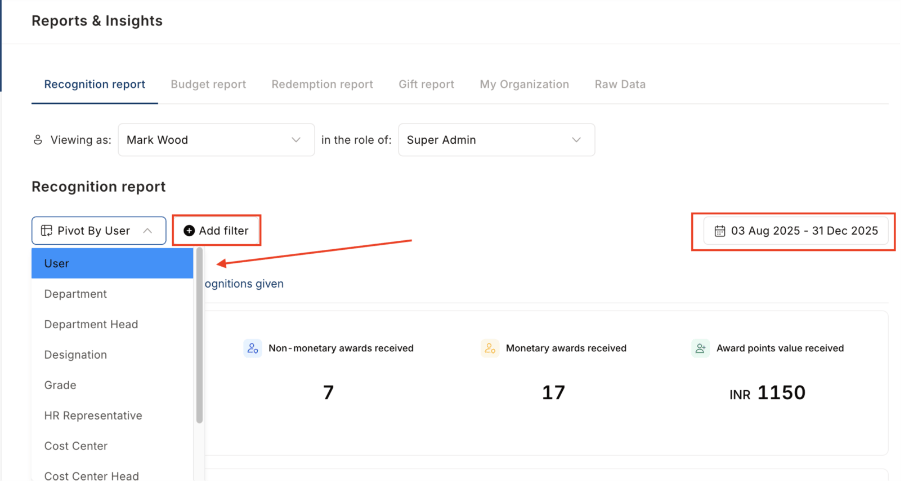
Yes. Use Date Filters to track recognition over a defined period. You can also use Pivot by User or Pivot by Department to reorganise data by the dimension most relevant to your analysis.
Related
Reports
Overview of all report types available in Empuls.
Awards and core values
Set up the awards that feed recognition report data.
Budget report
Monitor how recognition budgets are allocated and used.
Access control
Control who sees which reports and dashboards.