Here’s what’s new:
-
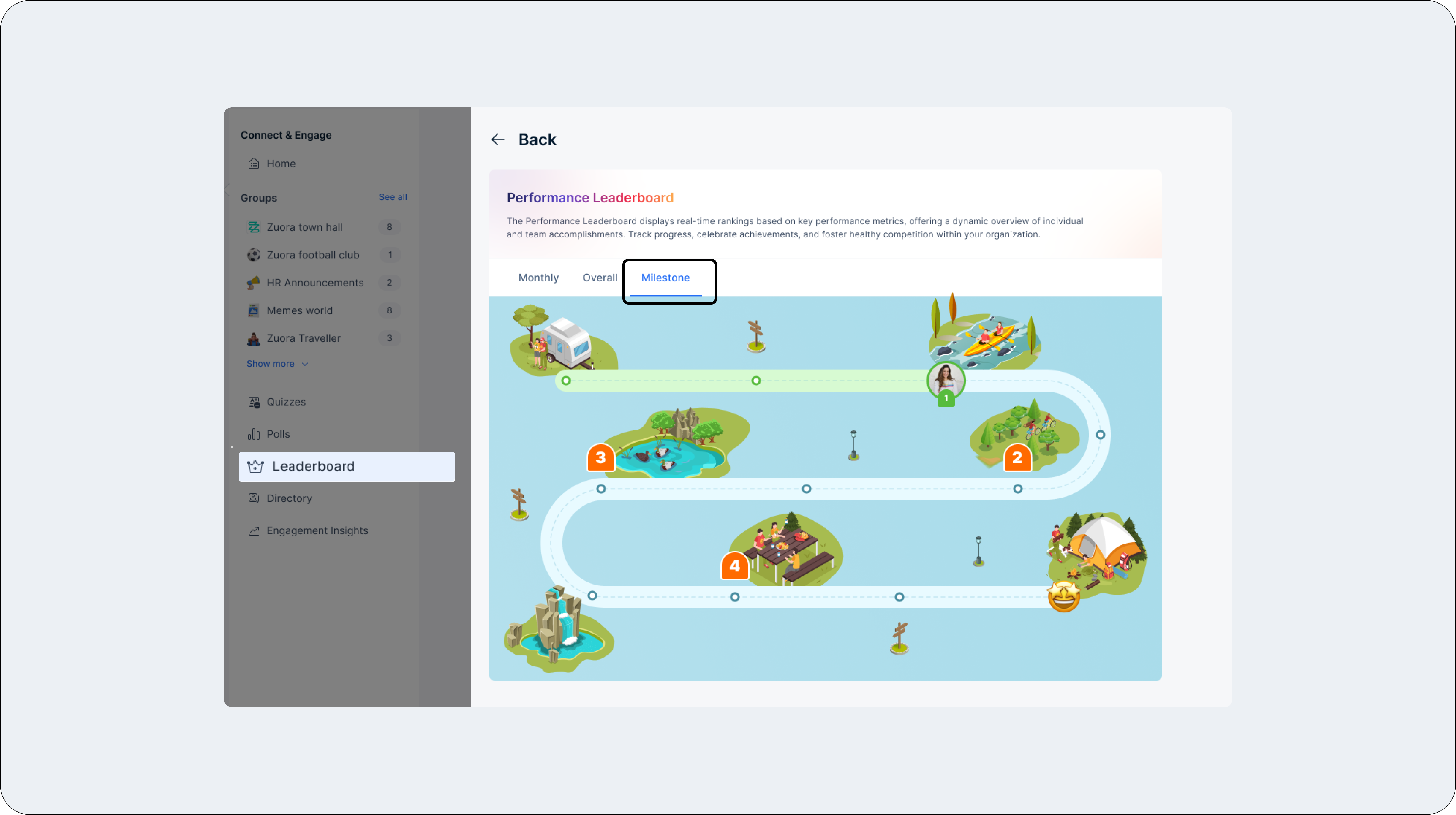
Milestone-Based Rewards
- Define milestones and rewards, allowing employees to unlock rewards as they achieve specific goals.
- Customize game rules and UI and easily track milestones for smooth management.
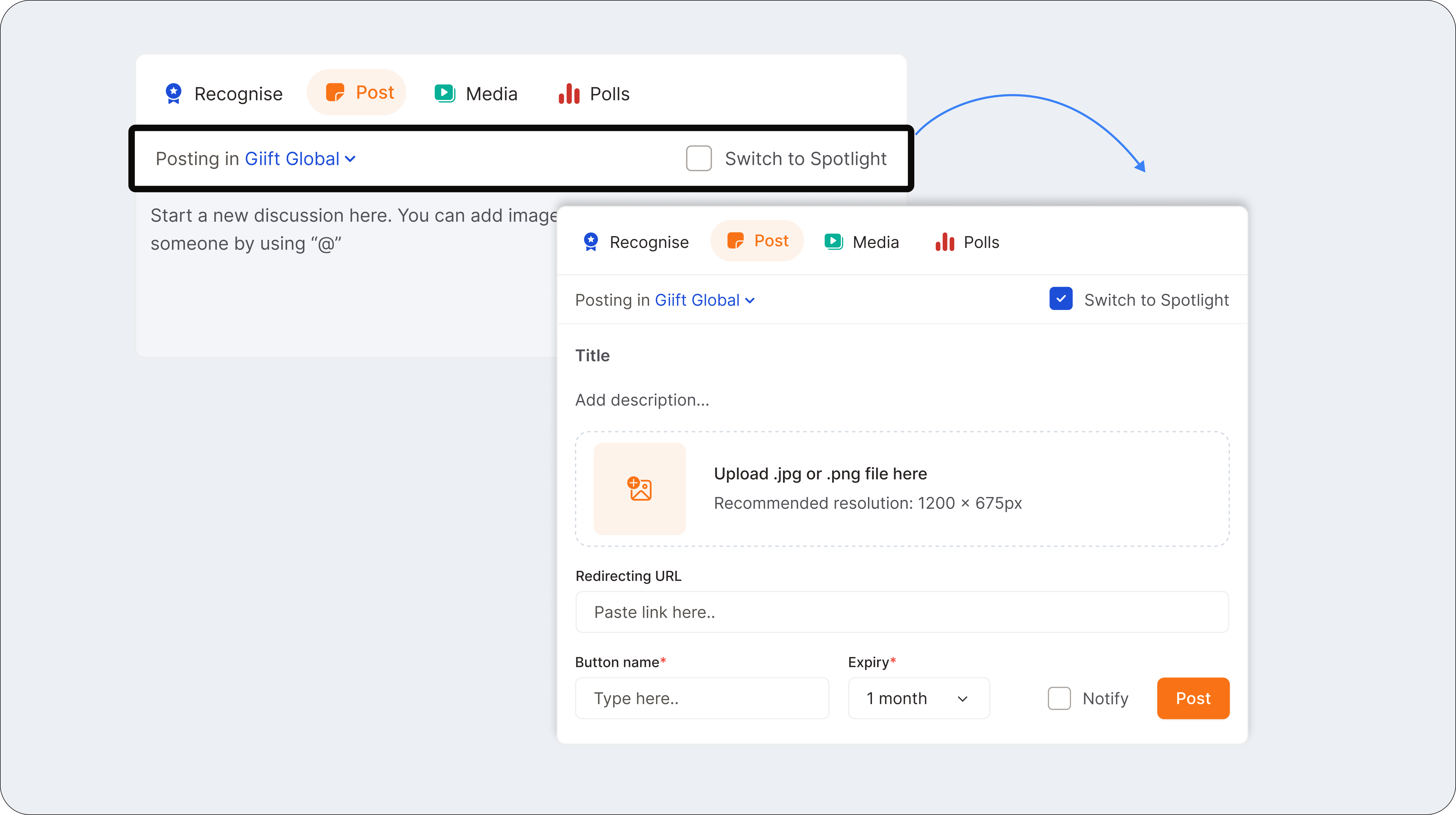
2. Announcement Spotlight
Admins can now spotlight key messages using the “Switch to Spotlight” option and set visibility rules and duration to keep messages from getting lost. How to use:- Click “Switch to Spotlight” when posting an announcement
- Set duration, add links and redirect URL’s.
- Keep important updates front and center!
3. Migration of Past Recognition
New to Empuls? Employees can seamlessly migrate their past recognitions, ensuring no achievements are lost. New users can upload past recognition data after log in. Imported recognitions will appear alongside all other recognitions in the My Profile section.4. Team Budgets
The Team Budgets tab now provides two essential reports to give you more visibility into budget allocation and utilization. **- Available Balance Report:**Displays available budget balance for each team member. **- Budget Utilization Report:**Values are based on the budget utilized and closing balance. These reports can be filtered by super admin, manager, or department head roles, offering greater transparency into budget usage and availability.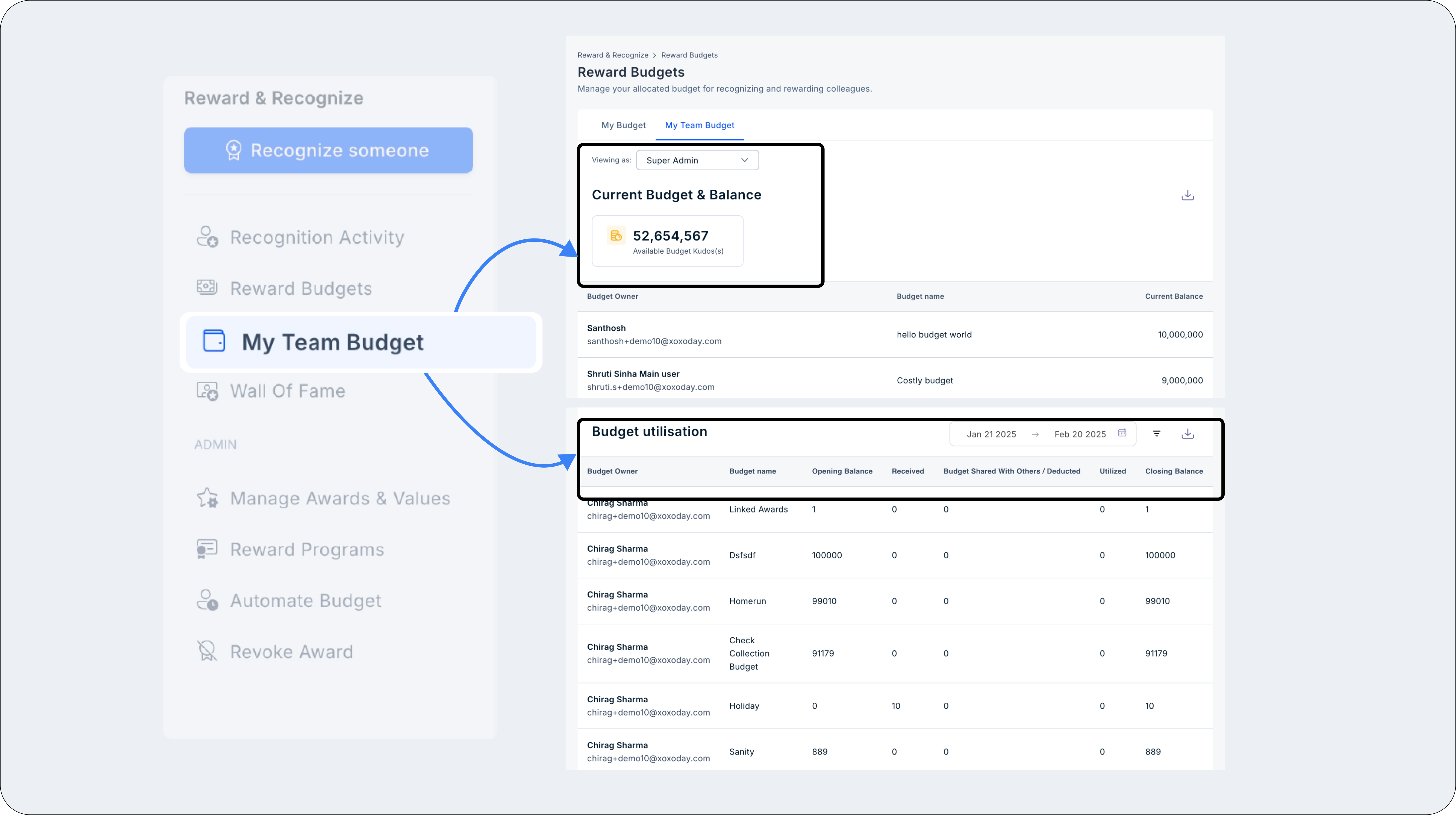
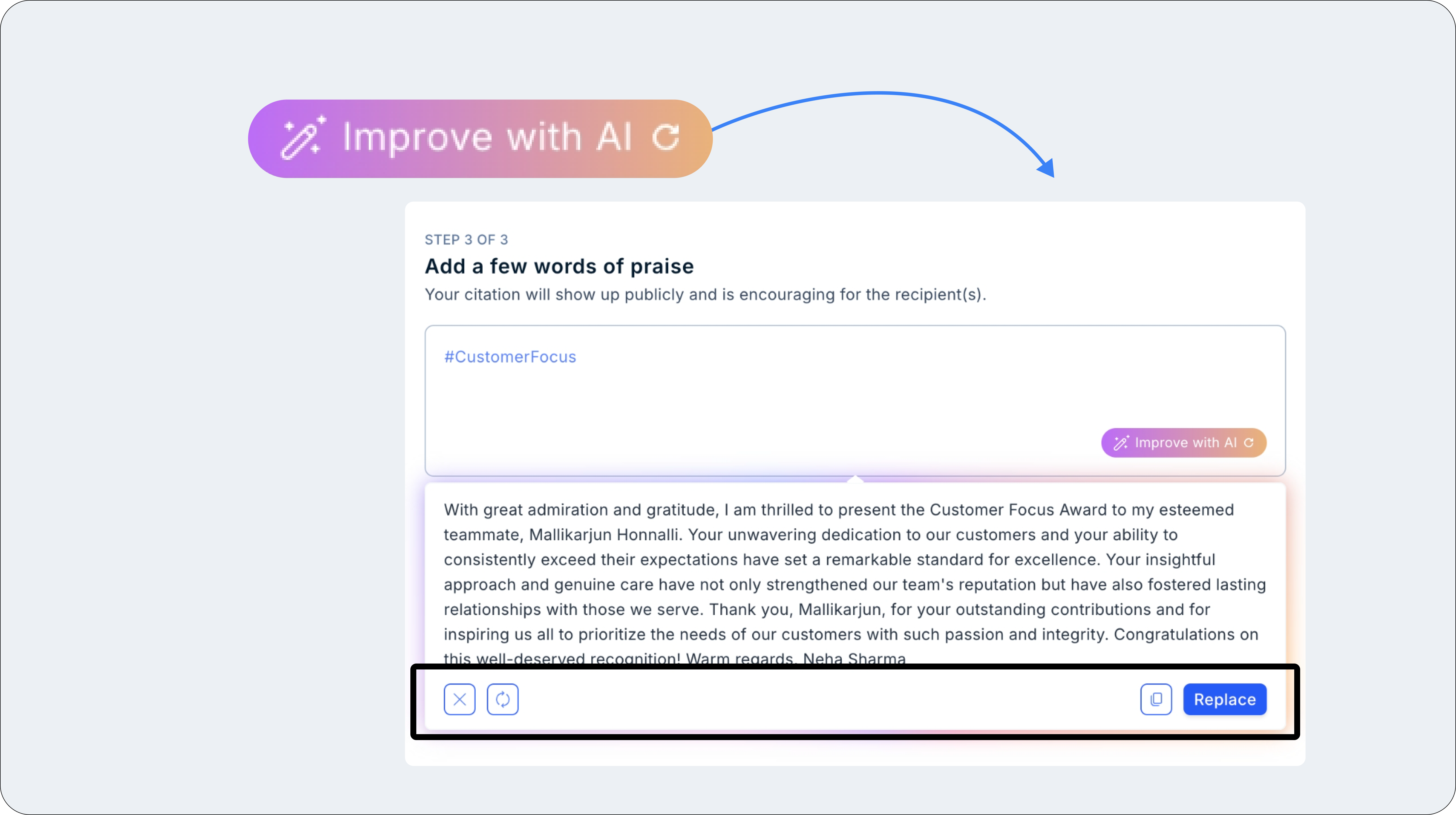
5. AI-Powered Recognition Rephrase
We’ve introduced “Improve with AI” to help users refine and enhance their recognition messages effortlessly. Click the AI icon in the text box to generate an improved version of your message. Users can:- Copy the AI-generated suggestion.
- Replace their original input.
- Generate a new version for better clarity.
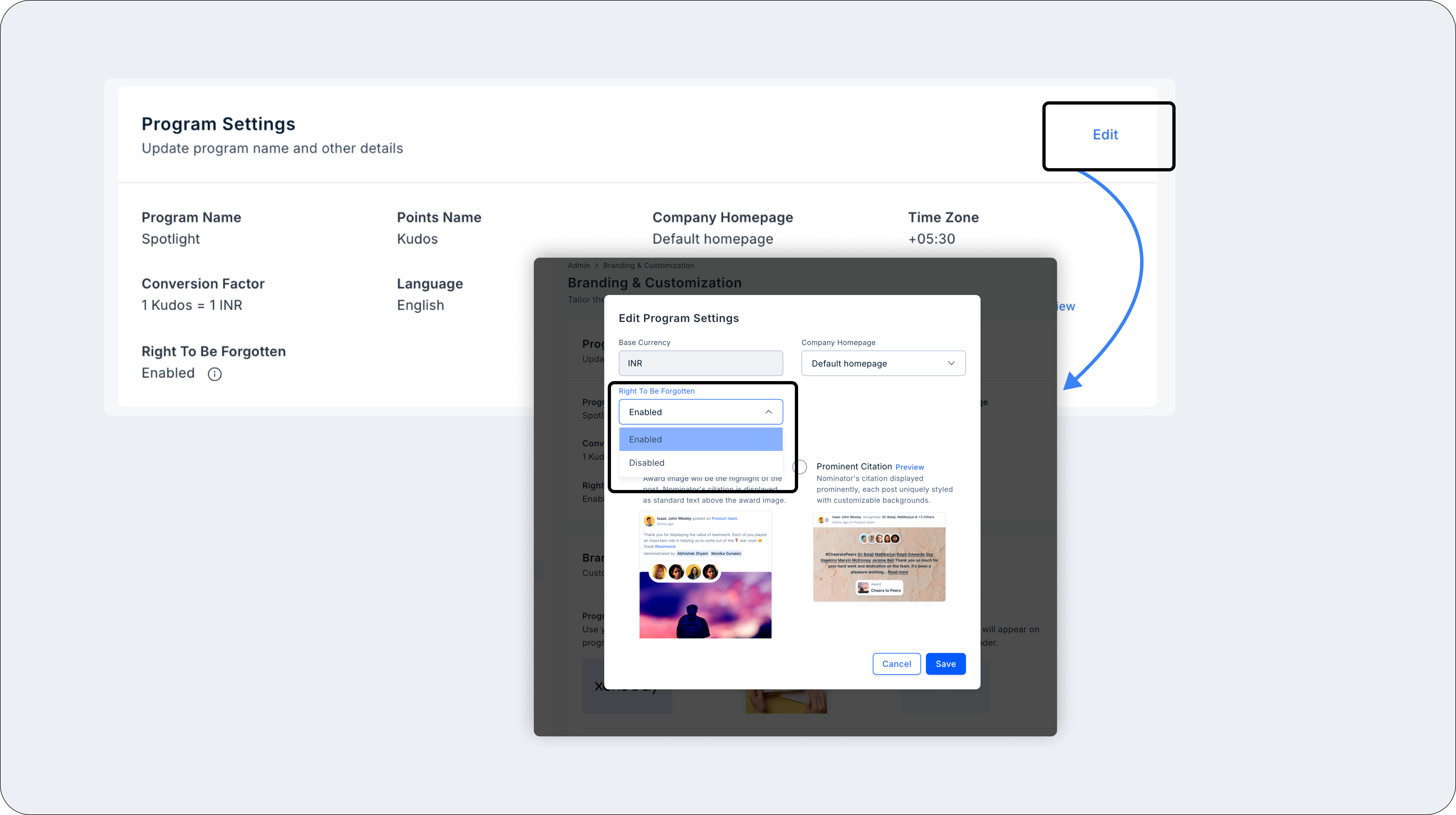
6. Right to be Forgotten
Admins now have the option to enable the “Right to be Forgotten” at the company level, giving users the ability to request account deletion. When logging in, users will see a consent popup where they can choose to proceed or request deletion. If they choose to be forgotten, an OTP-based 2FA will be triggered to verify the request, and the deletion process will begin. Super admins will be notified with the user’s details for transparency.