
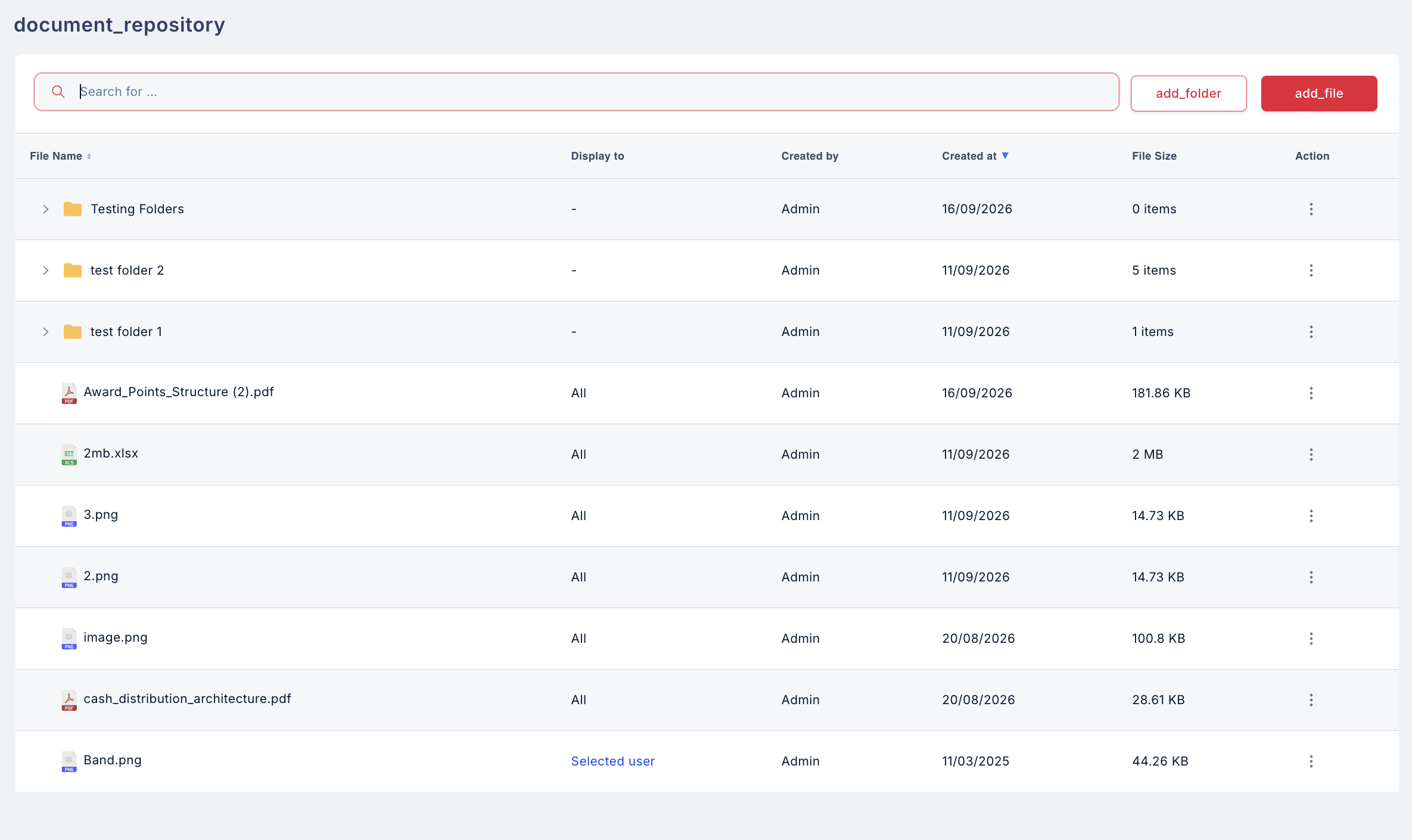
- Organise in folders: Admins upload files and arrange them into nested folders.
- View-only for employees: Employees browse and open files in-app through a viewer that blocks screenshots and downloads.
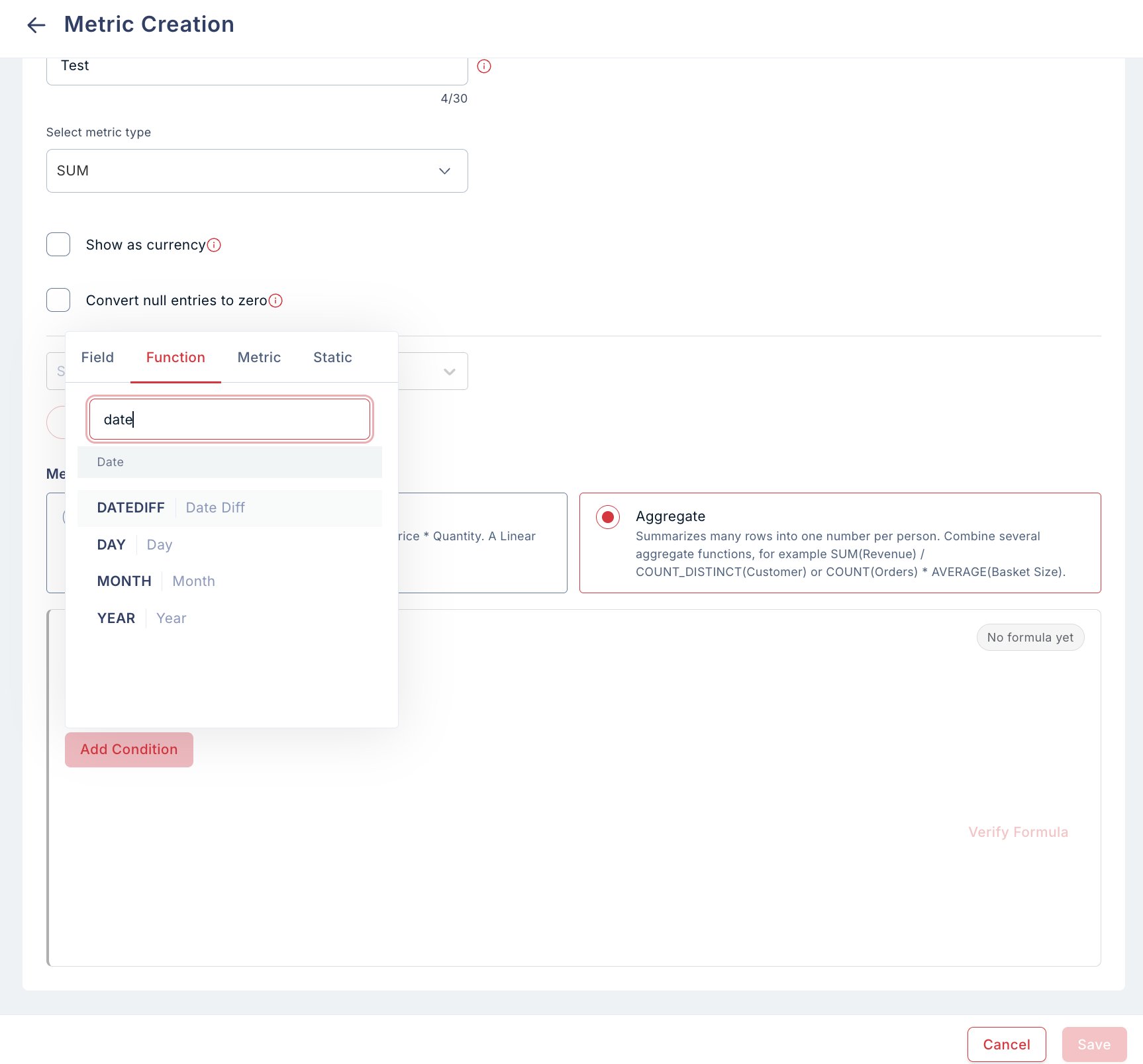
2. Date functions in metrics Date-based logic no longer needs several intermediate metrics, so plan setup is simpler.
- New functions: Metrics now support
DATEDIFF()(by days or months),DAY(),MONTH()andYEAR().
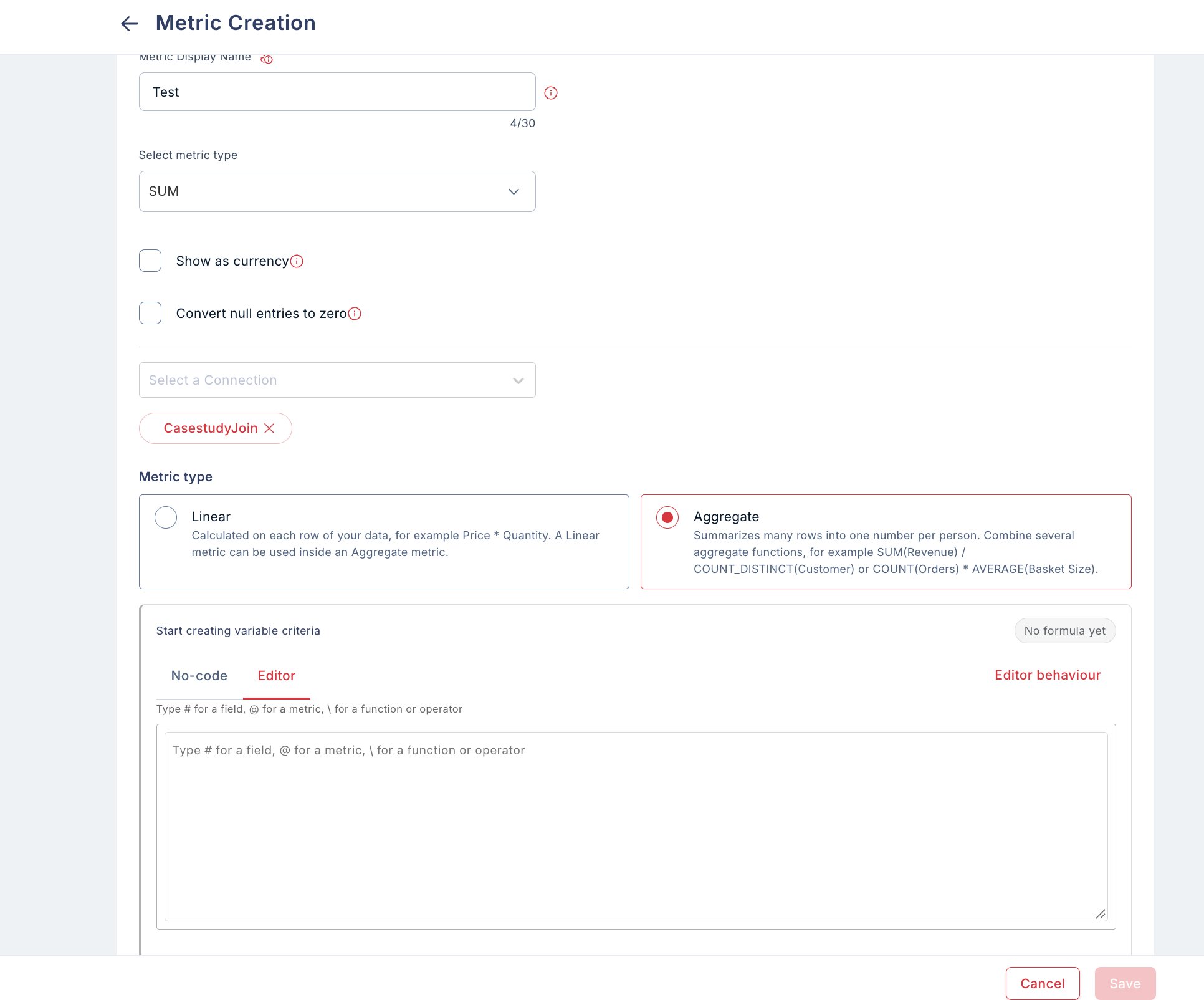
3. Formula editor for creating metrics Set up schemes with many metrics much faster by writing the formula instead of clicking it together.
- Type or paste a formula: Type
#to insert a field,@to insert a metric, and\to insert a function or operator. - No-code builder stays: The click-based builder is still available under the No-code tab.
4. Plan recomputation with versioned and delta reports Corrections are fully traceable, and you can see exactly what changed versus what was paid.
- Recompute completed plans: Recompute from the plan menu for data corrections, late transactions or clawbacks.
- Versioned reports: Each run creates a new version of the Performance Report (V2, V3 and so on) without overwriting earlier ones.
- Delta report: Every run also produces a delta report against what was already paid.
5. Processing details and recalculation status emails No more guessing whether data has loaded or calculations are done.
- Processing details: Each plan now has a Processing details view showing when it last ran, how long it took and who triggered it, with a Recalculate now button.
- Status emails: Selected users get an email when the daily data load and calculation start and finish.
Also in this release
- Data tables: Real record counts, last-updated time, and cleaner number and date formatting. Fixed the bug where counts showed “-1”.
- Hide Current Balance on incentive payout: Companies can now hide it on the SDK Home, Profile and web screens.
- Configurable session timeout: Set per tenant, including 15 to 30 minute inactivity timeouts. Tenants that don’t set one keep the current behaviour.
- Plan setup: The 20-character minimum for plan descriptions is now checked on the Settings step, and the recurrence end date no longer wraps onto two lines. Copying a plan now waits for the original’s details to load, so it no longer looks like the copy failed.
- Plan Summary: Removed the AI-generated summary, which was slowing down plan creation and activation.
- Branding: Updated Compass branding on login, signup and reset-password pages and the dashboard menu.
Coming up next
Compass mobile app refresh, now rolling out on iOS and Android. Only the screens change. The systems behind the app are the same, so your integrations keep working.- Cleaner Home: Balance, team performance, plans and key numbers are easier to find.
- Support from Home: Raise an escalation by picking any plan from a list, or chat with the support team in-app.
- Simpler plan cards: Estimator, Plan details and Raise escalation are one tap away on every card, with the total expected incentive across all active plans at the top of My plans.
- Payout messages in Bengali and Tamil: 20 payout codes are covered.
- Stability fixes: Layout and stability fixes across Home, Plans, Escalations and Support, Leaderboard, Notifications, Profile and Settings, Sign-in and Document Repository, plus better language settings and Arabic right-to-left layouts.