
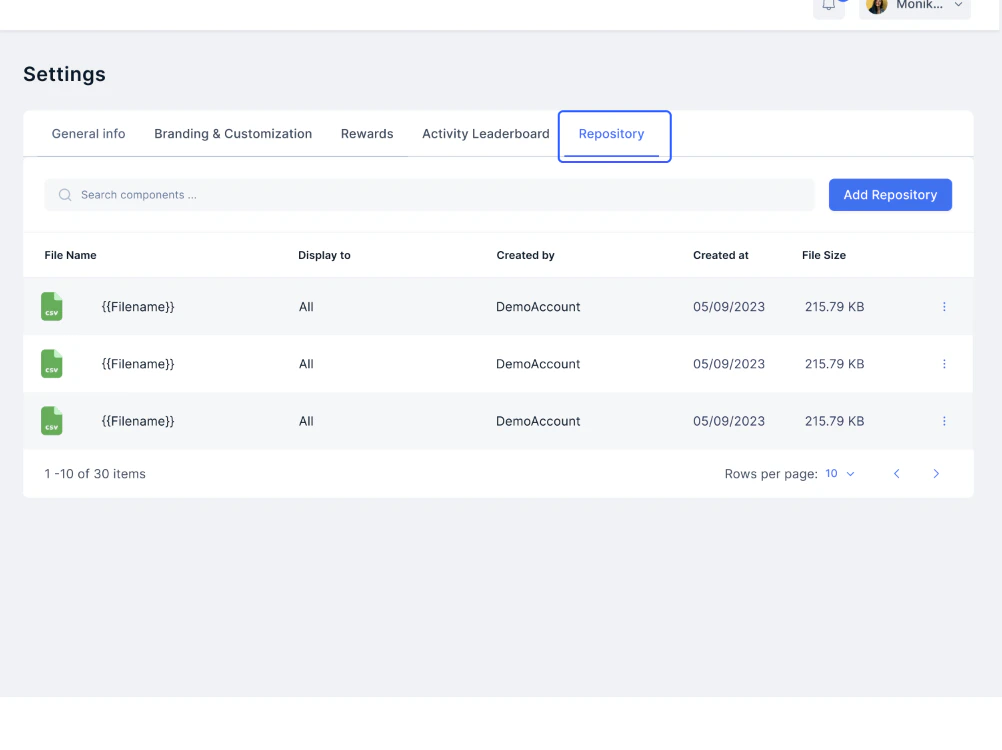
Editing or deleting a file
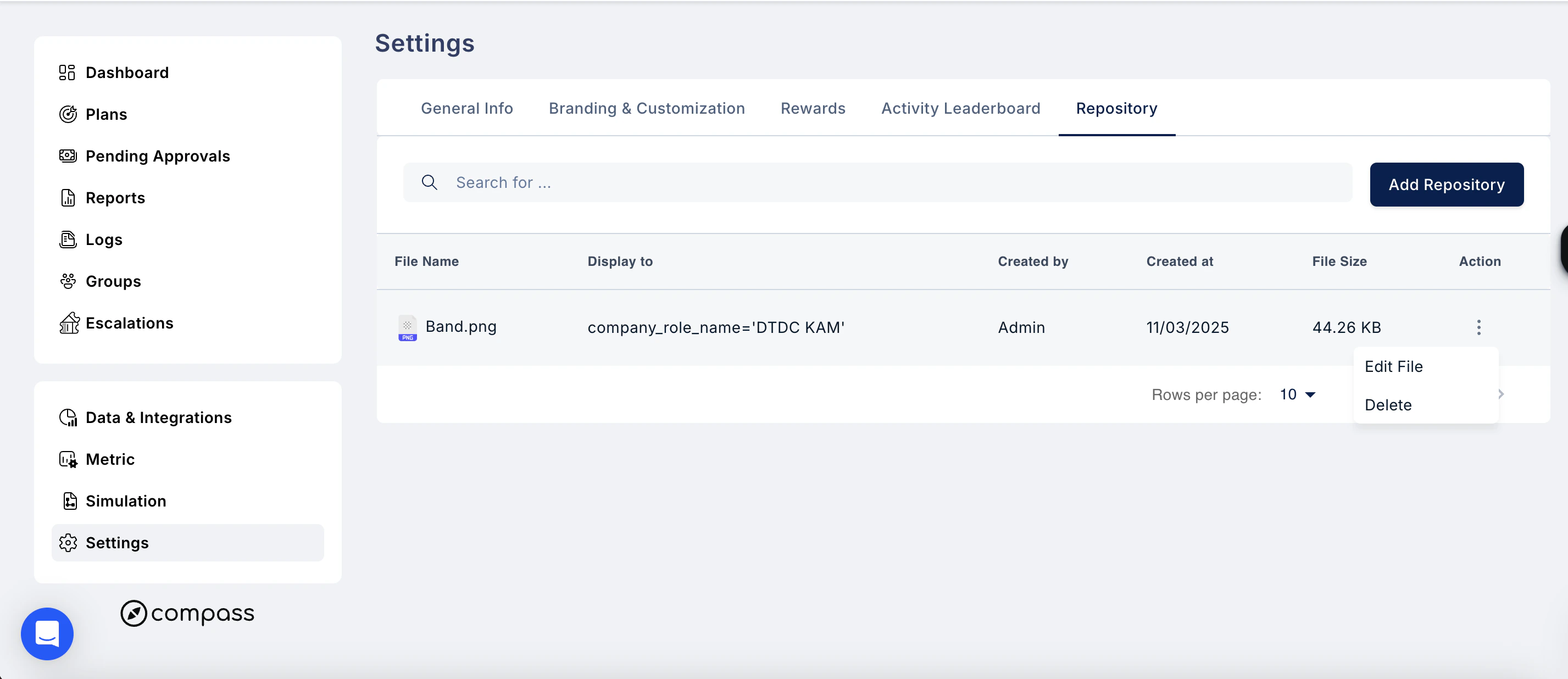
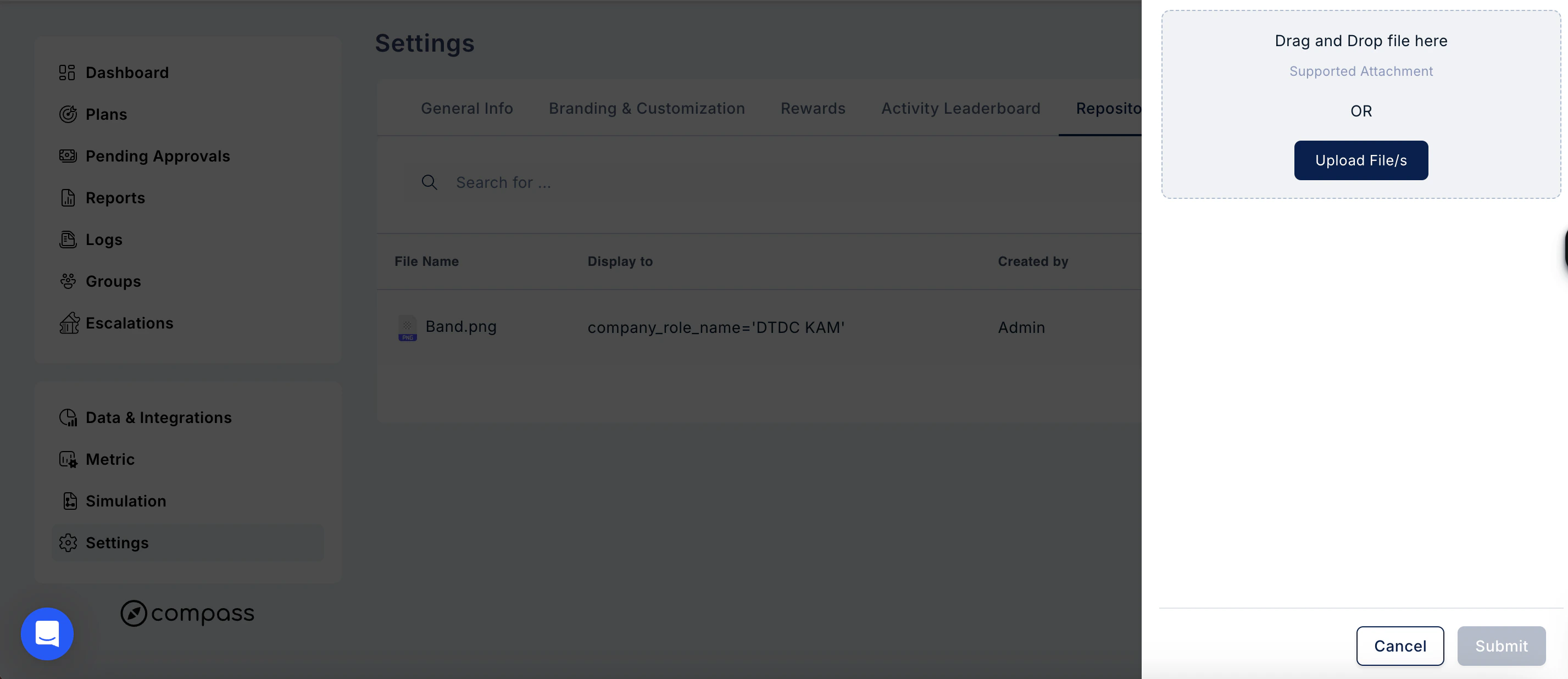
Click the three-dot menu in the Action column next to any file. You will see two options:- Edit File — update the file or its display settings
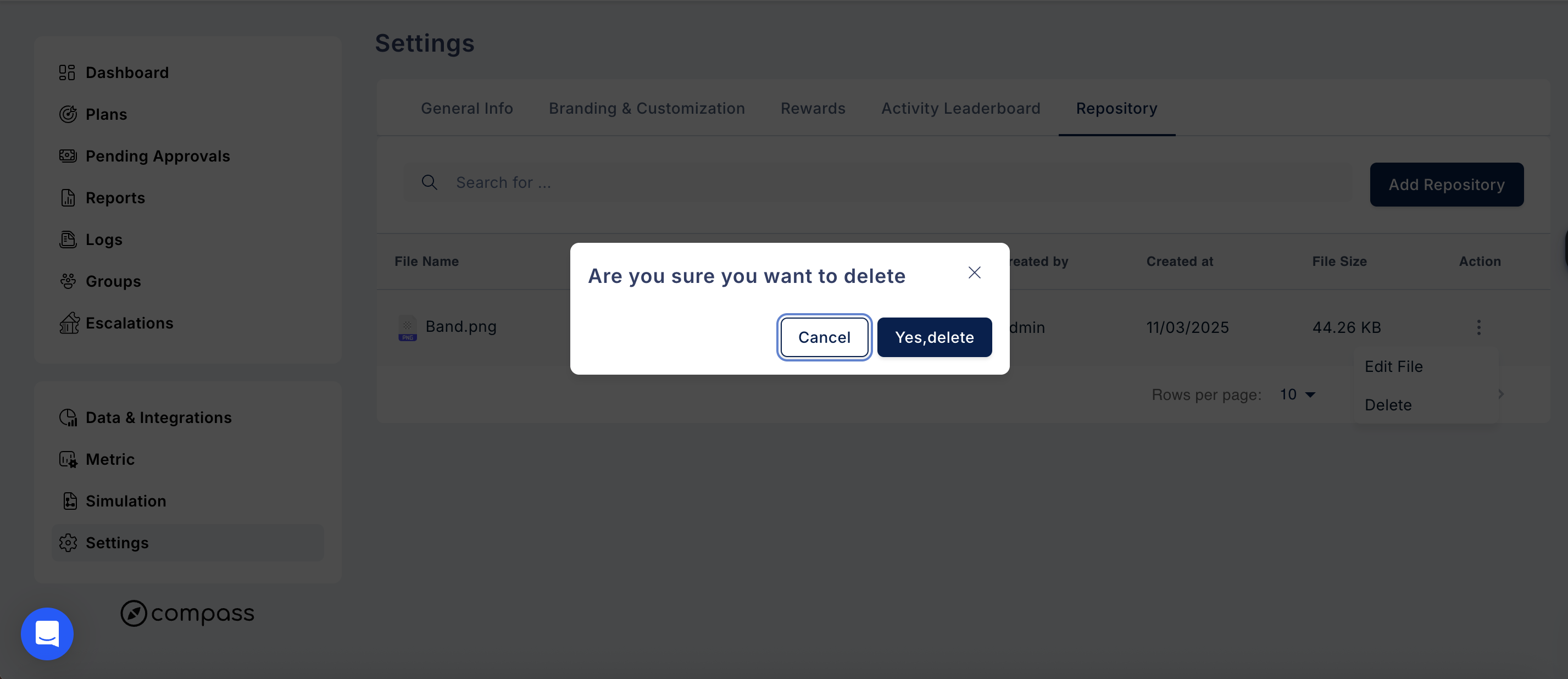
- Delete — remove the file from the Repository. A confirmation prompt will appear asking “Are you sure you want to delete?” Click Yes, delete to confirm or Cancel to go back.
Need help? Reach out to your support team or Contact Support