Admins can now access detailed breakdowns of user performance metrics and earnings on the platform. This feature provides clarity on how metrics are calculated, making it easier to validate data with step-by-step breakdowns. Here’s how to use it:

Step-by-Step Instructions

Step 1: Navigate to the Plans Section

Log in to your sales incentive platform and go to the Plans tab.
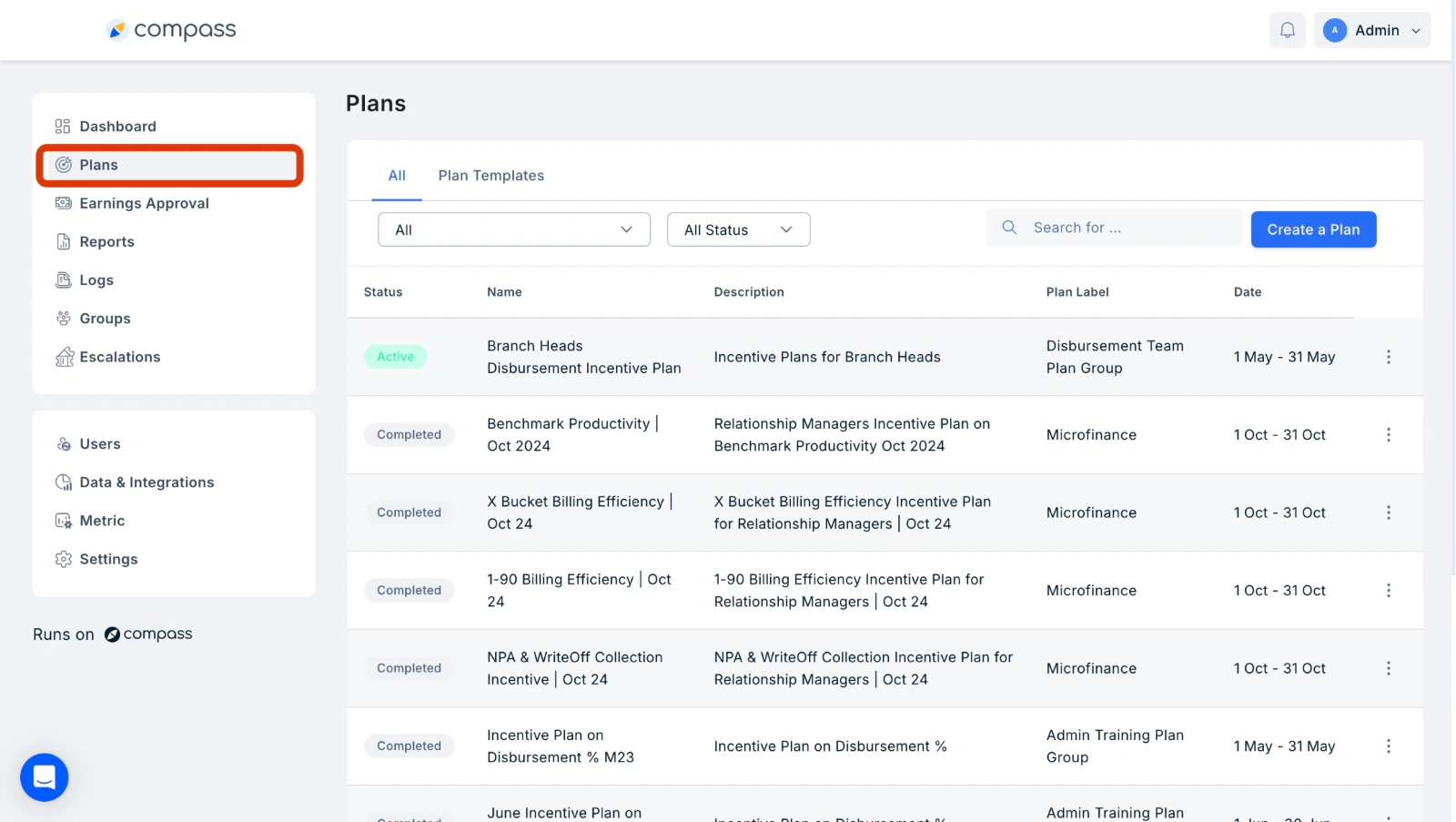
Plans tab in the sales incentive platform left navigation

Step 2: Access User Earnings

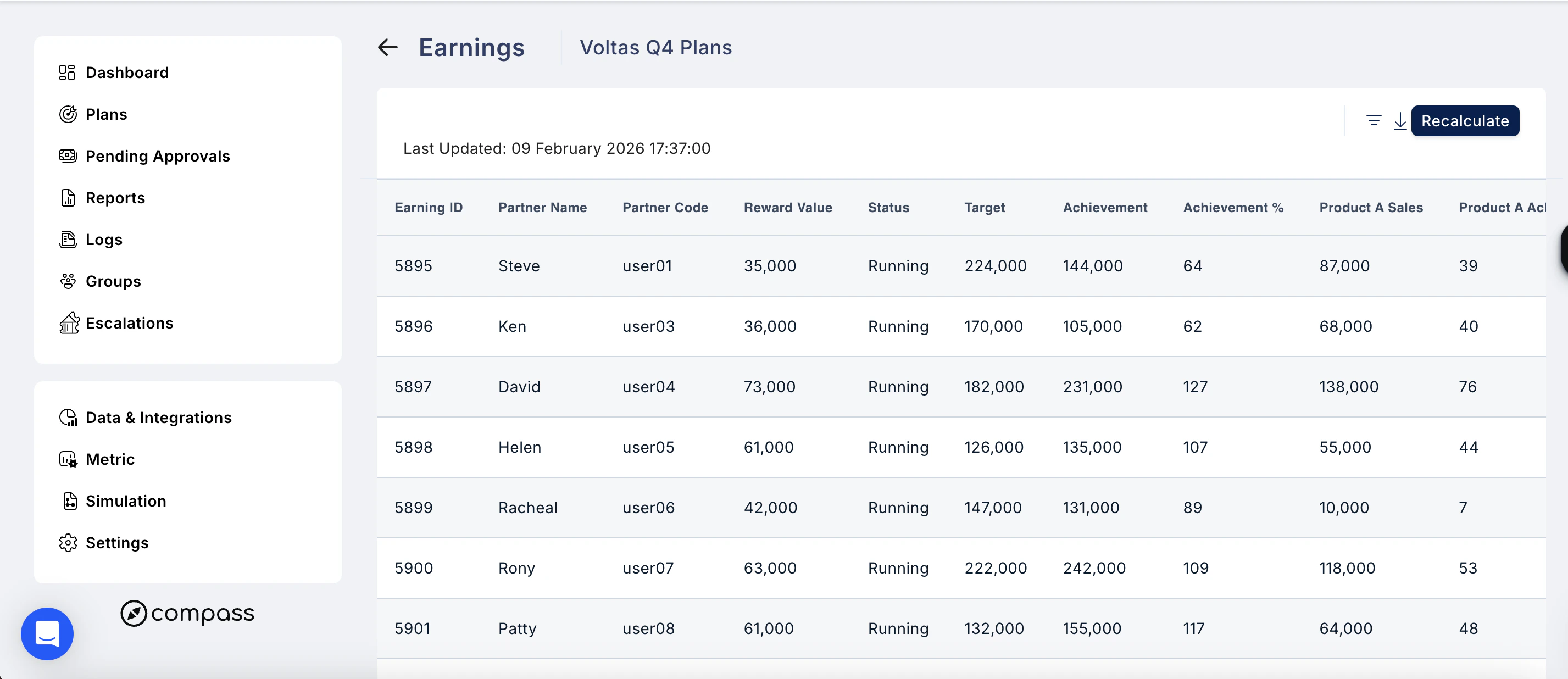
Under the Plans section, click on three dots next to the plan you wish to view metrics for, select View Earnings from the drop-down menu to see a list of all users and their associated earnings. The table also shows a Last Updated timestamp so you know when the data was last refreshed.
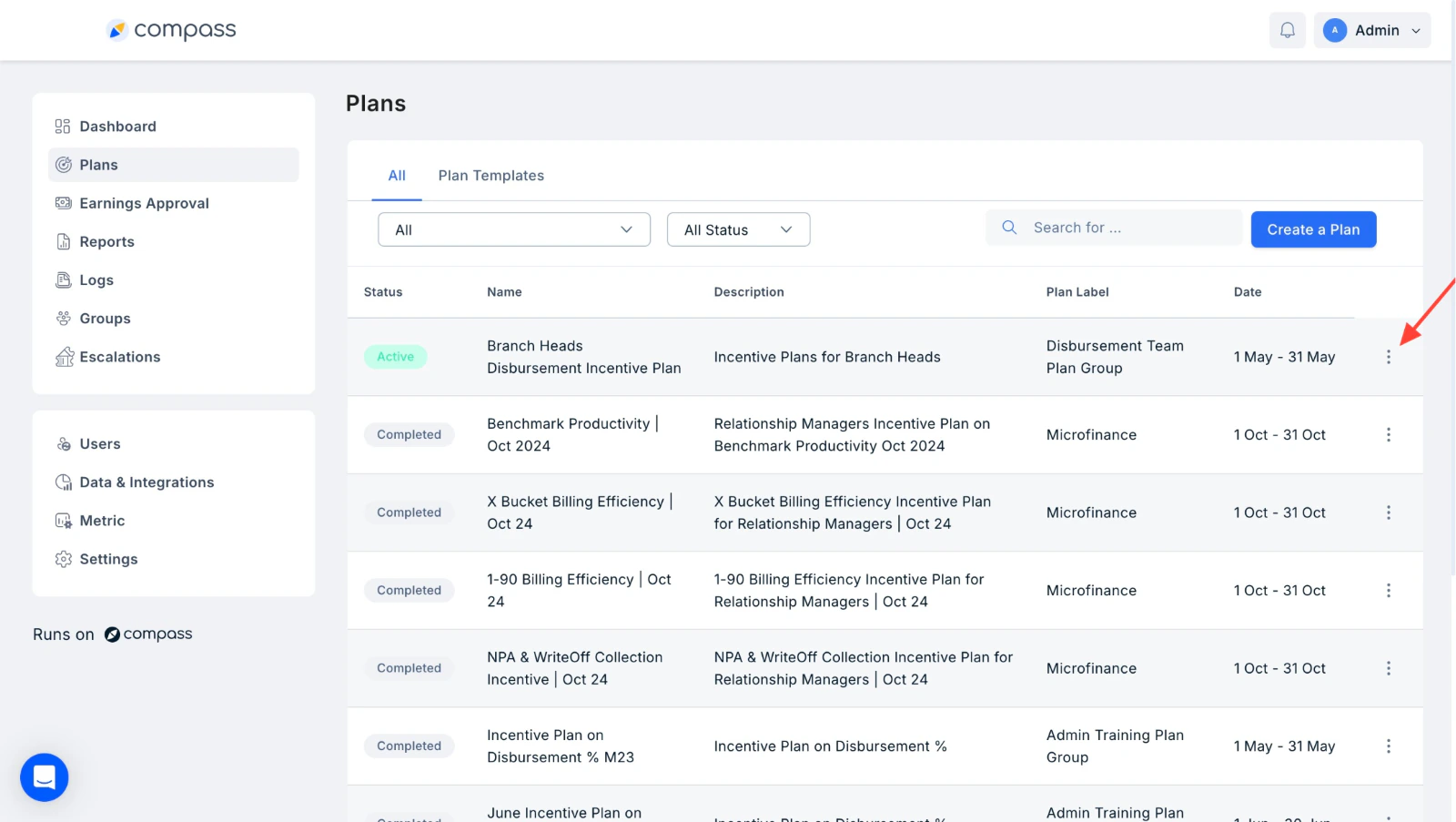
View Earnings option in the three-dot menu next to a plan
User earnings list with Last Updated timestamp
Filter the earnings list Click the filter icon (top right of the table) to open the filter panel. You can filter by:
  • Partner Name — search for a specific user
  • Status — filter by earnings status (e.g. Running)
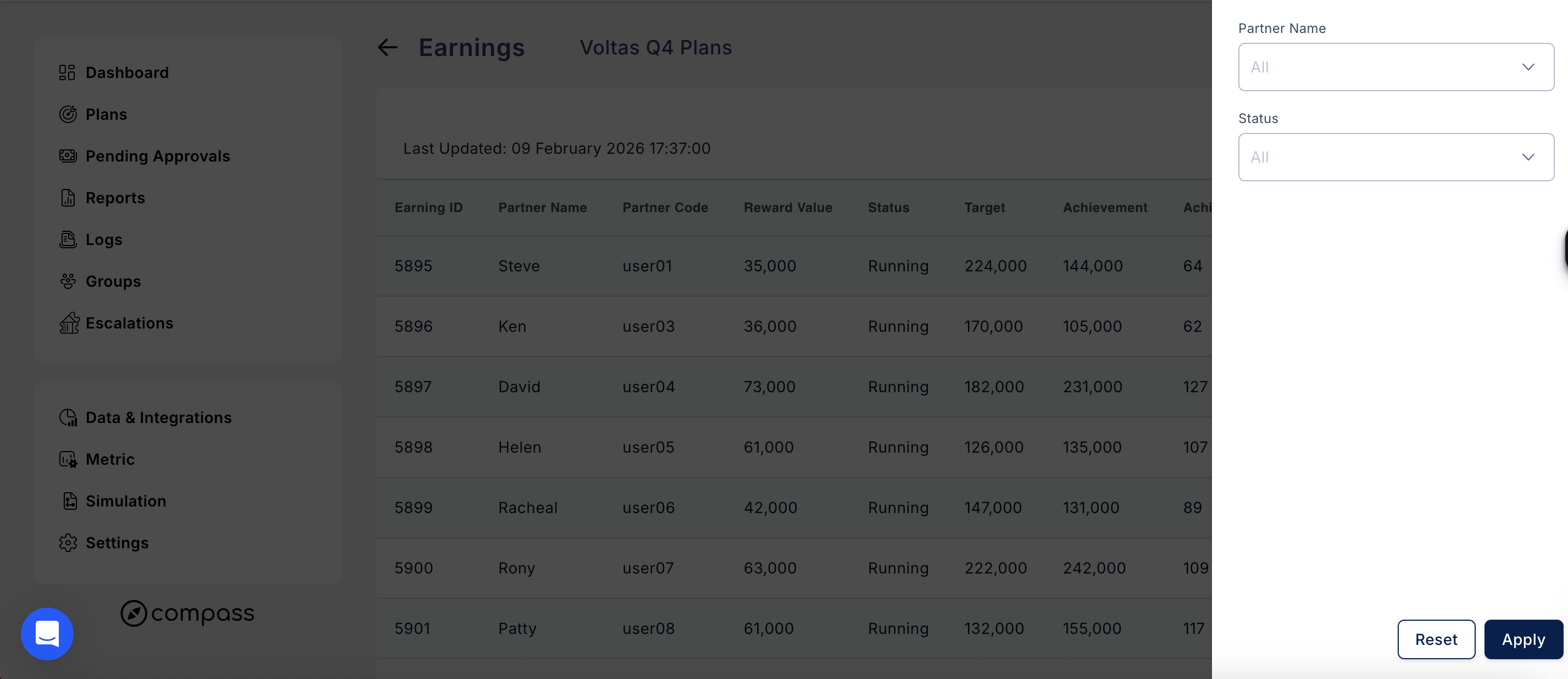
Click Apply to update the table, or Reset to clear all filters.
Earnings filter panel with Partner Name and Status fields
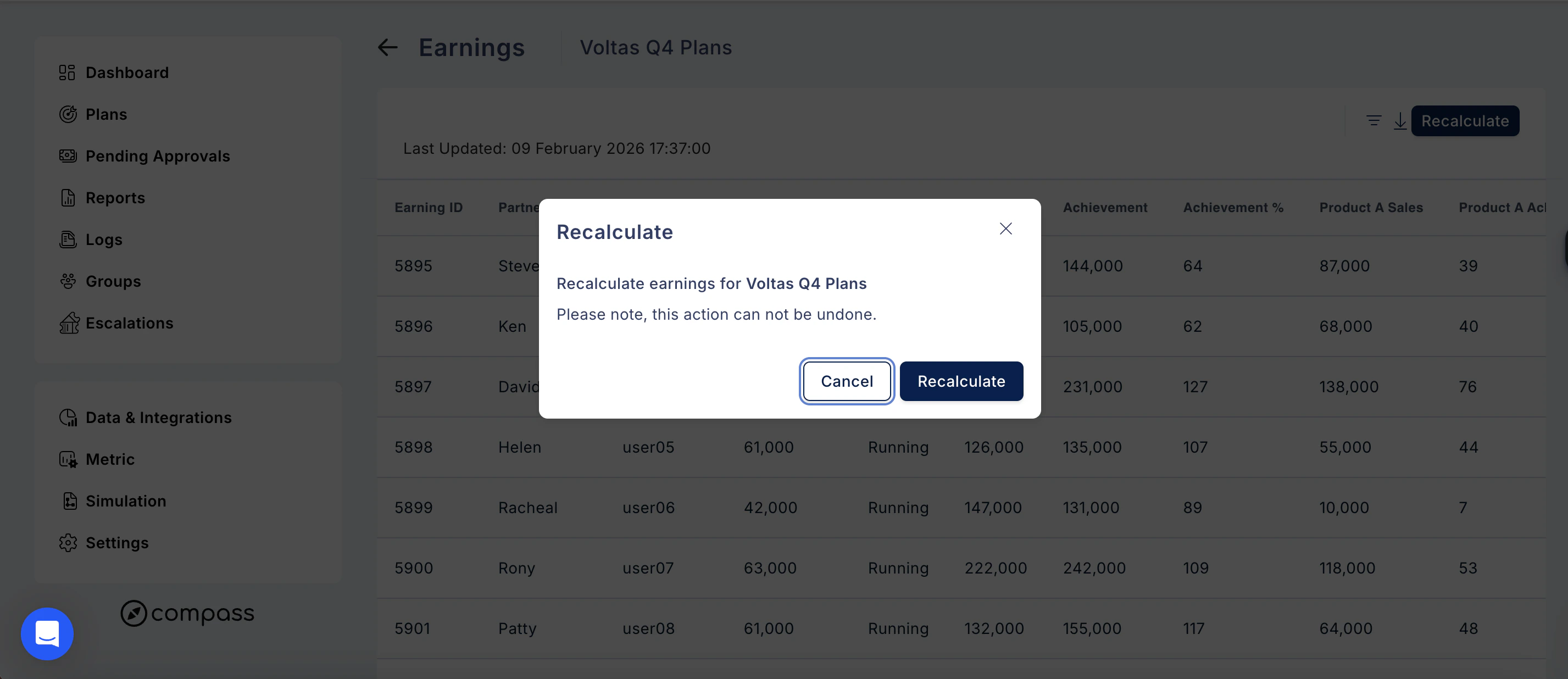
Download the earnings data Click the download icon next to the filter icon to export the earnings data for the selected Plan. Recalculate earnings If you need to refresh the earnings calculations — for example, after a data correction — click the Recalculate button in the top right. A confirmation prompt will appear: Recalculate earnings for [Plan Name]. Please note, this action cannot be undone. Click Recalculate to confirm, or Cancel to go back.
Recalculate button in the top right of the earnings view
Recalculate earnings confirmation prompt

Step 3: View Detailed Metrics and Earnings Breakdown

Click on any user’s Partner ID to access a detailed breakdown of their metrics and earnings. This breakdown includes:
  • Step-by-step calculations of metrics.
  • Insights into how each plan and its components contribute to the user’s earnings.
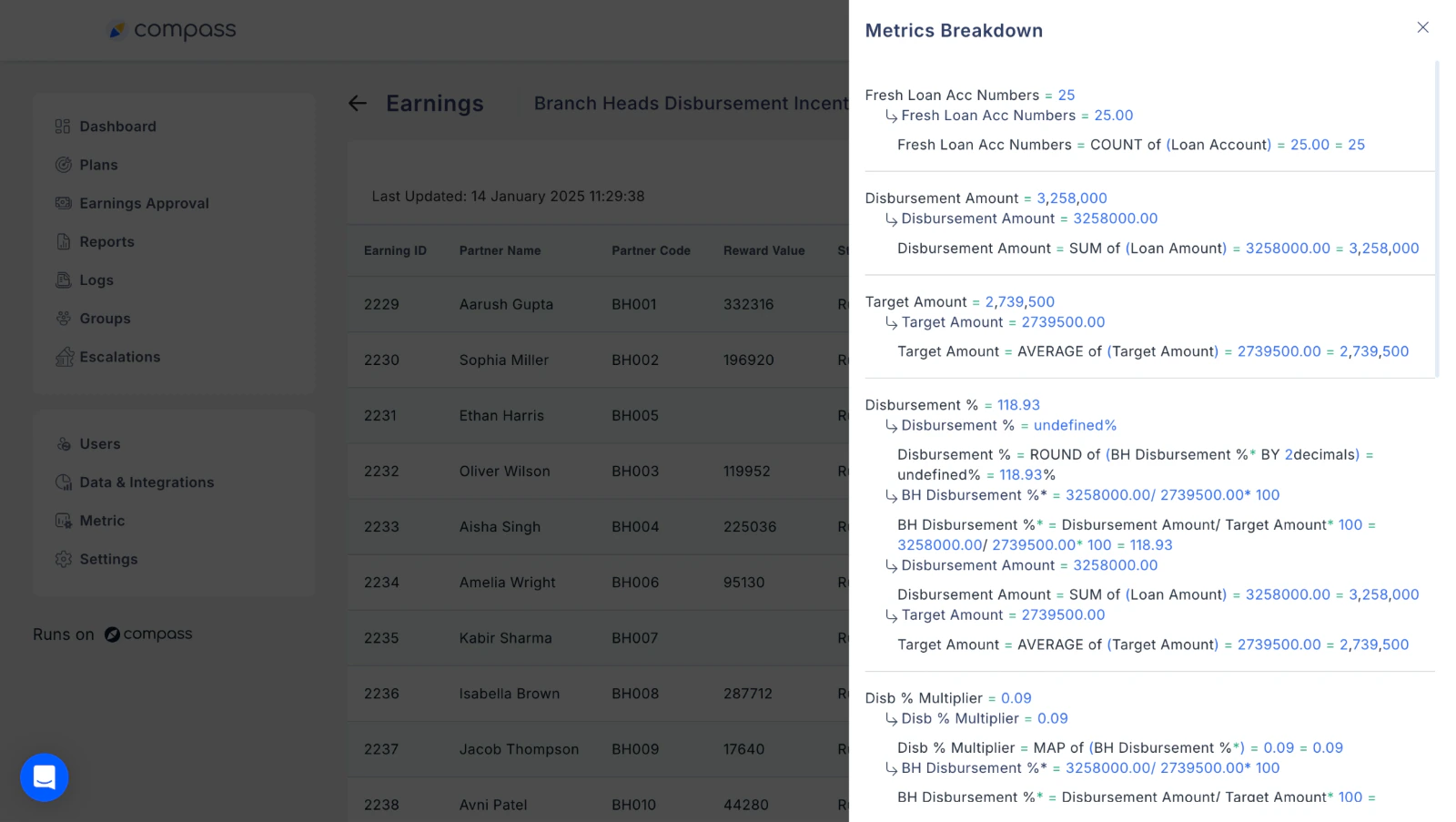
Step-by-step metric and earnings breakdown for a selected user

Why This Feature is Useful

  • Transparency: Clearly see how metrics and earnings are calculated for each user.
  • Validation: Validate calculations with ease, thanks to detailed breakdowns.
  • Clarity: Understand each step in the calculation process for better data accuracy.
This feature simplifies performance tracking and ensures data accuracy, helping admins efficiently manage and validate user metrics.
Need help? Reach out to your support team or cs@xoxoday.com.