
Why CRM integration on Compass?
- Straight to Program Creation: Users can go straight to Program Creation for their sales teams and leave out the data transfer work to us.
- Real-time Programs: Now, you can run programs on real-time data, as the performance metrics of end-users are available to both admins and end-users based on their accessibility rights. Essentially, the admin is updated on team performance in real time.
- Auto-Pilot your way: Instead of tediously creating Excel spreadsheets to record data on your sales teams, now you can connect Compass to your company’s CRM quickly and easily without worrying about tedious data transfer issues such as manual entries, error management, structural changes, etc.
- Uniformity: Your business’s CRM structure is seamlessly replicated onto Compass, and your data is in the same form as on your CRM. This ensures standardization and simplicity for your teams.
- One source of truth: Standard Use Cases in CRM Migration are built-in and activated by default. Structure changes made on CRM will be reflected onto Compass in real-time, providing only one source of truth for the data. For custom use cases, options are available to make the customization simple and straightforward.
Connecting Close with Compass
Here, we cover the entire process of integrating Close CRM with compassStep 1: Login to your Compass account
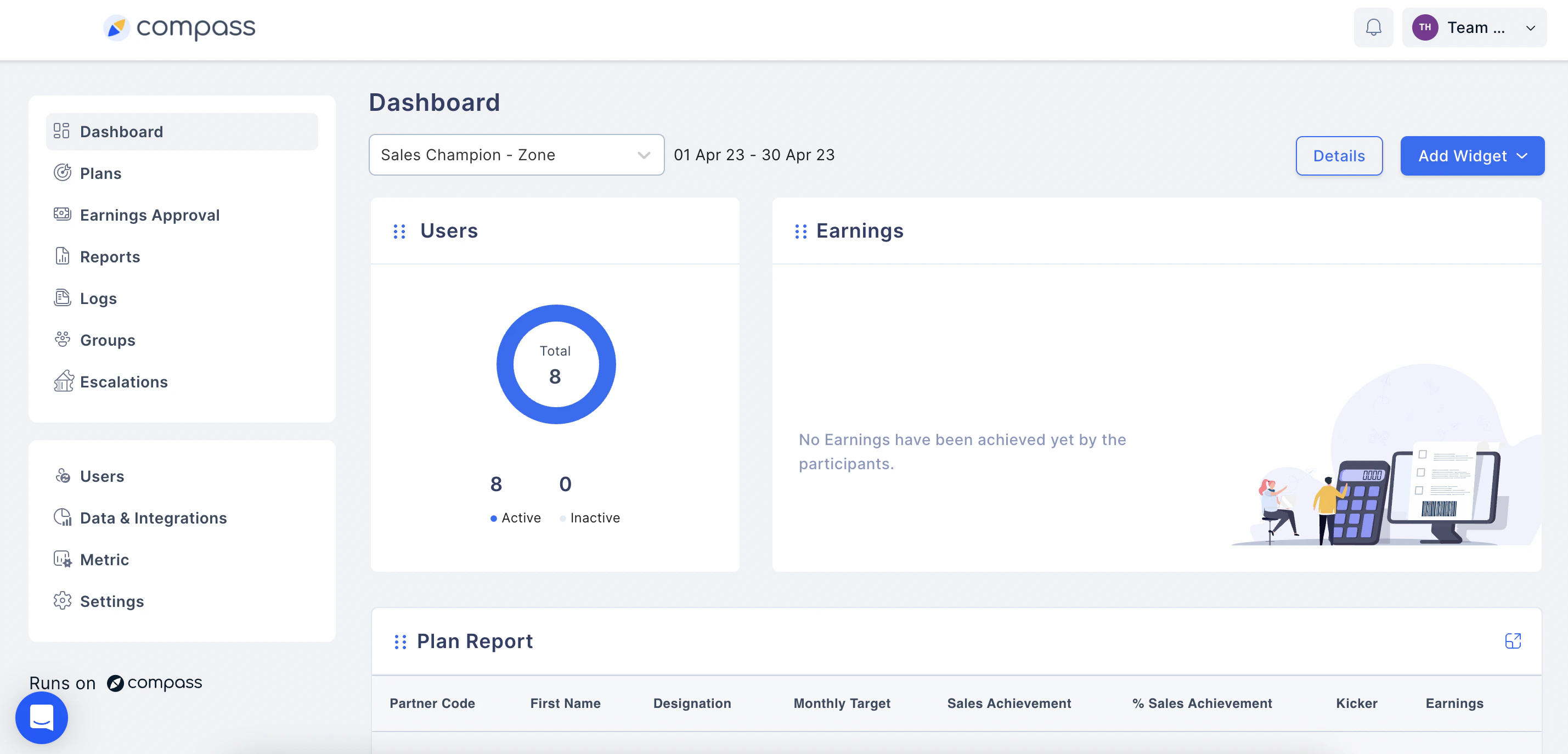
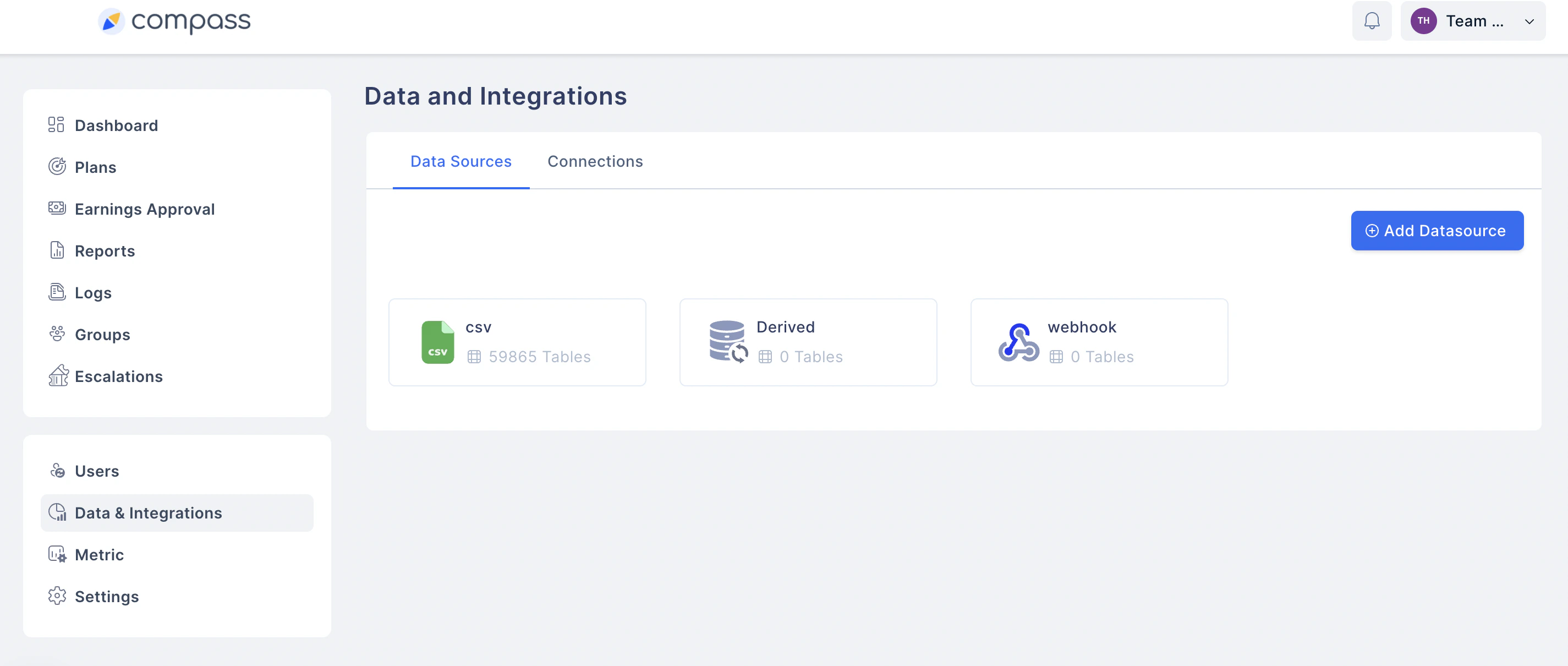
Step 2: Go to Data and Integrations
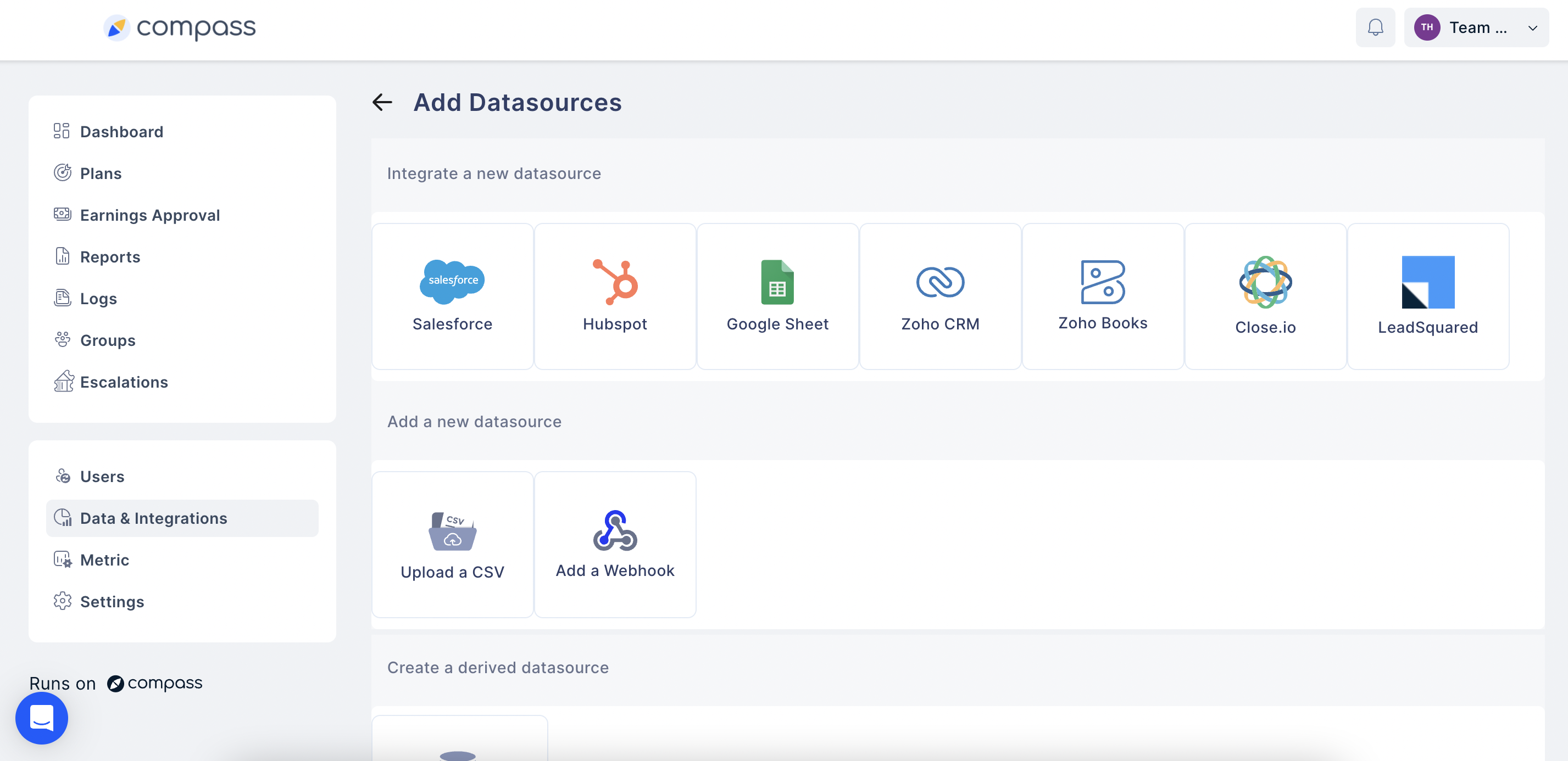
Step 3: Click on Add Data Source and click Close.io
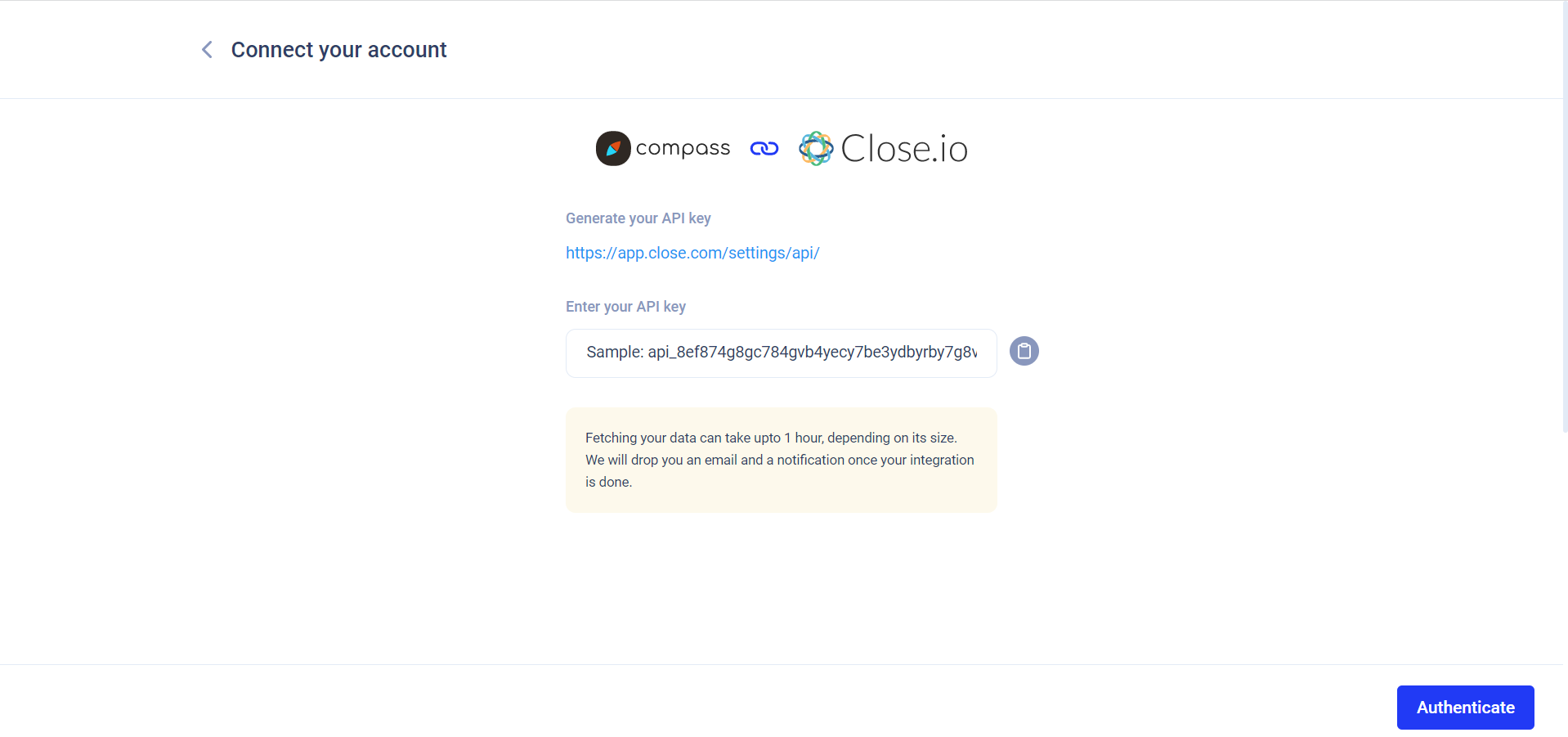
Step 4: Here, you need to enter your API key from Close CRM for integration:
If you do not have the API key available with you, please visit the link in blue color as given under “Generate your API key” to get started on importing a pre-existing API key or generate your own.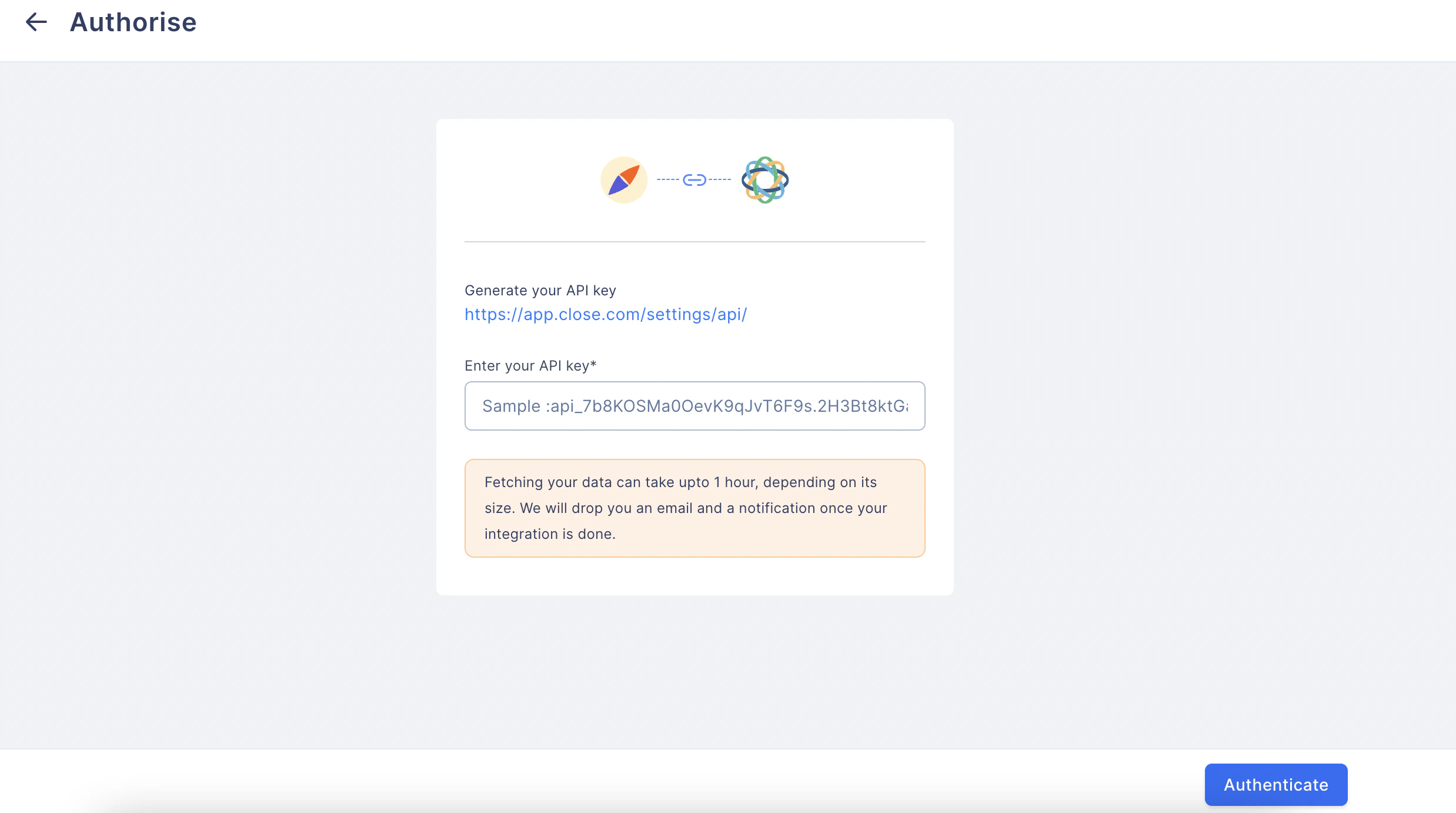
Step 5: You may create a new API key here by clicking on “New API Key”:
Now, you have logged into your Close account. You will find this screen on your Close account after clicking the link shown in the previous step. Next Please enter your API Key name Your API key has been generated. Please save it in a safe location as it will not be displayed againStep 6: You now have the API key. Please enter it in Compass and click on Authenticate:
Data Transfer between Close and Compass
Here and in the ensuing pages, we’ll look at Data Transfer and Verification. Compass has built-in mechanisms to ensure structural consistency is maintained in the data transfer. It is important to verify your imported data from Close onto Compass for consistency.Close Objects and Fields
There are multiple objects and Fields in Close, all of which can now be imported into Compass. Let us look at some Objects and Fields in the table below. The Objects are Column Names and the Fields corresponding to those Objects are in their respective Columns.
These are standard Objects and Fields native to Close.
For large amounts of Data Transfer
Upon successful data transfer from Close to Compass, a folder called Close will be created. The folder will have a progress icon to display sync activity. For large amounts of data, the sync can take up to an hour. Upon successful data transfer, a mail will be sent to your Email.Data Sync Verification
The Close Folder in Data Sources and Variables will update with an in-app notification when verification is complete. You may verify the data by looking at the Close Objects and Fields imported in the folder as Compass Data Sources. In case of any discrepancy, please contact Compass Support:Standard Use-Cases and Custom Use-Cases
Compass takes care of many Standard cases for your convenience and compatibility of our system with Close CRM such as:- New user creation from Close
- Data fetch & real-time sync
- Data Transformation
- Join creation
- Variable creation
- Program creation
New User Creation from Close
Get your Close CRM admin profiles migrated automatically onto Compass All the Admin users and sales agents, as per their set permissions, are updated from Close onto Compass as Admin users and Partners, respectively. This is an automated process managed by Compass. User hierarchy and accessibility rights are maintained and kept the same on Compass, exactly matching how they were on Close.Different types of Data and Data Fetches
The type of Data imported can be Productivity and Pipeline:- Productivity-related Data consists of the number/type of calls made, the number/type of emails sent and received, tasks, meetings, etc.
- Pipeline-related Data covers the sales pipeline, such as interest expressed, follow-up calls, Demo schedule calls, Demo presentations, Payment made, Deal Closed, Retention Metrics, etc.
Pipeline and Metrics
Here we look at Close Pipeline and important metrics associated with the pipeline, which are all seamlessly migrated to Compass upon integrationClose Pipeline:
A sales pipeline is an organized, visual way of capturing where prospects are in the overall sales process. Close allows you to customize your pipeline with Opportunities. Opportunities add value to your Lead by specifying the status of the lead in the sales pipeline. Default values for Opportunities are ‘Demo Completed’, ‘Contract Sent’, ‘Proposal Sent’, ‘Won’, and ‘Lost’. You can add custom Opportunity Statuses in your Organization Settings. These Opportunities can be viewed as a list or as a pipeline in Close. Compass auto-imports all Opportunities for all your Leads from Close.Close-Compass Metrics:
These are the data on which the incentive programs are calculated. They can be productivity-related metrics or pipeline-related metrics. Productivity Metrics:- Calls
- Emails
- SMS
- Tasks
Need help? Reach out to your support team or Contact Support.