About Tortoise
Tortoise is a zero-cost device leasing platform enabling employees to get the latest phones, laptops, and accessories through affordable salary-deducted monthly payments. There are no setup fees, no administrative overhead, and no financial commitment for the company. Tortoise manages onboarding, payroll integration, device delivery, and support.Why Connect Tortoise with Empuls
Adding Tortoise to Empuls brings a high-impact, no-budget device benefit into your engagement stack—simple rollout for HR, modern devices for employees, and end-to-end operations handled by Tortoise.Key Benefits
For HR- Zero cost to company: No setup fees, admin overhead, or financial commitment.
- Turnkey operations: Onboarding, payroll integration, delivery, and support handled by Tortoise.
- High-impact perk: Offer in-demand devices without adding internal workload.
- Latest devices: Access new phones, laptops, and accessories.
- Affordable payments: Monthly installments deducted directly from salary.
- Seamless experience: Quick onboarding, delivery, and ongoing support.
How Employees Can Use Tortoise
- Select a Device Browse eligible phones, laptops, and accessories.
- Enroll with Salary Deduction Choose affordable monthly payments deducted directly from salary.
- Get Delivery & Support Tortoise delivers the device and provides ongoing support.
Co-Sponsor & Deliver Tortoise at Scale
Employers can roll out Tortoise across teams with no budget impact. Tortoise integrates with payroll, manages onboarding, and handles device logistics and support—making it a seamless, high-impact benefit for your organization. Follow the steps below to bring Tortoise to your company.1
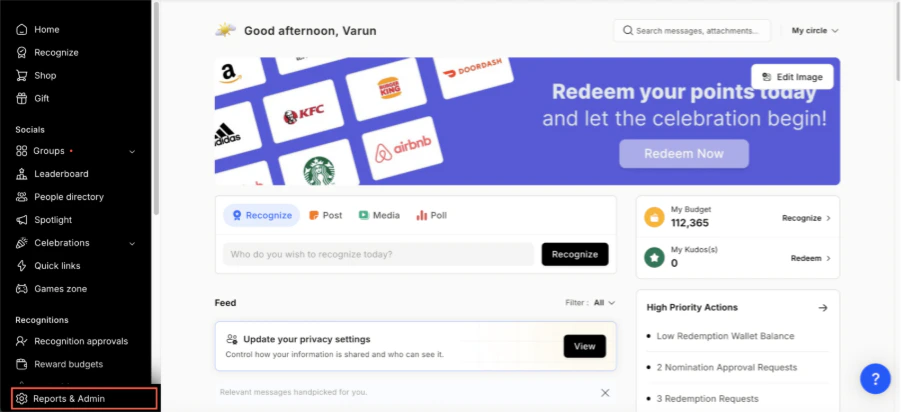
Log in to Empuls
- Click on Reports & Admin to land onAdmin Dashboard.
2
Go to Program Settings
- Navigate to **Program >> Manage Benefits **
3
Select Tortoise
- From the list of wellness partners, choose Tortoise
4
View available packages
5
Fill in the employee details
- Enter:
- Number of employees
- Work email addresses
- Phone numbers
6
Send an enquiry
- Click Enquire.
- Our team will respond with details and pricing.
7
Confirm the requirement
- Our team will connect with you, confirm pricing and requirements, and activate the benefit for all employees.
How Employees Can Access Tortoise
1
Log in to Empuls with your credentials
Log in to Empuls with your credentials.
2
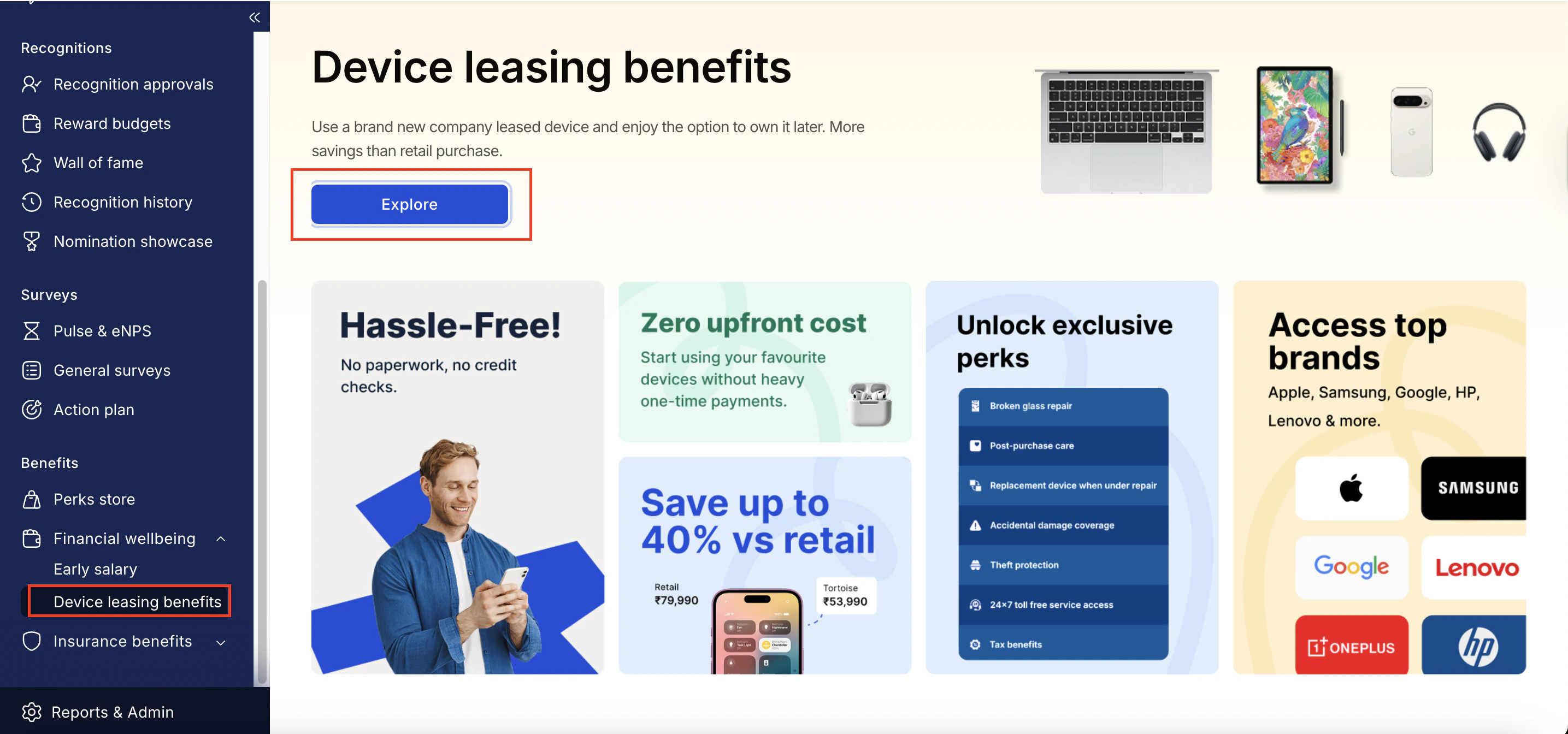
Navigate to Benefits >> Financial Wellbeing >> Device
Navigate to **Benefits >> Financial Wellbeing >> Device Leasing Benefits **
3
Click Explore
4
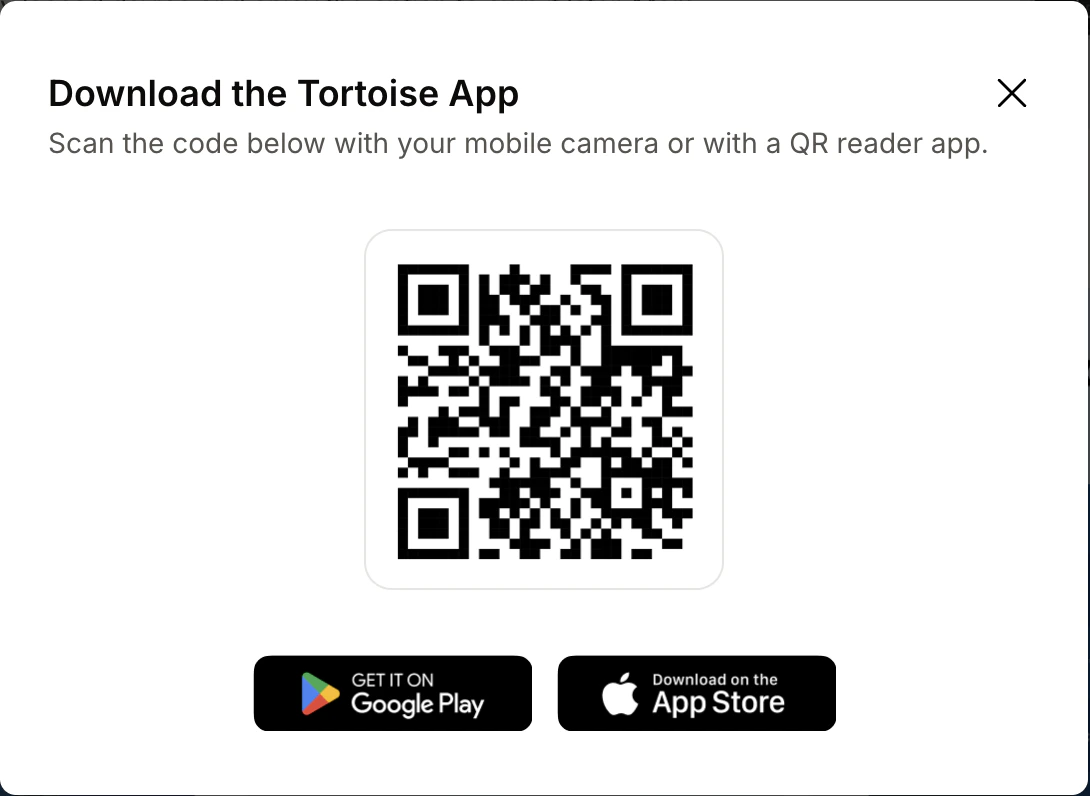
Download the Tortoise app to proceed
Download the Tortoise app to proceed.
5
Book your benefit by clicking on Pay
Book your benefit by clicking on Pay.
Support
For setup or usage assistance, contact us at Contact Support.