
Why this integration?
Organisations invest in several tools to drive multiple people engagement initiatives, increasing the complexity of their HR tech stack. Empuls is natively integrated with Slack, so recognition, rewards, and feedback happen in the same place your teams already work. Empuls helps build a people-focused workplace culture by making recognition and rewards a daily habit, not a quarterly event.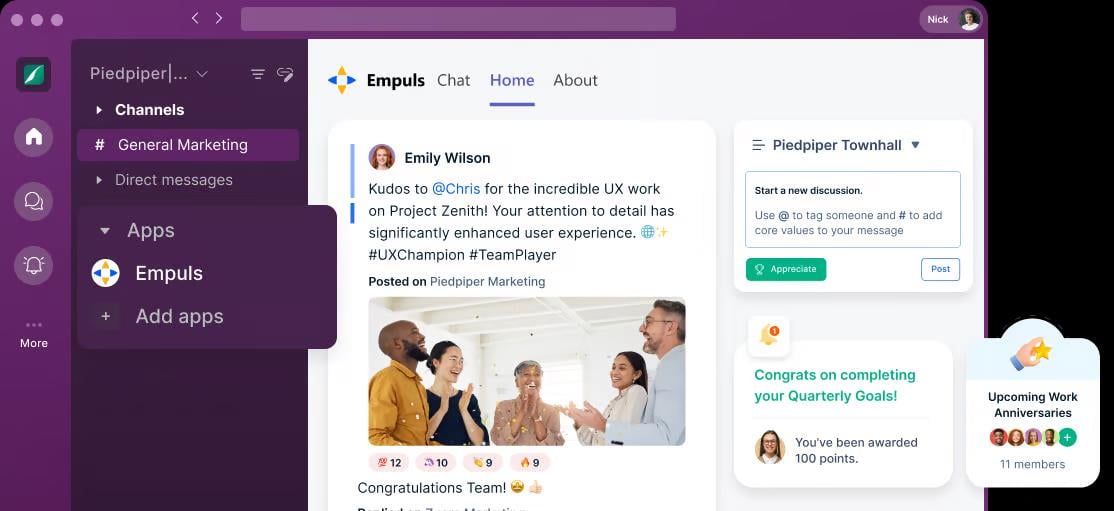
With this integration, you can
Prefer to watch instead of read? This video covers the full employee guide to Empuls for Slack.- Recognize and celebrate achievements — empower employees to appreciate each other’s contributions with peer, manager, and values-based recognition, right from the Home tab or a Slack channel.
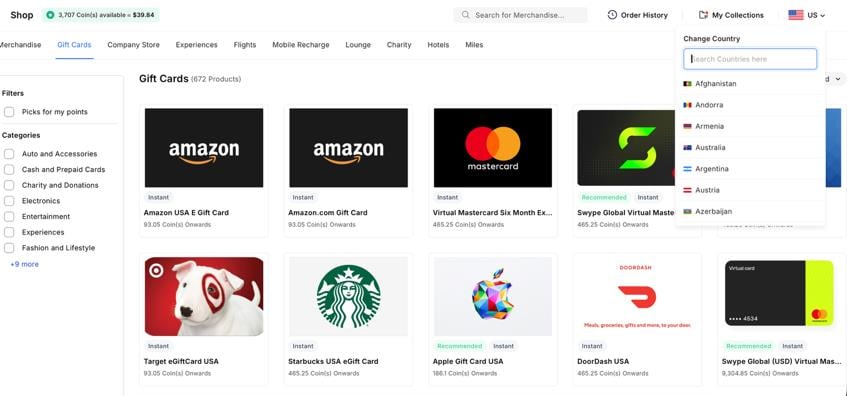
- Reward good performance — send gifts and let employees redeem points from a global catalog of 10M+ options: gift cards, merchandise, and experiences across 150+ countries, each with localised reward options and pricing in the local currency.
- Run nominations and awards — review and act on open nominations for jury and peer-voted awards directly from the Empuls Home tab in Slack.
- Create opportunities for feedback — measure employee sentiment with pulse, eNPS, and lifecycle surveys, and respond to survey invites without leaving Slack.
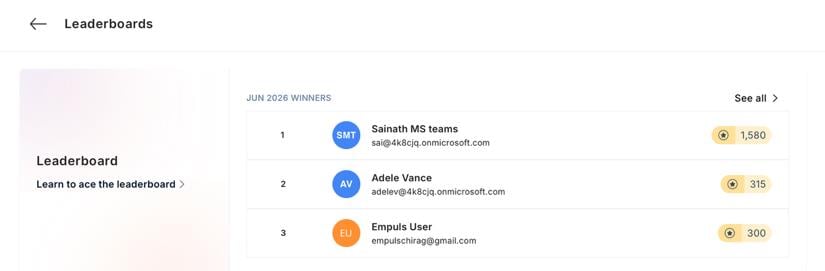
- Track recognition and engagement — check the Wall of Fame and Leaderboard, and look up teammates through the employee directory, all inside Slack.
- Automate celebrations — birthdays, work anniversaries, and service milestones post automatically, so no occasion is missed.
How to set up this integration
Prefer to watch instead of read? This video walks through installing and configuring the Empuls app on Slack.Log in to Empuls
Open the Admin Dashboard
Navigate to Integrations
Select the Slack app
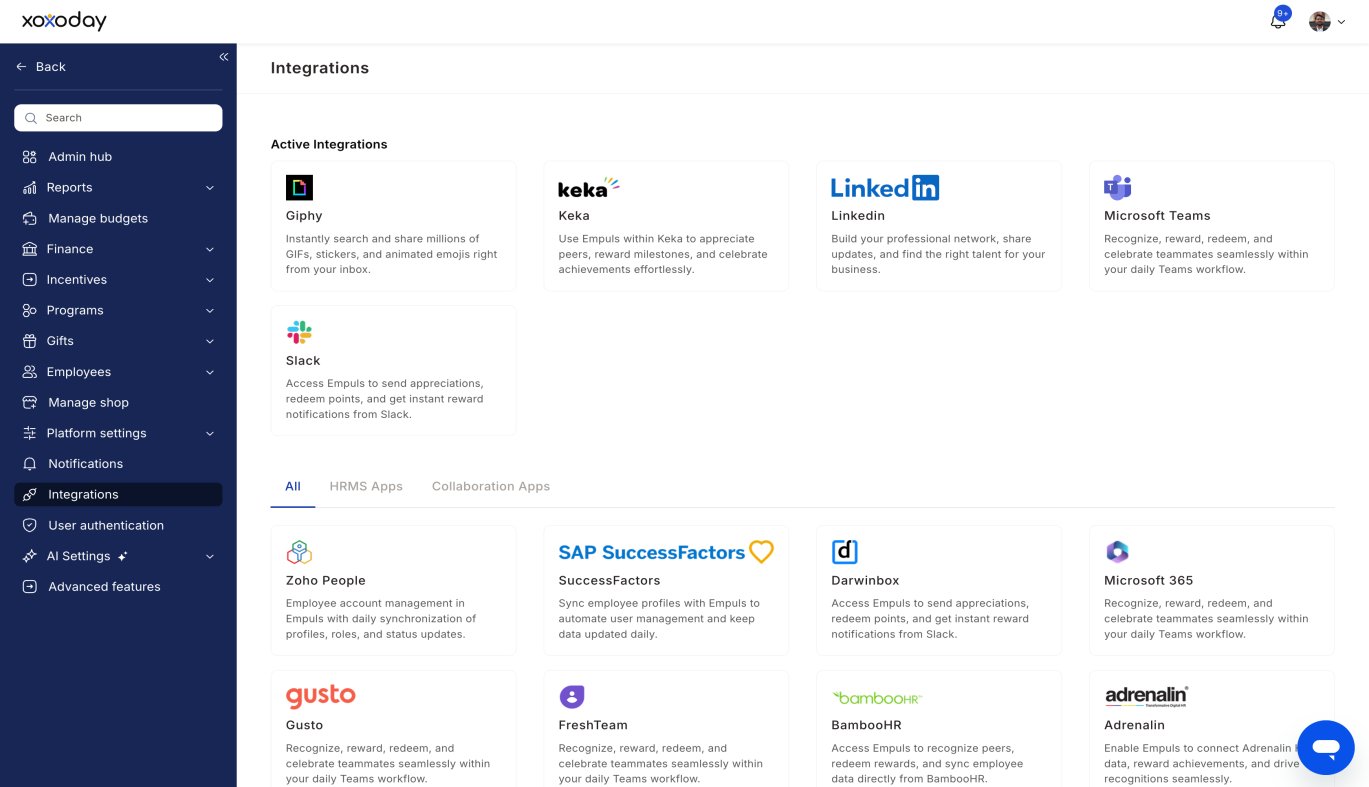
Manage the Slack app
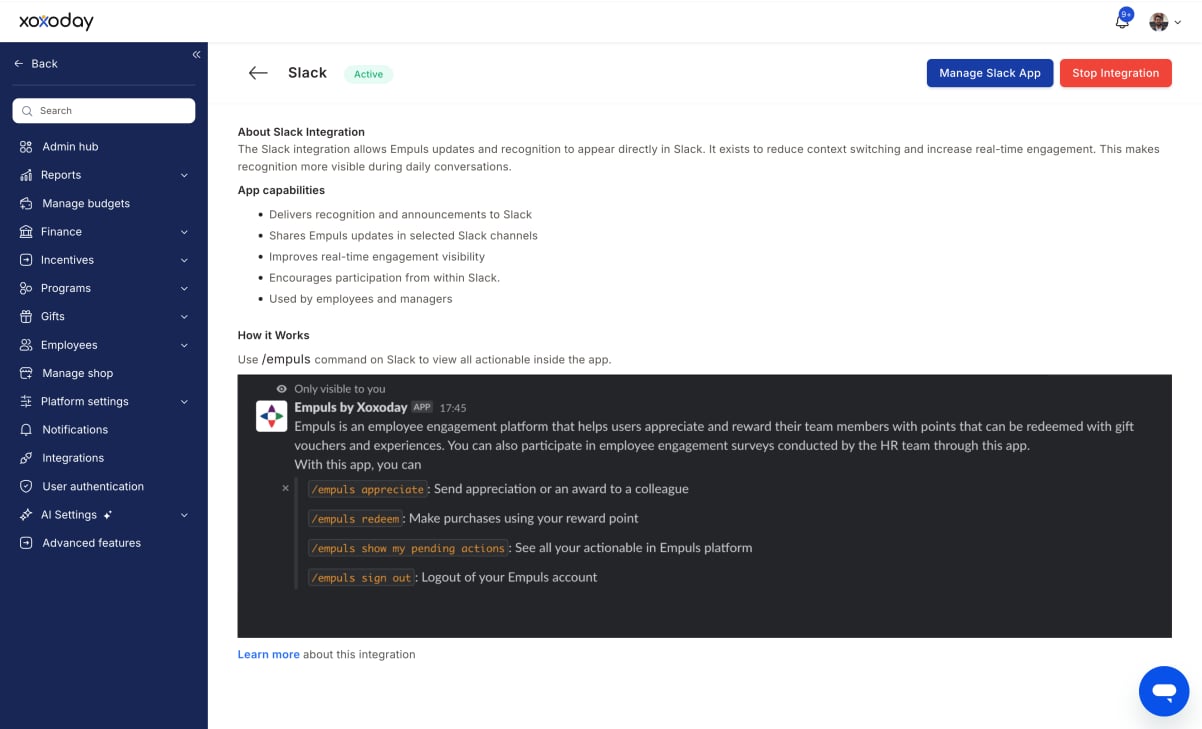
Proceed to Slack
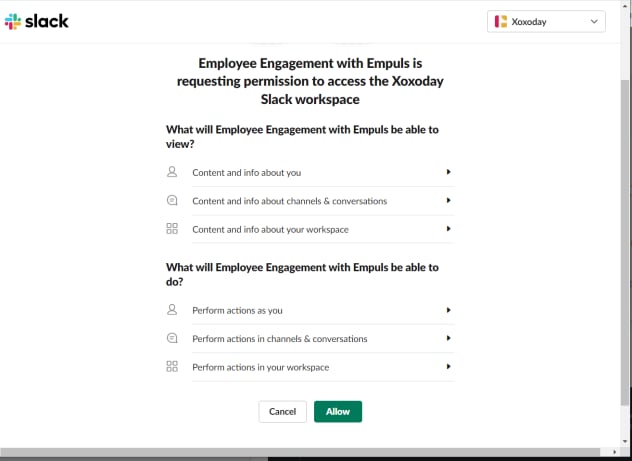
Allow the required permissions
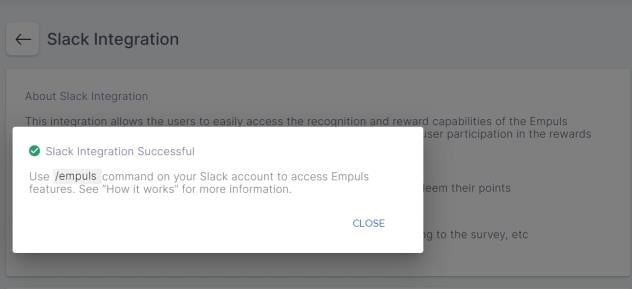
Start using Empuls in Slack
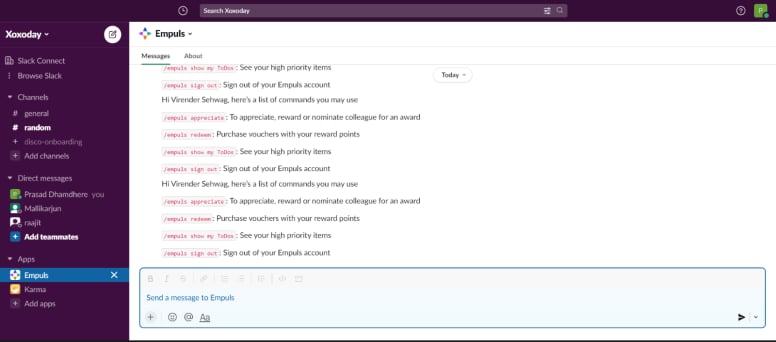
/empuls command for quick actions.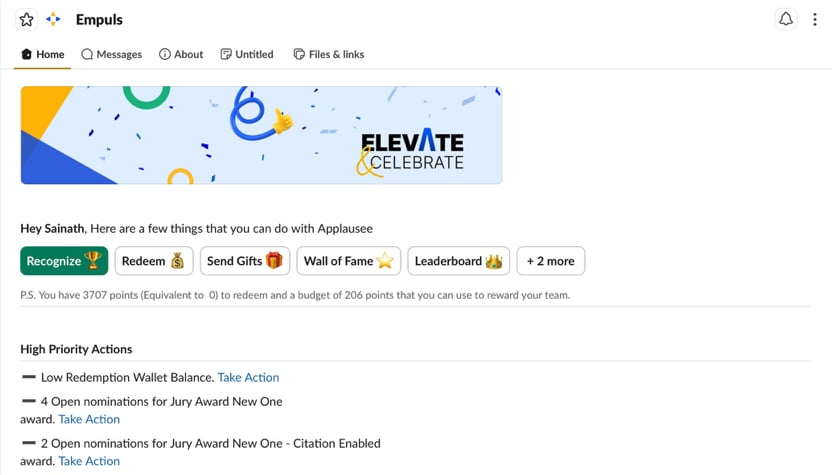
Empuls in Slack
Everything you can do with Empuls once it’s added to your Slack workspace.Home tab
The main screen for Empuls inside Slack — a row of quick actions at the top, a list of things that need your attention, and any surveys waiting for you.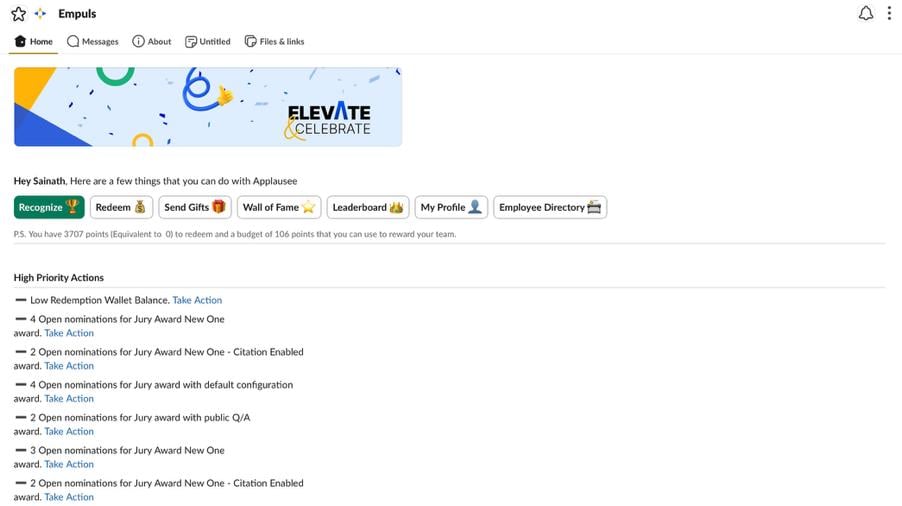
Quick actions
Recognize — give a shoutout to a coworker.Start a recognition
Choose the coworker
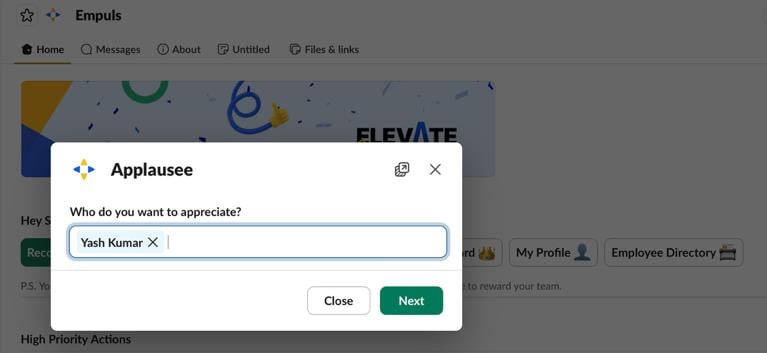
Add an award and message
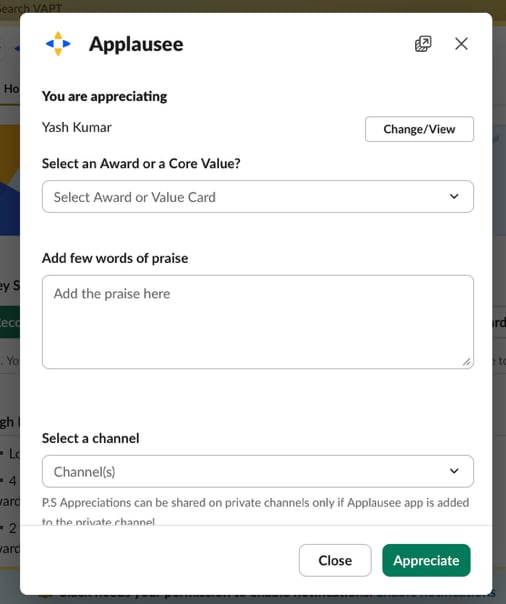
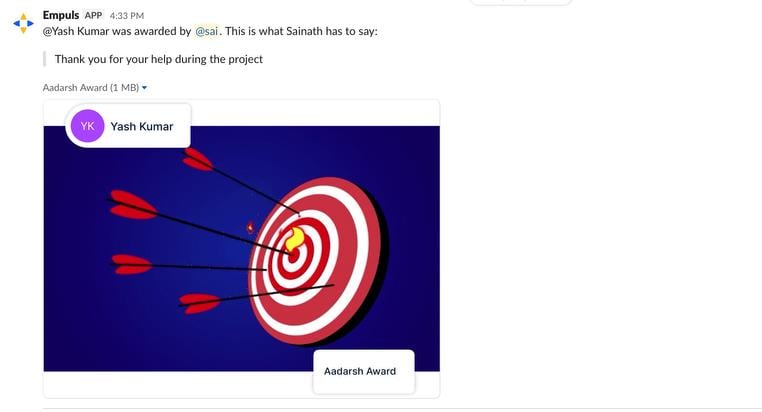
It posts everywhere
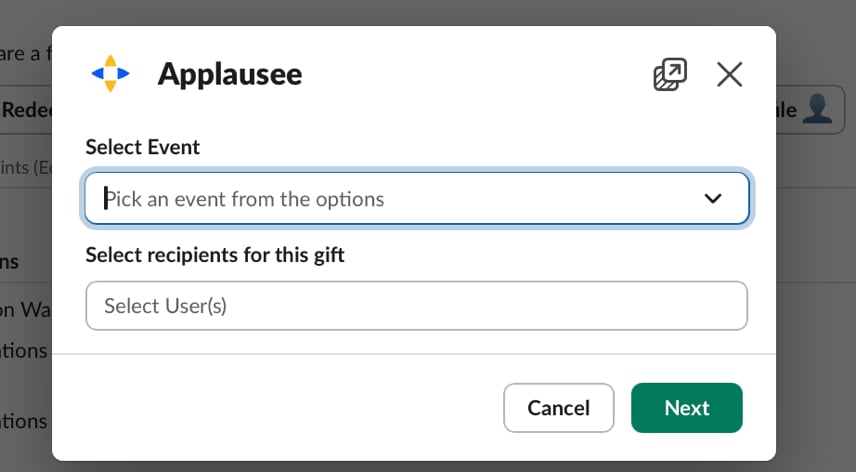
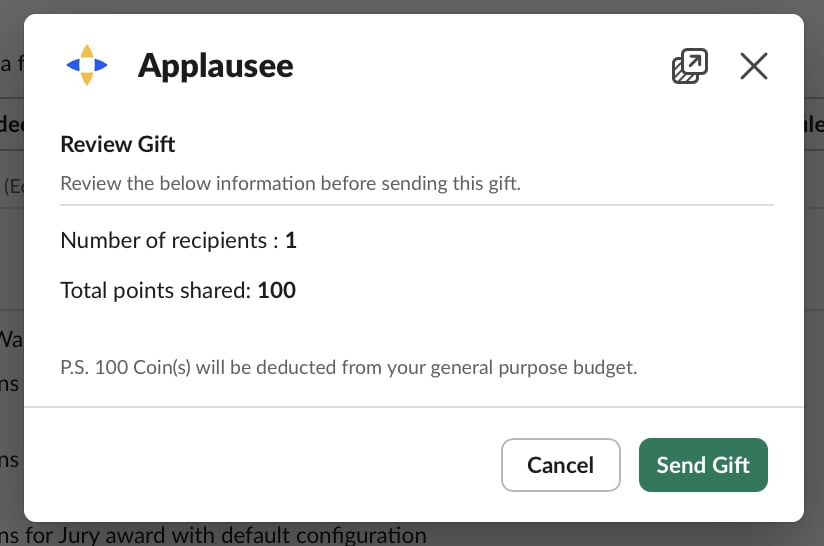
Start a gift
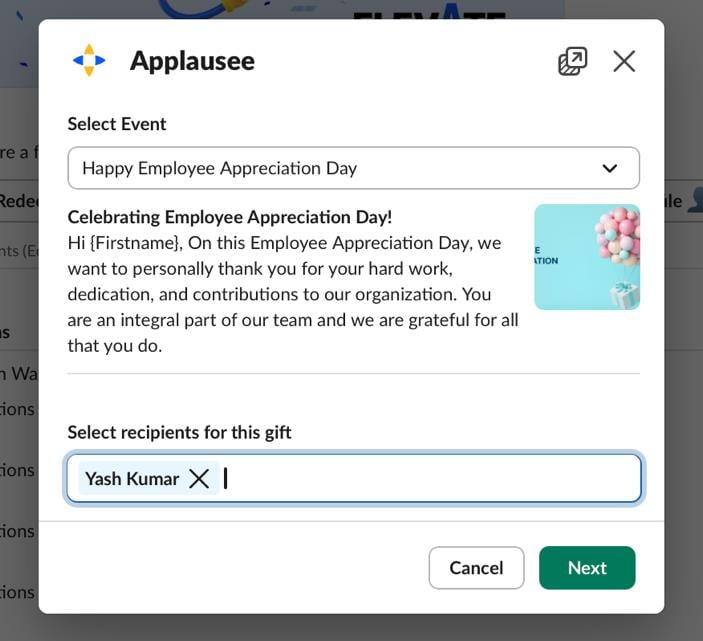
Pick the occasion and recipients
Review the message
Send the gift
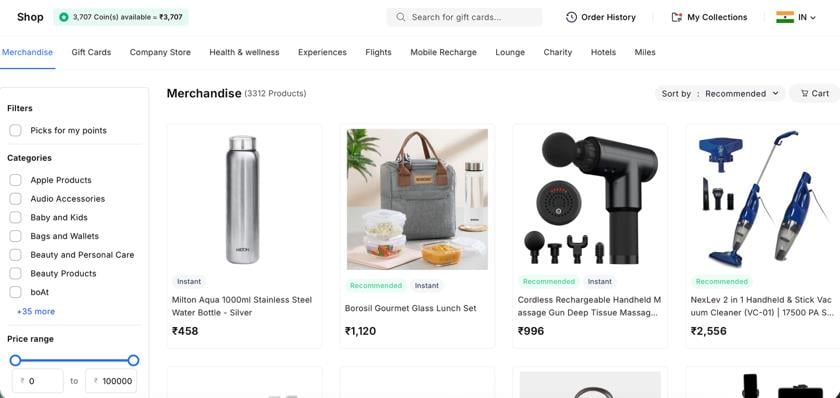
Open Redeem
Browse the catalog
Switch country if needed
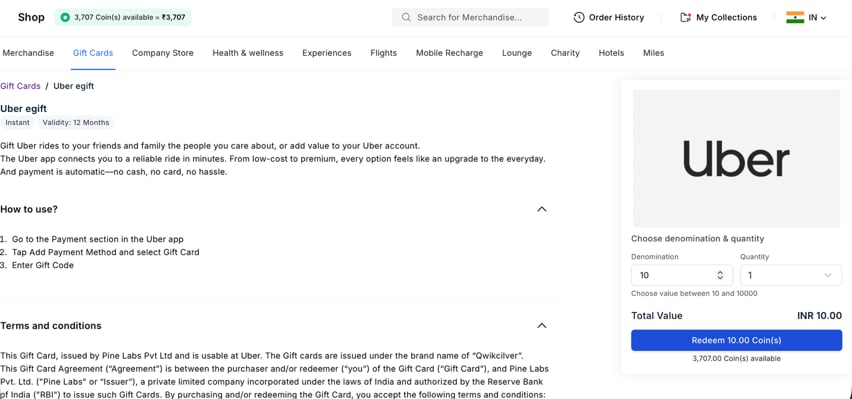
Complete the purchase
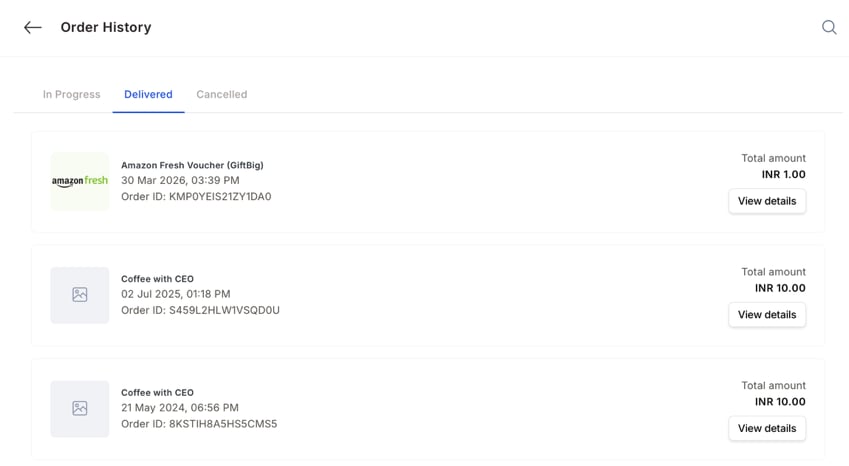
Track your orders

High priority actions
A running list of things that need your attention, with a Take Action link on each — for example, a low wallet balance warning, and counts of open nominations waiting for review.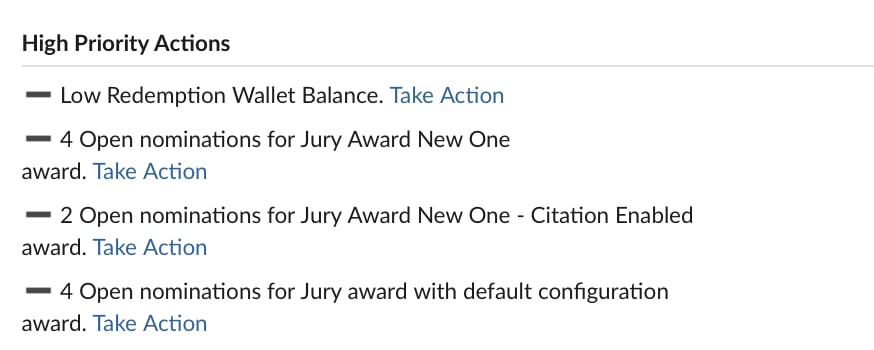
Open nominations
A more detailed list further down the Home tab. Each entry shows who nominated someone, what it’s for, and any note attached, with a Review Nomination button to act on it.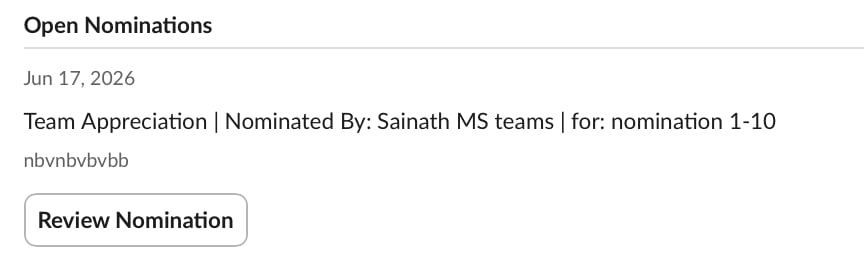
Survey and quiz invites
Any survey or quiz you’ve been asked to complete, with the full message from whoever sent it and a Respond Now button.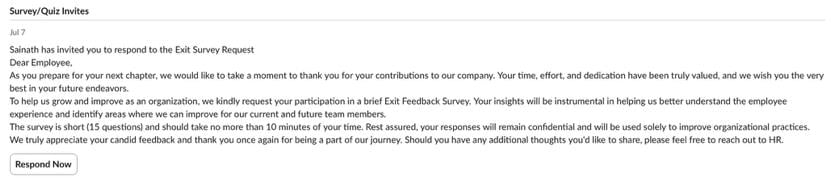
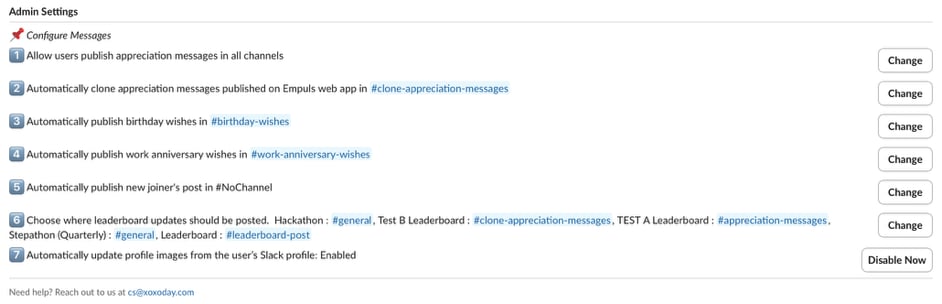
Admin settings
Where an admin controls how Empuls behaves in Slack for the whole workspace:- Allow or restrict users from publishing appreciation messages in all channels.
- Choose whether recognitions posted on the Empuls web app get automatically copied into a Slack channel.
- Choose which channel birthday wishes post to.
- Choose which channel work anniversary wishes post to.
- Choose which channel new joiner announcements post to.
- Choose which channel each leaderboard posts its updates to — you can run more than one leaderboard, each pointing at a different channel.
- Turn automatic profile photo syncing from Slack on or off.
Messages tab
Published recognition messages — shows the actual recognition post: who got the award, who gave it, their note, and the award graphic. Every post carries a “Recognitions powered by Empuls” footer. From your own notification, you can click View Published Message to jump to where it was posted, or Share on LinkedIn to post the recognition publicly outside Slack. Direct bot conversation — type/ in any Slack message box to bring up Empuls commands directly, without opening the Home tab. Two are available: /appreciate (recognize and reward a coworker) and /redeem (use your points to buy gift cards, experiences, and more).
Automated channels
- #birthday-wishes — birthday messages post here automatically.
- #work-anniversary-wishes — the same, for work anniversaries.
- Custom appreciation channels — some companies set up an extra channel just for shoutouts and recognition posts.
Notifications
You get pinged the moment someone recognizes you, sends you a reward, or when a survey or nomination needs your answer.How to remove this integration
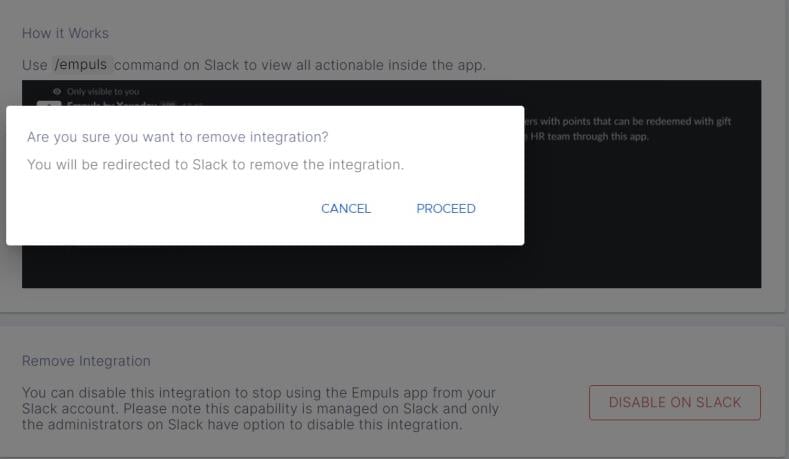
Disable on Slack

Confirm removal
Open in Slack
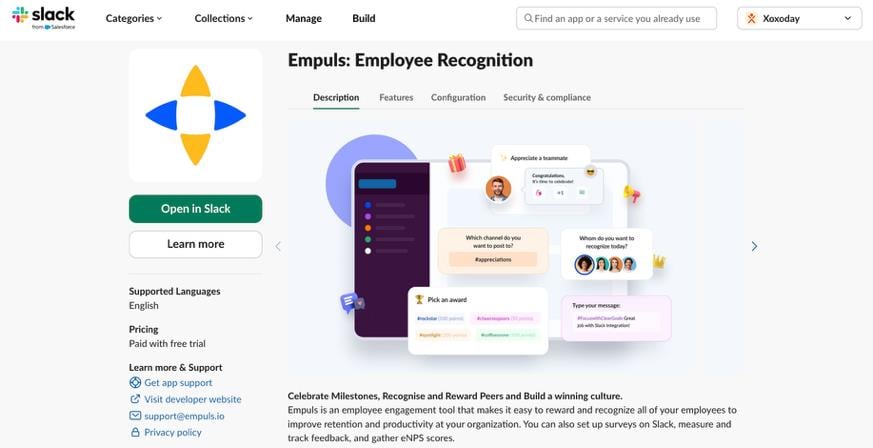
Remove the app
FAQs
Will all awards and appreciation sent on Empuls be visible on Slack?
Will all awards and appreciation sent on Empuls be visible on Slack?
Will employees receive birthday and work anniversary wishes on Slack?
Will employees receive birthday and work anniversary wishes on Slack?
Are employees required to remember commands to use the Empuls app on Slack?
Are employees required to remember commands to use the Empuls app on Slack?
Can I respond to surveys and act on award nominations directly in Slack?
Can I respond to surveys and act on award nominations directly in Slack?
Can admins control where automated messages post?
Can admins control where automated messages post?
Is it possible to change the Empuls bot name to something else?
Is it possible to change the Empuls bot name to something else?