Filter group of users you want to recognize
You can recognize multiple colleagues at once using the designation, department, or location filter. Navigate to Recognize > Click the filter icon to enter the filter details. Proceed with the recognition steps as usual.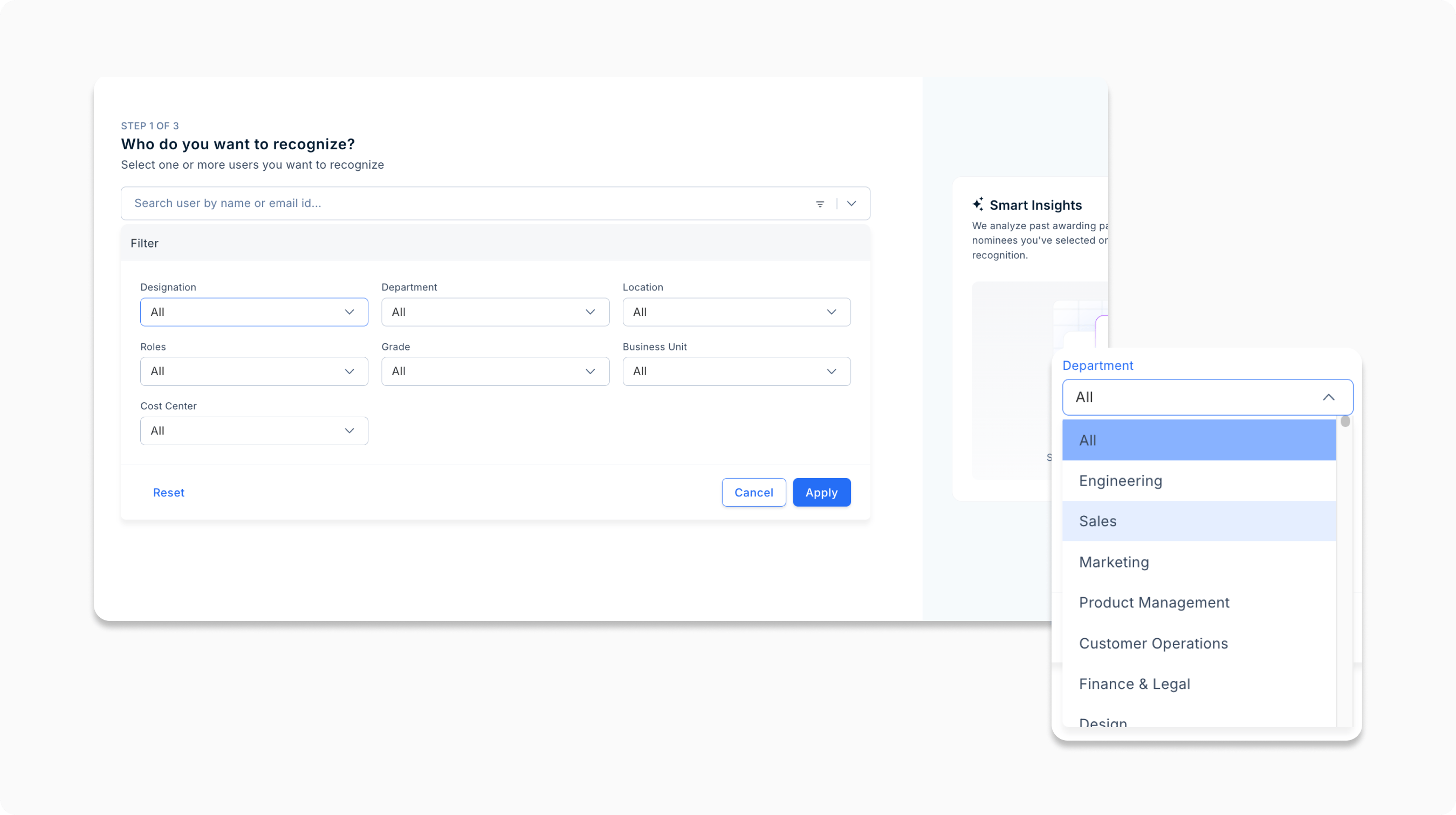
Personalize your feed
Fine-tune your social feed to highlight birthdays, anniversaries, and new joiners in your close circle. Go to the home page, and choose the feed content setting as Recommended and filter the type of posts you want to see.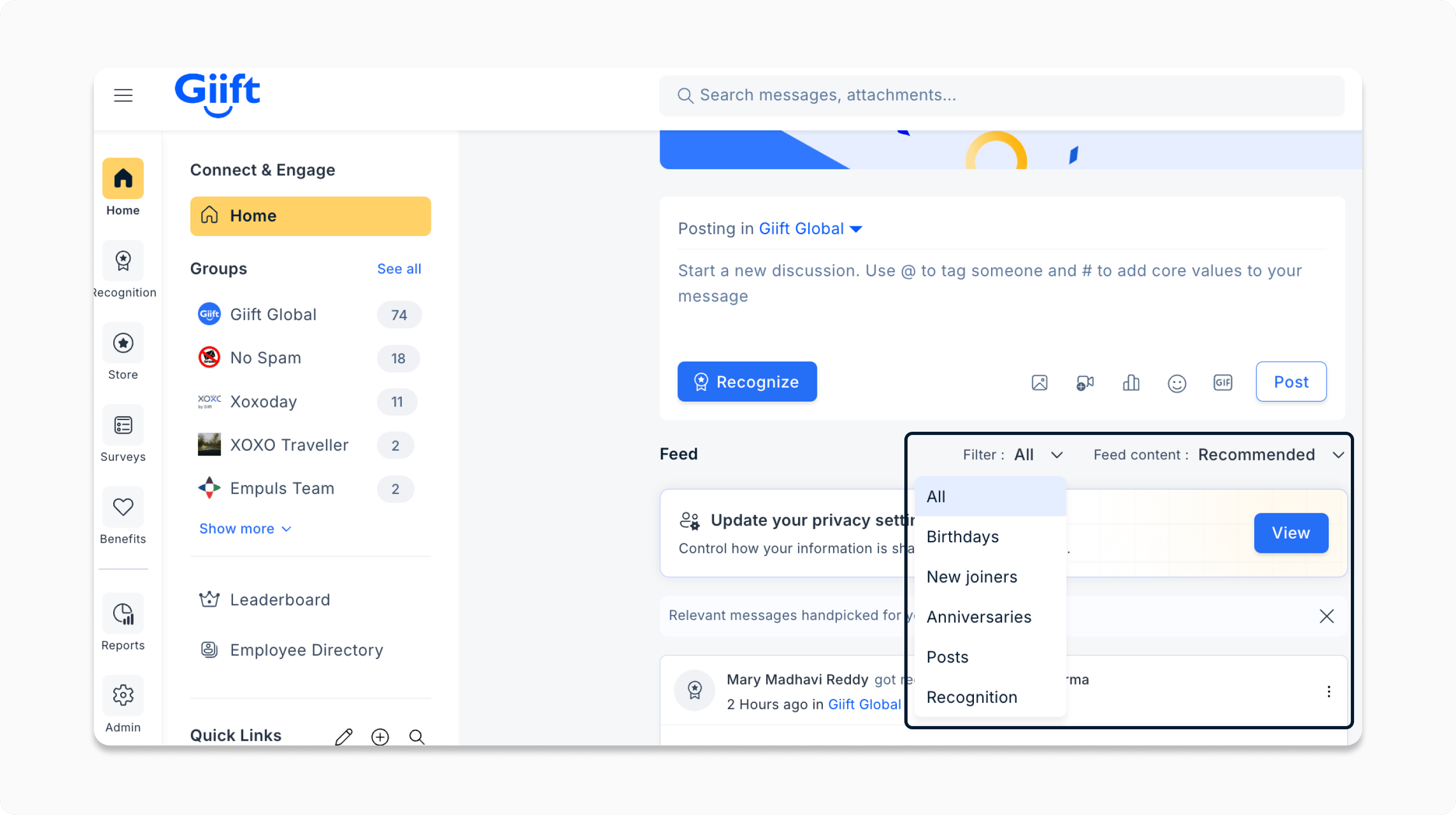
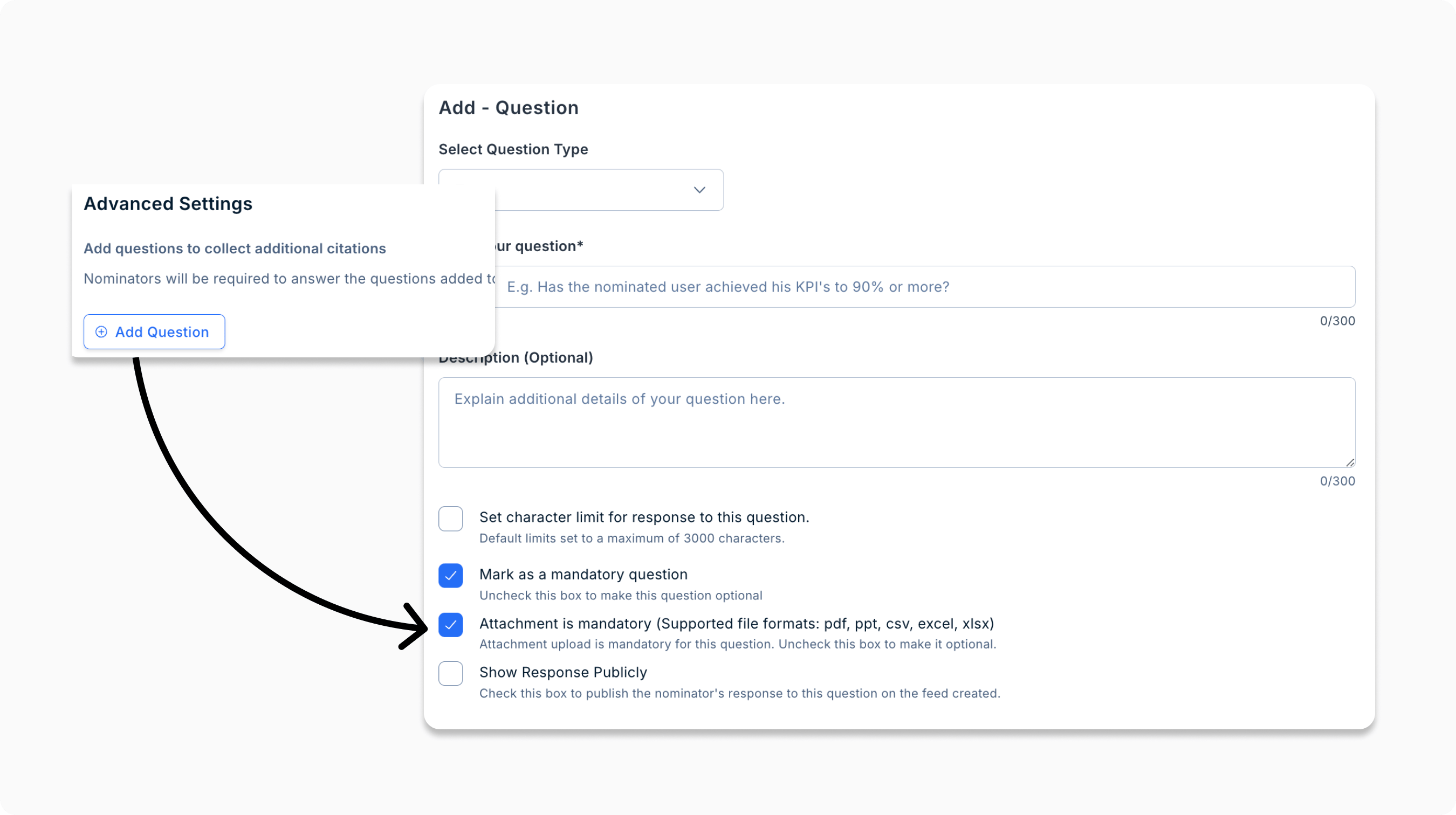
Make attachments for nominations mandatory
Admins can now make it mandatory for nominators to attach supporting documents (PDF, PPT, CSV, XLSX) to drive fair, data-driven award decisions. 🔎 Navigate to Awards, Values, and Gifts and select the relevant award. Then go to the Advanced Setting card to + Add Question and check the Make attachment mandatory box.