
Email Whitelisting
Receive all Empuls emails from your organization’s email domain
Overview
By default, Empuls notifications are sent via Xoxoday’s domain. To improve email deliverability and maintain brand consistency,customers configure the platform to send emails directly from their organization’s domain (e.g., notifications@yourcompany.com). This feature allows customers to receive all Empuls emails from their own email domain.(See below image)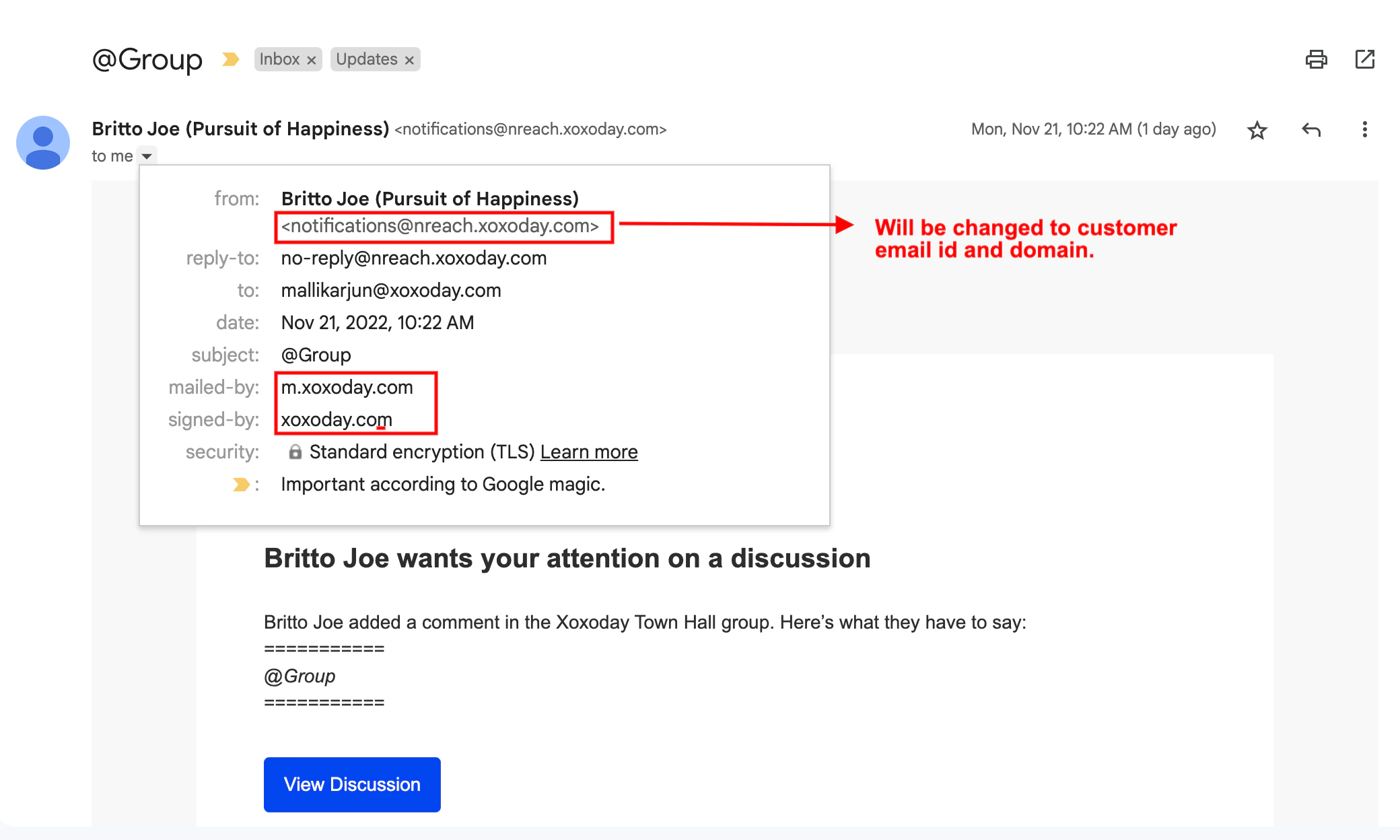
Step 1: Initiate Verification
Contact Empuls Account Manager or Support Team to request “Sender Domain Verification.”Step 2: Update DNS Records
Empuls will generate a set of unique CNAME records specific to customers account.- Share these records with your IT or Domain Administrator.
- These records must be added to your organization’s DNS host file.
Step 3: Verify Configuration
Once the records are added to your DNS, notify the Empuls team. We will validate the DNS entries to complete the authorization.Step 4: Configure Sender Address
After verification is complete, provide the specific email address you wish to use as the “From” address for all future system emails. Important: This email address is used for sending purposes only. It does not require an active inbox or a mailbox license.Need help? Reach out to your support team or Contact Support.