
Automated celebration posts — birthdays, work anniversaries, and new employee welcomes — are posted exclusively in Townhall.
Reaching all employees at once
To notify every employee about a post in Townhall, tag @group in your message. This sends a notification to all active users, letting them know they’ve been mentioned. Use this for high-priority announcements where you need broad awareness quickly.Editing Townhall settings
Super Admins can update the Townhall group’s name, image, and description.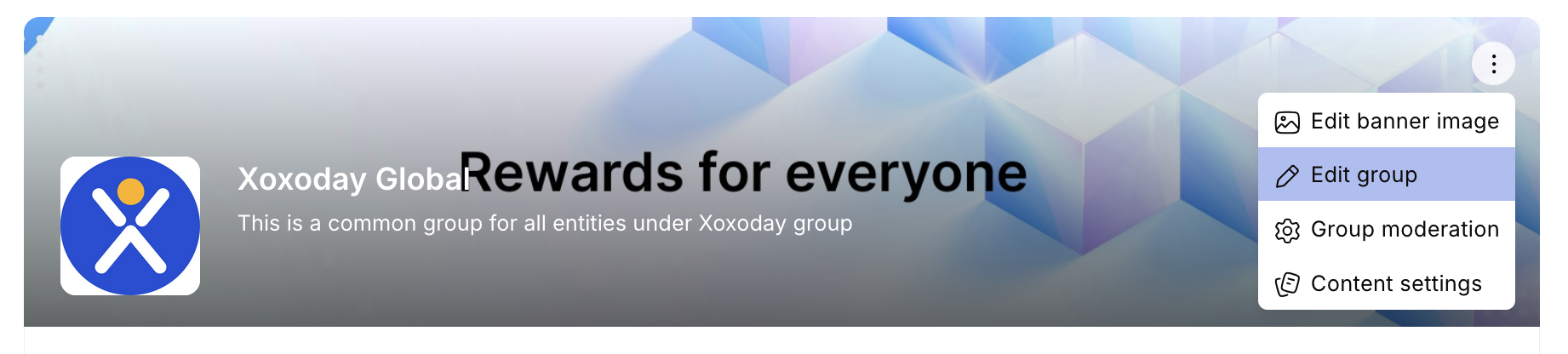
1
Open Townhall
Navigate to Home > Socials > Groups and click on Townhall, or click See All and select Townhall from the list.
2
Open group settings
From the right-side panel, click Group Settings in the About this group card.
3
Edit group information
Click the pen icon to edit the Name, Image, and Description. Click Update to save your changes.
Configuring content settings
Super Admins can choose which automated posts appear in Townhall — for example, birthday celebrations, work anniversaries, new employee welcome posts, and leaderboard updates.1
Open content settings
On the Townhall group information page, click Content Settings.
2
Select automated notifications
Toggle on or off the automated events you want Townhall to display:
- Birthdays
- Work anniversaries
- New employee welcomes
- Leaderboard updates
3
Save
Click Save Changes to apply your preferences.
Content moderation
Super Admins control what employees can post in Townhall, including whether employees can start new discussions or add comments. By default, posting permissions follow your organization’s content moderation policy.1
Open moderation settings
On the Townhall group information page, click More.
2
Edit permissions
Click Edit to open the moderation settings.
3
Update and save
Check or uncheck the relevant boxes — for example, to restrict employees from initiating discussions or adding comments. Click Update to save.
Pinning important posts
Admins can pin critical announcements to the top of the Townhall feed so they stay visible regardless of new activity. Click the three-dot icon (⋮) on a post and select Pin post.Running polls and quizzes in Townhall
Polls and quizzes posted in Townhall reach the entire organization. This makes Townhall ideal for:- Gathering company-wide feedback on a new policy or initiative
- Running a fun quiz to boost engagement or celebrate a company event
- Collecting a quick pulse on employee sentiment before a town hall meeting
Best practices for company-wide communication
How often should we post in Townhall?
How often should we post in Townhall?
Post when you have genuinely company-wide information — major announcements, leadership messages, policy changes, or celebration posts. Avoid using Townhall for content that only applies to a specific team or location; use a targeted group instead.
Should we restrict employee posting in Townhall?
Should we restrict employee posting in Townhall?
This depends on your culture. Allowing employees to post in Townhall increases engagement and two-way communication, but requires active moderation. Many organizations allow employee posts with admin review, or enable posts only for managers and above.
How do I make announcements stand out?
How do I make announcements stand out?
Use the Announcement Spotlight feature rather than a regular post for critical updates. Spotlights appear prominently at the top of employees’ feeds with a custom duration and audience. See Announcement Spotlight.
Can I change the name 'Townhall' to something else?
Can I change the name 'Townhall' to something else?
Yes. Super Admins can update the group name, image, and description under Group Settings. Consider using your company’s own terminology if that resonates better with your culture.
FAQs
Can employees leave the Townhall group?
Can employees leave the Townhall group?
No. Townhall is a default group and all enabled users are automatically members. Employees cannot opt out.
Who manages the Townhall group?
Who manages the Townhall group?
Super Admins are the default administrators and have full control over settings, content moderation, and automated posts.
What types of posts appear in Townhall?
What types of posts appear in Townhall?
Townhall displays automated celebrations (birthdays, work anniversaries, new joiner welcomes), leaderboard updates, company announcements, and posts from employees and admins according to your moderation settings.
Can I post in Townhall?
Can I post in Townhall?
Whether employees can post depends on your organization’s content moderation settings. Some organizations restrict Townhall posts to admins only; others allow all employees to post.
Related
Groups
Create and manage groups for teams, departments, and interest communities.
Social intranet
Full guide to posts, polls, spotlights, and feed personalization.