

Send peer recognition directly from any group feed, or open the appreciate hub in your tenant atDocumentation Index
Fetch the complete documentation index at: https://empuls.mintlify.app/llms.txt
Use this file to discover all available pages before exploring further.
https://<your-empuls-url>/home/appreciatelist.
Send a peer recognition
Navigate to the group feed
Go to the group where you want to share the recognition — this could be your team group, an all-company group, or any other group you’re part of. Click Recognize in the feed input box.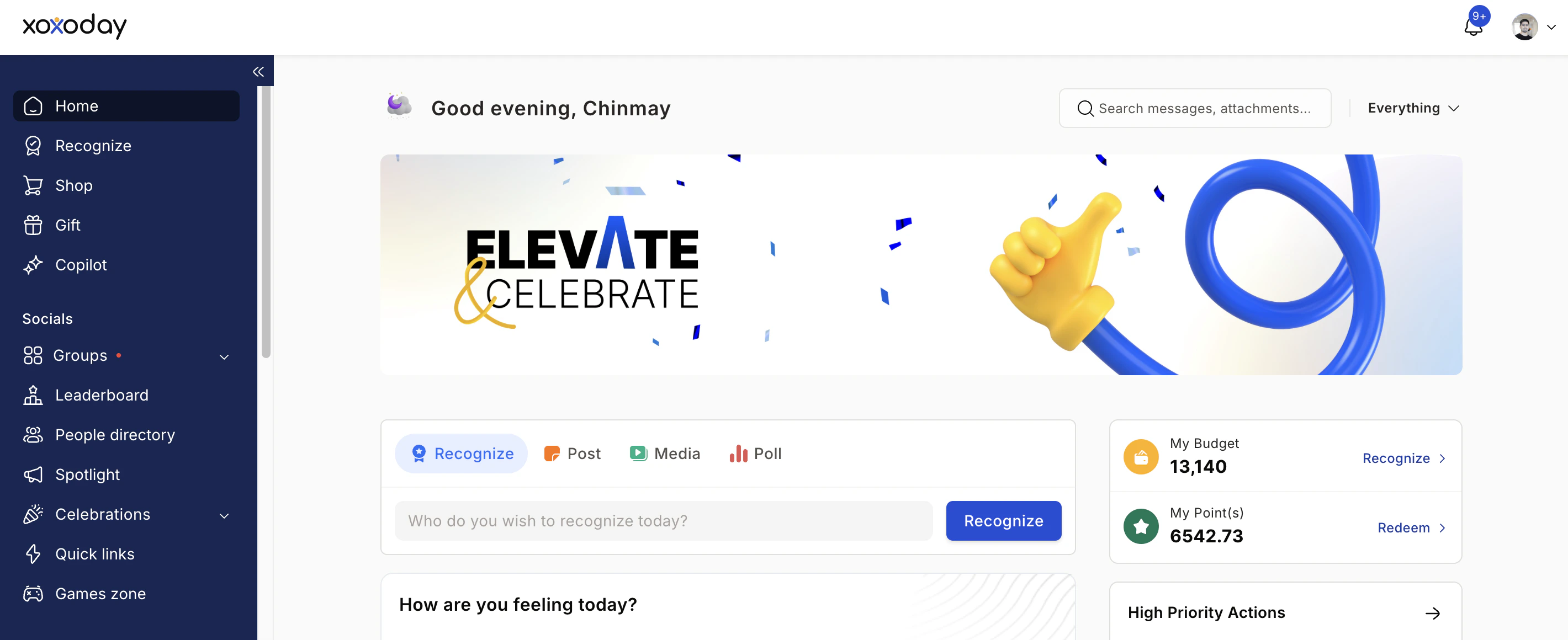
Find your colleague
Search for your colleague by name or email, or paste their email address directly into the search field. You can view the number of nominations they’ve received in the last quarter or six months directly from this screen. Click Next.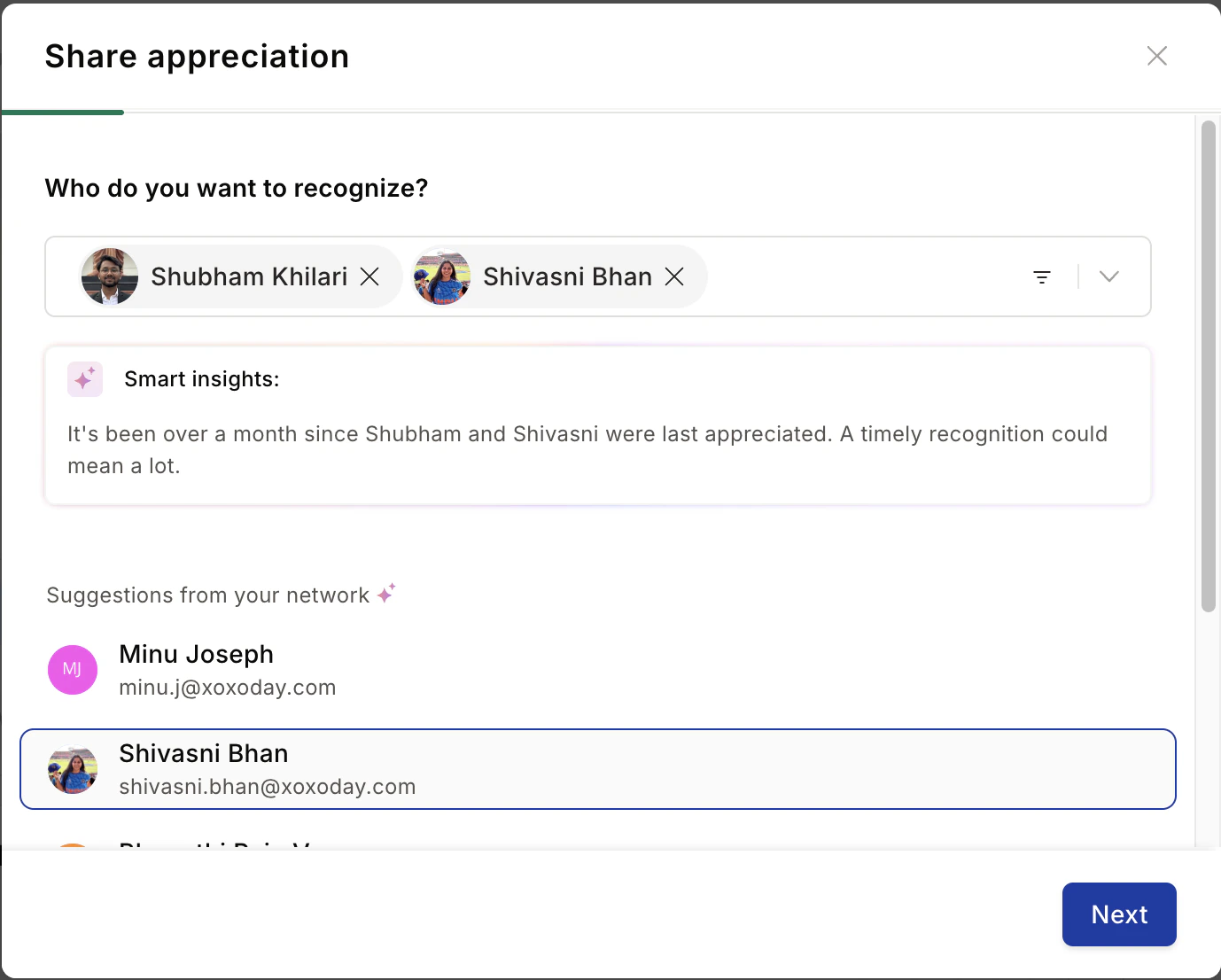
Choose an award
Select a Spot Award, Approval Award, or Core Value to recognise the achievement. Click on any award to read its purpose before choosing. Click Next to continue.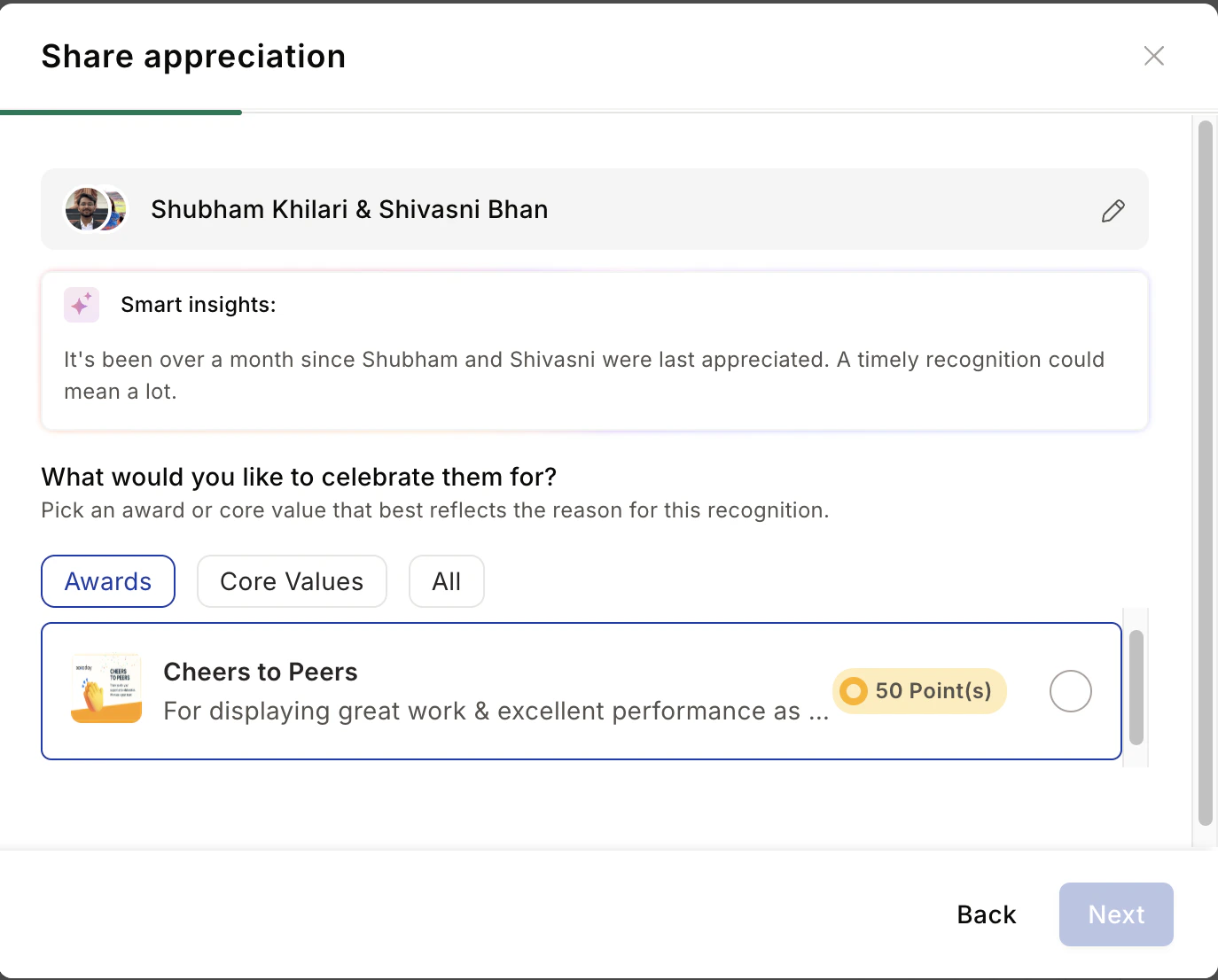
Write your message
Write a personalised message in the text box. For maximum impact, include: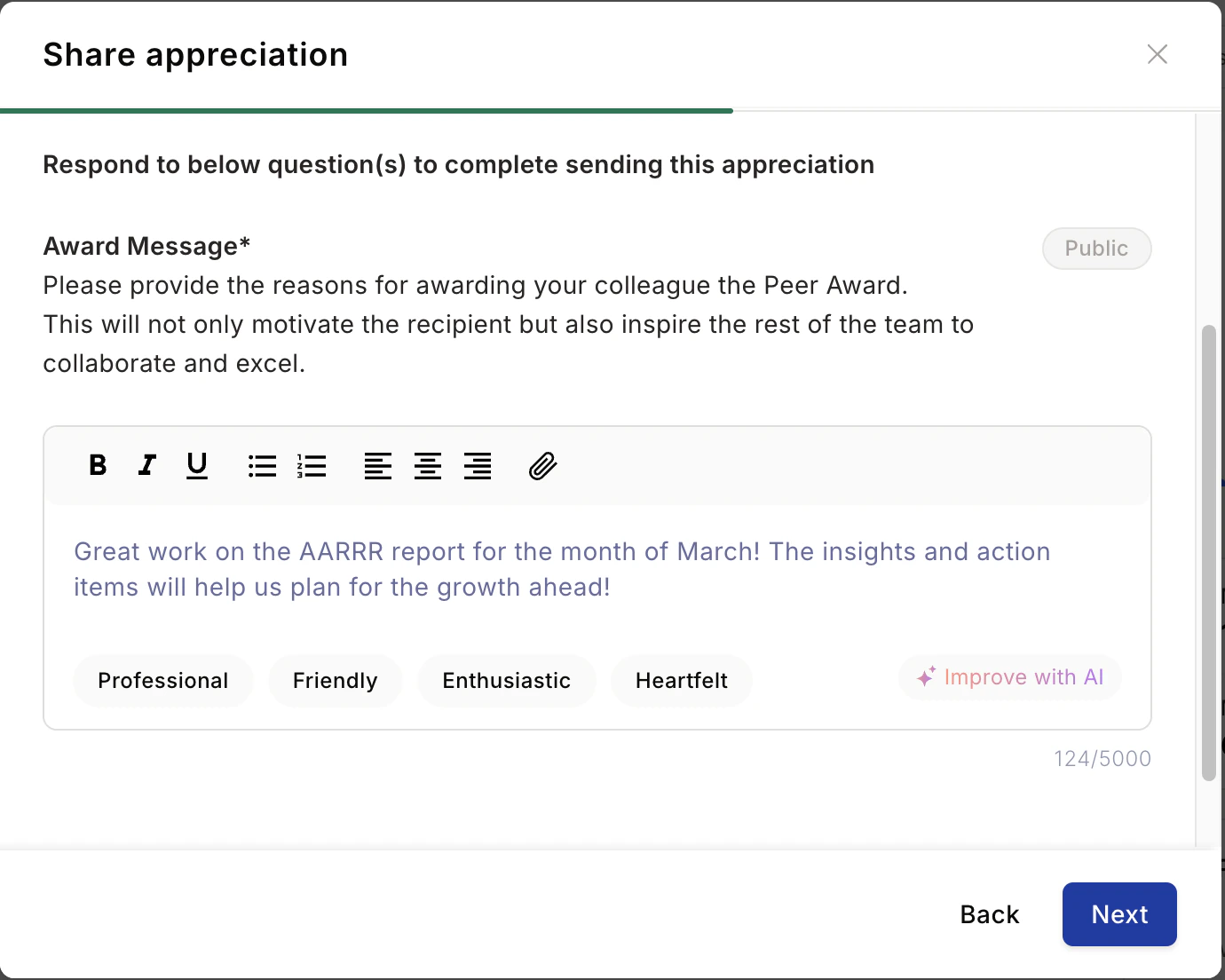
- What they did — the specific action or contribution
- Why it mattered — the importance of their effort
- The business impact — how it made a difference
Improve with AI (optional)
Click Improve with AI to enhance or rephrase your message. You can Refresh for a new suggestion, Copy it to paste manually, or Replace your existing message with the AI-generated version. Close the popup if you prefer to keep your original.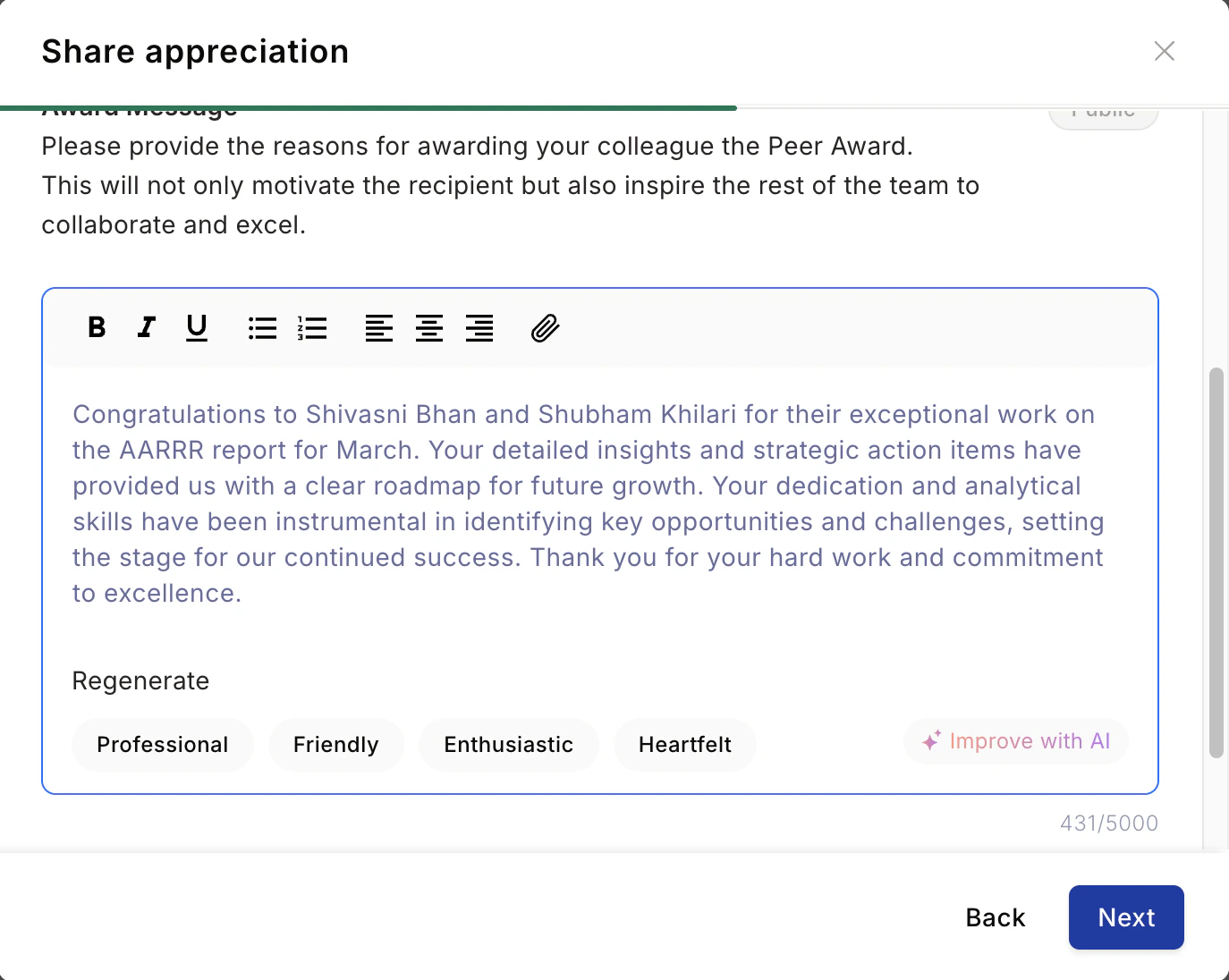
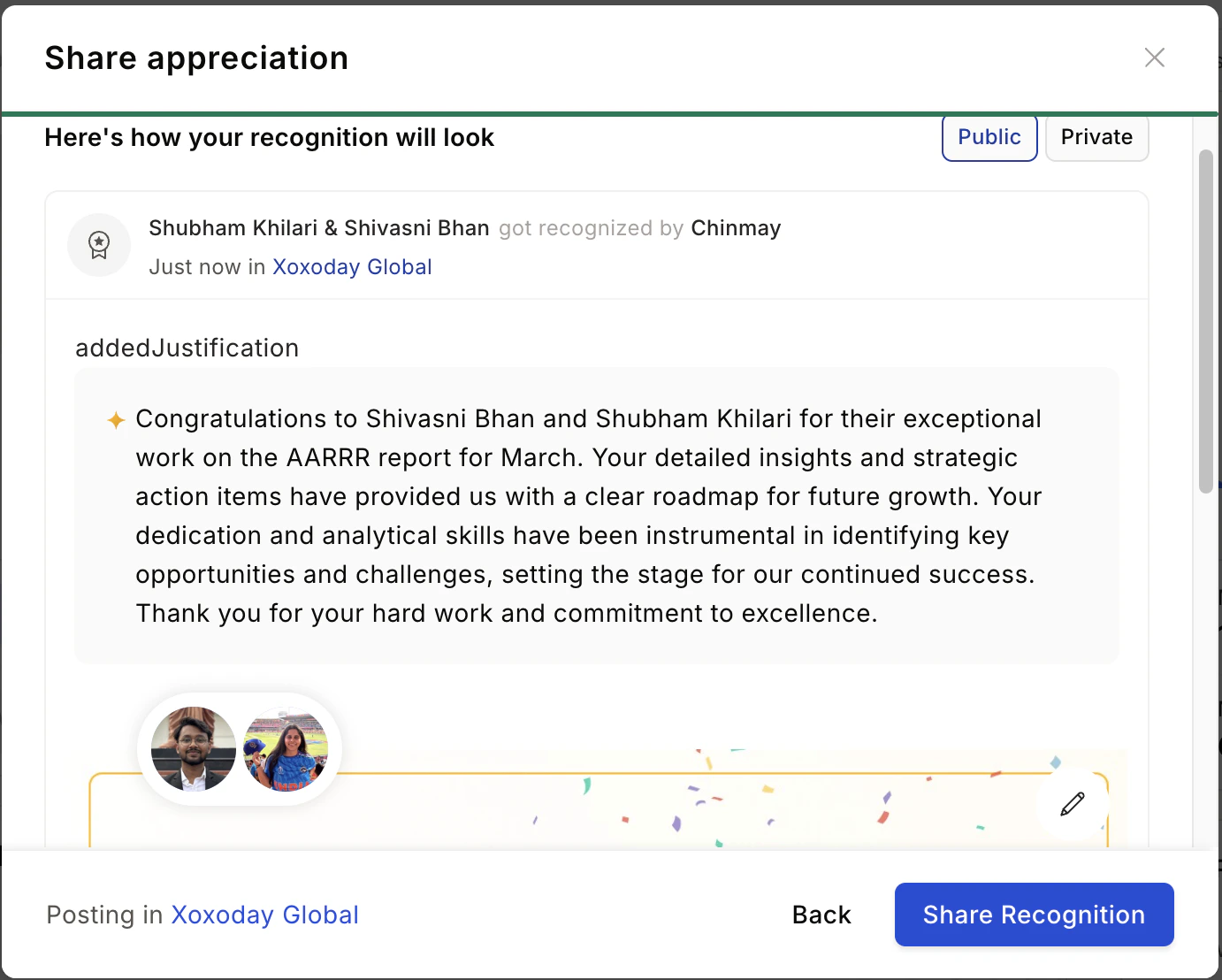
View and respond to recognitions you’ve received
View your recognitions
Scroll down to the Recognitions section to see all recognition you’ve received in chronological order.
Share a recognition on LinkedIn
You can amplify recognitions you’ve received by sharing them directly to your LinkedIn profile.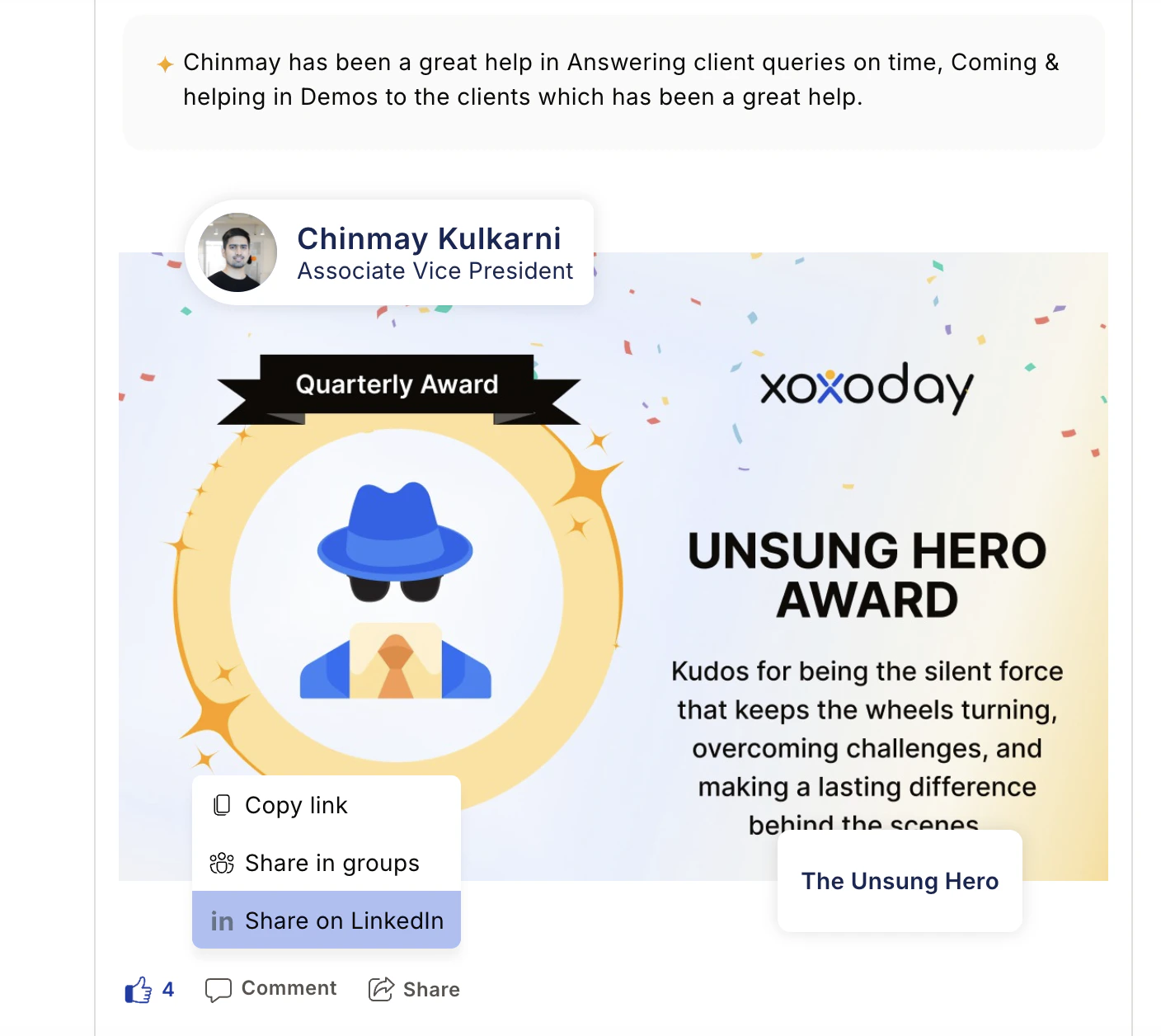
Authenticate with LinkedIn
A popup will ask you to authenticate with your LinkedIn credentials and grant Empuls permission to post on your behalf. Empuls does not store your LinkedIn credentials or personal information during this process.
Frequently asked questions
Can I recognise a manager or someone senior to me?
Can I recognise a manager or someone senior to me?
Yes. You can recognise peers, direct reports, and managers. Recognition in all directions is encouraged.
What happens if I select an approval-based award?
What happens if I select an approval-based award?
Approval-based awards require a manager or administrator to approve the nomination before the recognition is posted and any points are awarded. You’ll see the status in your feed once it’s reviewed.
I sent a recognition but can't see it in the feed
I sent a recognition but can't see it in the feed
Refresh the page and check the Sent section of your profile. If it was an approval-based award, it may be pending review. Contact support at support@empuls.io if it’s still missing after refreshing.
My points haven't been credited after receiving a recognition
My points haven't been credited after receiving a recognition
Wait up to 24 hours for points to appear. Check your account statement to verify. Contact support if points are still missing after 24 hours.
Can I share bulk recognitions to LinkedIn?
Can I share bulk recognitions to LinkedIn?
Does Empuls store my LinkedIn login details?
Does Empuls store my LinkedIn login details?
No. Empuls does not capture or save your LinkedIn credentials or personal information during the authentication process.