> ## Documentation Index
> Fetch the complete documentation index at: https://help-empuls.xoxoday.com/llms.txt
> Use this file to discover all available pages before exploring further.
# Product Updates - November 2024
We're excited to bring you the latest enhancements designed to enrich your experience on Empuls.
**Here's what's new:**
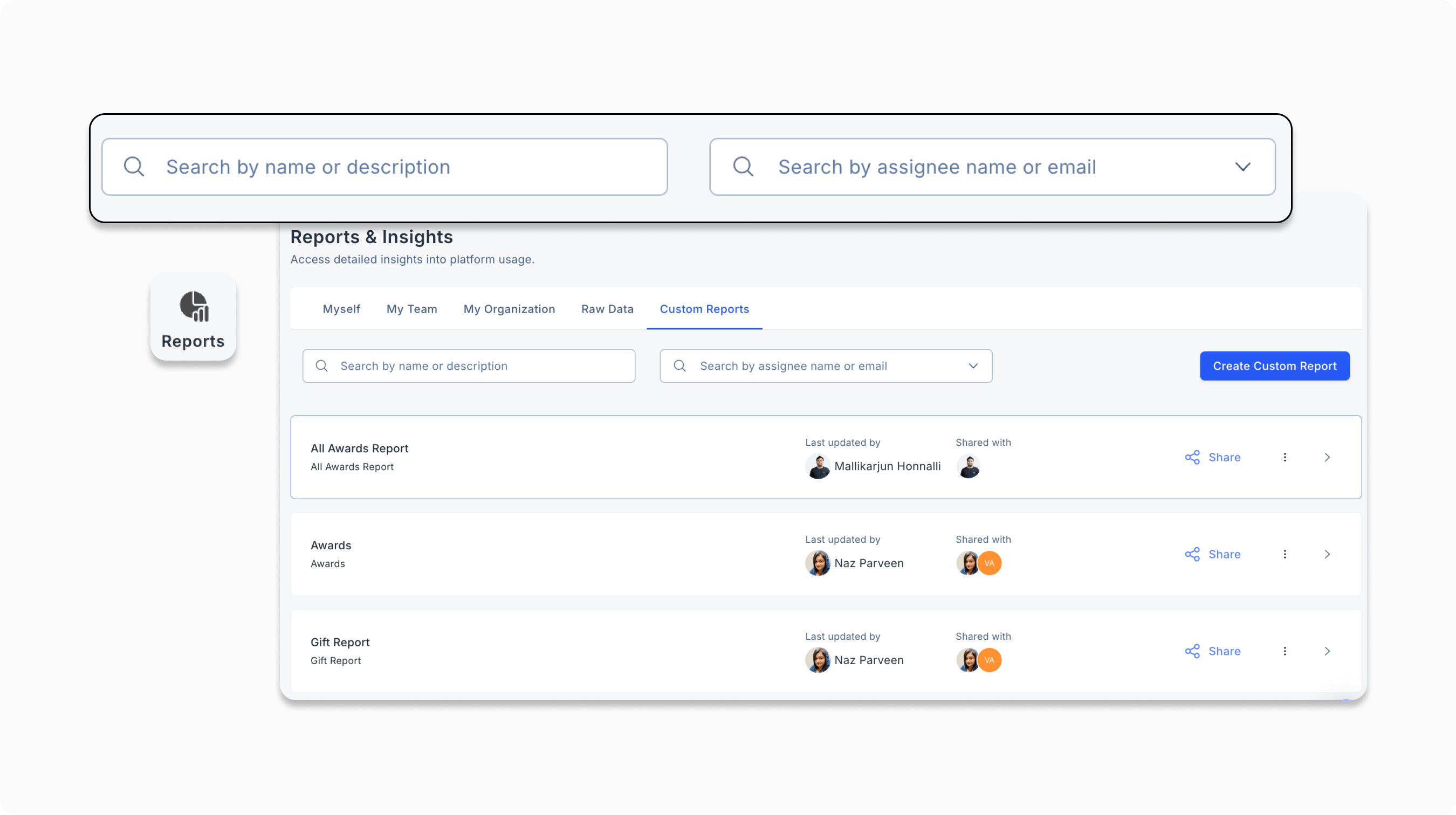
* **Improved custom report search**
You can now filter and search custom reports more efficiently with new search options in the Custom Reports section.
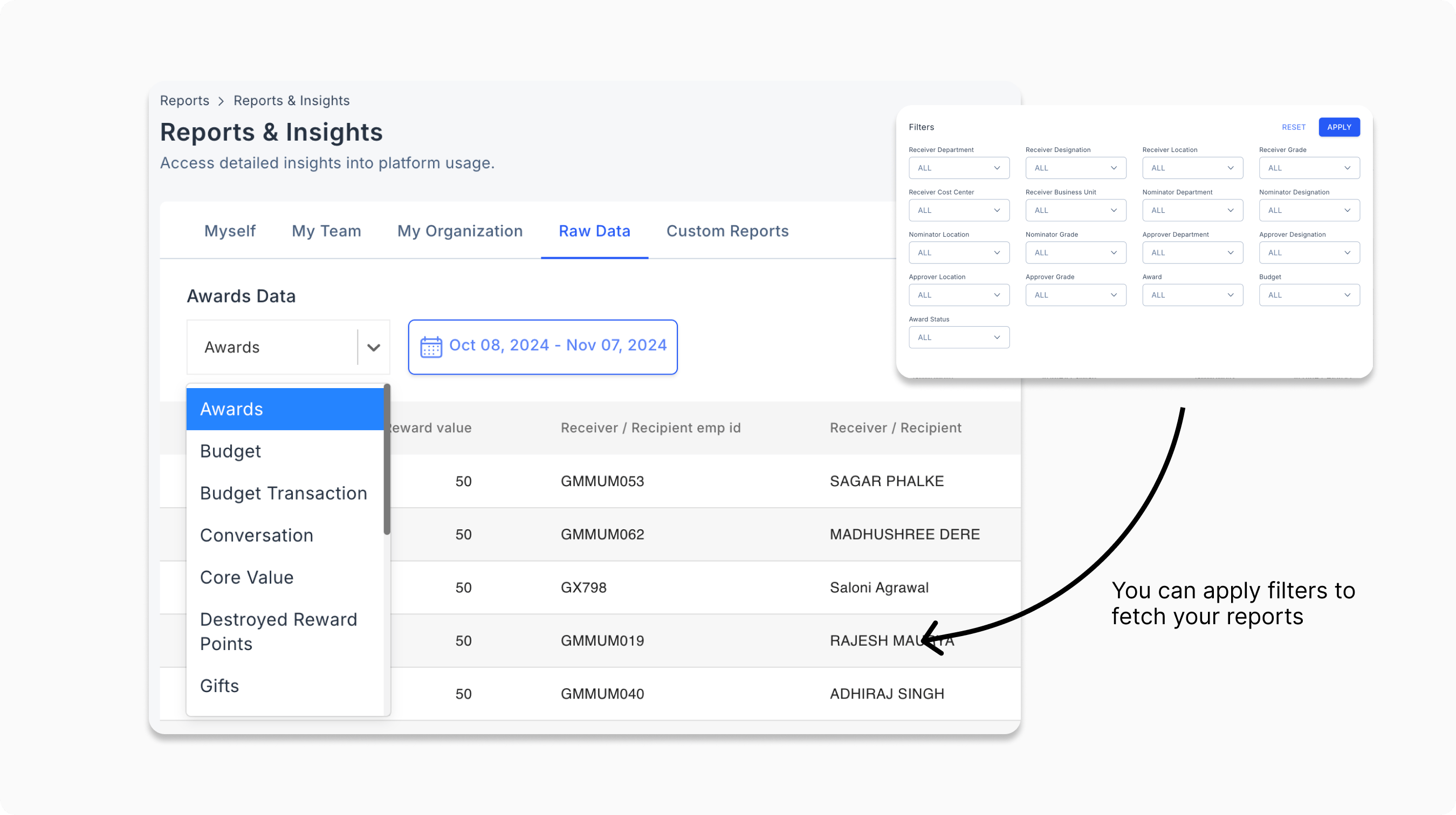
 * **Access all data reports in Reports and Insights**
The "Raw Data" tab is now available under Reports, offering detailed filters for awards, budgets, gifts and more. You can also access it by navigating to Admin Settings > Other Settings.
* **Access all data reports in Reports and Insights**
The "Raw Data" tab is now available under Reports, offering detailed filters for awards, budgets, gifts and more. You can also access it by navigating to Admin Settings > Other Settings.
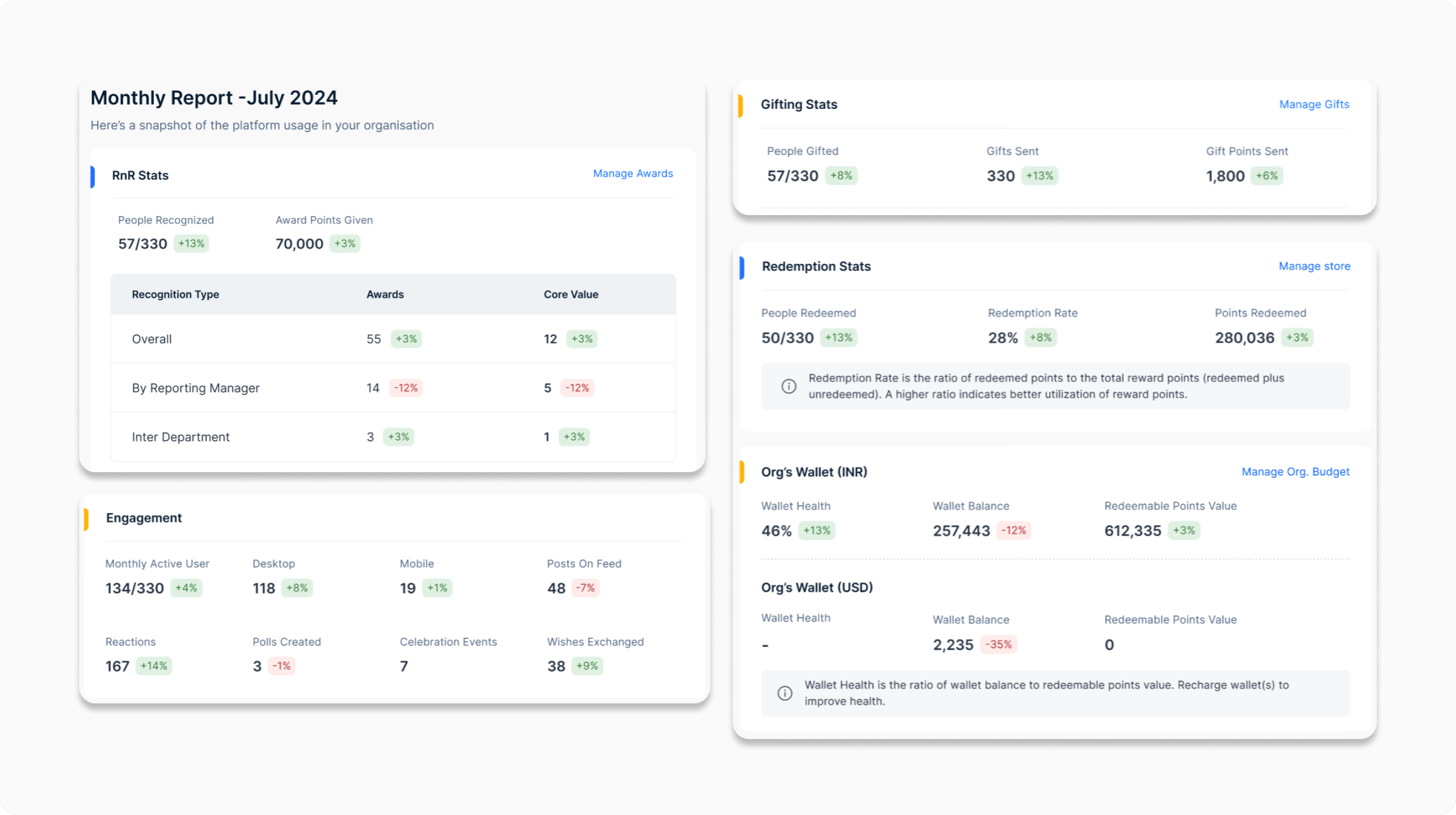
 * **Monthly product usage summary for admins**
Admins will now receive an automated monthly product usage report via email, giving a snapshot of how your organization is using Empuls.
* **Monthly product usage summary for admins**
Admins will now receive an automated monthly product usage report via email, giving a snapshot of how your organization is using Empuls.
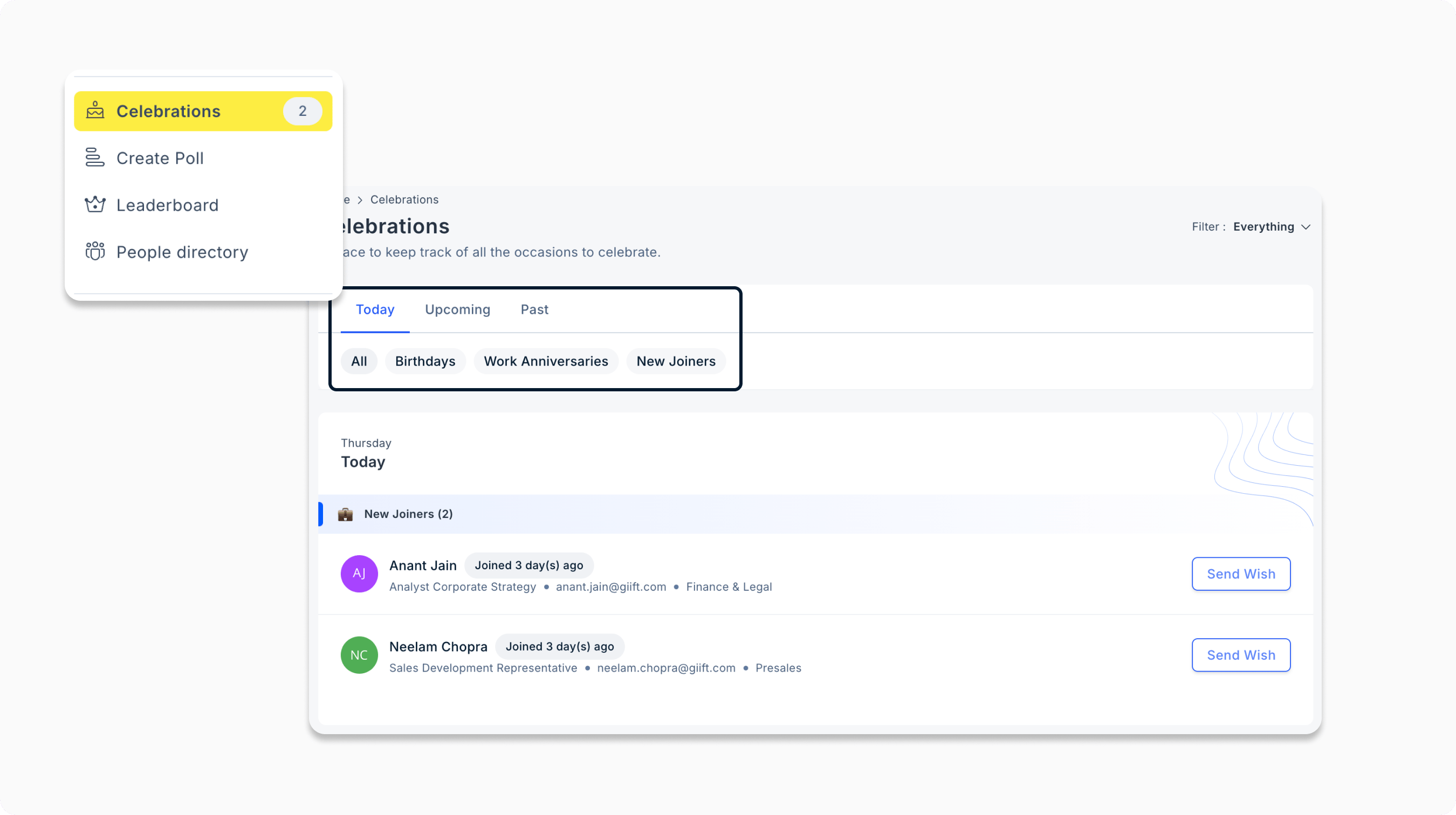
 * **Wishboard enhancements**
You can filter celebrations by upcoming, past, or future and by categories such as Birthdays, Work anniversaries, and New Joiners. You can also view events within “My Circle” or across the organization. Navigate to Celebrations to explore the new filters.
* **Wishboard enhancements**
You can filter celebrations by upcoming, past, or future and by categories such as Birthdays, Work anniversaries, and New Joiners. You can also view events within “My Circle” or across the organization. Navigate to Celebrations to explore the new filters.
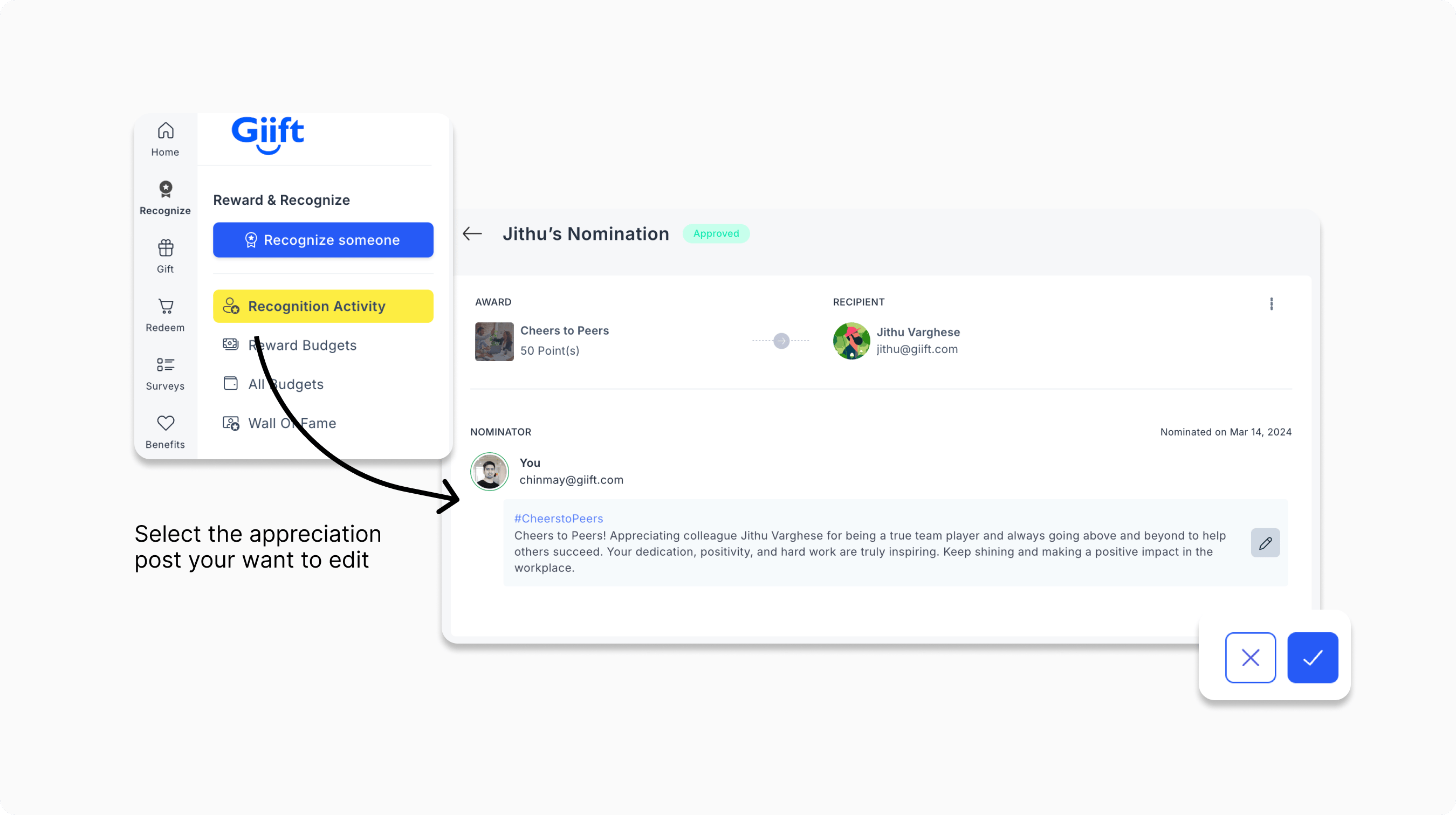
 * **Edit functionality for appreciation posts**
Users can now edit previously published appreciation posts. Simply click on the post you want to update in your recognition activity, make the necessary changes, and save.
* **Edit functionality for appreciation posts**
Users can now edit previously published appreciation posts. Simply click on the post you want to update in your recognition activity, make the necessary changes, and save.
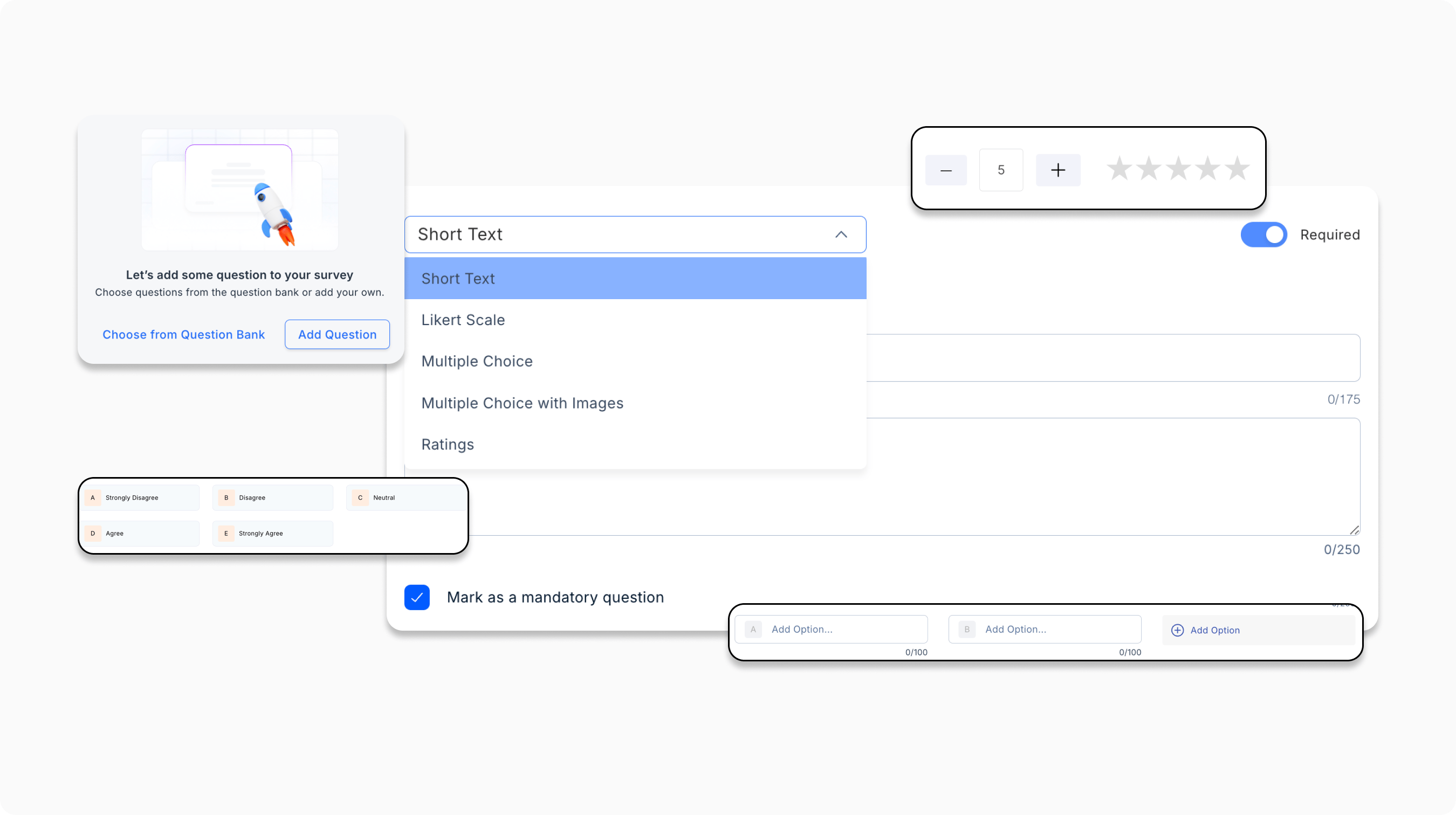
 * **Multiple eNPS questions**
Admins can now add multiple eNPS questions in Pulse Surveys, including Likert Scale, Free Text, and NPS formats, for more comprehensive employee feedback collection.
* **Multiple eNPS questions**
Admins can now add multiple eNPS questions in Pulse Surveys, including Likert Scale, Free Text, and NPS formats, for more comprehensive employee feedback collection.
 * **AI-based sentiment analysis**
Our AI now summarizes employee sentiment from open-text feedback, providing admins insights into team morale.
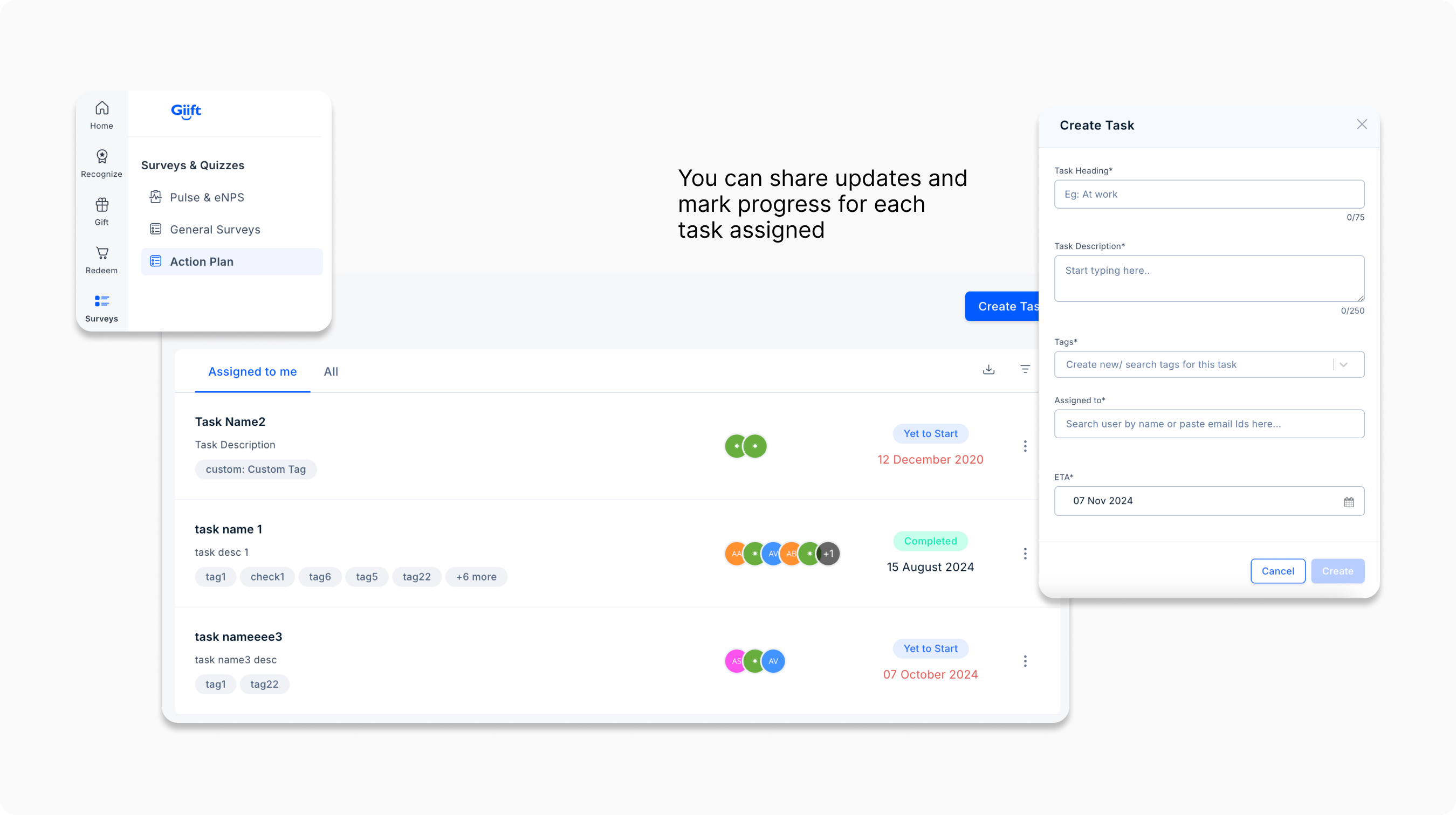
* **Action plan for survey feedback**
Our new ’Action Plan’ feature simplifies survey feedback management for HR teams, enabling them to create action plans, assign tasks, track completion, and ensure timely notifications for effective and organized engagement efforts.
* **AI-based sentiment analysis**
Our AI now summarizes employee sentiment from open-text feedback, providing admins insights into team morale.
* **Action plan for survey feedback**
Our new ’Action Plan’ feature simplifies survey feedback management for HR teams, enabling them to create action plans, assign tasks, track completion, and ensure timely notifications for effective and organized engagement efforts.
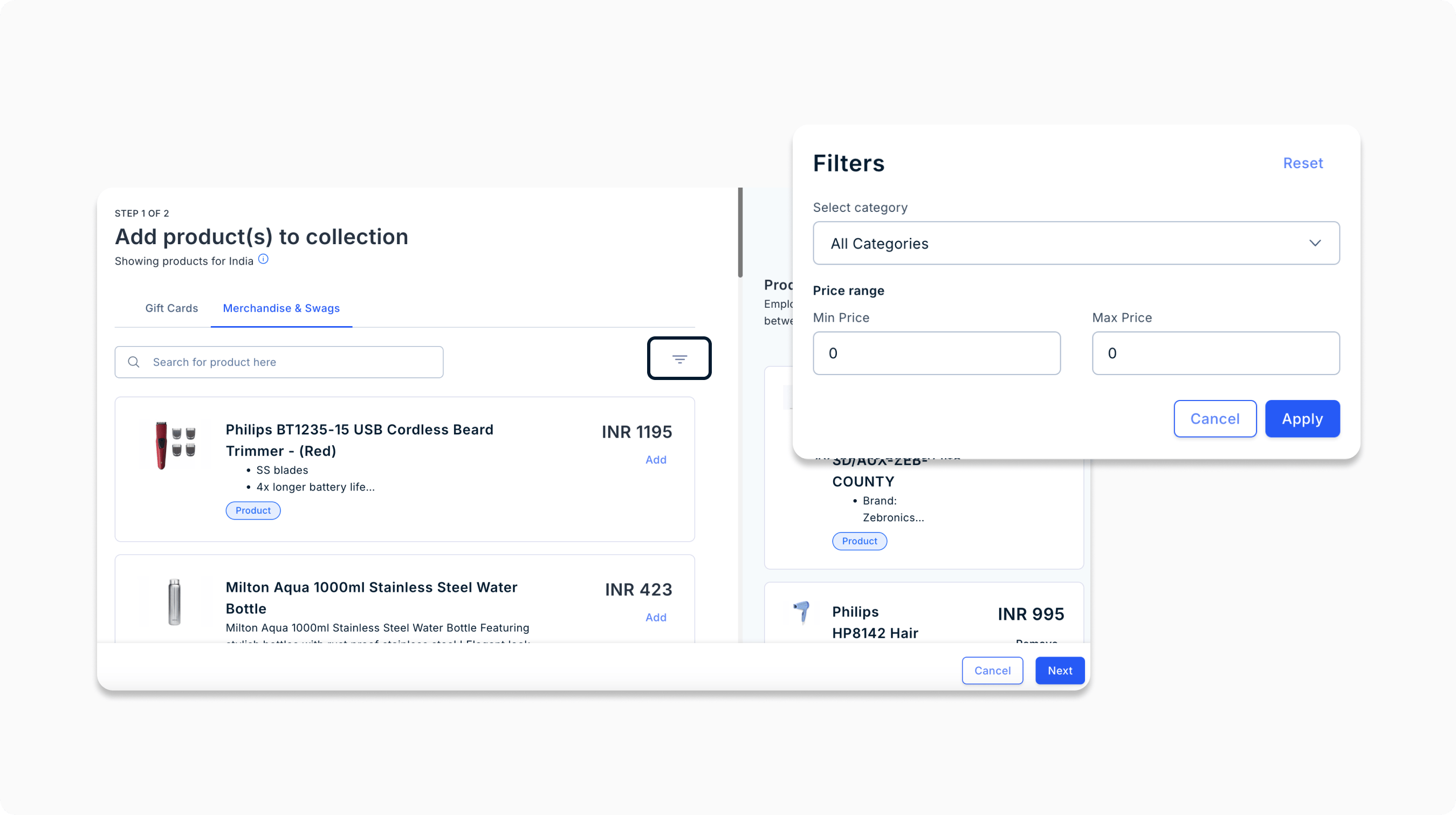
 * **Price filter support for selecting products to create gift collection**
Admins can now filter product listings by price when creating or managing a collection. Go to Create Collection, use the filter icon, and set the price range for more refined options.
* **Price filter support for selecting products to create gift collection**
Admins can now filter product listings by price when creating or managing a collection. Go to Create Collection, use the filter icon, and set the price range for more refined options.
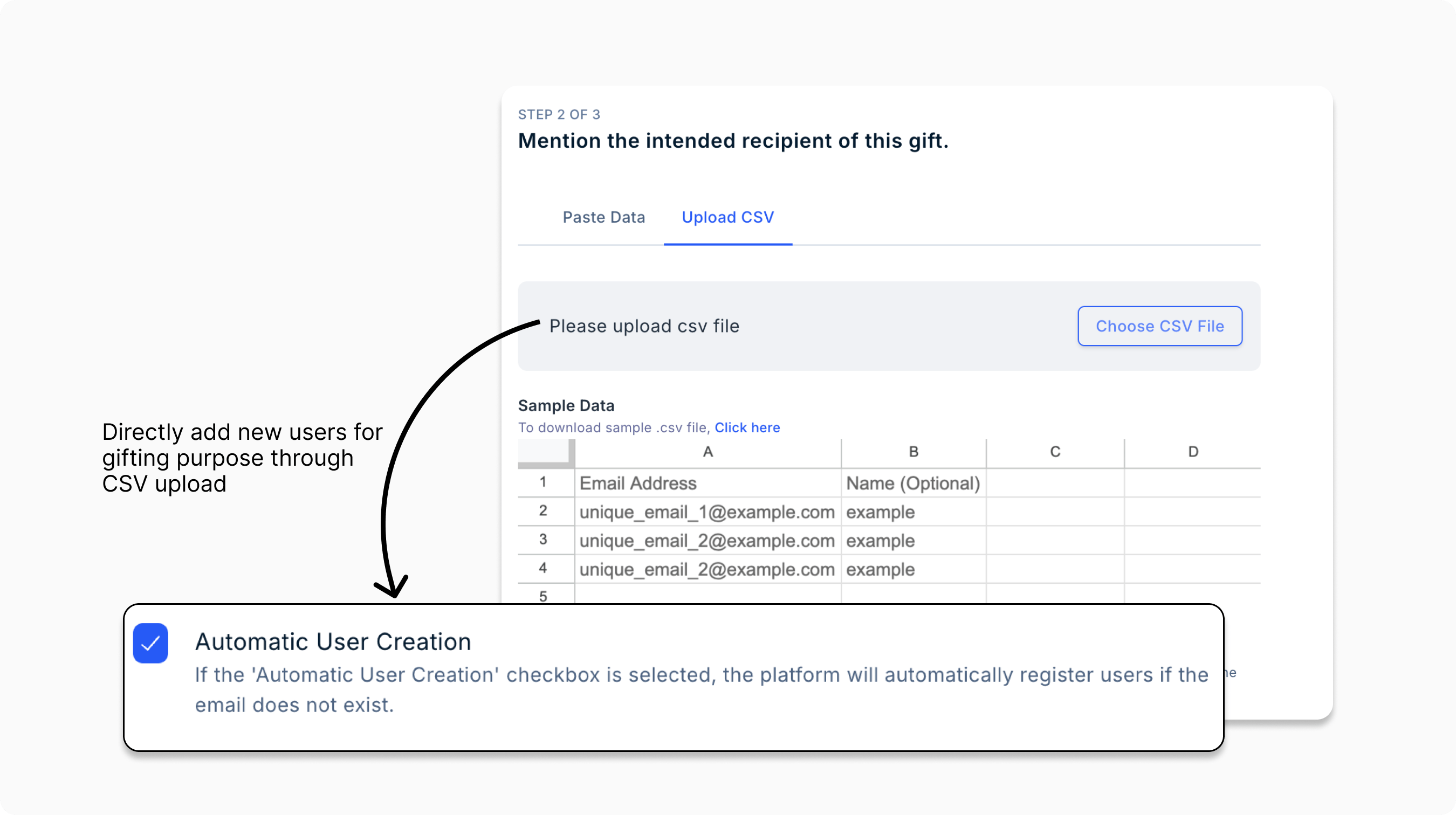
 * **Auto-add users via CSV upload to send gifts**
Easily add user emails when sending gifts by uploading a CSV file in the Send Gift tab.
* **Auto-add users via CSV upload to send gifts**
Easily add user emails when sending gifts by uploading a CSV file in the Send Gift tab.
 ## **Upcoming features:**
⭐ **Holiday gifting collections**
Send custom holiday gifting campaigns with curated gifts collections for each festive occasion.
⭐ **Survey scheduler for your lifecycle surveys**
Automate the custom survey dates, set cadence, and your target audience.
**Want to request a feature on Empuls?**
Get in touch with our customer success team through Messenger on platform, or email us at [support@emplus.io](mailto:support@emplus.io)
Related Articles[What are Employee Engagement Surveys?](https://intercom.help/empuls/en/articles/9087978-what-are-employee-engagement-surveys)[Product Updates - August 2024](https://intercom.help/empuls/en/articles/9856948-product-updates-august-2024)[Product Updates - September 2024](https://intercom.help/empuls/en/articles/10278259-product-updates-september-2024)[Product Updates - December 2024](https://intercom.help/empuls/en/articles/10345631-product-updates-december-2024)[Product Updates - January 2025](https://intercom.help/empuls/en/articles/10449043-product-updates-january-2025)
## **Upcoming features:**
⭐ **Holiday gifting collections**
Send custom holiday gifting campaigns with curated gifts collections for each festive occasion.
⭐ **Survey scheduler for your lifecycle surveys**
Automate the custom survey dates, set cadence, and your target audience.
**Want to request a feature on Empuls?**
Get in touch with our customer success team through Messenger on platform, or email us at [support@emplus.io](mailto:support@emplus.io)
Related Articles[What are Employee Engagement Surveys?](https://intercom.help/empuls/en/articles/9087978-what-are-employee-engagement-surveys)[Product Updates - August 2024](https://intercom.help/empuls/en/articles/9856948-product-updates-august-2024)[Product Updates - September 2024](https://intercom.help/empuls/en/articles/10278259-product-updates-september-2024)[Product Updates - December 2024](https://intercom.help/empuls/en/articles/10345631-product-updates-december-2024)[Product Updates - January 2025](https://intercom.help/empuls/en/articles/10449043-product-updates-january-2025)