> ## Documentation Index
> Fetch the complete documentation index at: https://help-empuls.xoxoday.com/llms.txt
> Use this file to discover all available pages before exploring further.

# People directory

Learn how to access the employee directory and view the org structure.

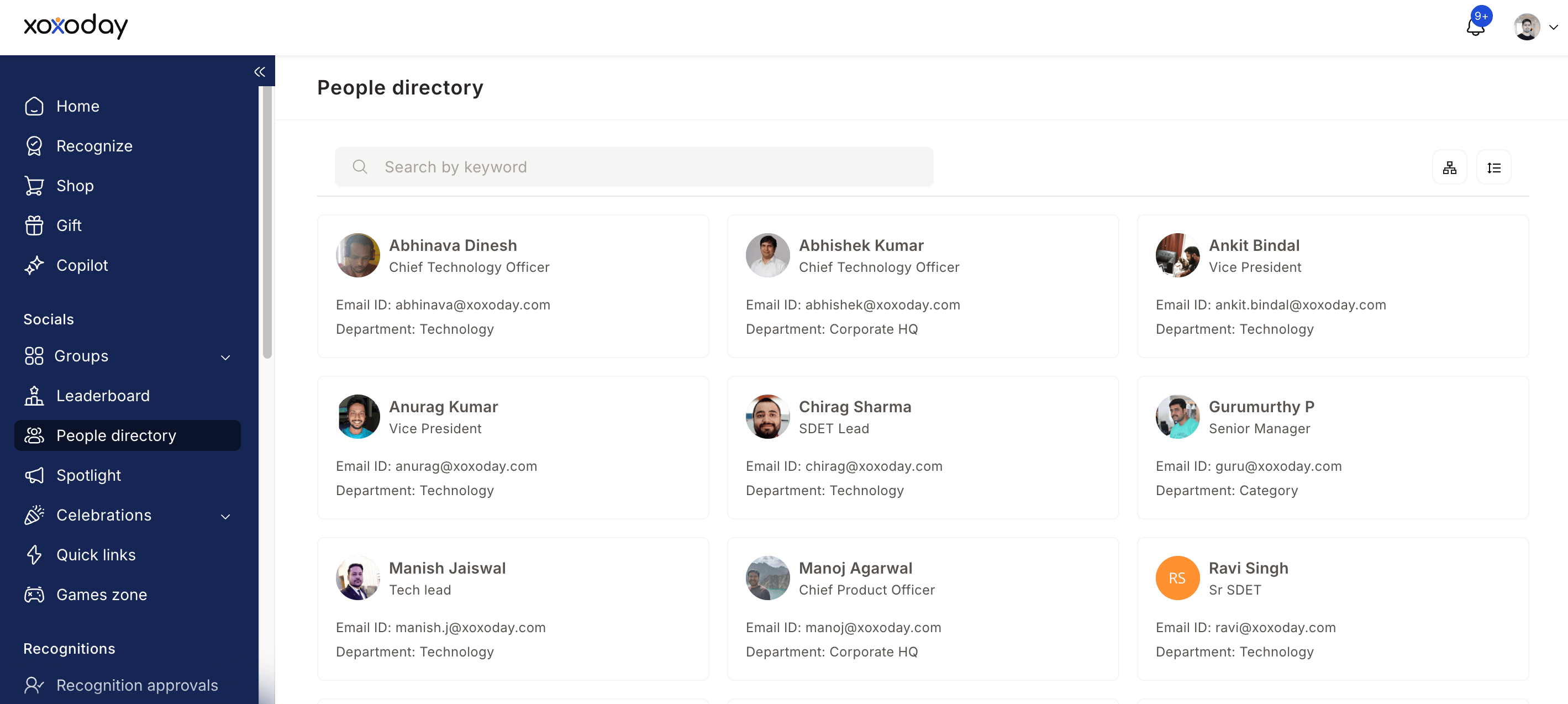
The People Directory gives you a view of your entire organisation. Find colleagues, explore your company structure, and connect with the right people — all in one place.

## Access the People Directory
<Steps>
  <Step title="Log into your Empuls account" />

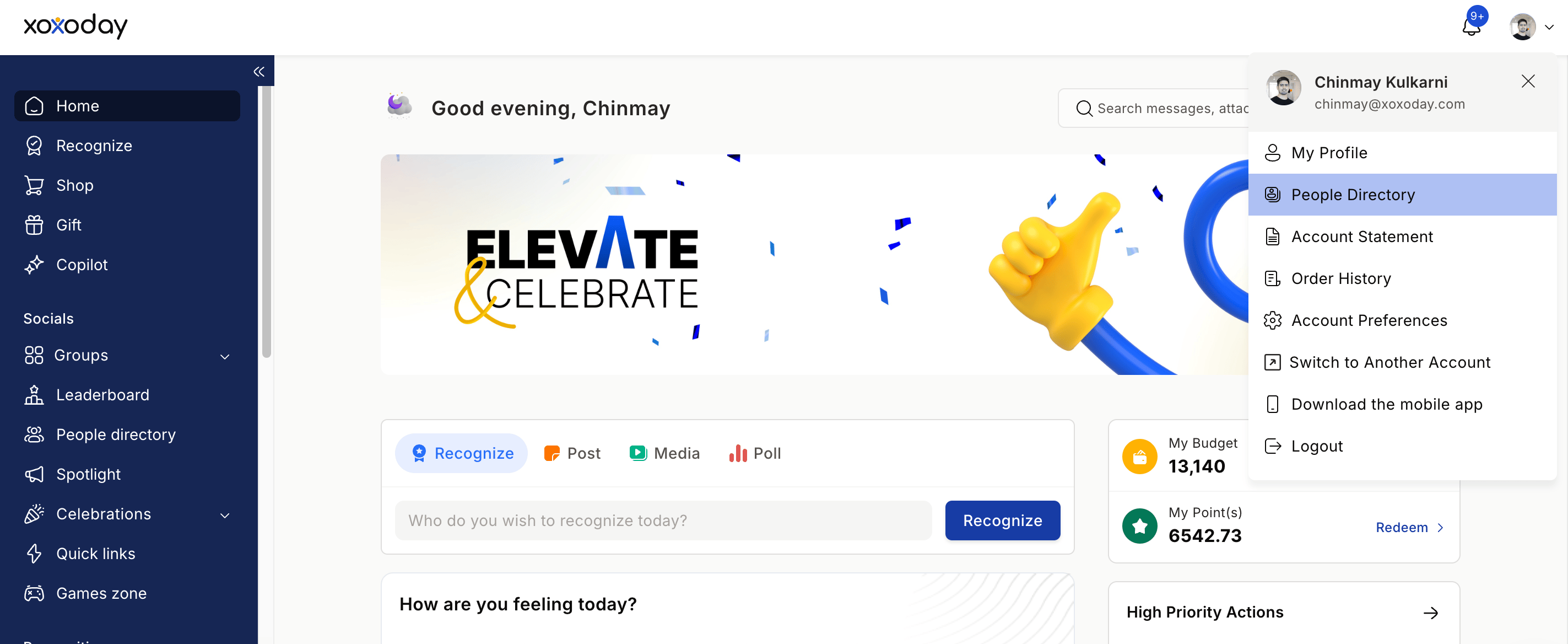
  <Step title="Click on your profile image on the bottom left and select the People Directory from the drop-down menu">
    <Frame>
      <img src="https://mintcdn.com/empuls/vPVuyzb6z4BC4p5F/images/Screenshot-2026-04-13-at-10.37.48-PM.png?fit=max&auto=format&n=vPVuyzb6z4BC4p5F&q=85&s=70d2faf4ad943754c7ff9077aa332b22" alt="People Directory option in Empuls profile dropdown menu" width="2846" height="1168" data-path="images/Screenshot-2026-04-13-at-10.37.48-PM.png" />
    </Frame>
  </Step>

  <Step title="Browse the list of colleagues — you'll see names, job titles, photos, and departments">
    <Frame>
      <img src="https://mintcdn.com/empuls/vPVuyzb6z4BC4p5F/images/Screenshot-2026-04-13-at-10.38.28-PM.png?fit=max&auto=format&n=vPVuyzb6z4BC4p5F&q=85&s=87bb94c1b56bbaa606c1edc517ffc27b" alt="Colleague list view with names, titles, and departments" width="2838" height="1274" data-path="images/Screenshot-2026-04-13-at-10.38.28-PM.png" />
    </Frame>
  </Step>
</Steps>

## Explore the Org Chart

<Steps>
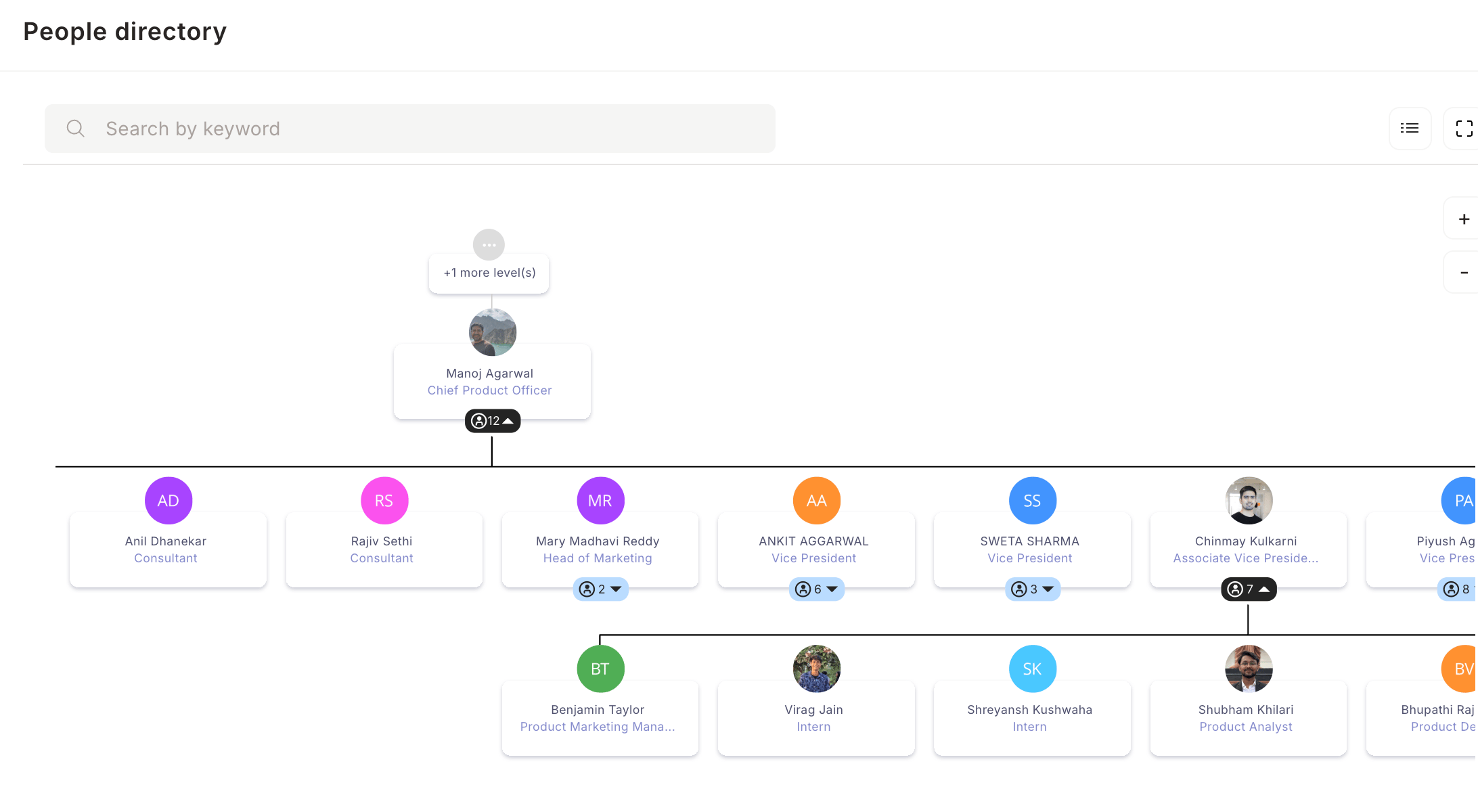
  <Step title="Click the org chart icon located on the right-hand side">
    <Frame>
      <img src="https://mintcdn.com/empuls/vPVuyzb6z4BC4p5F/images/Screenshot-2026-04-13-at-10.39.20-PM.png?fit=max&auto=format&n=vPVuyzb6z4BC4p5F&q=85&s=a082555fa4a30cd14f672d24297befd9" alt="Org chart icon on the right side of People Directory" width="2184" height="1200" data-path="images/Screenshot-2026-04-13-at-10.39.20-PM.png" />
    </Frame>
  </Step>

  <Step title="View your company's full reporting hierarchy" />

  <Step title="Click the + icon to expand levels beneath a person" />

  <Step title="Click any manager's name to see their direct reports" />

  <Step title="Navigate up and down the hierarchy to explore the full structure" />
</Steps>

## Filter the Directory

<Steps>
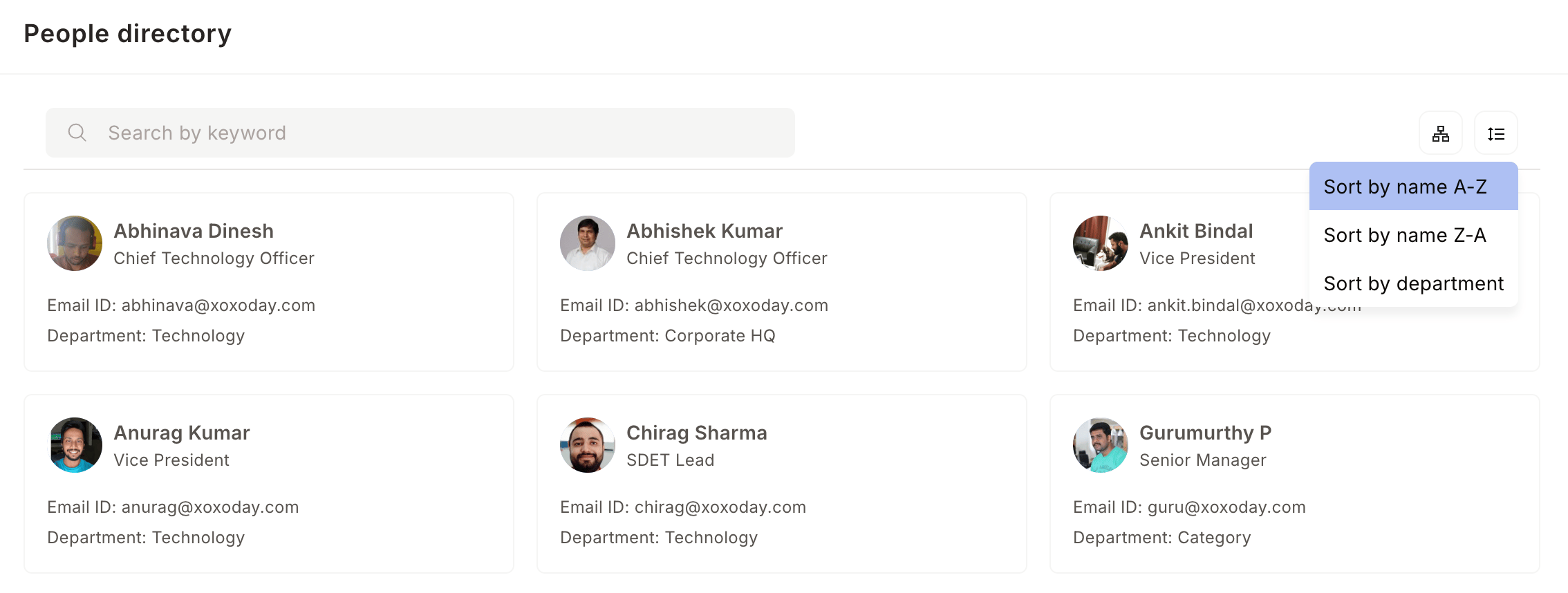
  <Step title="Click the filter icon to sort or narrow down the employee list">
    Choose from three options:

    * **A → Z** — sort employees alphabetically by name
    * **Z → A** — sort employees in reverse alphabetical order
    * **Department** — filter by a specific team or department
    <Frame>
      <img src="https://mintcdn.com/empuls/vPVuyzb6z4BC4p5F/images/Screenshot-2026-04-13-at-10.40.49-PM.png?fit=max&auto=format&n=vPVuyzb6z4BC4p5F&q=85&s=f330a2d235a6875b667c7199f6887434" alt="Filter options to sort employees by name or department" width="2268" height="858" data-path="images/Screenshot-2026-04-13-at-10.40.49-PM.png" />
    </Frame>
  </Step>
</Steps>