> ## Documentation Index
> Fetch the complete documentation index at: https://help-empuls.xoxoday.com/llms.txt
> Use this file to discover all available pages before exploring further.
# Perks store
> Explore Empuls Perks: discounted gift cards, exclusive deals, cashback offers, and corporate partnerships across 25+ categories, free for all employees.
The Perks & Benefits module gives every employee in your organization access to a curated marketplace of savings spanning retail, dining, travel, wellness, and more. Whether you want to stretch your paycheck further with a discounted gift card, grab an exclusive coupon, or access corporate partner deals, the Perks Store puts it all in one place at no cost to employees.
## Redeem gift vouchers walkthrough
## What is the Perks Store?
The Empuls Perks Store connects employees to **20,000+ brands** across **25+ categories**, offering discounts, cashback rewards, and exclusive corporate deals. A US household earning \$90,000 annually saves over \$7,000 through the program (the equivalent of a 7.8% pay raise) simply by redirecting everyday spending through the store.
Navigate to **Benefits** from the left menu, then select **Perks Store** to access all available offers.
Perks are completely free for employees. There is no subscription fee or minimum spend required to access the store.
## Types of perks available
Buy gift cards from 6,000+ local and international brands at 5–50% off the face value. Use them for yourself or send them as gifts to friends and family.
Curated coupon codes and promotional offers available only to your organization's employees, covering food, groceries, travel, and more.
Earn cashback on purchases with select brands. Accumulated cashback points can be redeemed at checkout on future orders.
Special access to partner brands including Samsung consumer electronics, ekincare health benefits, and Nova insurance assistance.
## Perks categories
The Empuls perks network spans more than 25 categories, including:
* **Retail & Shopping** — Discounts at major retailers, online marketplaces, and specialty stores
* **Dining & Beverages** — Restaurant partnerships, food delivery discounts, coffee shop deals
* **Travel & Hospitality** — Airline miles, hotel discounts, car rental deals, vacation packages
* **Wellness & Fitness** — Gym memberships, wellness apps, mental health services, health coaching
* **Financial & Insurance** — Banking benefits, insurance discounts, investment platform access
* **Entertainment & Experiences** — Event tickets, streaming services, entertainment venue discounts
## How to use discounted gift cards and cashback
Go to **Benefits > Perks Store > Discounted Gift Cards**. Select your country using the toggle at the bottom of the page to see locally available brands.
 Use category filters and offer type filters to narrow down your options. Browse by brand or discount level.
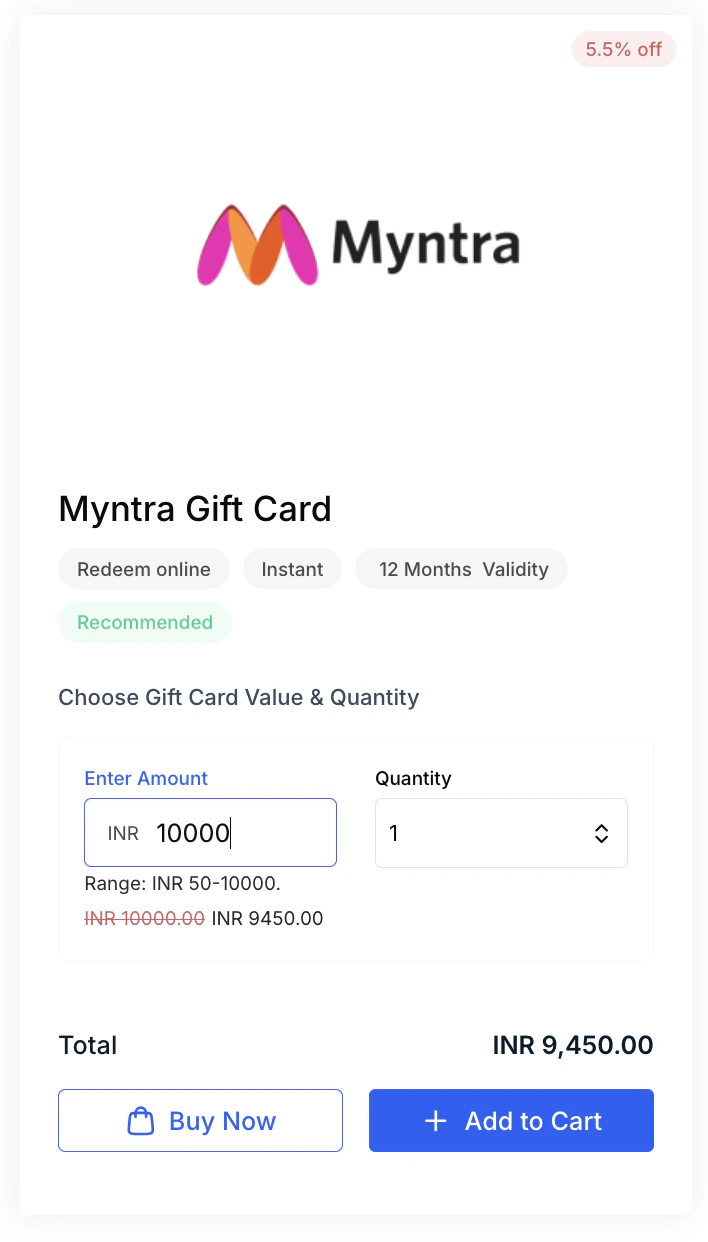
Click a brand card — for example, Amazon — then select the denomination and quantity you want. Choose whether you are buying for yourself or sending as a gift.
Proceed to the cart and click **Checkout**. On the Order Summary page, review your email and contact details, then click **Complete Order**. Enter payment details on the payment gateway page and click **Proceed**.
Your discounted gift card is sent to your registered email address. If you have accumulated cashback points, you can apply them at checkout to reduce the amount you pay.
You can send discounted gift cards directly to friends or family by filling in their name, email, a personal message, and the occasion at the gift step.
## How to use exclusive deals
Go to **Benefits > Perks Store > Exclusive Deals**.
Browse deals filtered by category to find offers relevant to your interests.
Click the deal you want to use. A page displays the coupon code — copy it and follow the redemption instructions on the partner's website.
## Corporate offers
Empuls partners with select brands to provide deeper benefits across health, electronics, and insurance:
* **Samsung** — Access deals and cashback offers on a wide range of Samsung electronics and appliances through the Empuls-Samsung corporate partnership.
* **ekincare** — Exclusive physical and mental health benefits, including preventive health programs and wellness support.
* **Nova Benefits** — Free expert insurance advice to help employees identify plans that match their needs and achieve financial stability.
Corporate offer availability may vary by organization. Contact your HR team or reach out to [cs@xoxoday.com](mailto:cs@xoxoday.com) if you have a specific corporate offer you would like to see added.
## For admins: enabling the Perks Store
The Perks Store is part of the Perks & Benefits module. Your organization's Empuls plan must include this module for the store to appear under **Benefits** in the employee navigation. If the Perks Store is not visible for your employees, contact [cs@xoxoday.com](mailto:cs@xoxoday.com) to confirm your plan and enable the module.
Once enabled, the store launches immediately — no custom configuration is required. Employees can access it via **Home → My Benefits** in the navigation.
## Related topics
Gym memberships, doctor consultations, mental health support, and wellness programs.
Access earned wages before payday and save on taxes with the multi-benefit card.
Use category filters and offer type filters to narrow down your options. Browse by brand or discount level.
Click a brand card — for example, Amazon — then select the denomination and quantity you want. Choose whether you are buying for yourself or sending as a gift.
Proceed to the cart and click **Checkout**. On the Order Summary page, review your email and contact details, then click **Complete Order**. Enter payment details on the payment gateway page and click **Proceed**.
Your discounted gift card is sent to your registered email address. If you have accumulated cashback points, you can apply them at checkout to reduce the amount you pay.
You can send discounted gift cards directly to friends or family by filling in their name, email, a personal message, and the occasion at the gift step.
## How to use exclusive deals
Go to **Benefits > Perks Store > Exclusive Deals**.
Browse deals filtered by category to find offers relevant to your interests.
Click the deal you want to use. A page displays the coupon code — copy it and follow the redemption instructions on the partner's website.
## Corporate offers
Empuls partners with select brands to provide deeper benefits across health, electronics, and insurance:
* **Samsung** — Access deals and cashback offers on a wide range of Samsung electronics and appliances through the Empuls-Samsung corporate partnership.
* **ekincare** — Exclusive physical and mental health benefits, including preventive health programs and wellness support.
* **Nova Benefits** — Free expert insurance advice to help employees identify plans that match their needs and achieve financial stability.
Corporate offer availability may vary by organization. Contact your HR team or reach out to [cs@xoxoday.com](mailto:cs@xoxoday.com) if you have a specific corporate offer you would like to see added.
## For admins: enabling the Perks Store
The Perks Store is part of the Perks & Benefits module. Your organization's Empuls plan must include this module for the store to appear under **Benefits** in the employee navigation. If the Perks Store is not visible for your employees, contact [cs@xoxoday.com](mailto:cs@xoxoday.com) to confirm your plan and enable the module.
Once enabled, the store launches immediately — no custom configuration is required. Employees can access it via **Home → My Benefits** in the navigation.
## Related topics
Gym memberships, doctor consultations, mental health support, and wellness programs.
Access earned wages before payday and save on taxes with the multi-benefit card.