> ## Documentation Index
> Fetch the complete documentation index at: https://help-empuls.xoxoday.com/llms.txt
> Use this file to discover all available pages before exploring further.
# October- 2024
At Compass, we're always looking to enhance ourselves with new features and enhancements. These are the list of features we have released:
## Here are the latest updates on Compass:
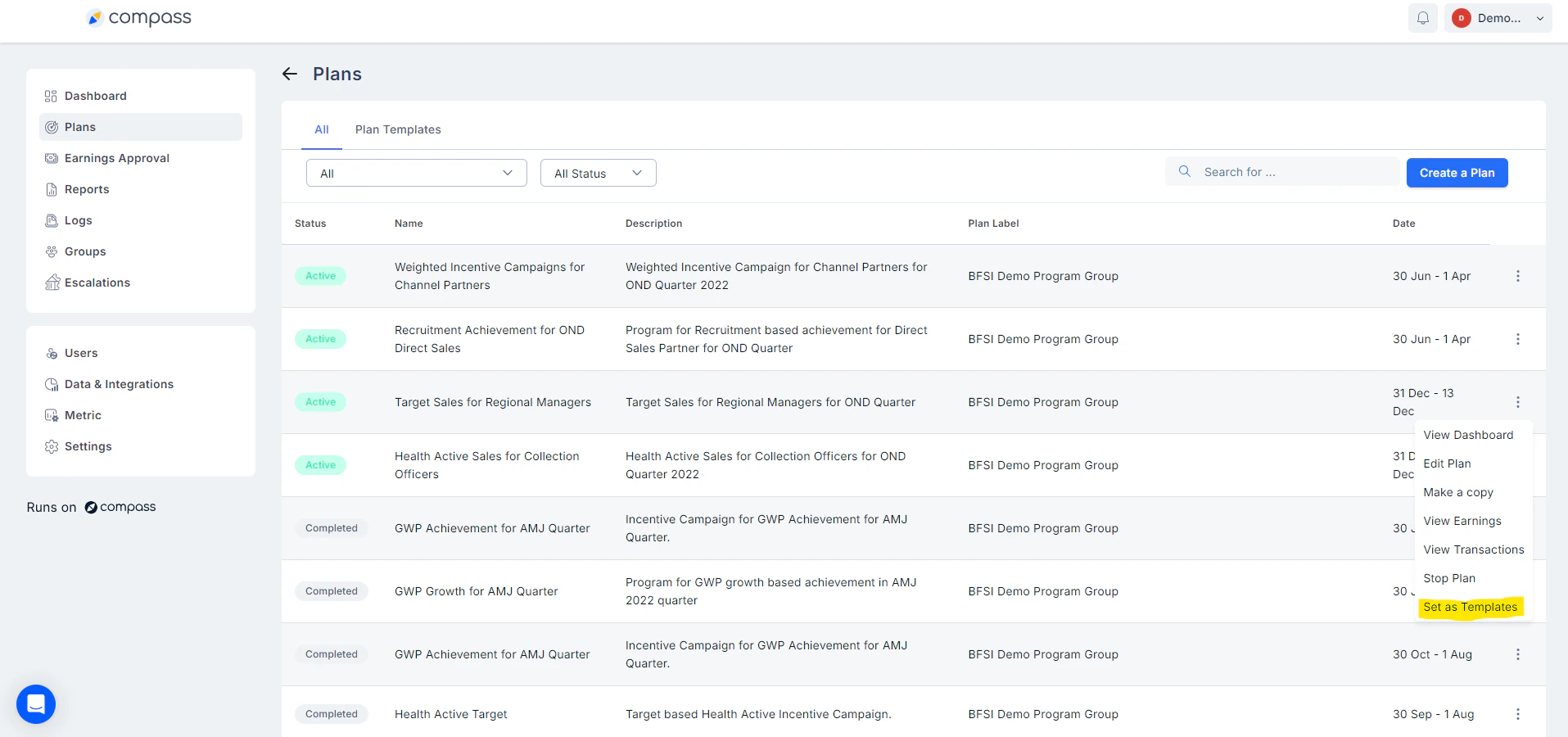
1. ## Pin/ Unpin your important plans for easier access:
From the many plans you are creating on compass, now you can mark and pin your most important plans to use them as templates for later use or for easier access to your most important plans.
2. ## Now set desired display names for your Campaigns for displaying to your end users:
Plans can now have display names for each. The default display name will be the plan name, admins can choose to have the a different display name for their chosen plans, these display names will be visible to the end users wherever they view their plans on compass web and mobile.
3. ## Greater flexibility in designing plans with editable buffer dates:
Buffer dates are now editable for plans and can take default values like zero which ensures greater flexibility while creating plans with the option to keep buffer dates as zero, ensuring that earnings are sent to approval or disbursed as soon as the plan ends.
##
4. ## Quickly create and identify plans based on user defined labels and removal of plan groups:
You can quickly identify your plans with associated plan labels like SDR plans or SDR manager plans.
Plans can be created quickly as plan groups are now removed and instead we have introduced Plan Labels. Plan labels now contain the approval hierarchy instead of plan groups hence the approval structures can now be re-used for multiple plans, reducing time and effort needed to create plans.
Need help? Reach out to your support team or [cs@xoxoday.com](mailto:cs@xoxoday.com).
2. ## Now set desired display names for your Campaigns for displaying to your end users:
Plans can now have display names for each. The default display name will be the plan name, admins can choose to have the a different display name for their chosen plans, these display names will be visible to the end users wherever they view their plans on compass web and mobile.
3. ## Greater flexibility in designing plans with editable buffer dates:
Buffer dates are now editable for plans and can take default values like zero which ensures greater flexibility while creating plans with the option to keep buffer dates as zero, ensuring that earnings are sent to approval or disbursed as soon as the plan ends.
##
4. ## Quickly create and identify plans based on user defined labels and removal of plan groups:
You can quickly identify your plans with associated plan labels like SDR plans or SDR manager plans.
Plans can be created quickly as plan groups are now removed and instead we have introduced Plan Labels. Plan labels now contain the approval hierarchy instead of plan groups hence the approval structures can now be re-used for multiple plans, reducing time and effort needed to create plans.
Need help? Reach out to your support team or [cs@xoxoday.com](mailto:cs@xoxoday.com).