> ## Documentation Index
> Fetch the complete documentation index at: https://help-empuls.xoxoday.com/llms.txt
> Use this file to discover all available pages before exploring further.
# Estimator
The Estimator is an optional final step in Plan creation. It lets users simulate their expected payout based on inputs they provide — such as their target or achievement values — giving them a self-serve way to understand how their performance translates to rewards before results are finalised.
Setup is split into two parts.
## Part 1: Define user input fields
Specify what users will enter when running the Estimator.
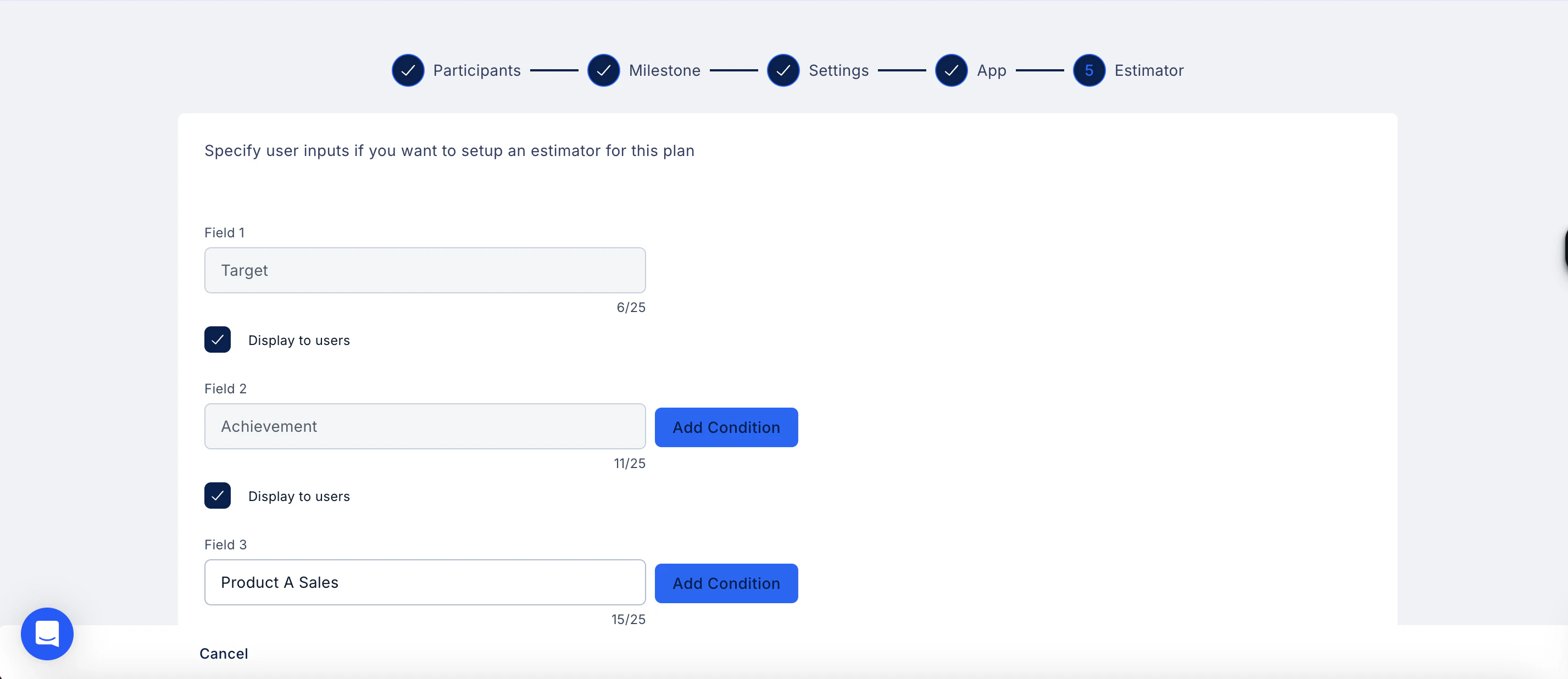
1. Enter a label for each input field (up to 25 characters) — for example, *Target*, *Achievement*, or *Product A Sales*.
2. Check **Display to users** for any field you want visible in the Estimator on the user's app.
3. Click **Add Condition** if you need to apply conditions to a specific field.
4. Repeat to add as many fields as your Plan requires.
 ## Part 2: Map inputs to metrics
Once the fields are defined, connect each user input to the relevant metric in your Plan.
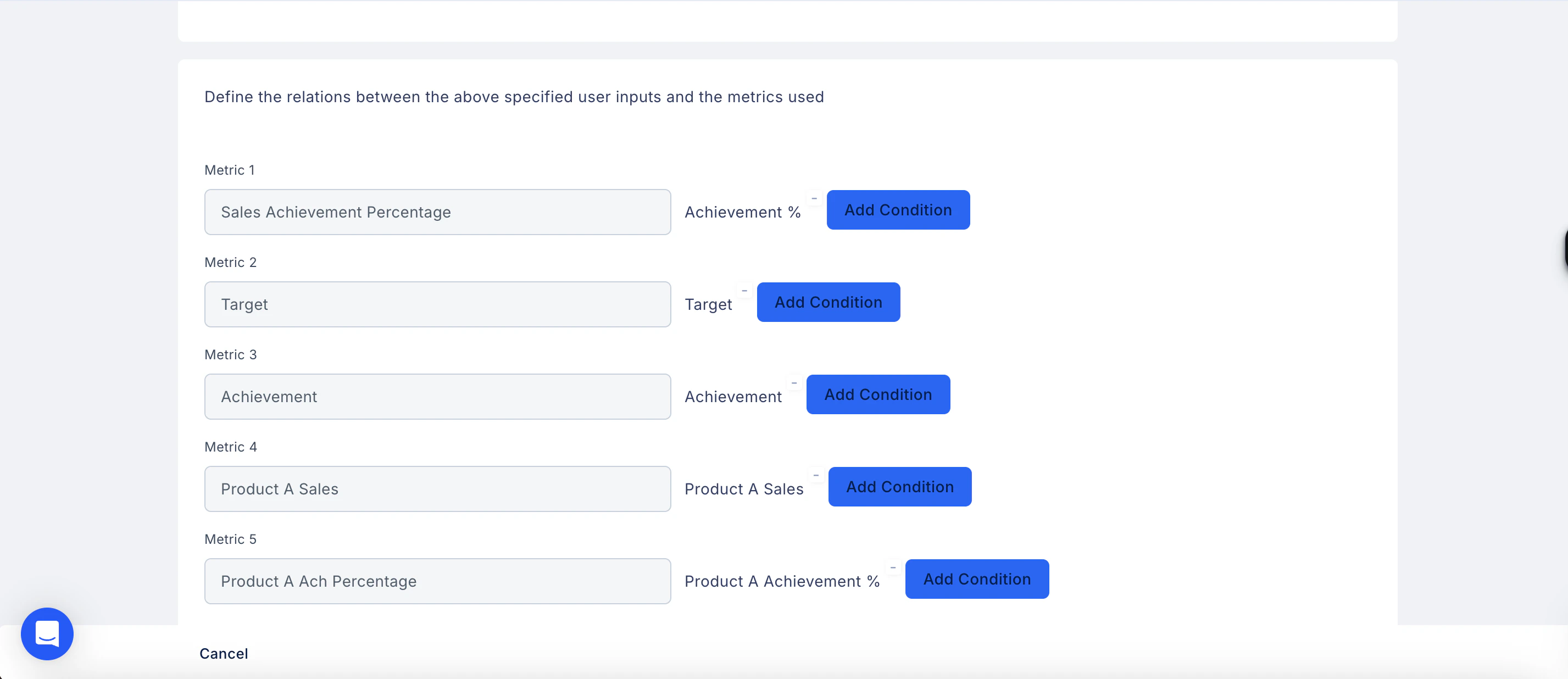
1. Under Define the relations between the above specified user inputs and the metrics used, you will see each metric from your Plan listed — for example, Sales Achievement Percentage, Target, Achievement, and Product A Sales.
2. The corresponding user input field is shown alongside each metric.
3. Click **Add Condition** next to each metric to define how the input maps to it.
4. Repeat for all metrics, then click **Save**.
**Note:** The Estimator is optional. If you don't need users to simulate their earnings, this step can be skipped.
## Part 2: Map inputs to metrics
Once the fields are defined, connect each user input to the relevant metric in your Plan.
1. Under Define the relations between the above specified user inputs and the metrics used, you will see each metric from your Plan listed — for example, Sales Achievement Percentage, Target, Achievement, and Product A Sales.
2. The corresponding user input field is shown alongside each metric.
3. Click **Add Condition** next to each metric to define how the input maps to it.
4. Repeat for all metrics, then click **Save**.
**Note:** The Estimator is optional. If you don't need users to simulate their earnings, this step can be skipped.