> ## Documentation Index
> Fetch the complete documentation index at: https://help-empuls.xoxoday.com/llms.txt
> Use this file to discover all available pages before exploring further.
# Redemption report
> Track how employees redeem their earned points — transaction logs, wallet balances, and taxation reports.
The redemption report provides a comprehensive view of how employees utilise their earned points, offering detailed transaction logs and wallet management insights. This report is critical for tracking organisational spend on rewards and ensuring financial transparency.
To access these insights, navigate to **Admin Hub → Reports → Redemption Report**.
***
## Navigation and customisation
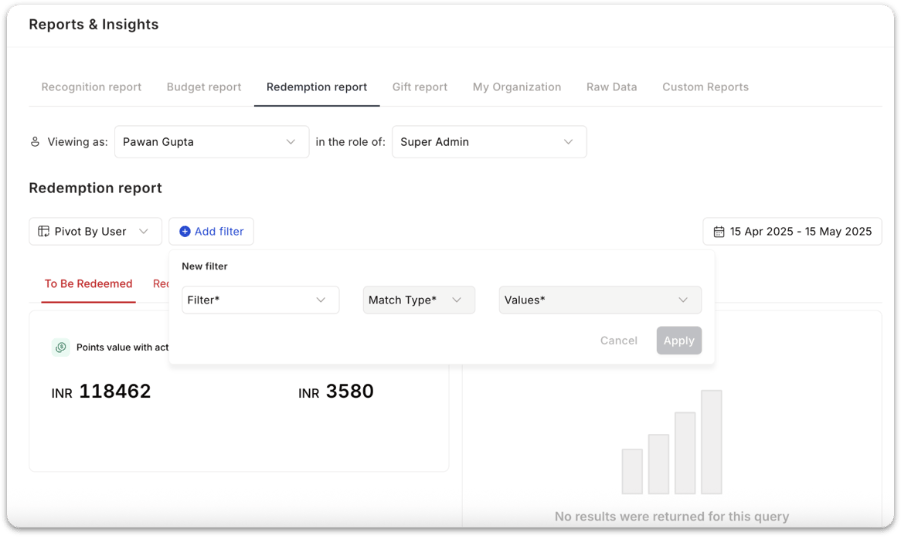
* **Filter view:** Utilise the global drop-down menu to filter the current data view based on your specific requirements.
* **Report options:** You can **pivot data by User, Department, Cost Center and more** to analyse redemption patterns at different organisational levels.
* **Advanced filters:** Further refine your search by filtering for specific **Budgets**, **Recipients, and more**.
 ***
## To be redeemed
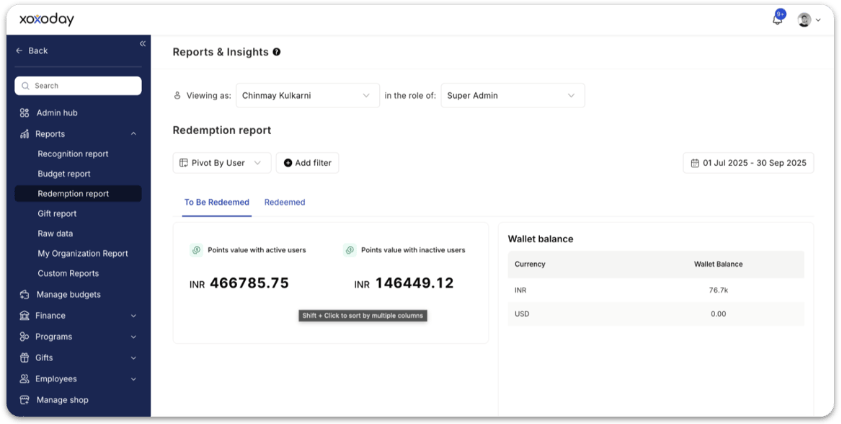
Tracks all points that are yet to be redeemed by users. You'll see:
* **Points value with active users** — Total redeemable points currently held by active employees.
* **Points value with inactive users** — Redeemable points held by users who have left or become inactive.
* **Wallet balance** — Displays the current balance in your redemption wallet.
This helps you estimate future financial liability.
***
## To be redeemed
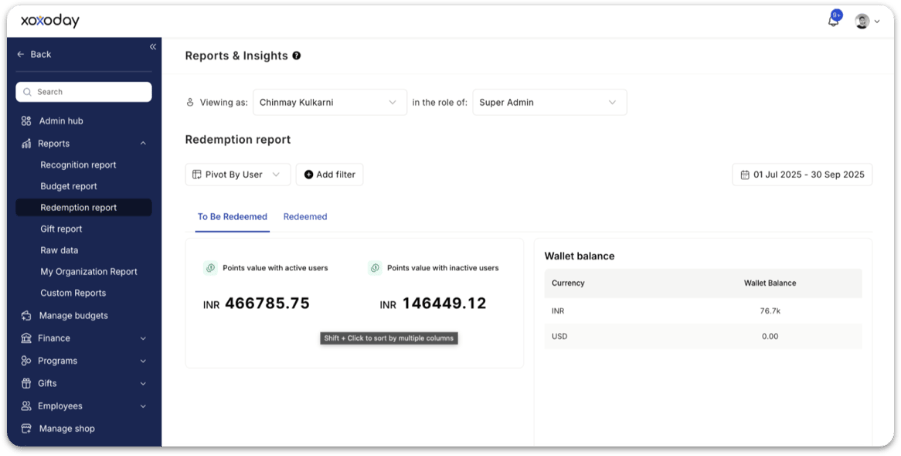
Tracks all points that are yet to be redeemed by users. You'll see:
* **Points value with active users** — Total redeemable points currently held by active employees.
* **Points value with inactive users** — Redeemable points held by users who have left or become inactive.
* **Wallet balance** — Displays the current balance in your redemption wallet.
This helps you estimate future financial liability.
 ***
## Redeemed
Tracks all points that have already been redeemed. You'll see:
* **Redeemed points value** — Total redeemed point value within the selected period
* **Number of orders placed** — Total number of redemptions made by employees
This helps you understand redemption trends and catalogue utilisation.
***
## Redemption summary table
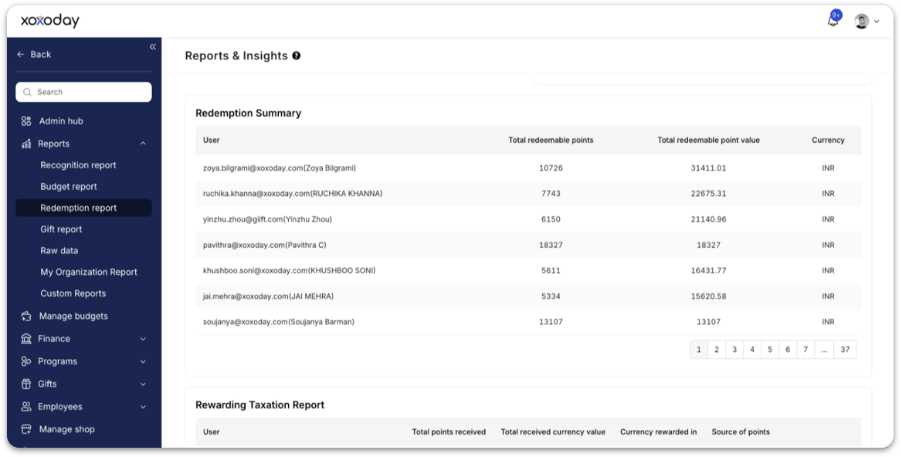
The redemption summary provides a line-by-line breakdown of each user's redemption activity. The table includes:
* User
* Total redeemable points
* Total redeemable point value
* Currency
Admins can scroll through pages or export data for deeper analysis. This helps finance track outstanding liabilities and unpaid redemption balances.
***
## Redeemed
Tracks all points that have already been redeemed. You'll see:
* **Redeemed points value** — Total redeemed point value within the selected period
* **Number of orders placed** — Total number of redemptions made by employees
This helps you understand redemption trends and catalogue utilisation.
***
## Redemption summary table
The redemption summary provides a line-by-line breakdown of each user's redemption activity. The table includes:
* User
* Total redeemable points
* Total redeemable point value
* Currency
Admins can scroll through pages or export data for deeper analysis. This helps finance track outstanding liabilities and unpaid redemption balances.
 **Wallet management:** Monitor the financial health of your programme by viewing the **Wallet Balance** for every individual wallet in the system.
 ***
## Taxation reports
### Rewarding taxation report
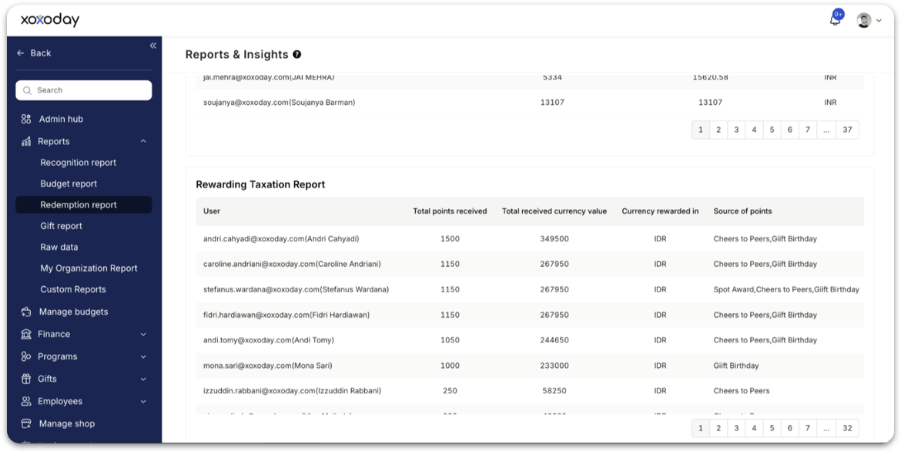
This report simplifies tax compliance related to rewards. It includes:
* User
* Total points received
* Total received currency value
* Currency rewarded in
* Source of points (e.g. Work Anniversary, Christmas, Special Awards)
This helps HR and finance calculate taxable benefits for payroll processing.
### Redeemed taxation report
This section appears under the **Redeemed** tab. It shows:
* Total taxable impact **only for redeemed rewards**, ensuring compliance for countries that tax only actual benefits received.
If no redemptions exist, the report shows *"No results were returned for this query."*
***
## Taxation reports
### Rewarding taxation report
This report simplifies tax compliance related to rewards. It includes:
* User
* Total points received
* Total received currency value
* Currency rewarded in
* Source of points (e.g. Work Anniversary, Christmas, Special Awards)
This helps HR and finance calculate taxable benefits for payroll processing.
### Redeemed taxation report
This section appears under the **Redeemed** tab. It shows:
* Total taxable impact **only for redeemed rewards**, ensuring compliance for countries that tax only actual benefits received.
If no redemptions exist, the report shows *"No results were returned for this query."*
 **How to use this data**
**For HR**
* Track which teams redeem more often
* Identify users who haven't redeemed points
* Improve communication for low-redemption groups
**For Finance**
* Understand redemption liabilities
* Reconcile payments against redemption wallet balance
* Download taxation reports for payroll processing
**For Admins**
* Monitor wallet depletion
* Estimate upcoming funding needs
* Evaluate catalogue/menu performance
***
## FAQs
Yes. Reward reports capture the value of redemptions in the applicable local or configured currency, enabling precise tracking of reward costs and budgets across regions. The platform supports base and local currency views, dual currency reporting, and flexible export options.
The **rewarding taxation report** covers all points received by employees regardless of whether they have been redeemed — useful in countries that tax rewards at the point of receipt. The **redeemed taxation report** covers only points that have been exchanged for rewards — useful in countries that tax only at the point of redemption.
## Related
Overview of all report types available in Empuls.
See how recognition budgets are allocated and spent.
The employee-side experience for redeeming reward points.
Configure redemption wallets and reward budgets.
**How to use this data**
**For HR**
* Track which teams redeem more often
* Identify users who haven't redeemed points
* Improve communication for low-redemption groups
**For Finance**
* Understand redemption liabilities
* Reconcile payments against redemption wallet balance
* Download taxation reports for payroll processing
**For Admins**
* Monitor wallet depletion
* Estimate upcoming funding needs
* Evaluate catalogue/menu performance
***
## FAQs
Yes. Reward reports capture the value of redemptions in the applicable local or configured currency, enabling precise tracking of reward costs and budgets across regions. The platform supports base and local currency views, dual currency reporting, and flexible export options.
The **rewarding taxation report** covers all points received by employees regardless of whether they have been redeemed — useful in countries that tax rewards at the point of receipt. The **redeemed taxation report** covers only points that have been exchanged for rewards — useful in countries that tax only at the point of redemption.
## Related
Overview of all report types available in Empuls.
See how recognition budgets are allocated and spent.
The employee-side experience for redeeming reward points.
Configure redemption wallets and reward budgets.