> ## Documentation Index
> Fetch the complete documentation index at: https://help-empuls.xoxoday.com/llms.txt
> Use this file to discover all available pages before exploring further.
# Recognition report
> Track how recognition flows across your organisation — awards received, awards given, and nomination activity.
The recognition report tracks the culture of appreciation within your organisation by providing a detailed breakdown of how recognition is flowing between employees. To access these insights, go to **Admin Hub → Reports → Recognition Report**.
***
## Recognitions received
This section allows you to monitor your personal impact and the awards you have accumulated.
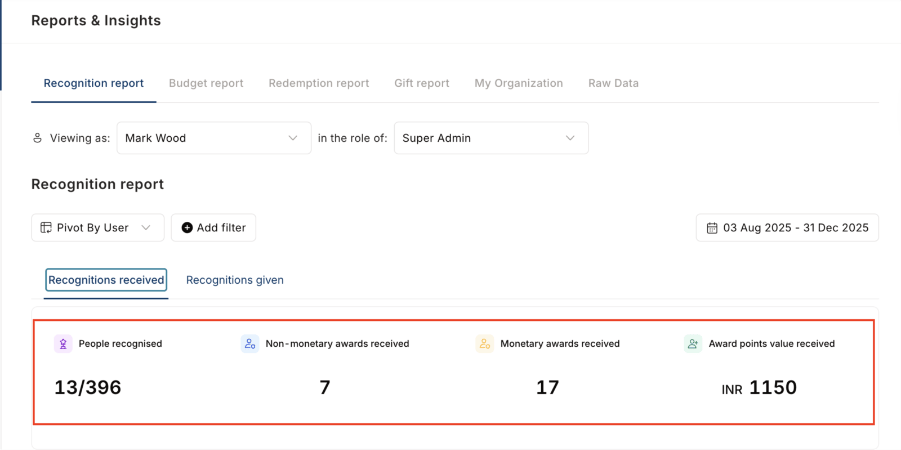
**Core metrics:** View how many unique individuals have recognised you, the total number of non-monetary awards received, and the cumulative value of all award points you have earned.
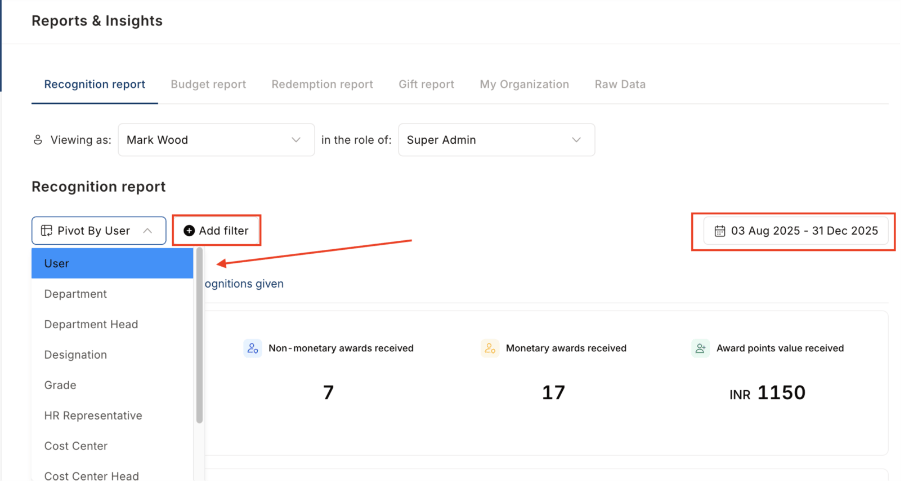
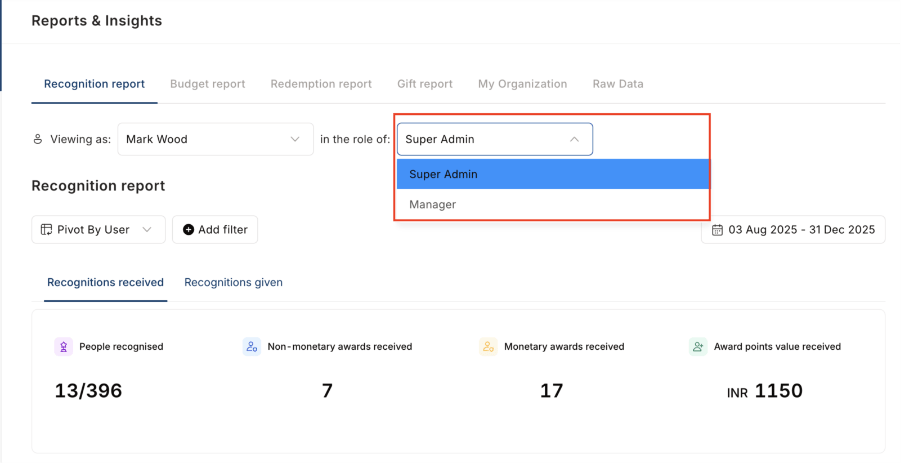
 **Dynamic tools:** Use the **Pivot by User** feature to reorganise data, and apply specific filters or **Date Filters** to track your growth over a defined period.
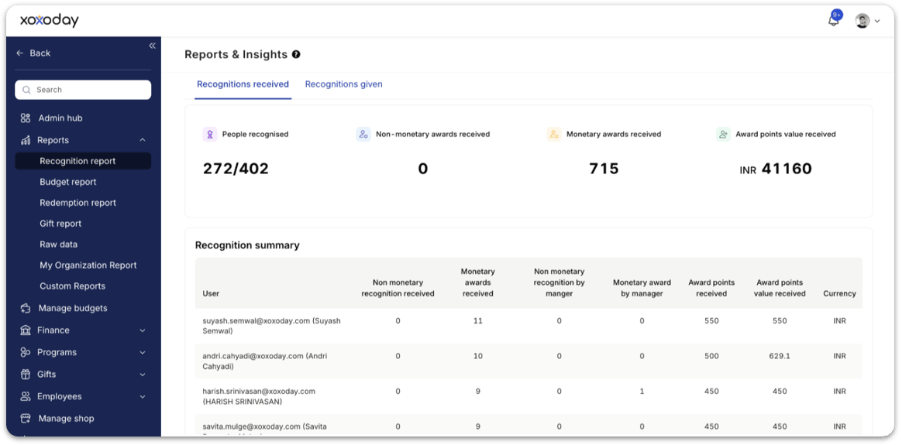
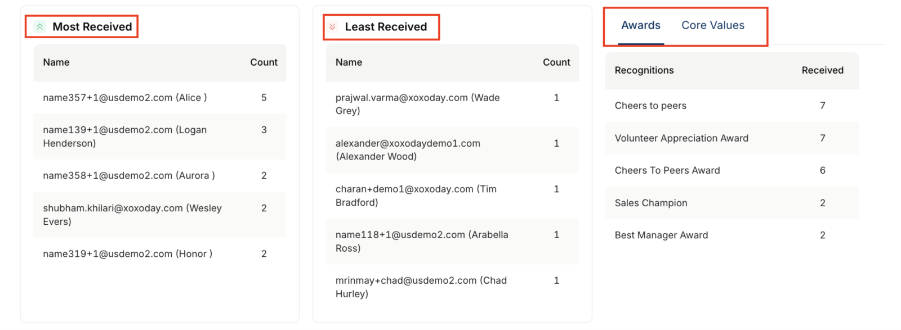
 **Recognition summary table:** Located beneath the core metrics, this table highlights your most frequently received awards and those you receive the least.
A detailed breakdown for each employee showing:
* Non-monetary recognitions received
* Monetary awards received
* Recognition received from managers vs peers
* Total award points received and total redemption value
* Currency of awards
This helps track fairness, identify high performers, and spot teams with low recognition visibility.
**Recognition summary table:** Located beneath the core metrics, this table highlights your most frequently received awards and those you receive the least.
A detailed breakdown for each employee showing:
* Non-monetary recognitions received
* Monetary awards received
* Recognition received from managers vs peers
* Total award points received and total redemption value
* Currency of awards
This helps track fairness, identify high performers, and spot teams with low recognition visibility.
 **Core values table:** See a specialised breakdown of which organisational core values you are most often recognised for.
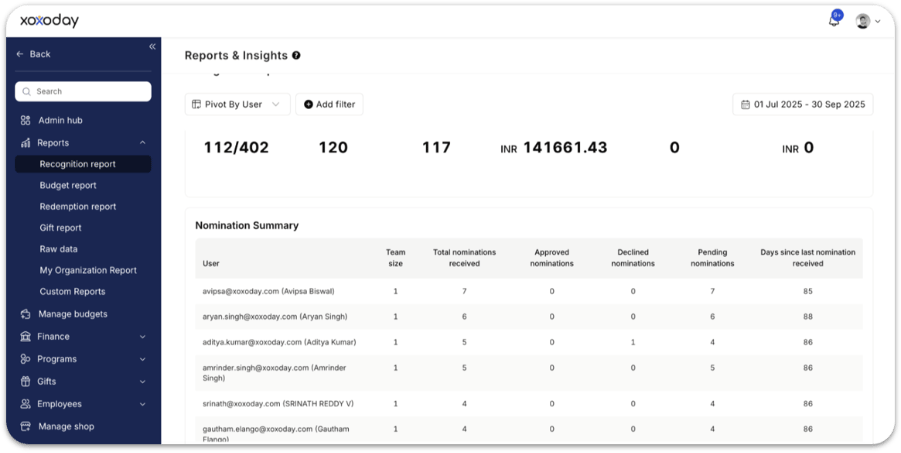
 **Nominations received:** Review a summary of all pending and approved nominations where you are the intended recipient.
 ***
## Recognitions given
This section focuses on your activity as a nominator and your contribution to the company culture.
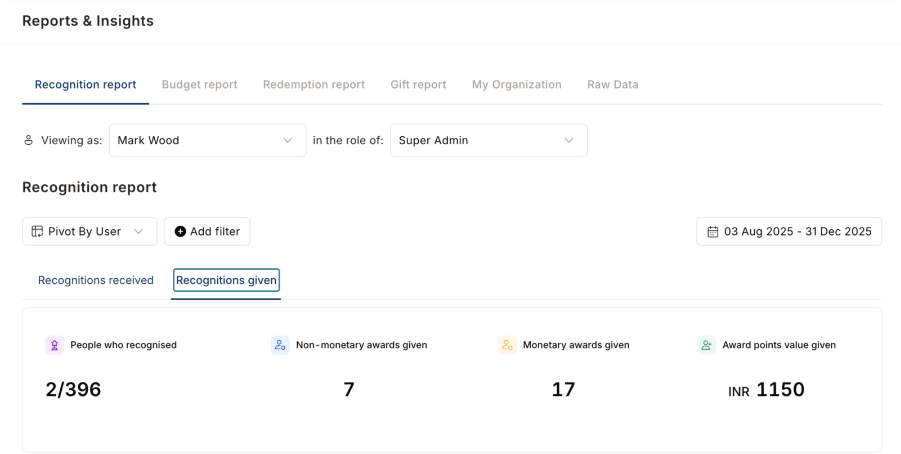
* **Activity overview:** Track the total number of people you have recognised, the non-monetary awards you have distributed, and the total monetary value of all awards you have granted.
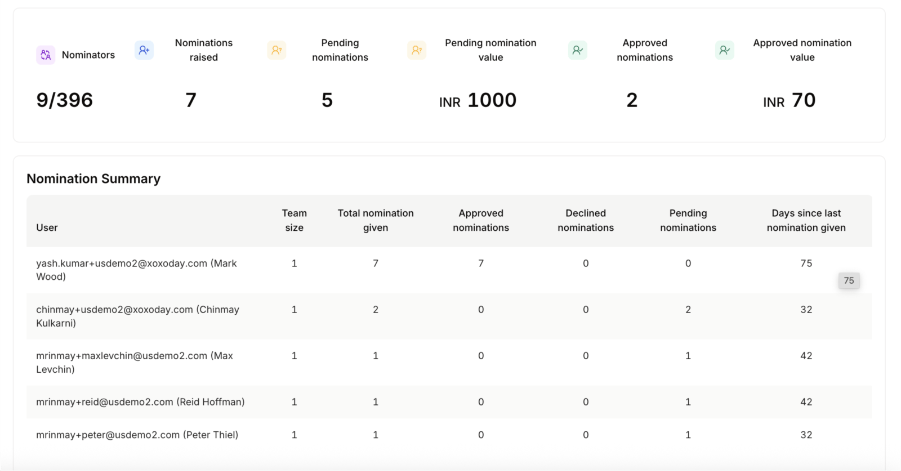
* **Summary table:** Analyse your giving patterns through a table showing the colleagues you recognise most (and least), the total number of awards you've issued, and the different core value types you emphasise.
***
## Recognitions given
This section focuses on your activity as a nominator and your contribution to the company culture.
* **Activity overview:** Track the total number of people you have recognised, the non-monetary awards you have distributed, and the total monetary value of all awards you have granted.
* **Summary table:** Analyse your giving patterns through a table showing the colleagues you recognise most (and least), the total number of awards you've issued, and the different core value types you emphasise.
 **Nomination summary:** Access a complete table and summary of all nominations you have raised, including their current approval status.
 ***
## FAQs
For each employee, the table shows:
* Non-monetary recognitions received
* Monetary awards received
* Recognition received from managers vs peers
* Total award points received and total redemption value
* Currency of awards
This helps track fairness, identify high performers, and spot teams with low recognition visibility.
Yes. Use **Date Filters** to track recognition over a defined period. You can also use **Pivot by User** or **Pivot by Department** to reorganise data by the dimension most relevant to your analysis.
## Related
Overview of all report types available in Empuls.
Set up the awards that feed recognition report data.
Monitor how recognition budgets are allocated and used.
Control who sees which reports and dashboards.
***
## FAQs
For each employee, the table shows:
* Non-monetary recognitions received
* Monetary awards received
* Recognition received from managers vs peers
* Total award points received and total redemption value
* Currency of awards
This helps track fairness, identify high performers, and spot teams with low recognition visibility.
Yes. Use **Date Filters** to track recognition over a defined period. You can also use **Pivot by User** or **Pivot by Department** to reorganise data by the dimension most relevant to your analysis.
## Related
Overview of all report types available in Empuls.
Set up the awards that feed recognition report data.
Monitor how recognition budgets are allocated and used.
Control who sees which reports and dashboards.