> ## Documentation Index
> Fetch the complete documentation index at: https://help-empuls.xoxoday.com/llms.txt
> Use this file to discover all available pages before exploring further.
# Set up product-based rewards
> Create gift card and merchandise collections to reward employees with tangible gifts instead of points.
Empuls lets you set up gifts by creating collections of gift cards and merchandise from 20+ categories. Collections provide the flexibility to reward employees with tangible items instead of the conventional points system.
## Before you begin
Understand employee demographics and preferences, and consider budget allocation across different gift categories.
## How to set up product-based gifts
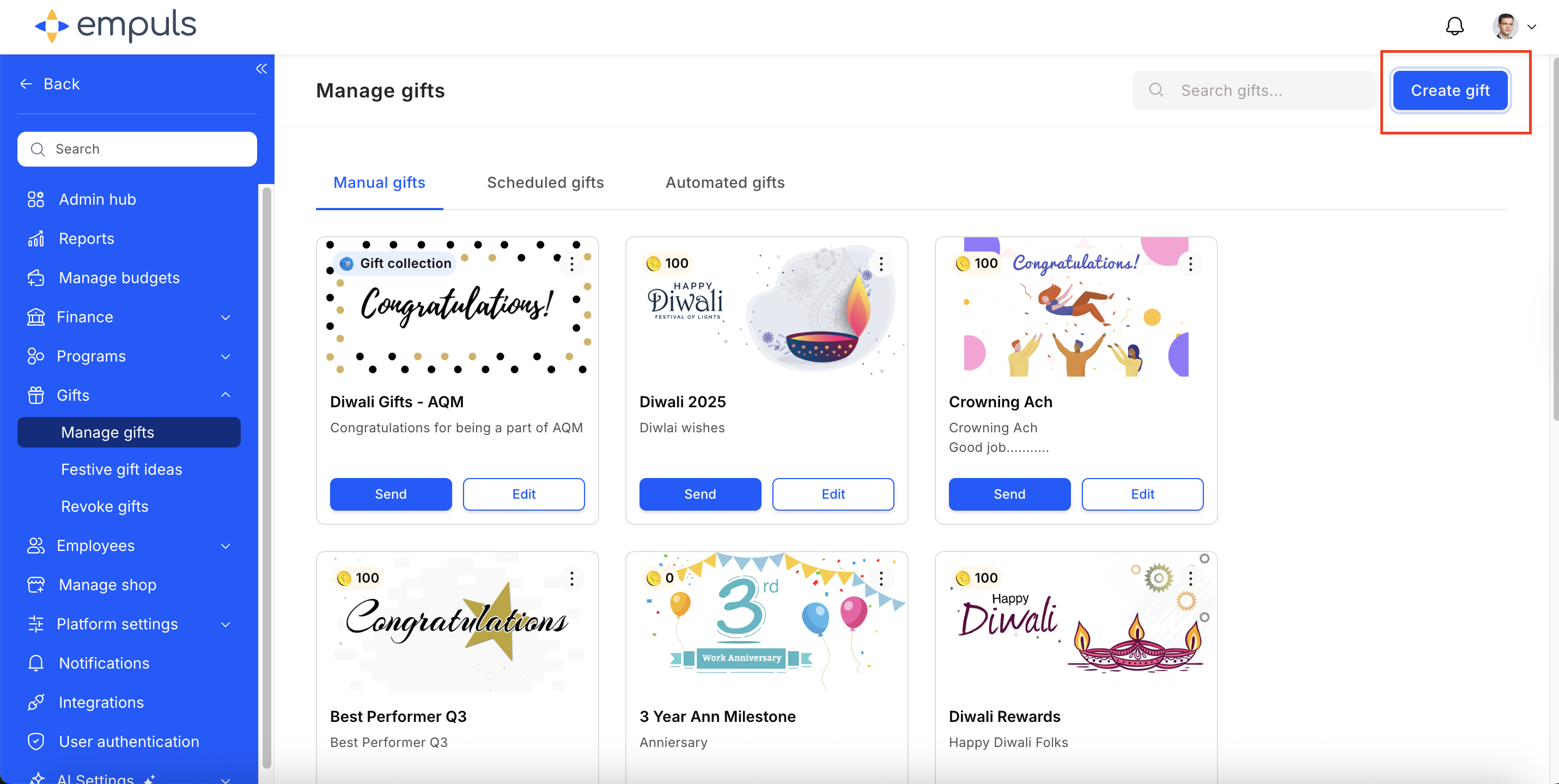
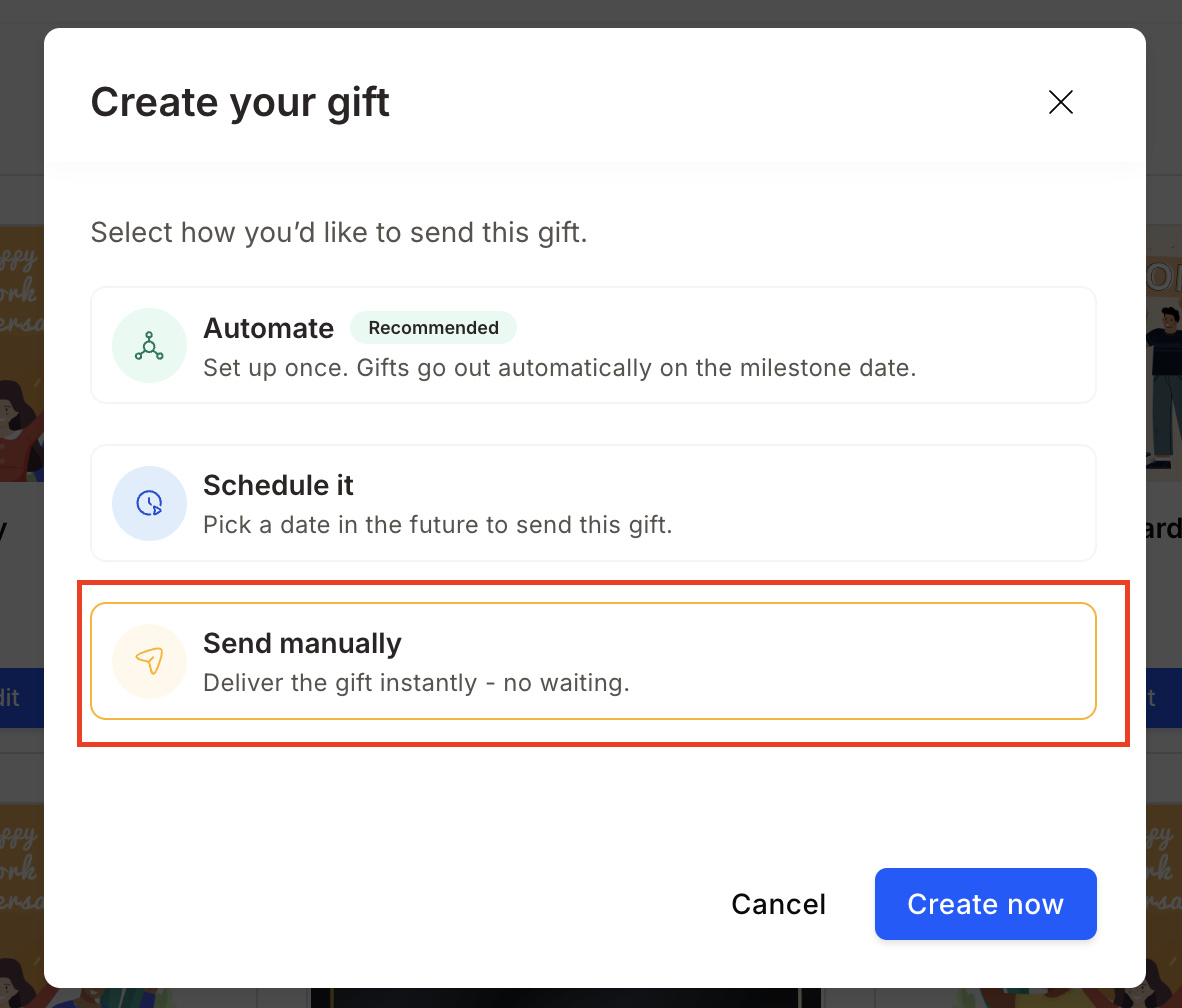
Navigate to **Gifts > Manage Gifts** and click **Create Gift**. Select **Send Manually**.
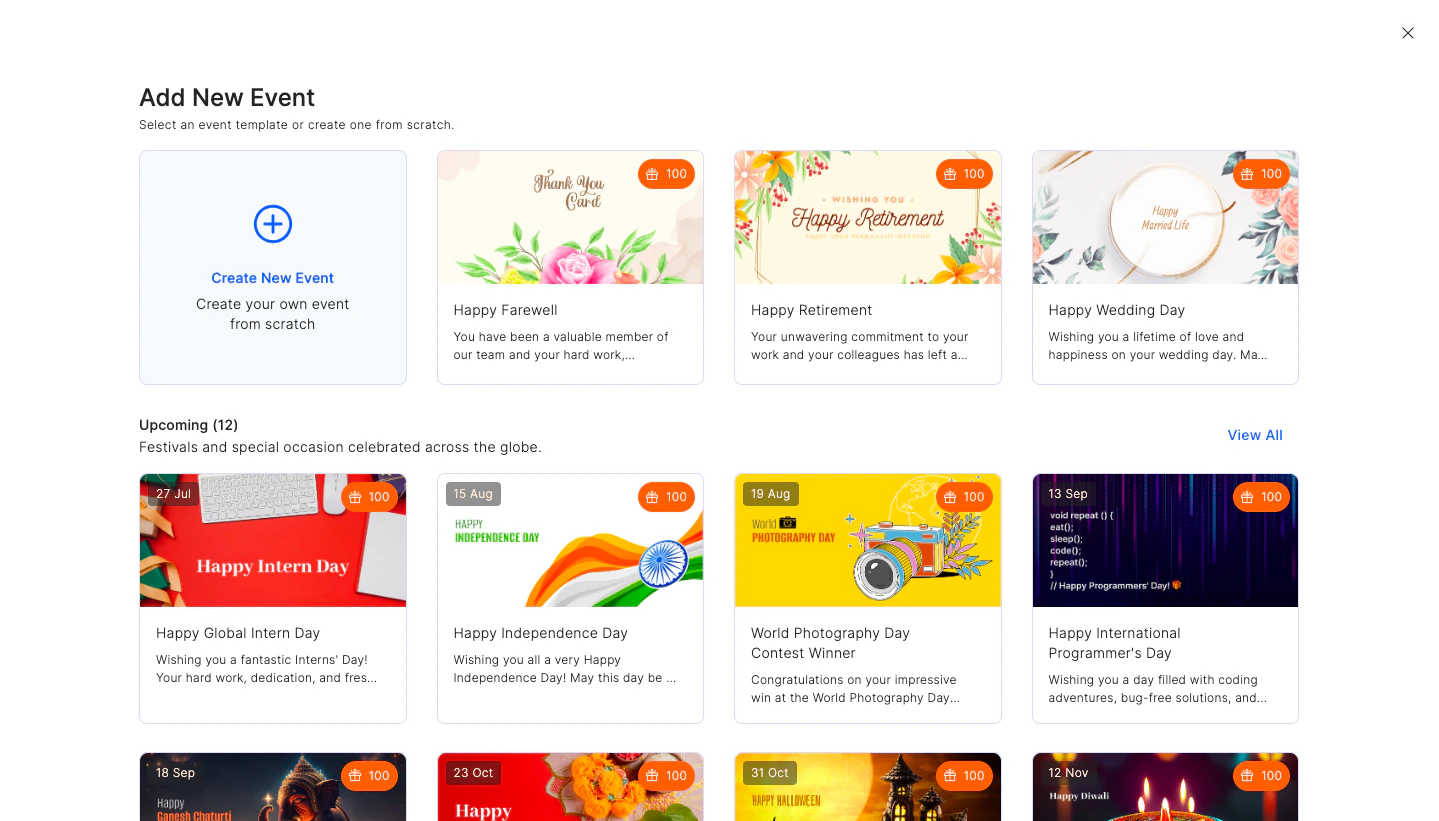
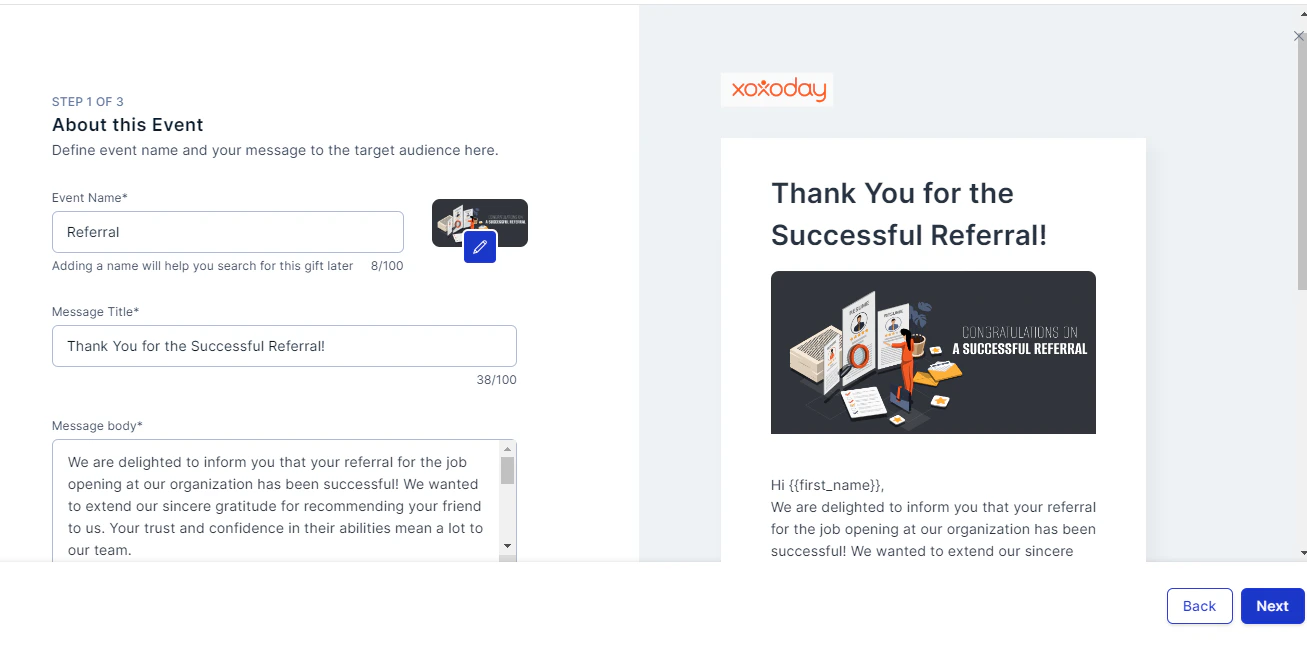
 Select from existing event templates or **Create New Event**. Fill in the **Event Name**, **Title**, and **Message**.
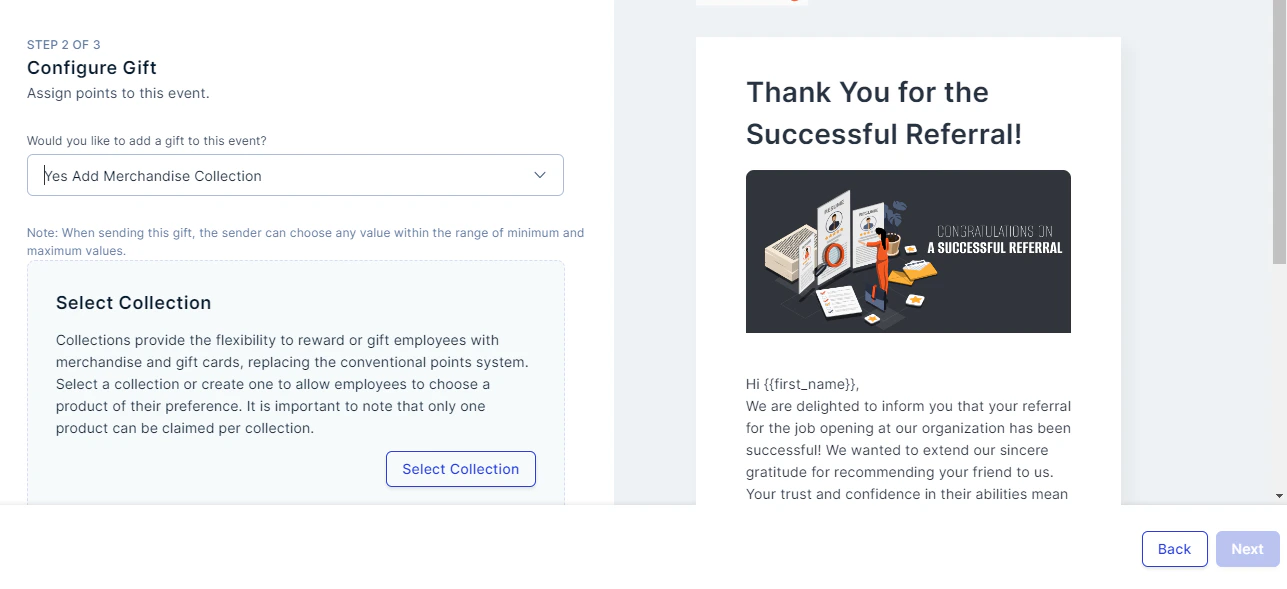
 In the next step, configure the gift. To set up a product-based gift, select **Yes, Add Merchandise Collection** and click **Select Collection**.
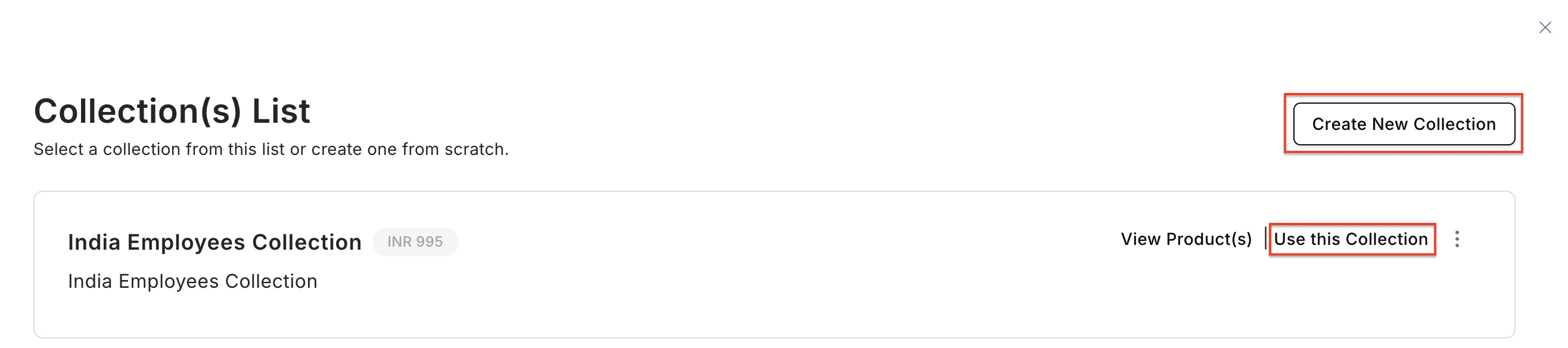
 Select a collection from the list or click **Create New Collection**.
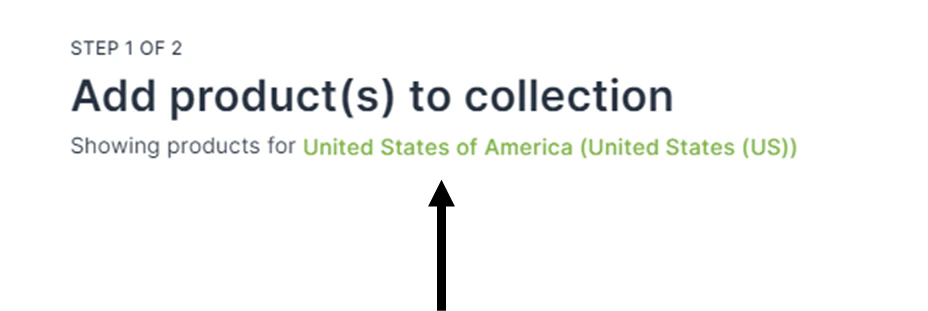
 * Select the country of your choice by clicking on the country name.
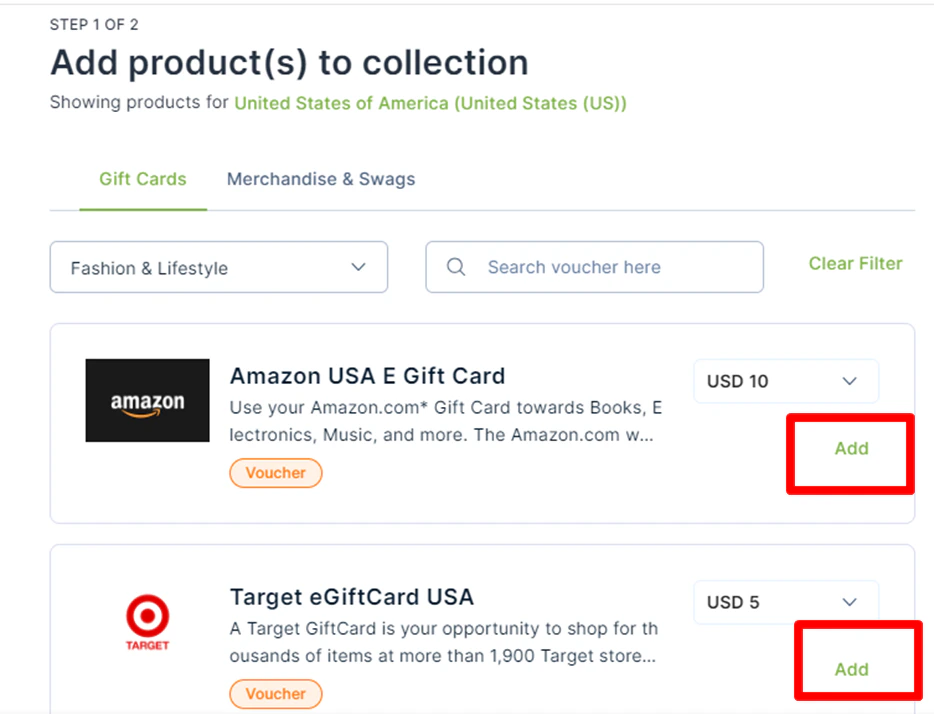
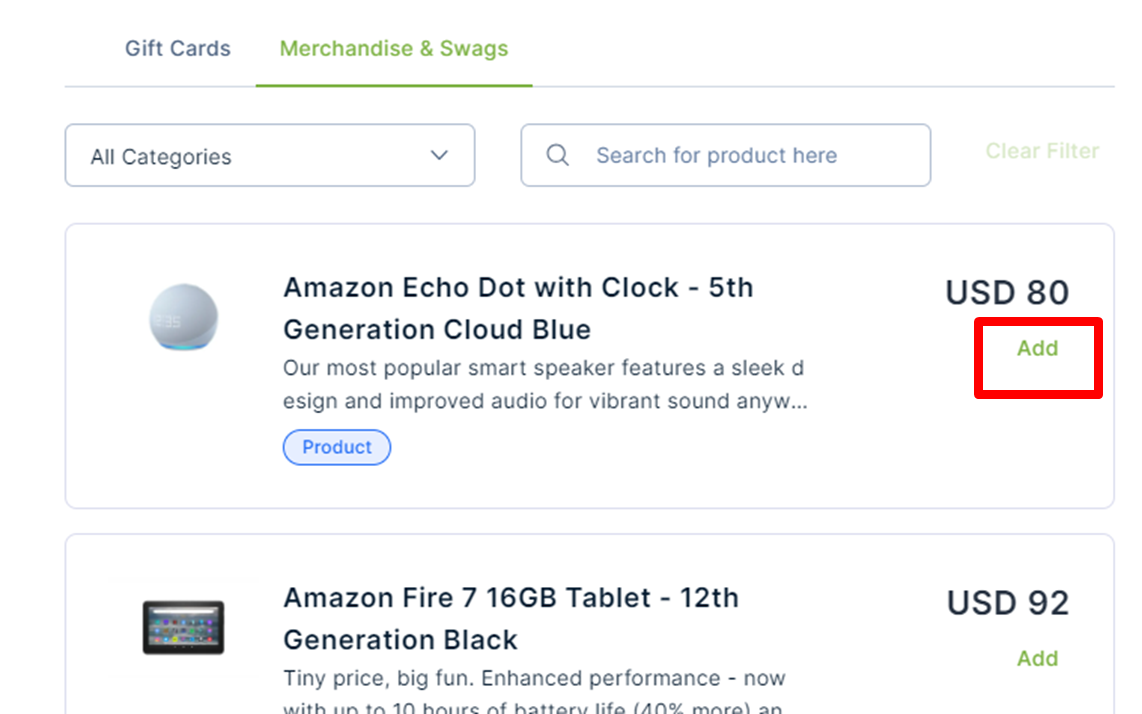
 * Choose **Gift Cards**, **Merchandise**, or a mix of both. Filter options across 20+ categories including Food, Fashion, Lifestyle, Travel, Baby Care, and more.
* Click **Add** next to each product you want to include in the collection.
* Choose **Gift Cards**, **Merchandise**, or a mix of both. Filter options across 20+ categories including Food, Fashion, Lifestyle, Travel, Baby Care, and more.
* Click **Add** next to each product you want to include in the collection.
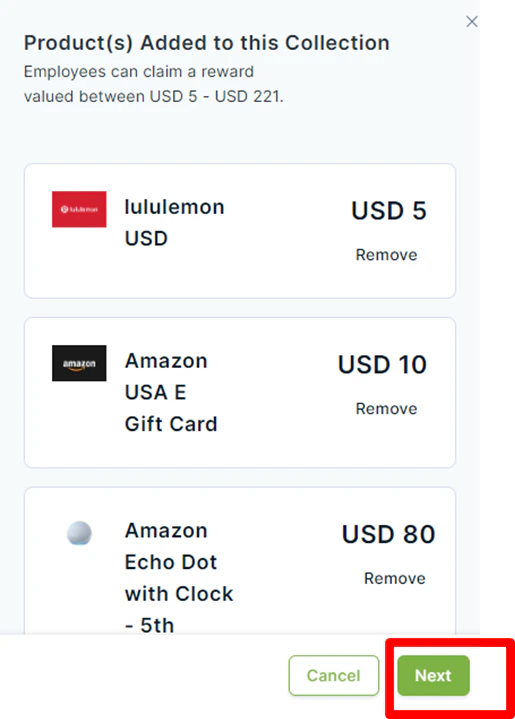
 Products added are shown on the right. Once done, click **Next**.
 Fill in the **Name**, **Purpose**, and **Maximum spend**. Click **Save** to reuse this collection for future events.
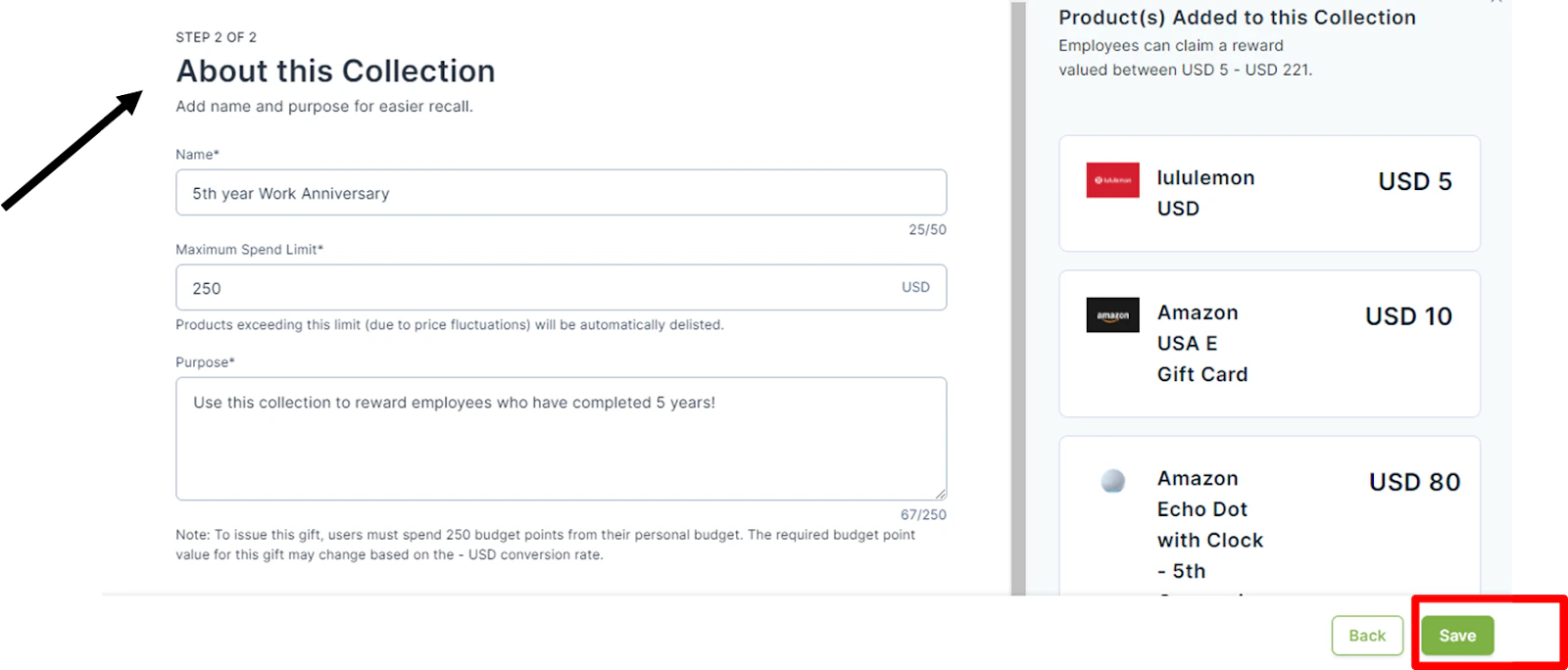 You can also choose to **Hide Product Price** by checking that option.
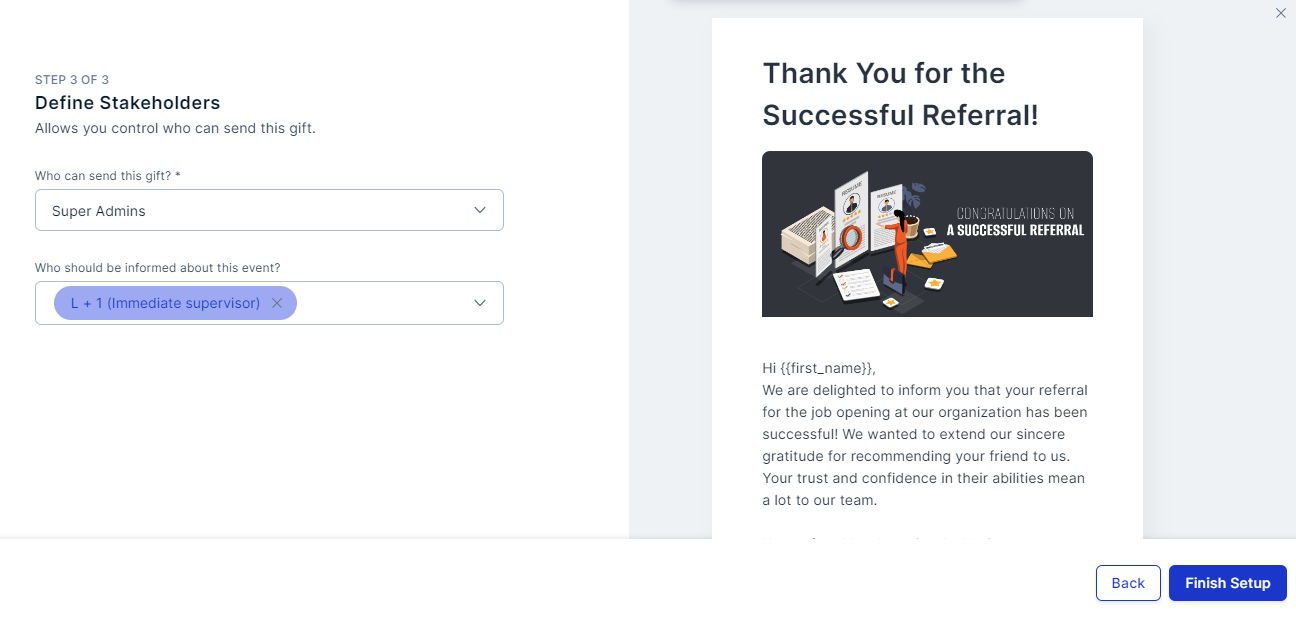
 Define who can send this gift and who will be informed of the process. Click **Finish Setup**.
 ## Common use cases
### Building culture with company swag
Using a product-based collection for company swag builds brand identity and a sense of belonging.
* **Why it matters:** New hires and remote employees feel more connected when they receive branded physical items like hoodies, mugs, or welcome kits.
* **The solution:** Create a dedicated **Swag Collection** so employees receive tangible items that represent your company culture — turning a standard onboarding gift into a moment of pride and inclusion.
### Elevating Long Service Awards (LSA)
For major milestones, the reward needs to feel exclusive and personal.
* **Why it matters:** Long-tenured employees deserve a reward that stands out from everyday recognition.
* **The solution:** Create a premium product-based collection (high-end electronics, travel, or lifestyle goods) so the reward matches the significance of the achievement.
## FAQs
A product-based gift includes merchandise and/or gift cards curated into a collection, allowing recipients to choose from a variety of items instead of receiving points.
Yes. You can create mixed collections with both to offer variety and flexibility to employees.
Yes. Empuls lets you filter and create collections by country, ensuring product availability and relevance based on geography.
Once saved, collections can be reused for future events. Simply select the existing collection when creating a new gifting event.
Yes. Use the **Automated Greetings** section to schedule and automate gift distribution for birthdays, anniversaries, and other milestones.
## Common use cases
### Building culture with company swag
Using a product-based collection for company swag builds brand identity and a sense of belonging.
* **Why it matters:** New hires and remote employees feel more connected when they receive branded physical items like hoodies, mugs, or welcome kits.
* **The solution:** Create a dedicated **Swag Collection** so employees receive tangible items that represent your company culture — turning a standard onboarding gift into a moment of pride and inclusion.
### Elevating Long Service Awards (LSA)
For major milestones, the reward needs to feel exclusive and personal.
* **Why it matters:** Long-tenured employees deserve a reward that stands out from everyday recognition.
* **The solution:** Create a premium product-based collection (high-end electronics, travel, or lifestyle goods) so the reward matches the significance of the achievement.
## FAQs
A product-based gift includes merchandise and/or gift cards curated into a collection, allowing recipients to choose from a variety of items instead of receiving points.
Yes. You can create mixed collections with both to offer variety and flexibility to employees.
Yes. Empuls lets you filter and create collections by country, ensuring product availability and relevance based on geography.
Once saved, collections can be reused for future events. Simply select the existing collection when creating a new gifting event.
Yes. Use the **Automated Greetings** section to schedule and automate gift distribution for birthdays, anniversaries, and other milestones.