> ## Documentation Index
> Fetch the complete documentation index at: https://help-empuls.xoxoday.com/llms.txt
> Use this file to discover all available pages before exploring further.
# Jury awards
> Set up a decentralised, peer-reviewed award process using a jury panel to score and select winners.
Jury-based awards add credibility and inclusivity by incorporating peer review, scoring, and voting. Use jury panels for prestigious awards, competitions, or transparent selection processes.
Jury-based awards are available in the enterprise version of Empuls. Contact your account manager or CSM to enable this feature.
## How it works
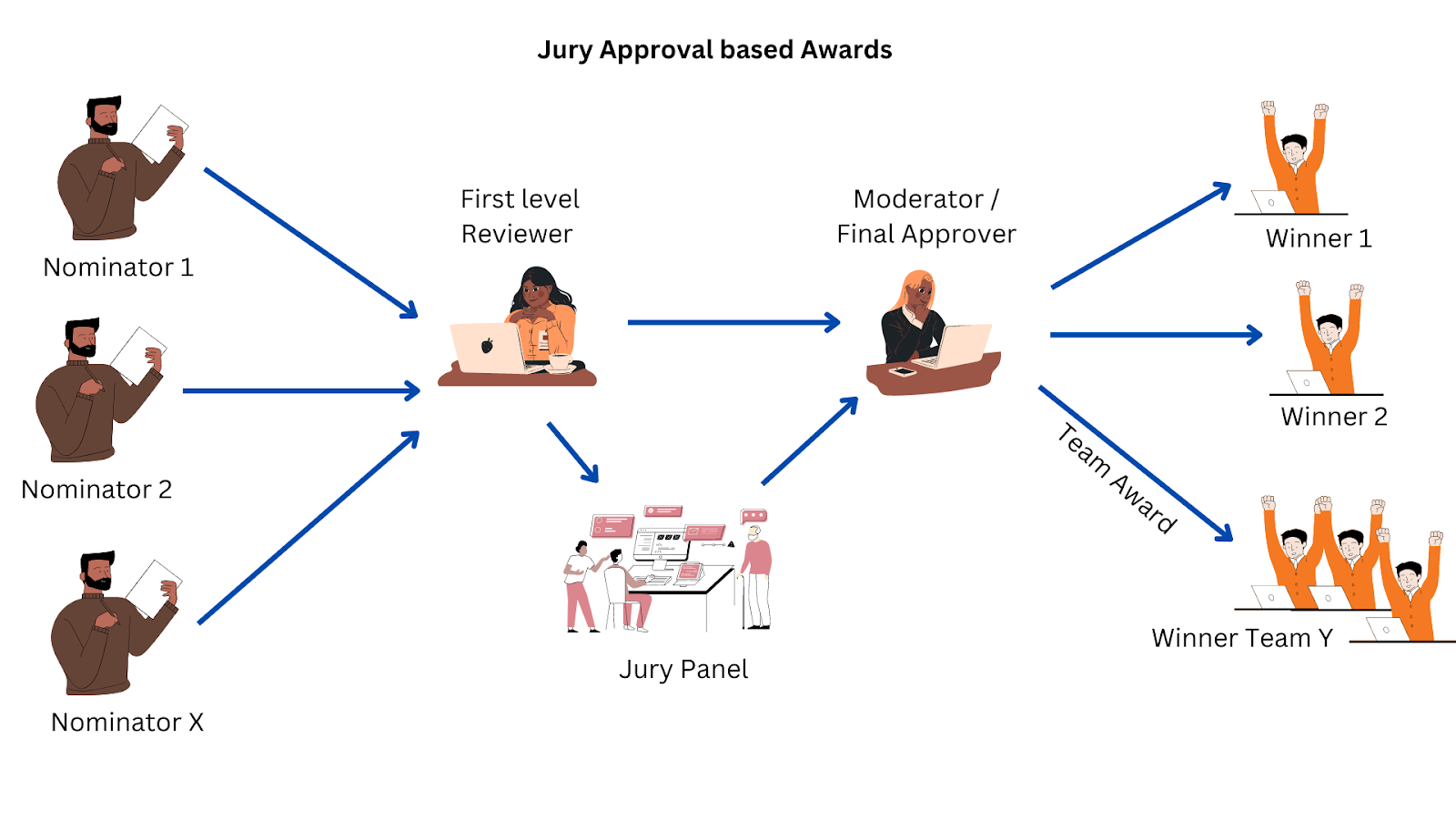
The jury award process has four stages:
 ### 1. Nominator
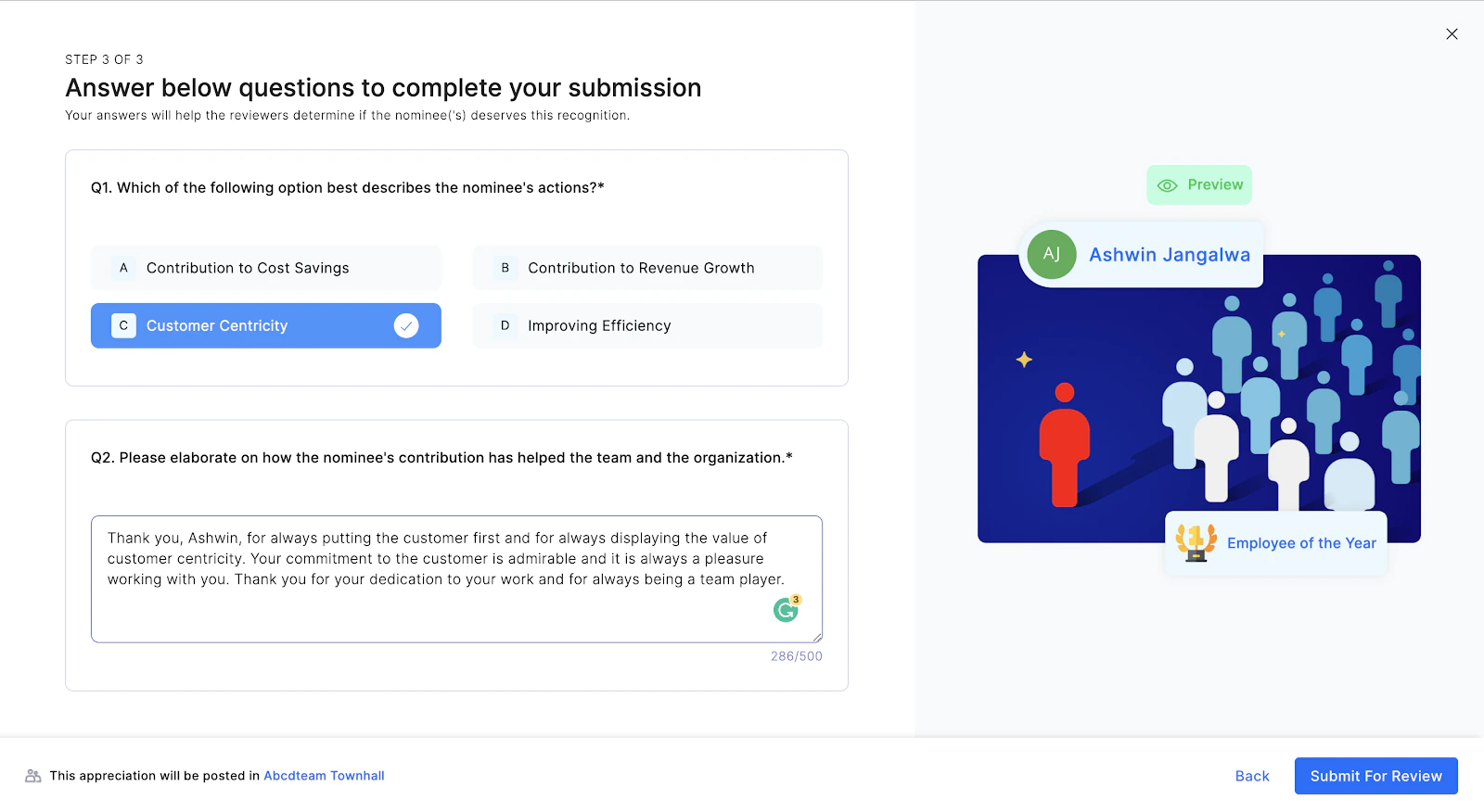
The nominator nominates colleagues, direct reports, or themselves (based on admin-defined rules) by stating why the nominee deserves the award. The nominator may be required to provide a free-form justification or answer specific admin-defined questions.
### 1. Nominator
The nominator nominates colleagues, direct reports, or themselves (based on admin-defined rules) by stating why the nominee deserves the award. The nominator may be required to provide a free-form justification or answer specific admin-defined questions.
 ### 2. First-level reviewer
The first-level reviewer filters nominations to eliminate duplicates and subpar submissions. They either approve the nomination and forward it to the jury, or decline it.
### 3. Jury panel
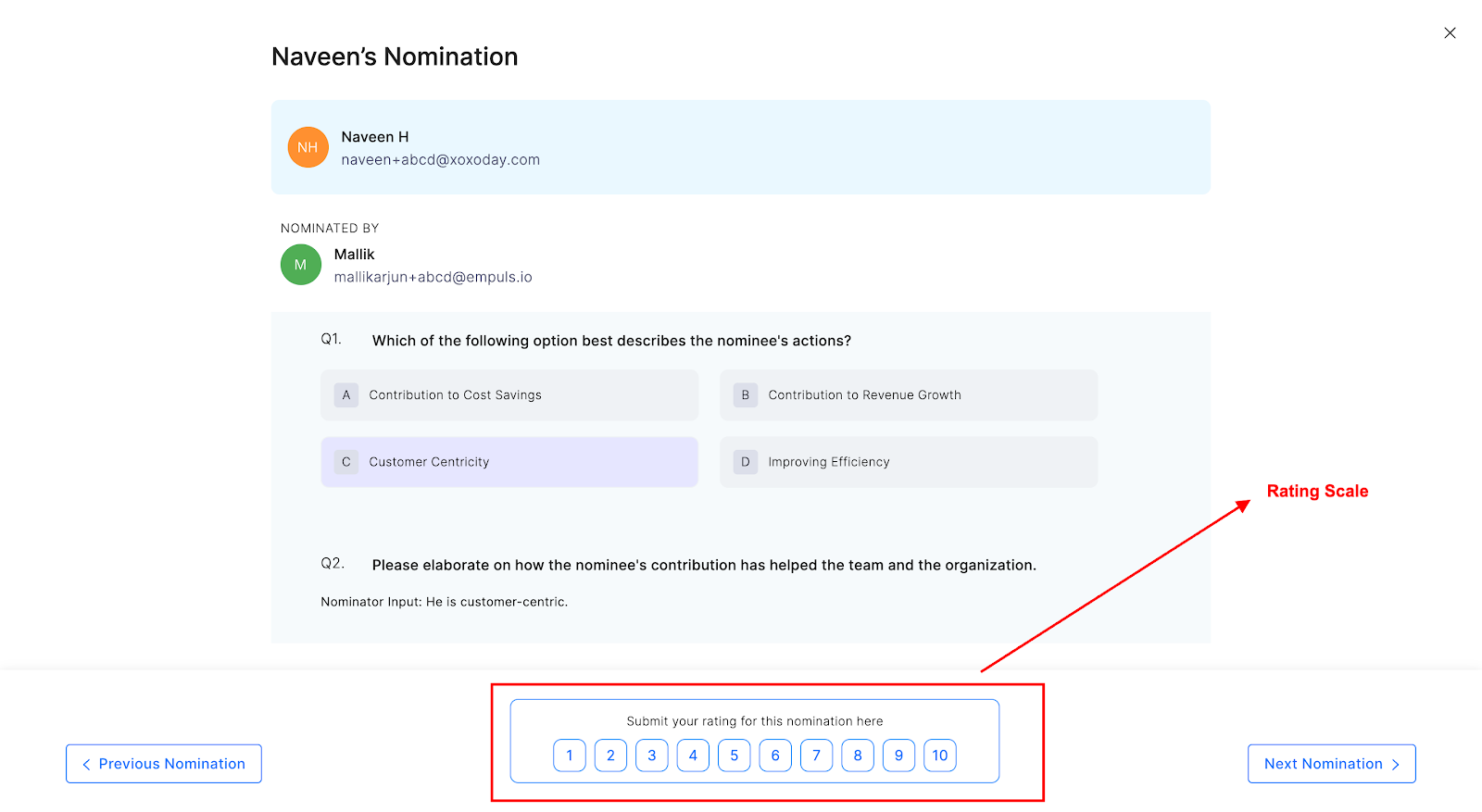
A group of users responsible for shortlisting the most deserving nominations. Each jury member rates nominations on a 10-point scale (or binary approve/decline), reading the justification provided by the nominator. Once all jury members rate the nominations, their opinions are sent to the moderator.
### 2. First-level reviewer
The first-level reviewer filters nominations to eliminate duplicates and subpar submissions. They either approve the nomination and forward it to the jury, or decline it.
### 3. Jury panel
A group of users responsible for shortlisting the most deserving nominations. Each jury member rates nominations on a 10-point scale (or binary approve/decline), reading the justification provided by the nominator. Once all jury members rate the nominations, their opinions are sent to the moderator.
 ### 4. Moderator
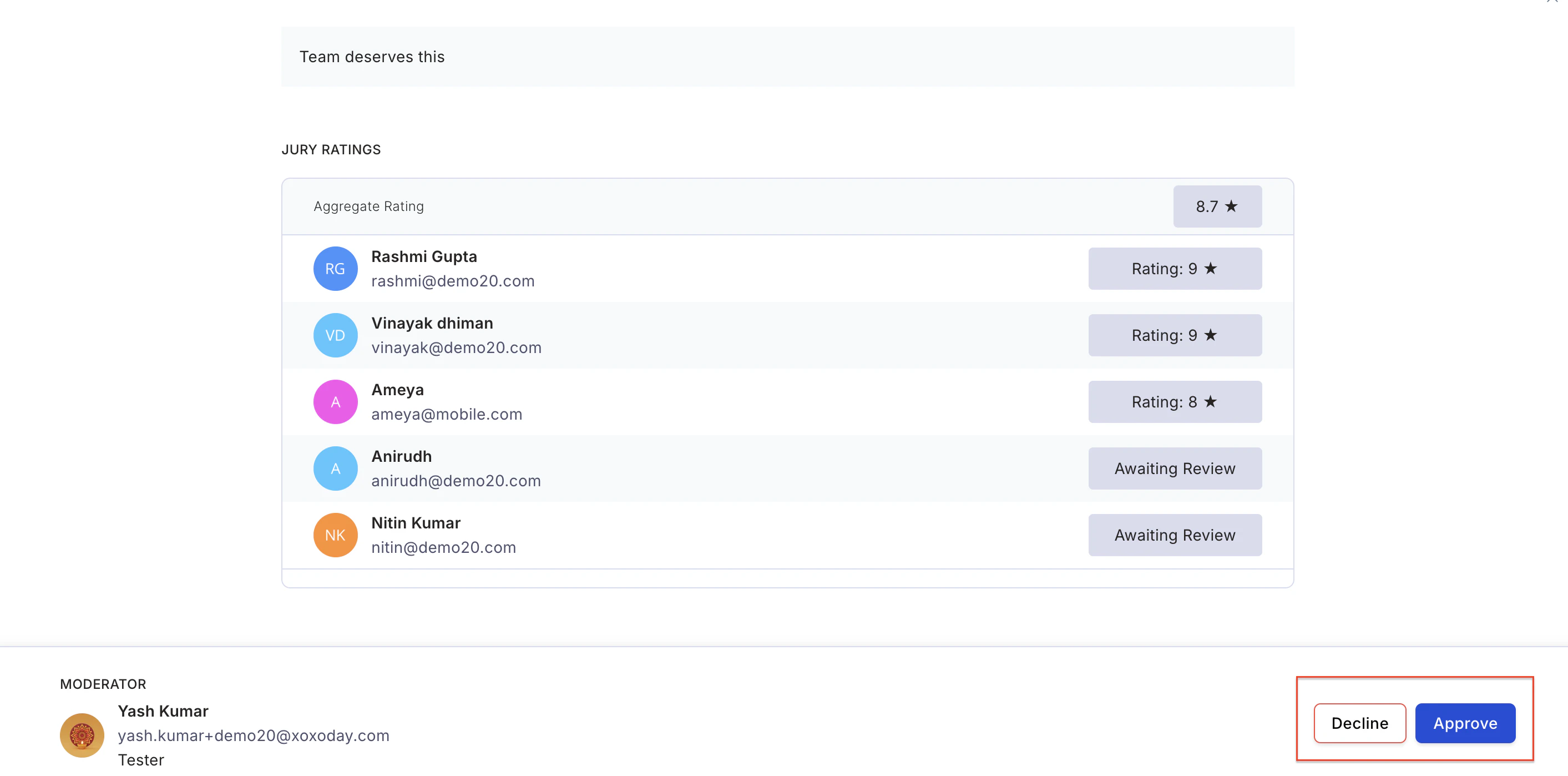
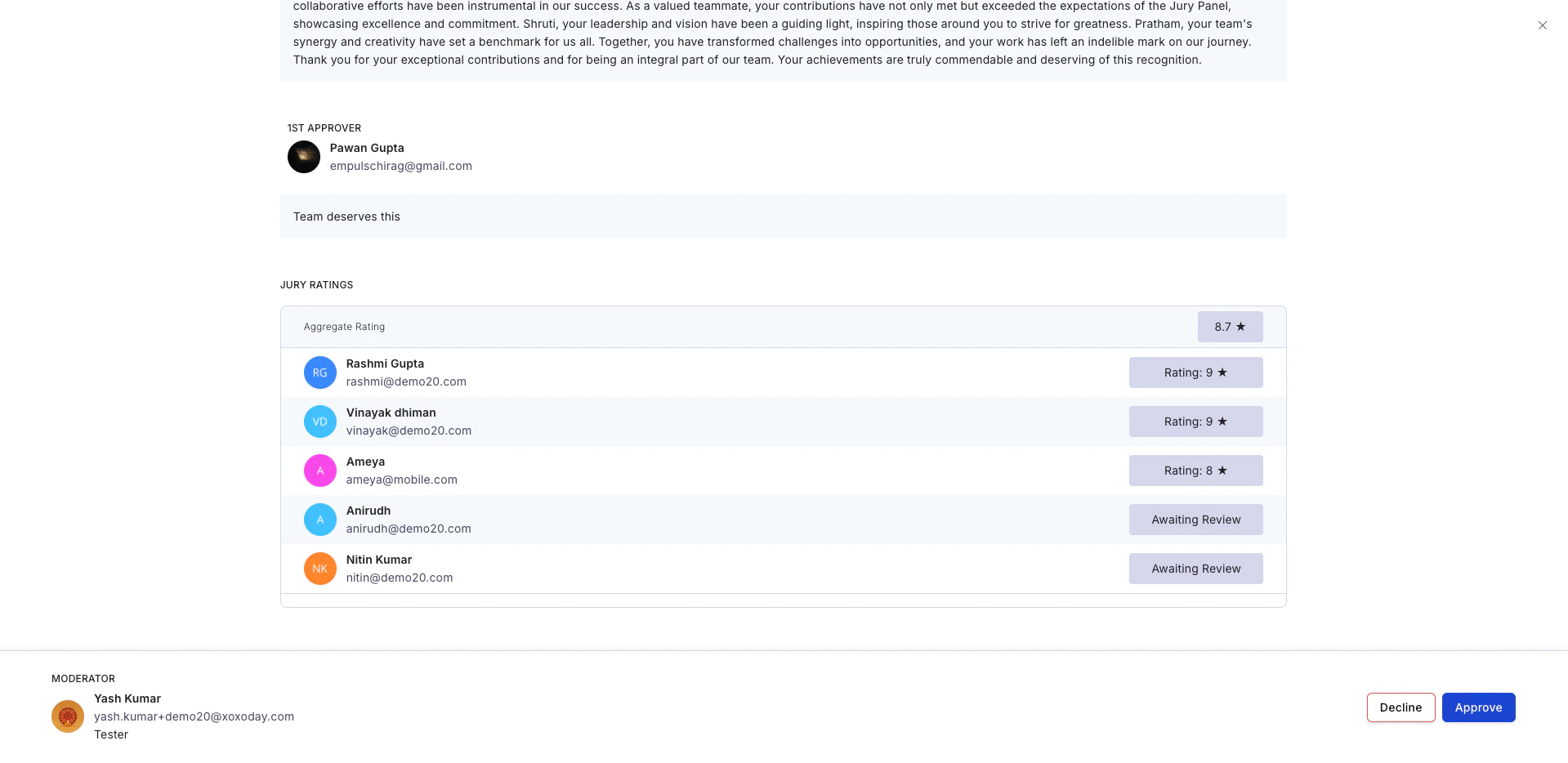
The moderator approves nominations based on jury ratings. They can view nomination ratings as soon as jury members begin scoring. The moderator shortlists the top nominations and approves them individually to announce winners.
Budget points are deducted from the moderator's account and credited to the winner's account as rewards. The moderator then declines all other nominations.
### 4. Moderator
The moderator approves nominations based on jury ratings. They can view nomination ratings as soon as jury members begin scoring. The moderator shortlists the top nominations and approves them individually to announce winners.
Budget points are deducted from the moderator's account and credited to the winner's account as rewards. The moderator then declines all other nominations.
 ## When to use jury-based awards
Jury awards are recommended when:
* The award is given to the **top 1% of the organisation** in a year.
* Selection is assigned to senior employees such as **CXOs or BU Heads**.
* The award is issued **half-yearly or annually**.
## Sample templates
### a) Employee of the Year
**Objective:** Recognise the employee who has brought the organisation closest to its mission and vision by displaying organisational values.
**Evaluation criteria:** The employee must be personally and independently responsible for the success of a project or initiative that resulted in organisational growth.
**Questions to answer:**
* What organisational value has the employee displayed?
* When and how did the employee demonstrate the organisational value that led to a successful outcome?
* What is the impact of the employee's contribution towards organisational goals?
### b) Sales Champion of the Year
**Objective:** Motivate the high sales achiever who contributed most towards the organisational revenue goal.
**Evaluation criteria:** The employee must have achieved their own targets and contributed to their team's overall targets.
**Questions to answer:**
* What is the employee's revenue target vs achievement?
* What is the employee's share of the overall revenue target for the team?
* Why does the employee deserve to be the Sales Champion of the Year?
## Steps to set up a jury-based award
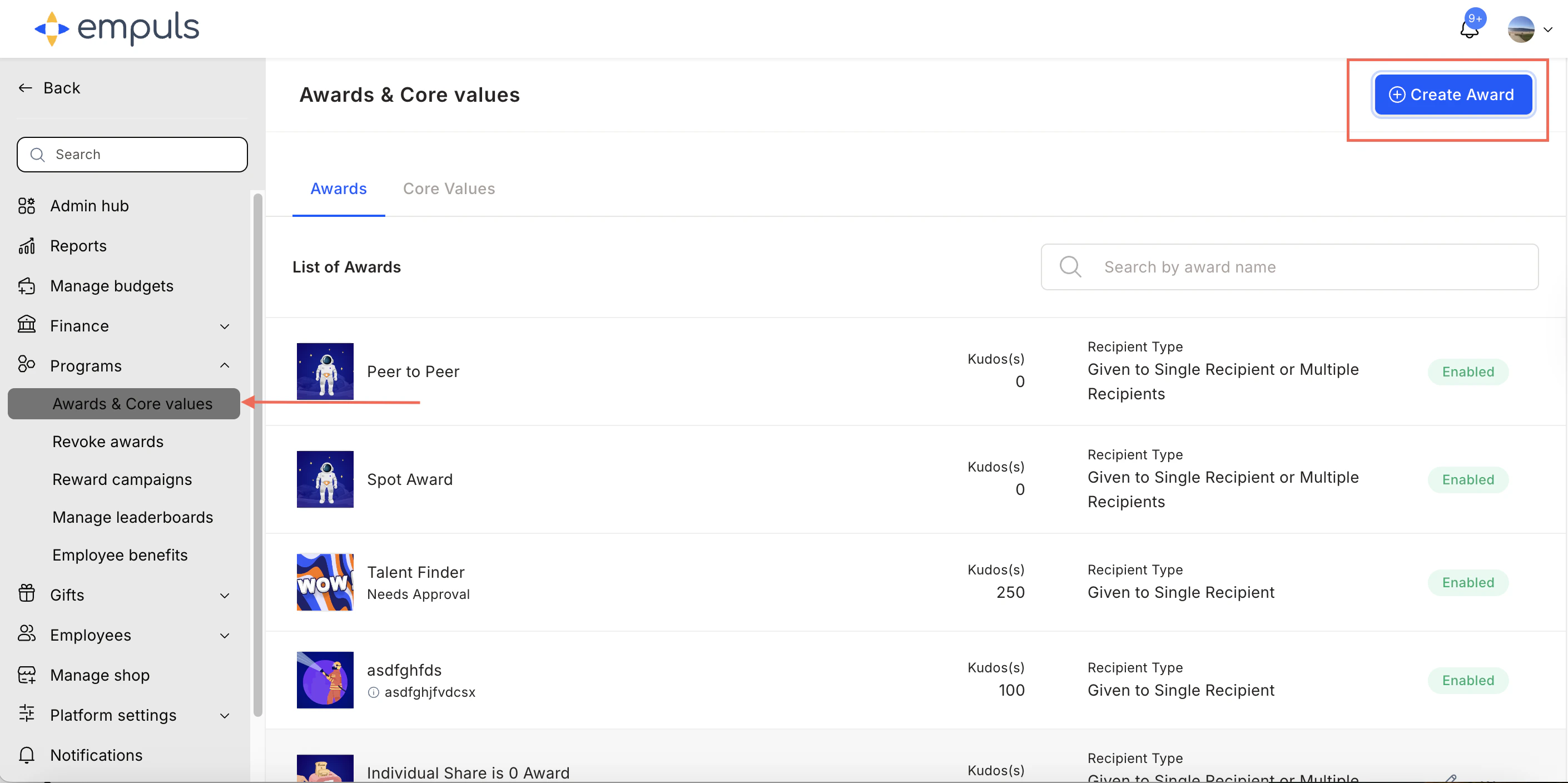
Go to **Reports and Admin > Programs > Awards & Core Values > Create Award**.
## When to use jury-based awards
Jury awards are recommended when:
* The award is given to the **top 1% of the organisation** in a year.
* Selection is assigned to senior employees such as **CXOs or BU Heads**.
* The award is issued **half-yearly or annually**.
## Sample templates
### a) Employee of the Year
**Objective:** Recognise the employee who has brought the organisation closest to its mission and vision by displaying organisational values.
**Evaluation criteria:** The employee must be personally and independently responsible for the success of a project or initiative that resulted in organisational growth.
**Questions to answer:**
* What organisational value has the employee displayed?
* When and how did the employee demonstrate the organisational value that led to a successful outcome?
* What is the impact of the employee's contribution towards organisational goals?
### b) Sales Champion of the Year
**Objective:** Motivate the high sales achiever who contributed most towards the organisational revenue goal.
**Evaluation criteria:** The employee must have achieved their own targets and contributed to their team's overall targets.
**Questions to answer:**
* What is the employee's revenue target vs achievement?
* What is the employee's share of the overall revenue target for the team?
* Why does the employee deserve to be the Sales Champion of the Year?
## Steps to set up a jury-based award
Go to **Reports and Admin > Programs > Awards & Core Values > Create Award**.
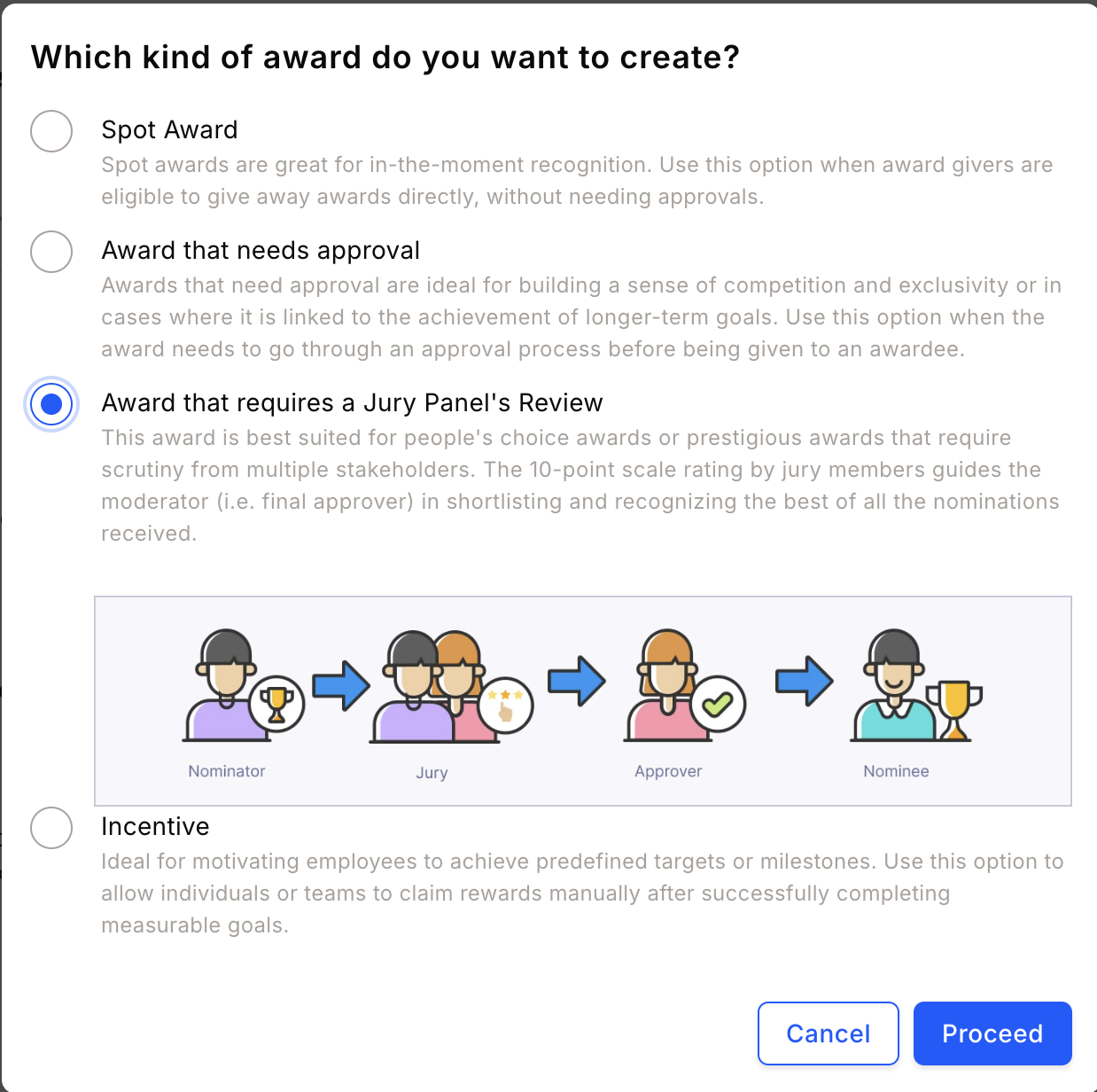
 Select **Award that requires a Jury Panel's review** and click **Proceed**.
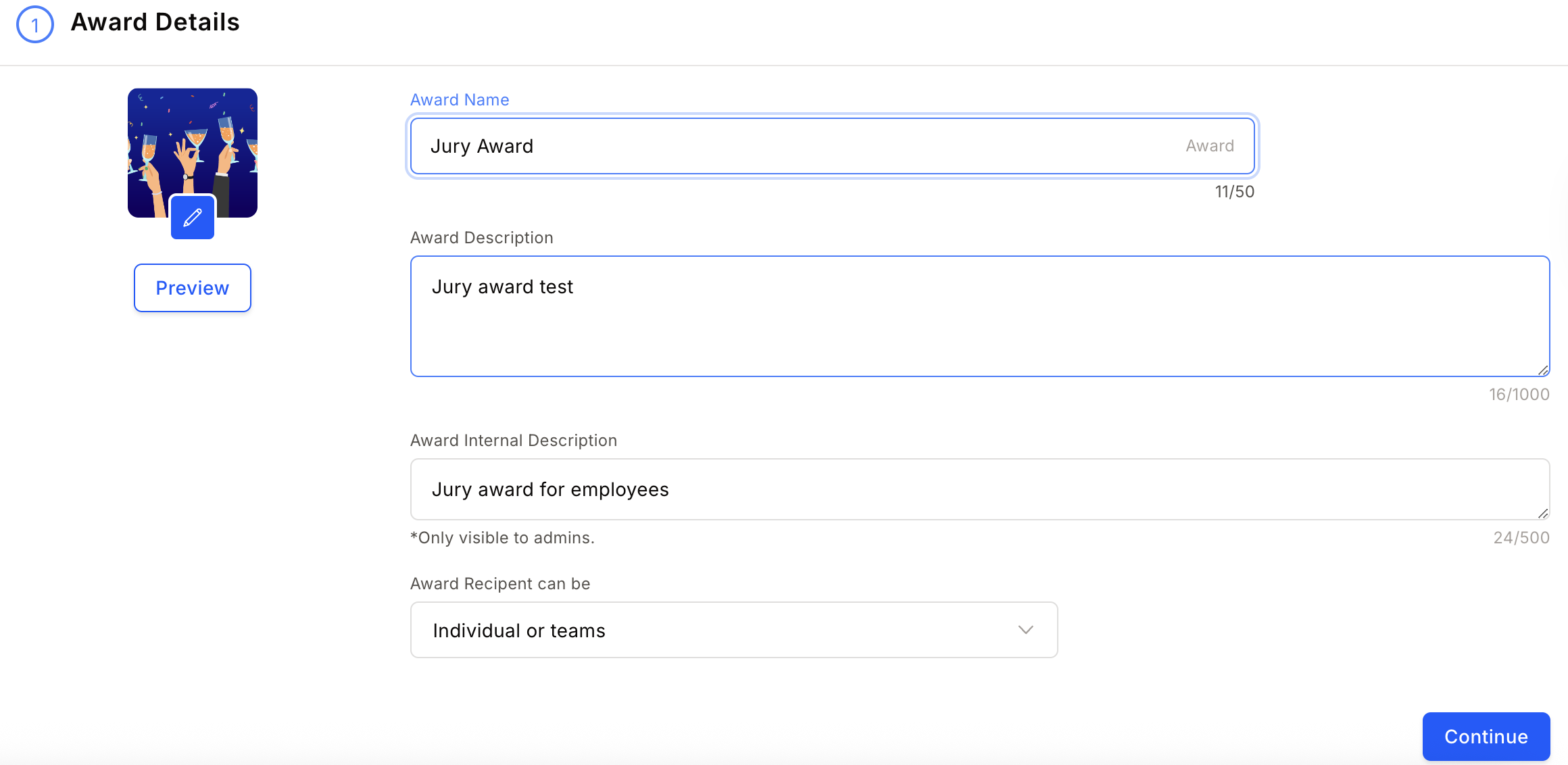
 Enter the **award name**, **description**, **image**, and **recipient type**. Click **Continue**.
An award recipient can be an individual, a team, or kept flexible.
Enter the **award name**, **description**, **image**, and **recipient type**. Click **Continue**.
An award recipient can be an individual, a team, or kept flexible.
 Choose to reward points or gift cards and merchandise.
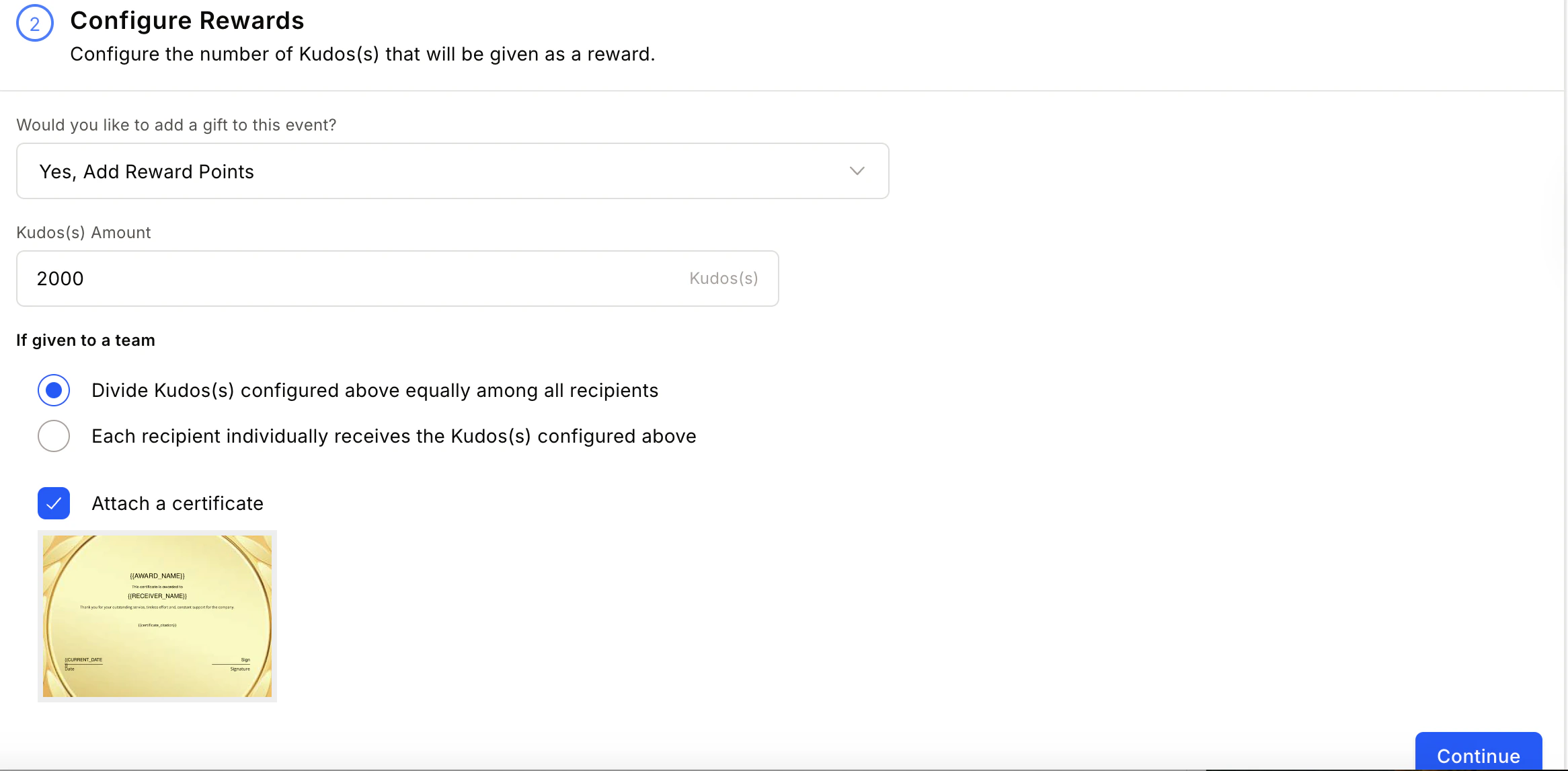 * **Attach certificate** — Attach a certificate template. See [Add certificates to awards](/admin/programs/awards/add-certificates-to-awards) for detailed steps.
* **Add products from store** — Reward with merchandise and gift cards. See [Set up product-based rewards](/admin/programs/awards/set-up-product-based-rewards) for detailed steps.
Set constraints on who can nominate, who can be nominated, and who can approve.
* **Attach certificate** — Attach a certificate template. See [Add certificates to awards](/admin/programs/awards/add-certificates-to-awards) for detailed steps.
* **Add products from store** — Reward with merchandise and gift cards. See [Set up product-based rewards](/admin/programs/awards/set-up-product-based-rewards) for detailed steps.
Set constraints on who can nominate, who can be nominated, and who can approve.
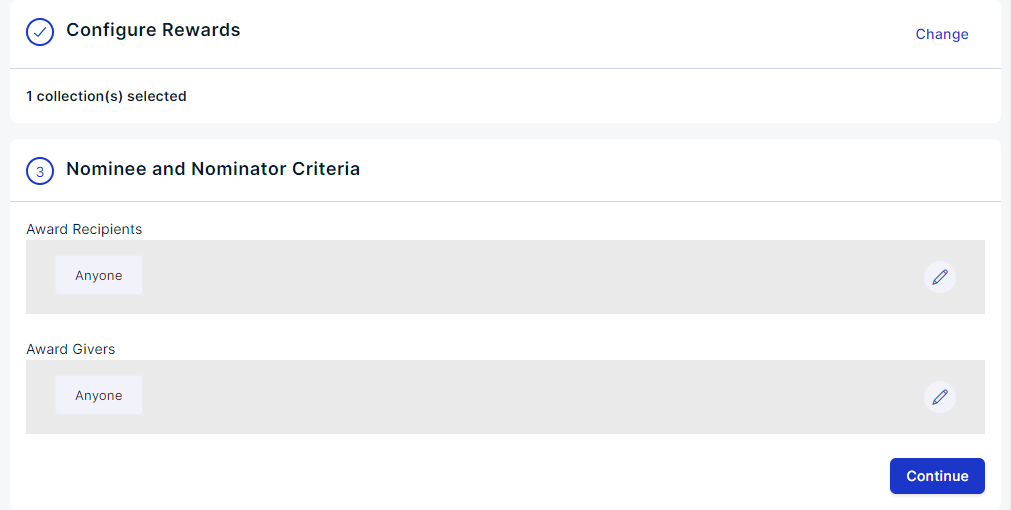
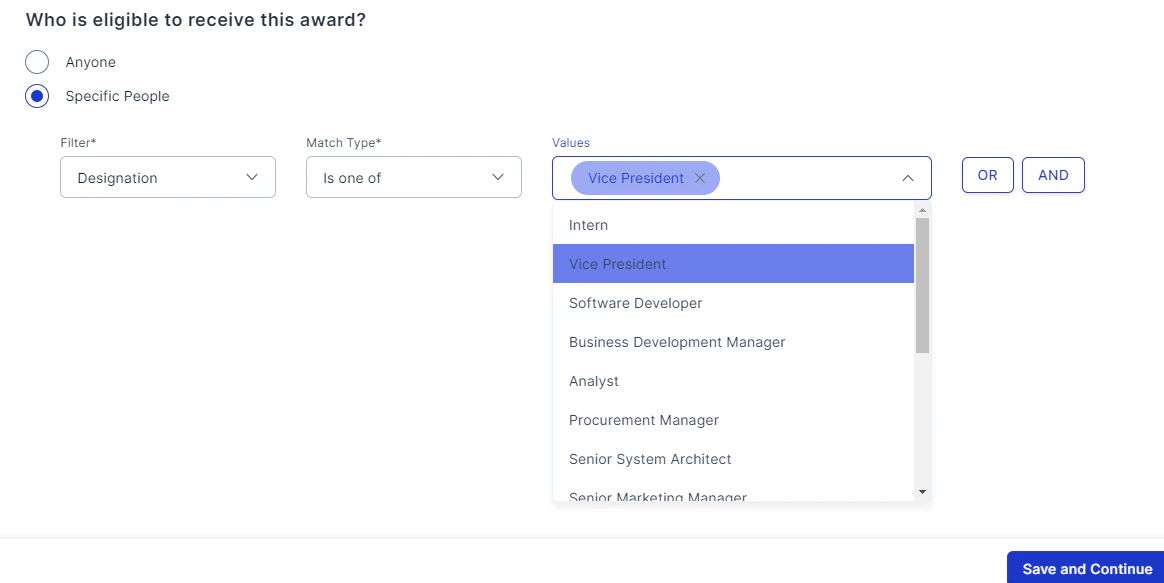 Use **OR** when matching any one clause is sufficient. Use **AND** when all clauses must match.
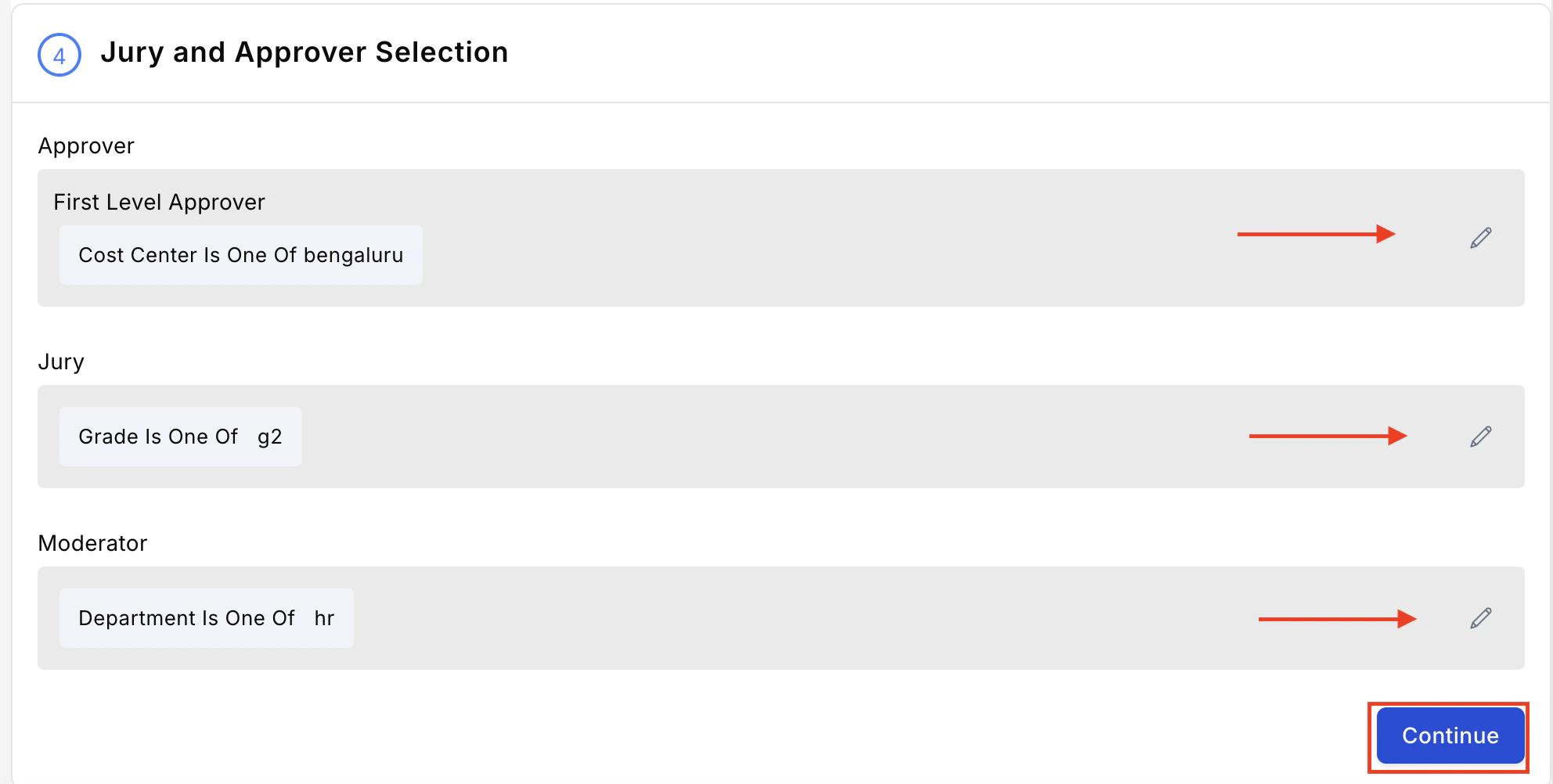
Click the **pencil icon** and select **First Level Approver**, **Jury**, and **Moderator**. Use advanced filters to refine your selection.
Use **OR** when matching any one clause is sufficient. Use **AND** when all clauses must match.
Click the **pencil icon** and select **First Level Approver**, **Jury**, and **Moderator**. Use advanced filters to refine your selection.
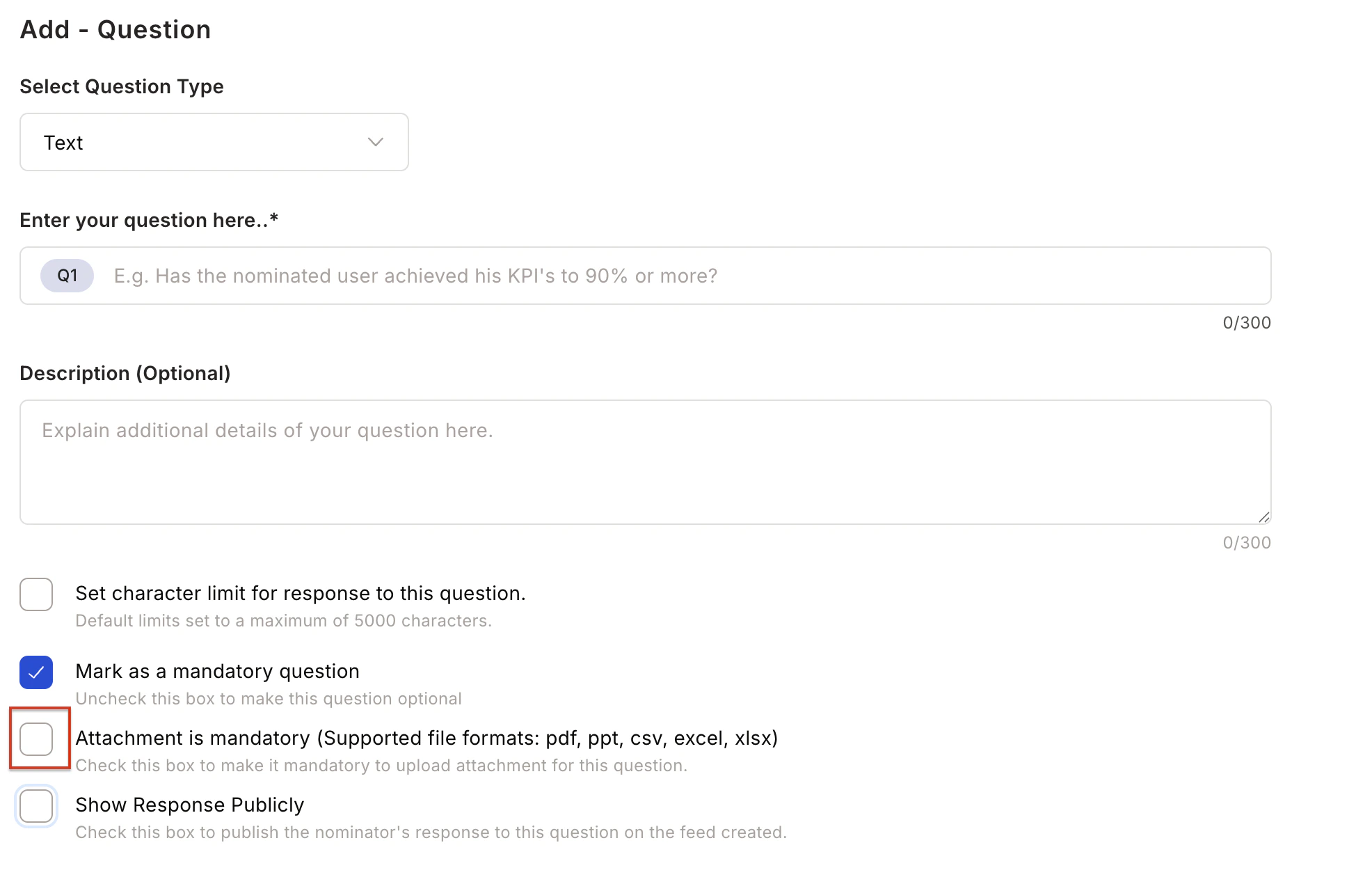
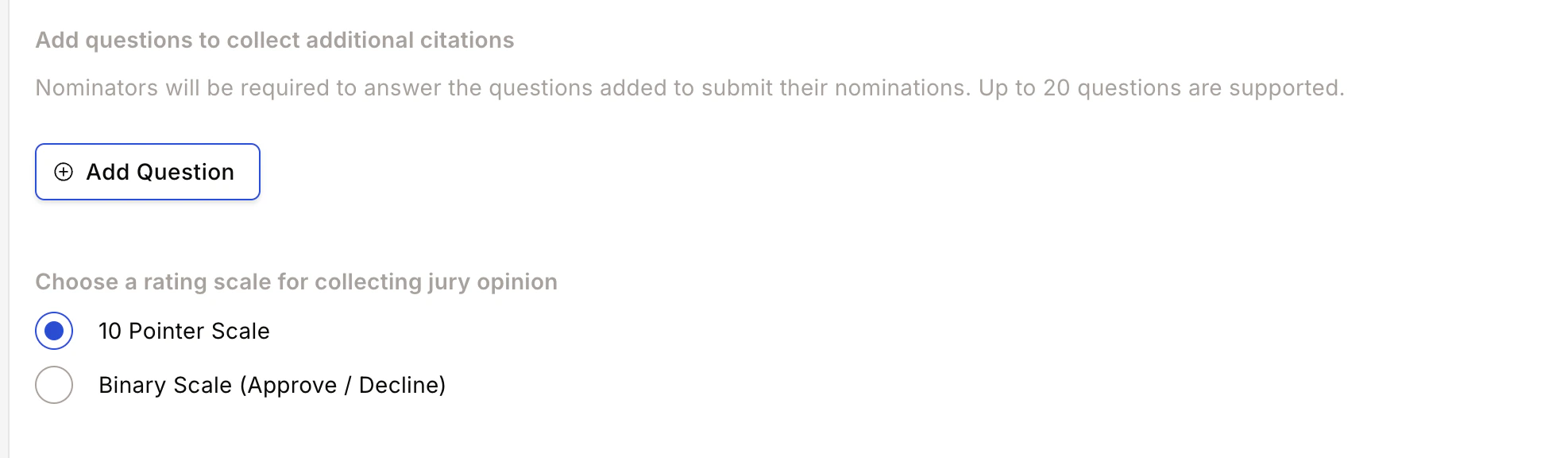
 **A. Set Questions for Nominator** — Create up to 20 questions (multiple-choice or short text) for nominators to answer.
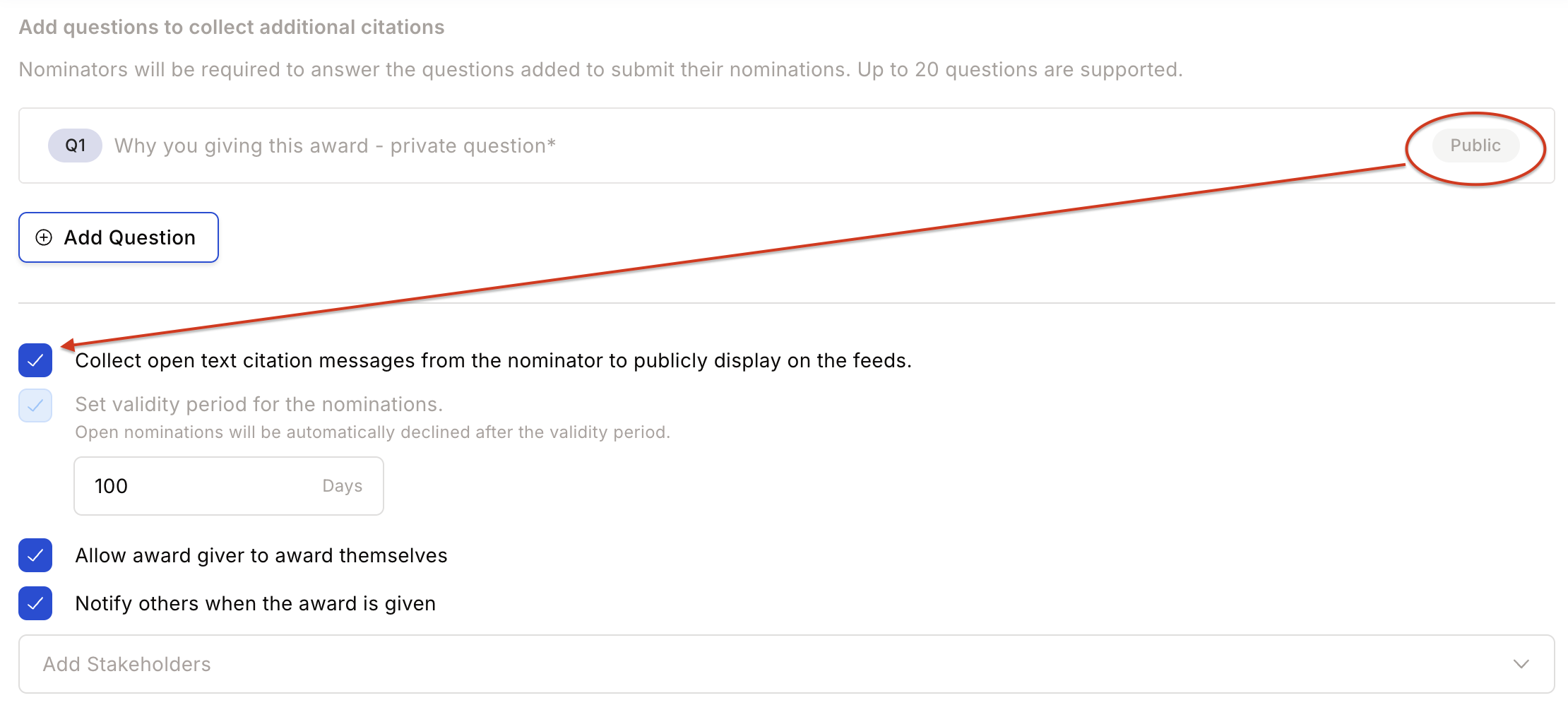
 **B. Citation Input** — When a mandatory public question exists, you can skip the separate citation input.
 **C. Rating Scale** — Choose a rating scale for jury opinions: 10-point scale or binary (Approve or Decline).
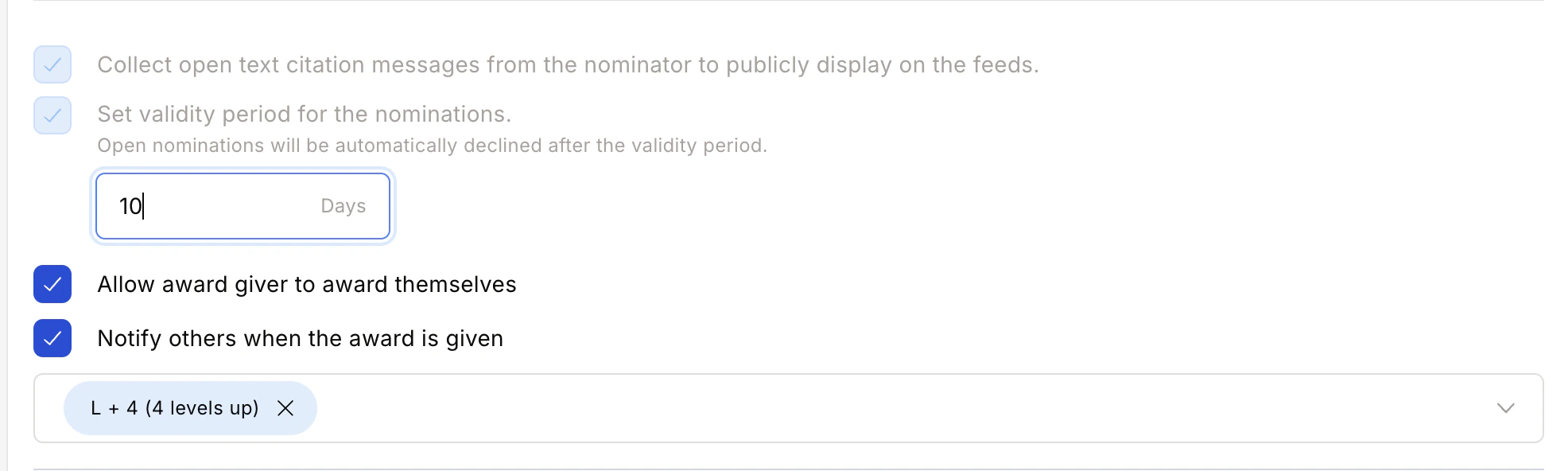
 **D. Nomination Validity** — Set a validity period after which open nominations are automatically declined.
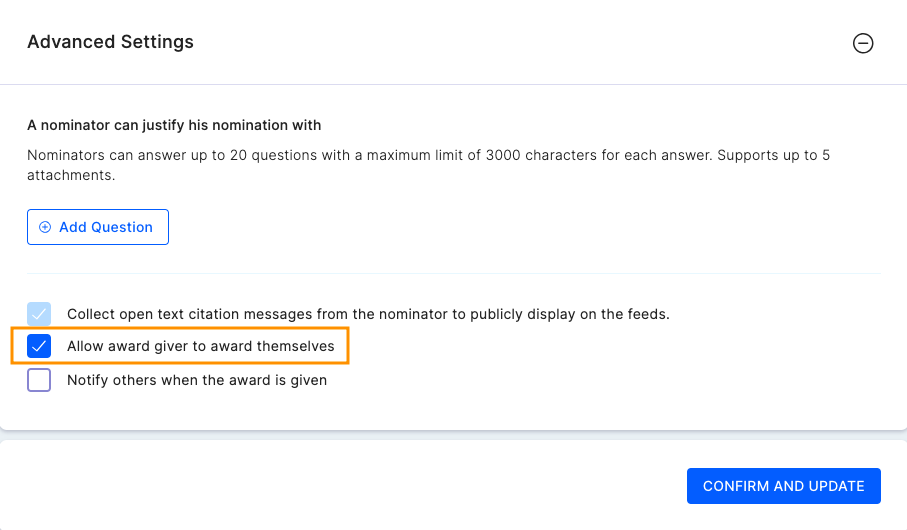
 **E. Self Nomination** — When enabled, allows a nominator to nominate themselves.
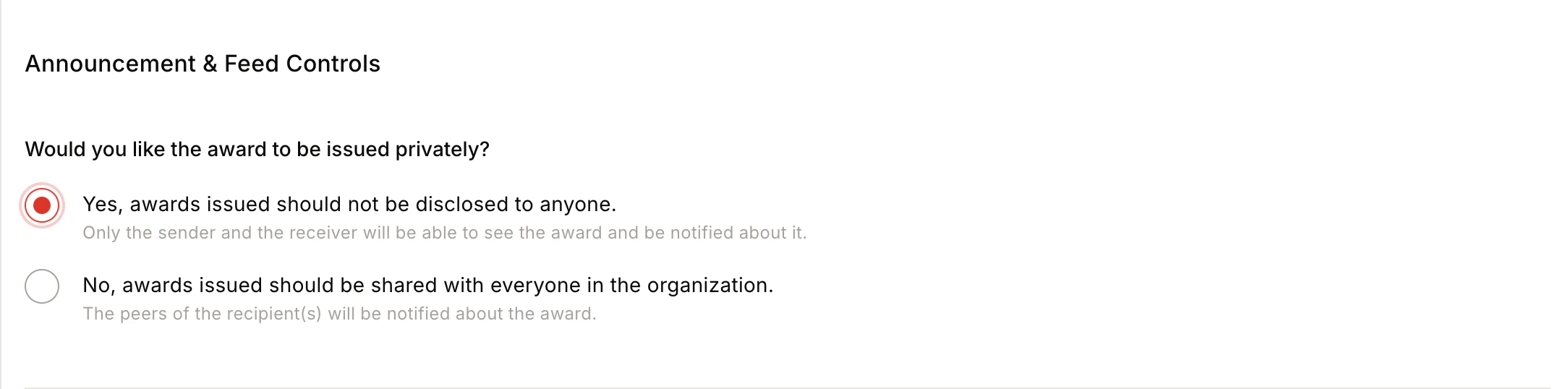
 **F. Announcement and Feed Controls**
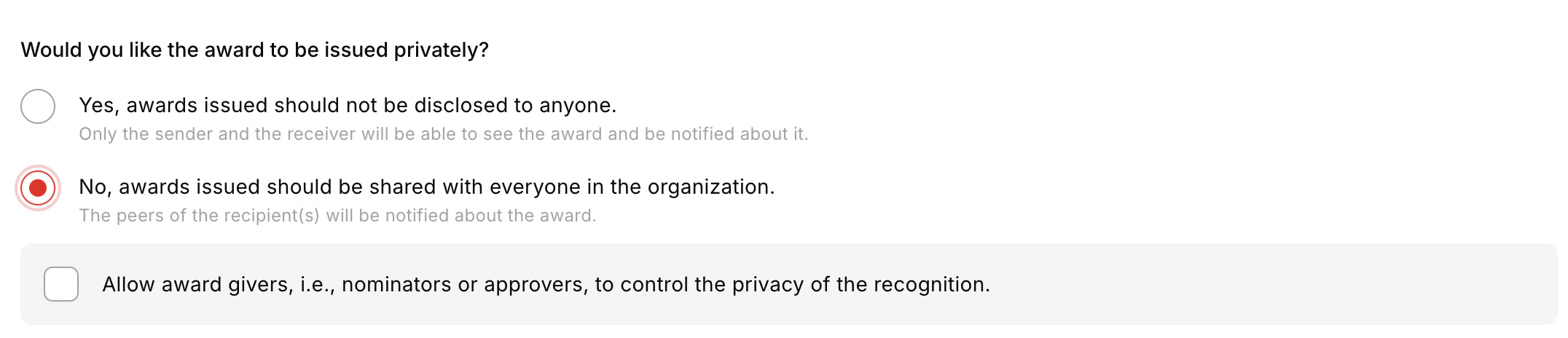
* **Award Visibility** — Public (visible to all) or Private (visible only to sender and recipient).
**F. Announcement and Feed Controls**
* **Award Visibility** — Public (visible to all) or Private (visible only to sender and recipient).
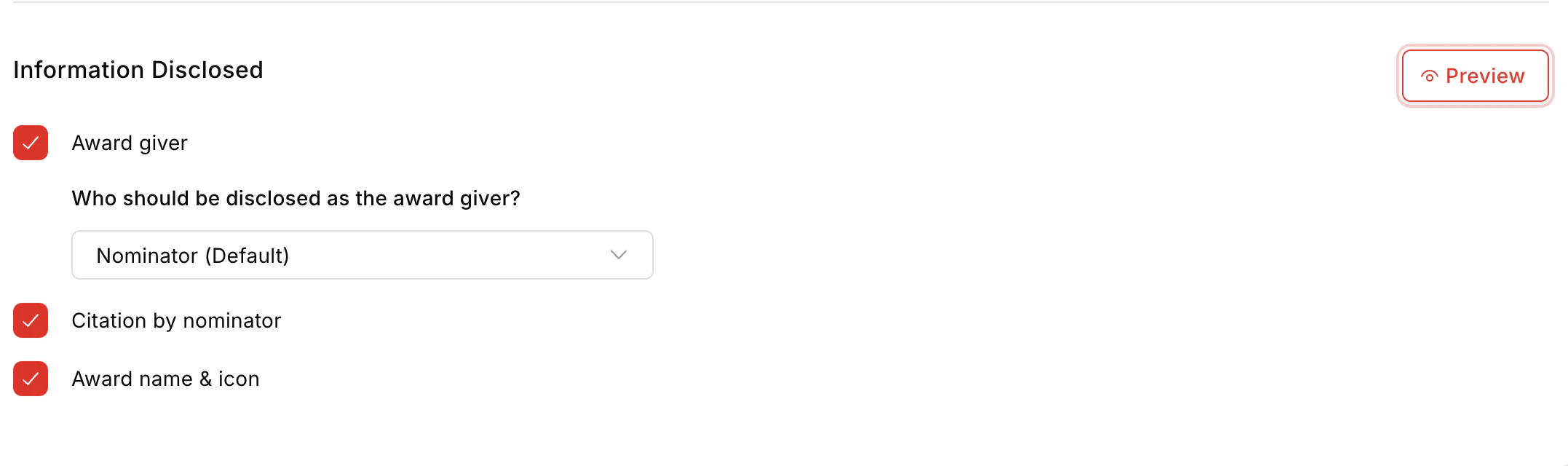
 * **Information Disclosed** — Show/hide Award Giver, Citation by Nominator, and Award Name and Icon on the feed.
 * **Privacy Control** — Centrally / Public / Private / By Nominator/Approver.
* **Team Size** — Minimum 1, maximum 50 members.
* **Privacy Control** — Centrally / Public / Private / By Nominator/Approver.
* **Team Size** — Minimum 1, maximum 50 members.
 Click **Confirm and Create** to complete the award setup.
## FAQs
Include senior leaders, managers, or employees who can objectively evaluate nominations. A group of 3–4 members ensures balanced decision-making.
Yes. Self-nomination can be enabled during the award setup under Advanced Settings.
Yes. Awards can be configured as public (visible to all) or private (visible only to sender and recipient).
Yes. Define eligibility criteria for nominators, nominees, and approvers using filters during award setup.
The jury can rate nominations using a 10-point scale or a binary (Approve/Decline) scale.
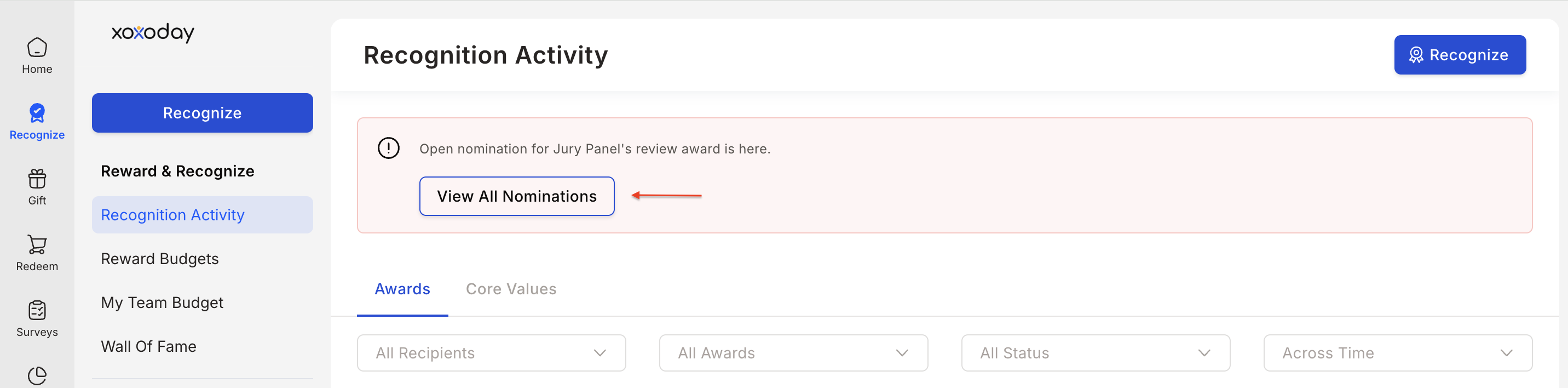
Go to **Recognition Approvals > View all nominations > Select the award > Jury View tab > Select the nomination > Rate accordingly**.
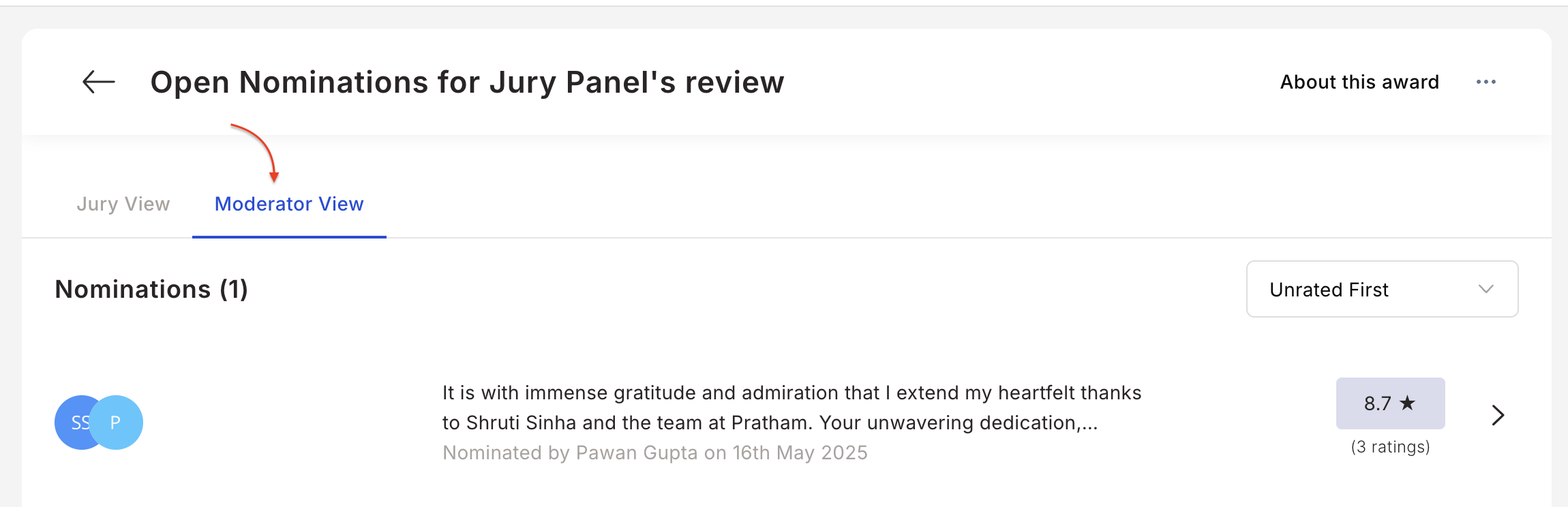
Go to **Recognition Approvals > View all nominations > Select the award > Moderator View tab > Select the nomination > Approve or Decline**.
Click **Confirm and Create** to complete the award setup.
## FAQs
Include senior leaders, managers, or employees who can objectively evaluate nominations. A group of 3–4 members ensures balanced decision-making.
Yes. Self-nomination can be enabled during the award setup under Advanced Settings.
Yes. Awards can be configured as public (visible to all) or private (visible only to sender and recipient).
Yes. Define eligibility criteria for nominators, nominees, and approvers using filters during award setup.
The jury can rate nominations using a 10-point scale or a binary (Approve/Decline) scale.
Go to **Recognition Approvals > View all nominations > Select the award > Jury View tab > Select the nomination > Rate accordingly**.
Go to **Recognition Approvals > View all nominations > Select the award > Moderator View tab > Select the nomination > Approve or Decline**.