> ## Documentation Index
> Fetch the complete documentation index at: https://help-empuls.xoxoday.com/llms.txt
> Use this file to discover all available pages before exploring further.
# Email whitelisting
# Email Whitelisting
> Receive all Empuls emails from your organization's email domain
## Overview
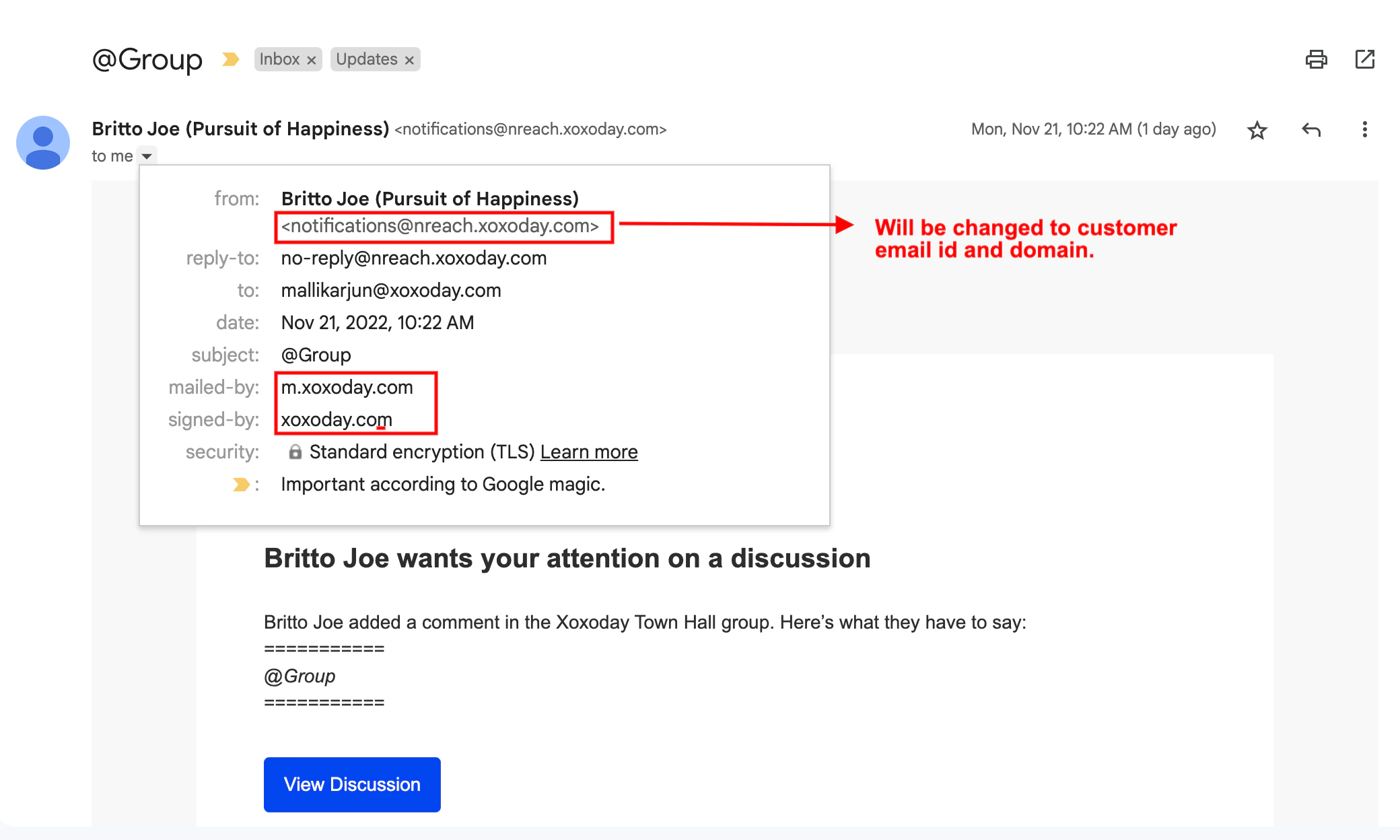
By default, Empuls notifications are sent via Xoxoday’s domain. To improve email deliverability and maintain brand consistency,customers configure the platform to send emails directly from their organization's domain (e.g., [notifications@yourcompany.com](mailto:notifications@yourcompany.com)).
This feature allows customers to receive all Empuls emails from their own email domain.(See below image)
 **How It Works**
Empuls uses SendGrid (Twilio) as the email gateway. To authorize SendGrid to send emails on your behalf, a domain verification process using DNS (Domain Name System) records is required.
**Setup Instructions**
### Step 1: Initiate Verification
Contact Empuls Account Manager or Support Team to request "Sender Domain Verification."
### Step 2: Update DNS Records
Empuls will generate a set of unique CNAME records specific to customers account.
* Share these records with your IT or Domain Administrator.
* These records must be added to your organization’s DNS host file.
**Note:** These are unique authentication records and will not conflict with your existing email infrastructure.
### Step 3: Verify Configuration
Once the records are added to your DNS, notify the Empuls team. We will validate the DNS entries to complete the authorization.
### Step 4: Configure Sender Address
After verification is complete, provide the specific email address you wish to use as the "From" address for all future system emails.
**Important:** This email address is used for sending purposes only. It does not require an active inbox or a mailbox license.
> Need help? Reach out to your support team or [cs@xoxoday.com](mailto:cs@xoxoday.com).
**How It Works**
Empuls uses SendGrid (Twilio) as the email gateway. To authorize SendGrid to send emails on your behalf, a domain verification process using DNS (Domain Name System) records is required.
**Setup Instructions**
### Step 1: Initiate Verification
Contact Empuls Account Manager or Support Team to request "Sender Domain Verification."
### Step 2: Update DNS Records
Empuls will generate a set of unique CNAME records specific to customers account.
* Share these records with your IT or Domain Administrator.
* These records must be added to your organization’s DNS host file.
**Note:** These are unique authentication records and will not conflict with your existing email infrastructure.
### Step 3: Verify Configuration
Once the records are added to your DNS, notify the Empuls team. We will validate the DNS entries to complete the authorization.
### Step 4: Configure Sender Address
After verification is complete, provide the specific email address you wish to use as the "From" address for all future system emails.
**Important:** This email address is used for sending purposes only. It does not require an active inbox or a mailbox license.
> Need help? Reach out to your support team or [cs@xoxoday.com](mailto:cs@xoxoday.com).