> ## Documentation Index
> Fetch the complete documentation index at: https://help-empuls.xoxoday.com/llms.txt
> Use this file to discover all available pages before exploring further.
# Complete home healthcare solutions by Portea
> Learn more about integrating Portea with Empuls
## About Portea
Portea is a trusted home healthcare company, delivering doctor consultations, physiotherapy, nursing, lab tests, and chronic care management right at patients’ doorsteps. Operating across 60+ cities with 4,000+ clinicians, Portea brings hospital-quality healthcare to homes—reducing hospital visits and ensuring continuous care with convenience for healthier, happier employees and families.
## Why Connect Portea with Empuls
Integrating Portea with Empuls helps organizations provide employees and their families with easy access to home healthcare services. Employees can book medical visits, physiotherapy, or lab tests at home, while HR leaders can promote preventive health, reduce absenteeism, and support employees’ holistic wellbeing—especially for aging family members or those recovering from illness.
## Key Benefits
* **For HR**
* **End-to-end health support**
Offer home-based medical and nursing care as part of employee benefits.
* **Reduce absenteeism**
Enable faster recovery and continuity of work through at-home care.
* **Inclusive wellness**
Extend benefits to employees’ families and dependents.
* **Stronger wellbeing culture**
Promote preventive and post-hospitalization care programs.
* **For Employees**
* **Convenient Home Healthcare**
Access professional medical care, nursing, and wellness services from the comfort of home—saving time and ensuring continuous care.
* **Trusted Support for Family Health**
Receive reliable and compassionate healthcare solutions for yourself and your loved ones, including specialized elder care services.
## How Employees Can Use Portea
* **Book Home Care Services**
Schedule personalized medical care, nursing visits, or wellness sessions directly through Portea’s platform.
* **Request Elder Care Assistance**
Arrange regular checkups, home visits, and wellness support for senior family members.
* **Access Qualified Professionals**
Connect with certified doctors, nurses, and healthcare specialists for expert home-based care.
* **Monitor and Manage Care Easily**
Track appointments, updates, and progress digitally for seamless healthcare coordination.
## Deliver Portea Benefits at Scale
Employers can avail Portea Corporate Health Programs to extend hospital-quality healthcare to employees’ homes, covering medical, nursing, and elder care needs. By integrating Portea with Empuls, organizations can support workforce wellbeing, promote preventive care, and ensure employees and their families receive trusted, timely, and compassionate healthcare.
Follow the steps below to bring Portea to your organization:
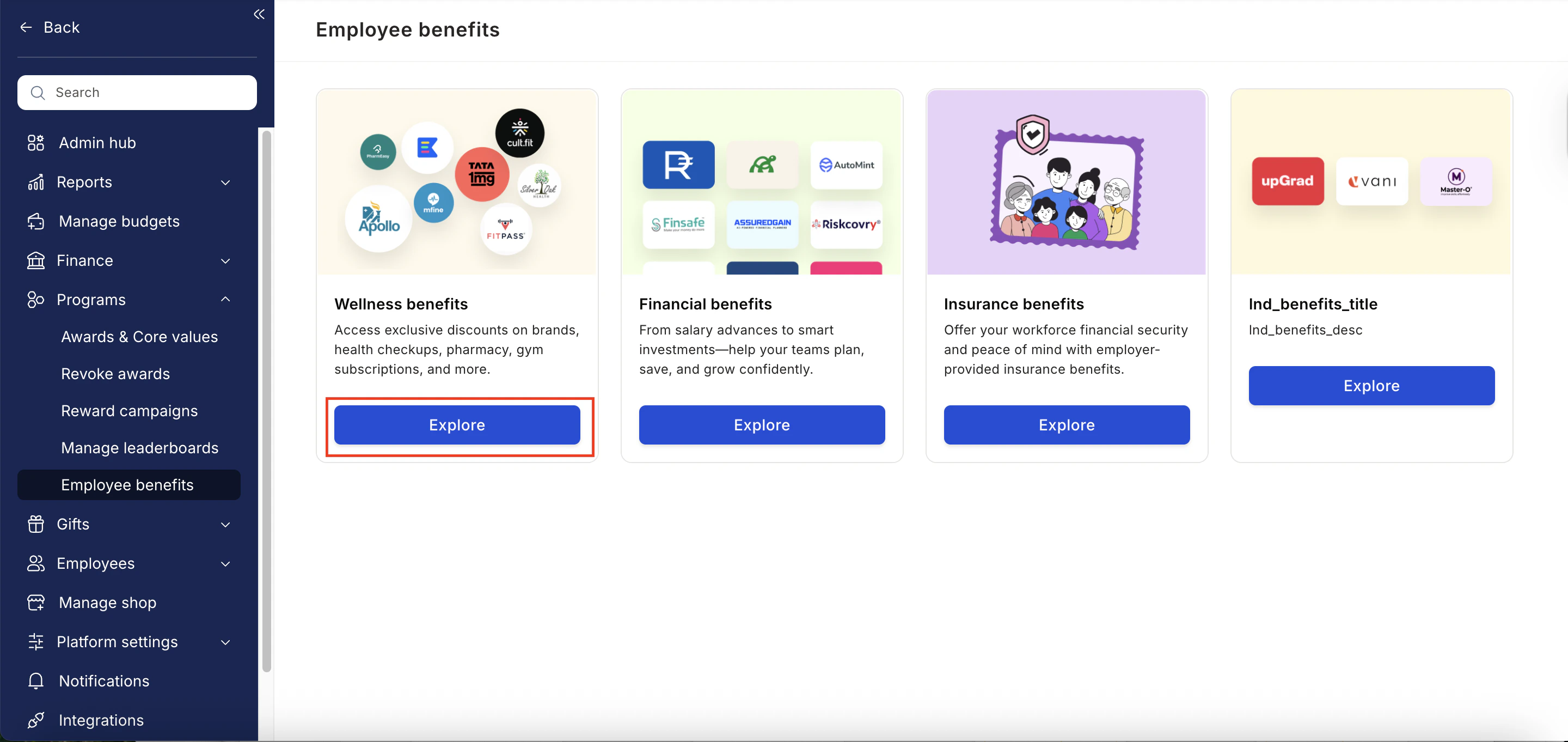
* Click on **Reports & Admin** to land onAdmin Dashboard.
* Navigate to **Program >> Manage Benefits >> Wellness Benefits**
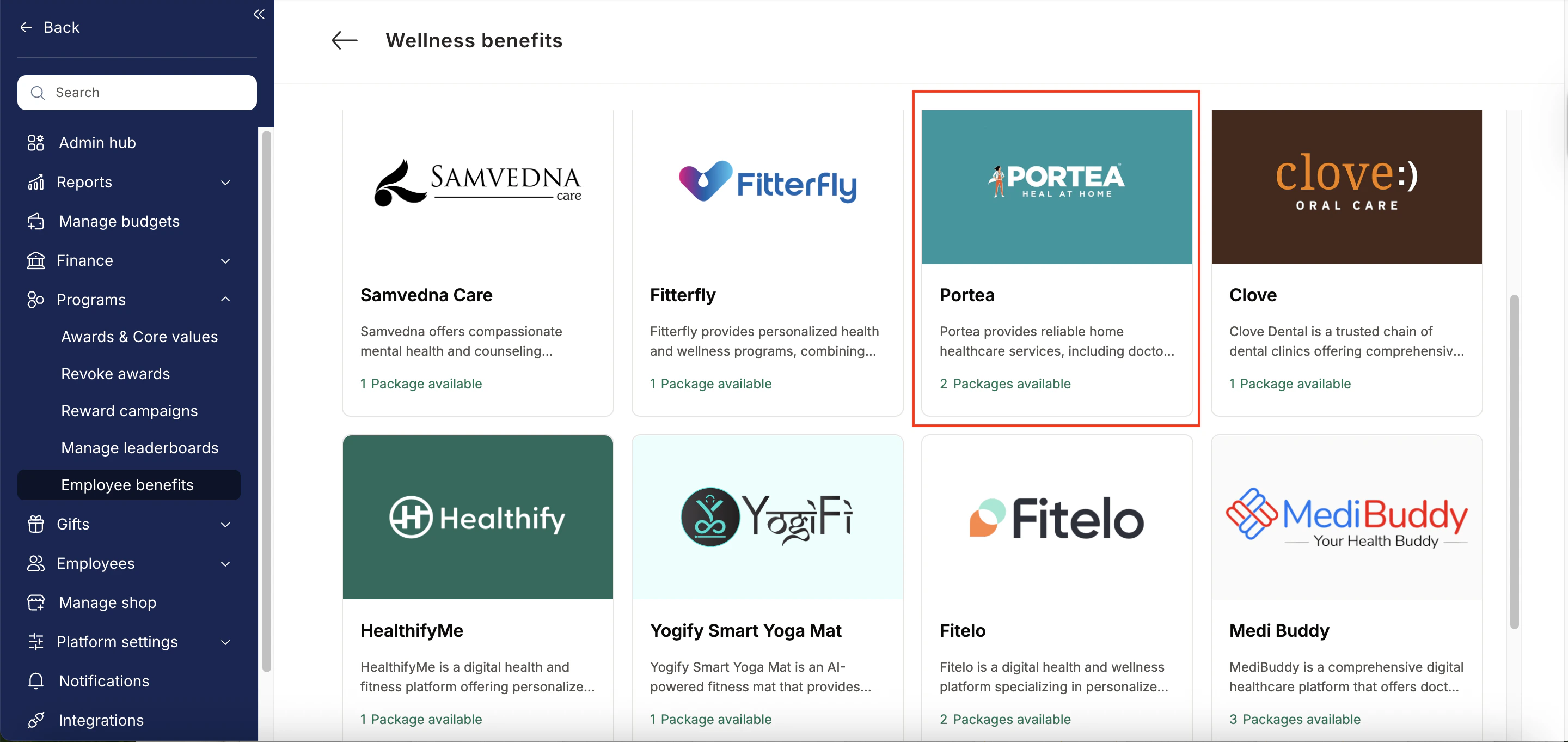
 * From the list of wellness partners, choose Portea.
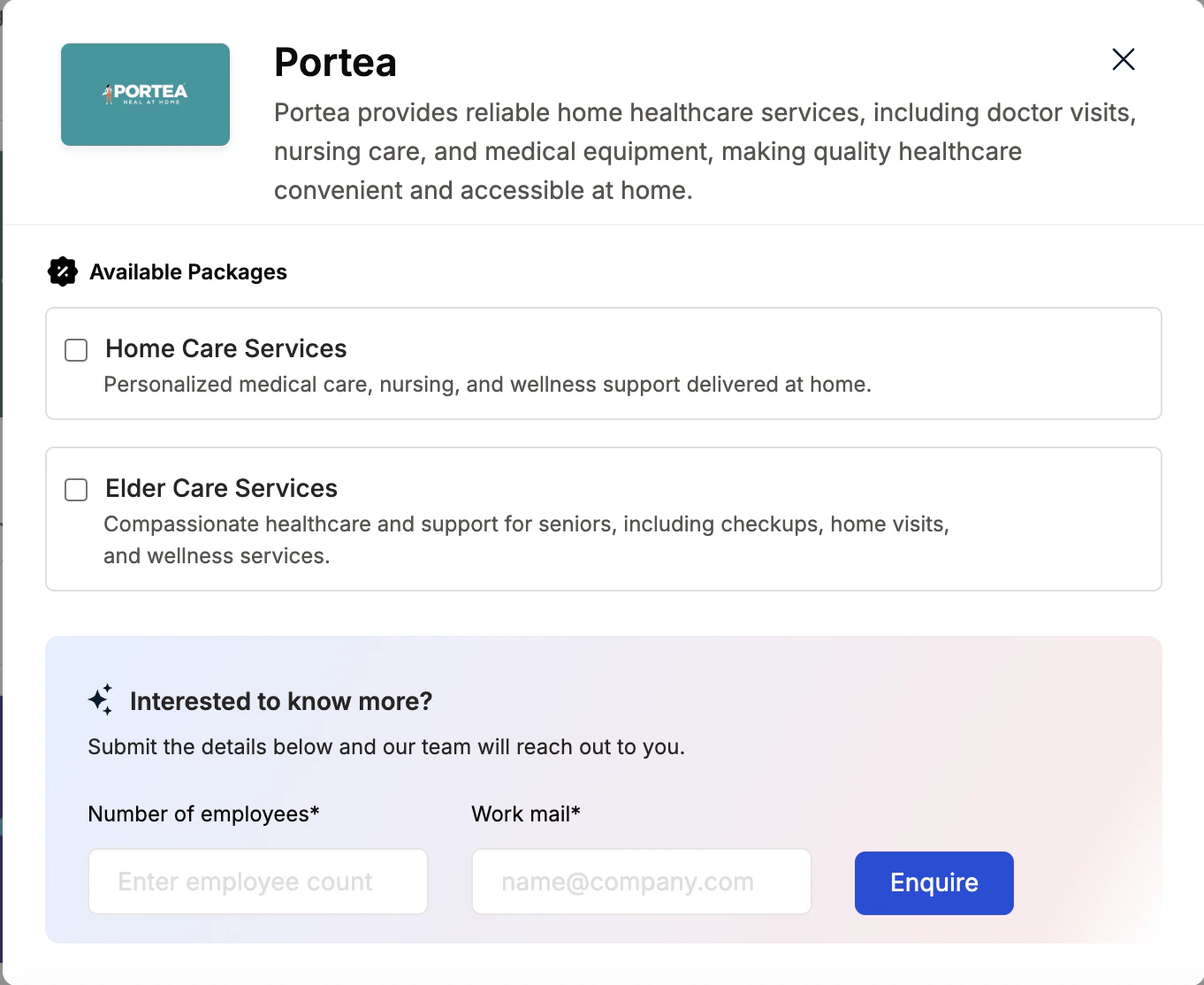
 * Enter:
* Number of employees
* Work email addresses
* Phone numbers
* Click **Enquire**.
* Our team will respond with details and pricing.
* Enter:
* Number of employees
* Work email addresses
* Phone numbers
* Click **Enquire**.
* Our team will respond with details and pricing.
 * Our team will connect with you, confirm pricing and requirements, and activate the benefit for all employees.
## **How Employees Can Access Portea**
Log in to Empuls with your credentials.
Navigate to **Shop → Health & Wellness.**
Select\*\* Portea \*\*from the available options.
* Our team will connect with you, confirm pricing and requirements, and activate the benefit for all employees.
## **How Employees Can Access Portea**
Log in to Empuls with your credentials.
Navigate to **Shop → Health & Wellness.**
Select\*\* Portea \*\*from the available options.
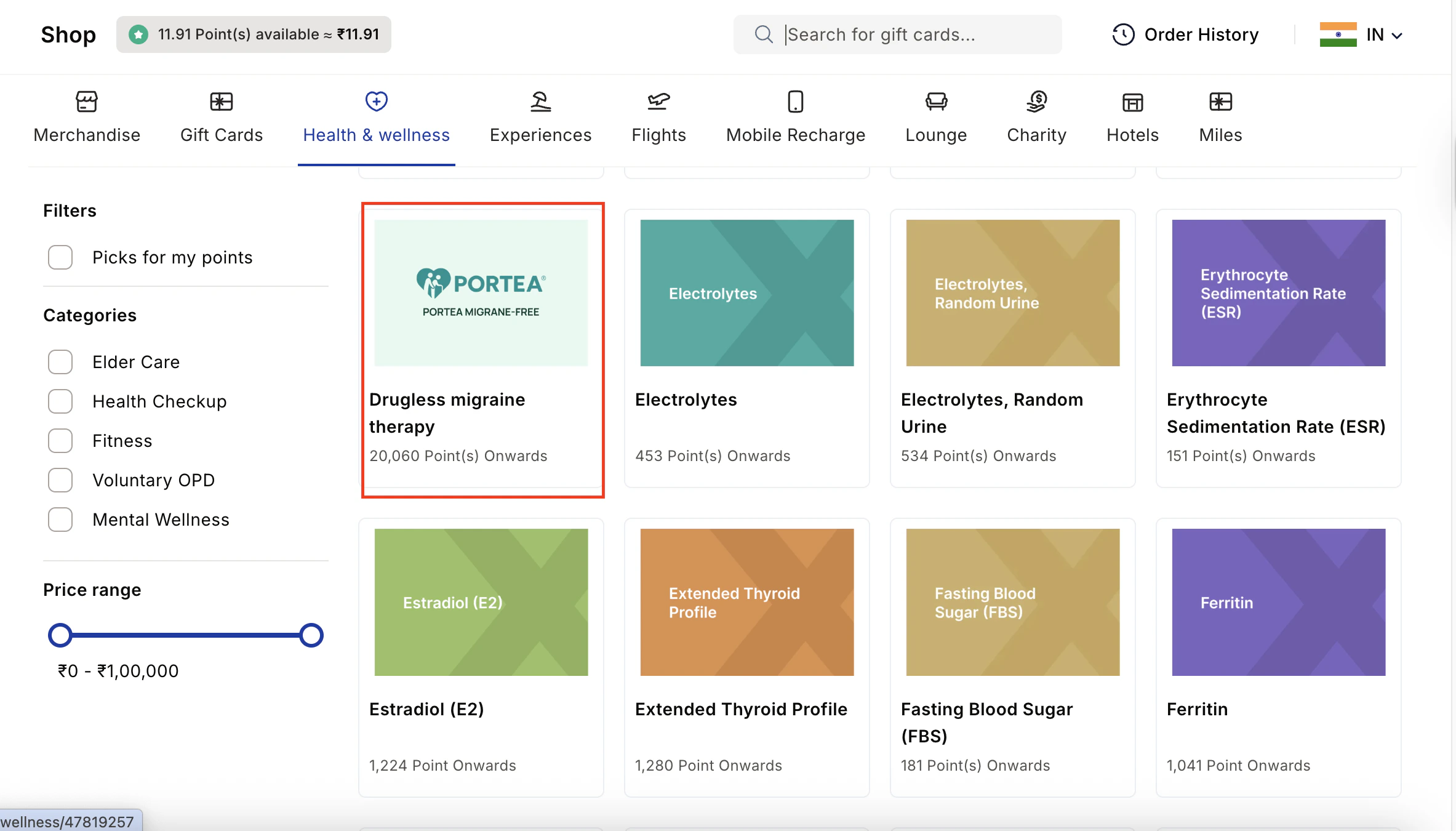 Pick the counselling or well-being service you need.
Book your benefit by clicking on **Pay.**
## **Support**
For setup or usage assistance, contact us at **[cs@xoxoday.com](mailto:cs@xoxoday.com)**.
Pick the counselling or well-being service you need.
Book your benefit by clicking on **Pay.**
## **Support**
For setup or usage assistance, contact us at **[cs@xoxoday.com](mailto:cs@xoxoday.com)**.