> ## Documentation Index
> Fetch the complete documentation index at: https://help-empuls.xoxoday.com/llms.txt
> Use this file to discover all available pages before exploring further.
# Simplify health, wellness, and insurance with Pazcare
> Learn more about integrating Pazcare with Empuls
## About Pazcare
Pazcare is a digital employee benefits platform that helps organizations design, manage, and deliver health insurance and wellness programs with transparency and ease. Pazcare partners with top insurers to offer customized group health, life, and accident insurance, along with mental wellness programs and preventive healthcare. The platform ensures employees have complete visibility into their benefits, easy claim processing, and round-the-clock healthcare support.
## Why Connect Pazcare with Empuls
Integrating Pazcare with Empuls enables HR and benefits teams to seamlessly link employee engagement with health and wellness coverage. Employees get real-time access to their insurance plans and wellness resources through Empuls, while HR leaders can monitor utilization, drive wellness participation, and build a healthier workplace culture that boosts retention and productivity.
## Key Benefits
* **For HR**
* **Unified platform:** Manage insurance, benefits, and wellness from one dashboard.
* **Employee satisfaction:** Offer tailored healthcare and wellness packages.
* **Efficient claims & reporting:** Simplify claims tracking and access analytics instantly.
* **Improved retention:** Strengthen your employer brand with flexible, people-first benefits.
* **For Employees**
* **Flexible Insurance Options**
Employees can select from multiple coverage plans—individual, family, or extended family—to suit their personal and household healthcare needs.
* **Affordable Health Protection**
With plans starting as low as ₹7,000, employees can access quality health coverage for themselves and their families without financial strain.
## How Employees Can Use Pazcare
* **Choose a Suitable Plan**
Select from Basic, Family, or Extended Family plans based on your coverage needs and budget.
* **Get Individual or Family Coverage**
Opt for individual insurance or include your spouse, children, and parents for comprehensive protection.
* **Review Coverage Options**
Pick a preferred sum insured between ₹5–15 lakhs to match your healthcare requirements.
* **Enroll Easily Through Pazcare**
Sign up for your chosen plan starting at just ₹7,000 per year and enjoy seamless digital policy management.
## Deliver Pazcare Benefits at Scale
Employers can implement Pazcare’s Corporate Health & Benefits Programs to provide end-to-end insurance management, wellness initiatives, and healthcare support for their teams. By integrating Pazcare with Empuls, companies can drive engagement around wellness, simplify benefits of administration, and ensure that every employee feels secure, supported, and cared for.
**Follow the steps below:**
* Click on **Reports & Admin** to land onAdmin Dashboard.
* Navigate to \*\*Program >> Manage Benefits >> Insurance Benefits \*\*
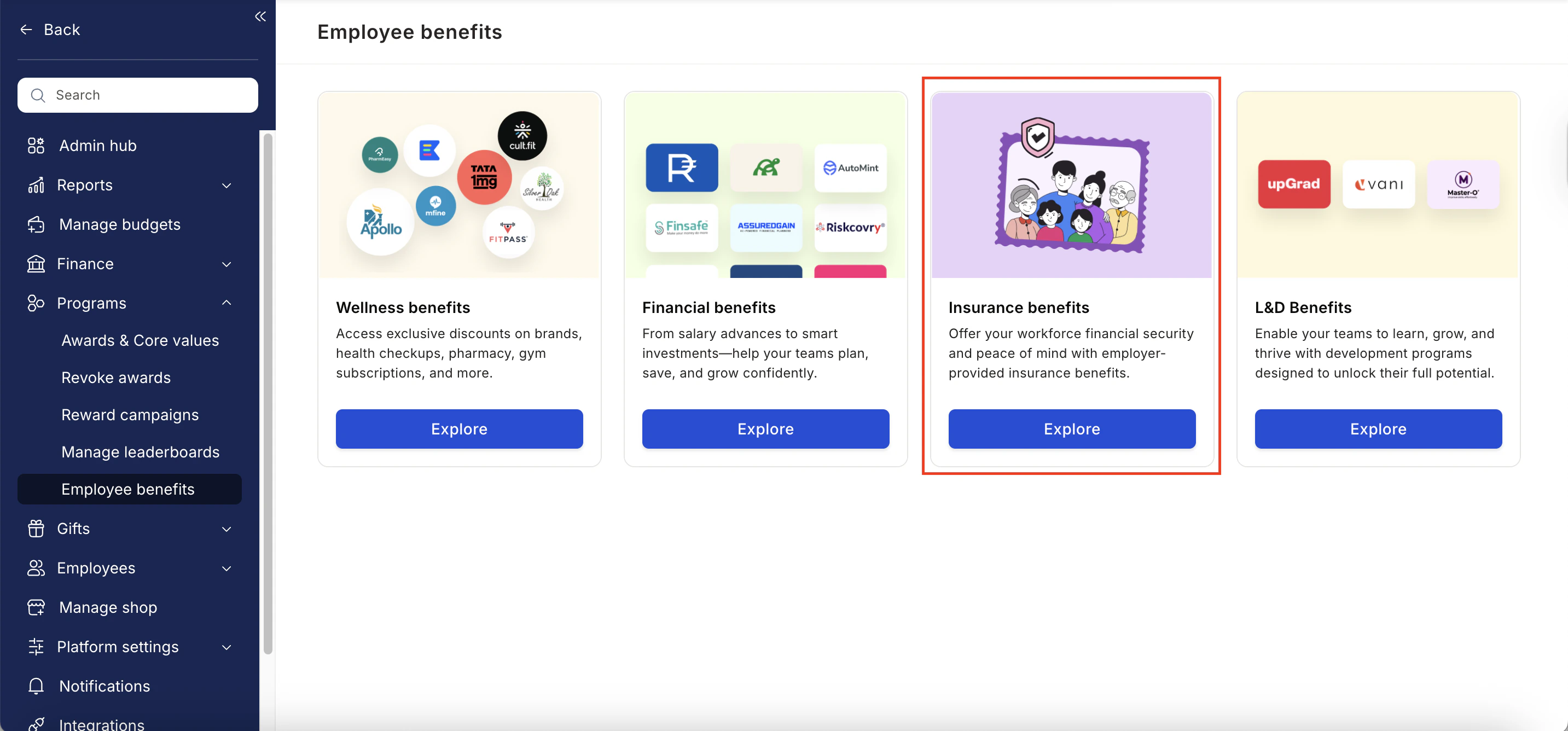 * From the list of wellness partners, choose Pazcare.
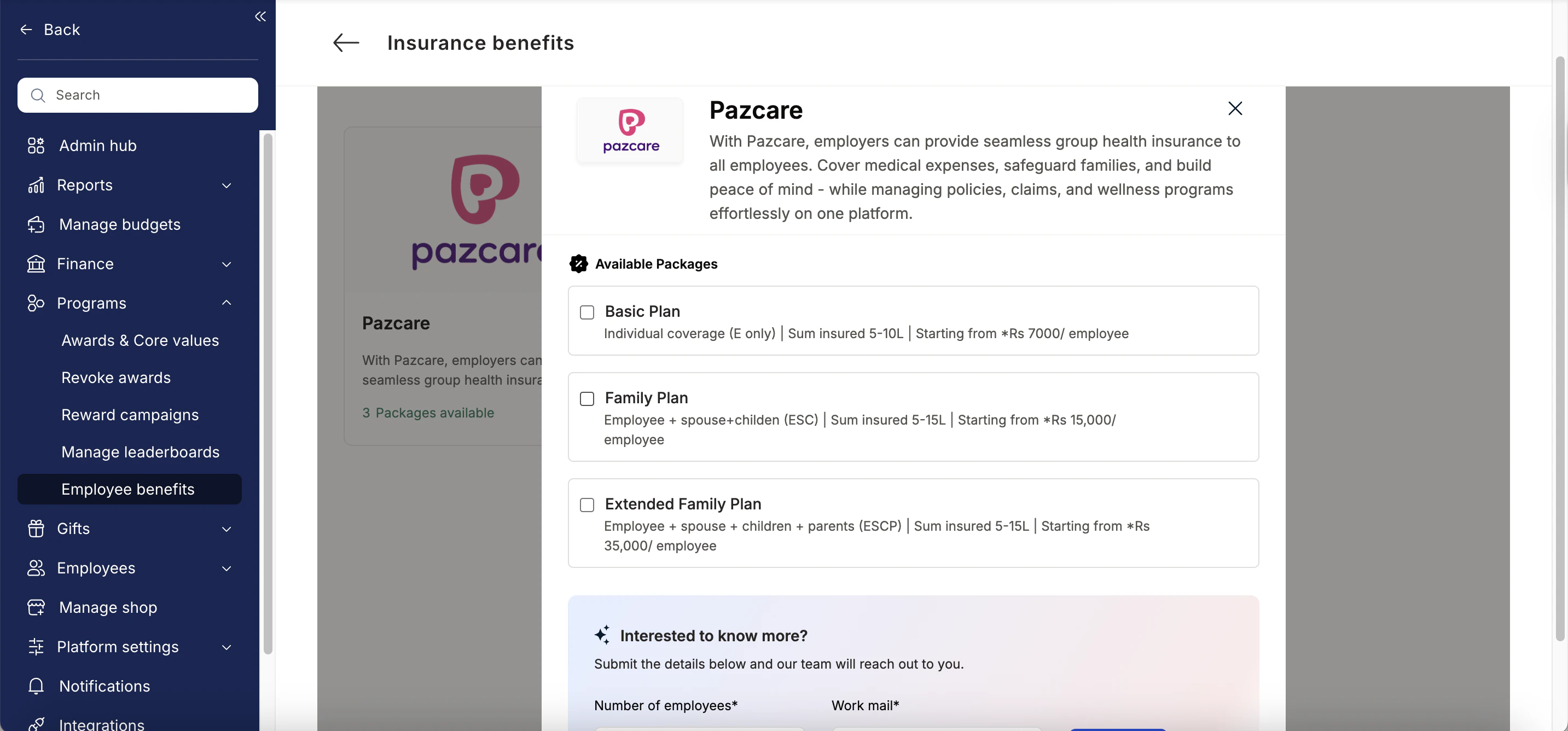
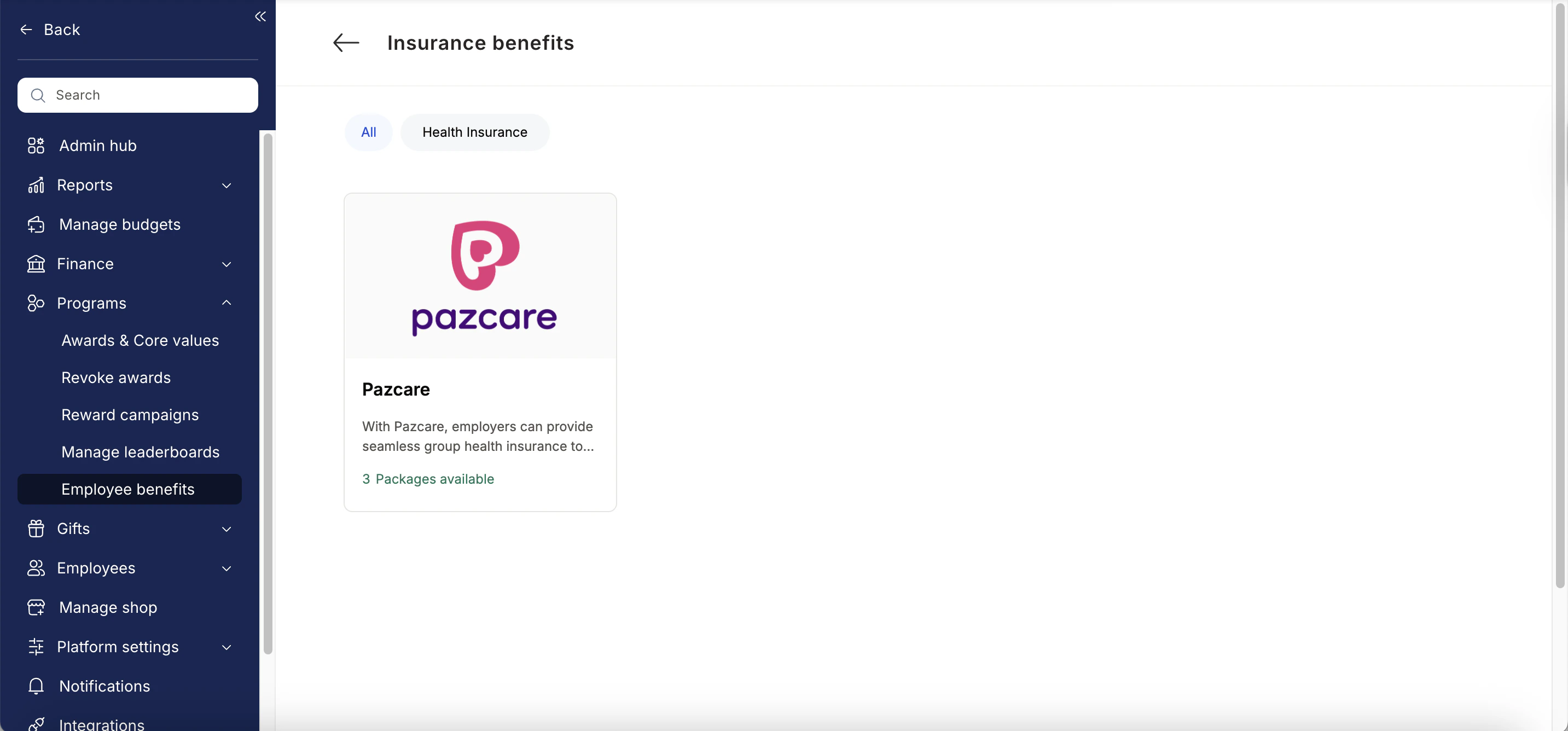 * Enter:
* Number of employees
* Work email addresses
* Phone numbers
* Click **Enquire**.
* Our team will respond with details and pricing.
* Enter:
* Number of employees
* Work email addresses
* Phone numbers
* Click **Enquire**.
* Our team will respond with details and pricing.
 * Our team will connect with you, confirm pricing and requirements, and activate the benefit for all employees.
## \*\*How Employees Can Access Pazcare \*\*
Log in to Empuls with your credentials.
Navigate to **Benefits >> Insurance Benefits**
* Our team will connect with you, confirm pricing and requirements, and activate the benefit for all employees.
## \*\*How Employees Can Access Pazcare \*\*
Log in to Empuls with your credentials.
Navigate to **Benefits >> Insurance Benefits**
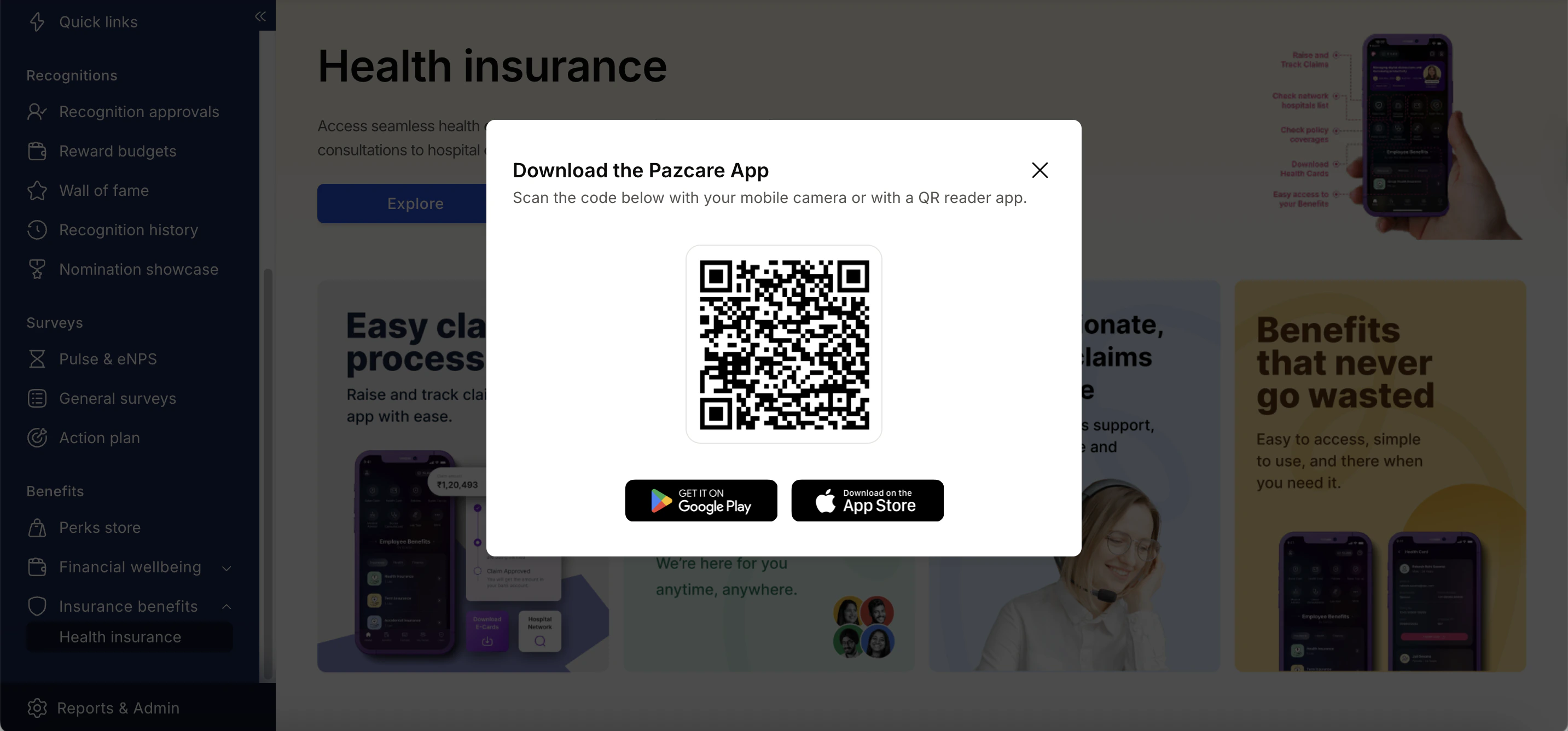
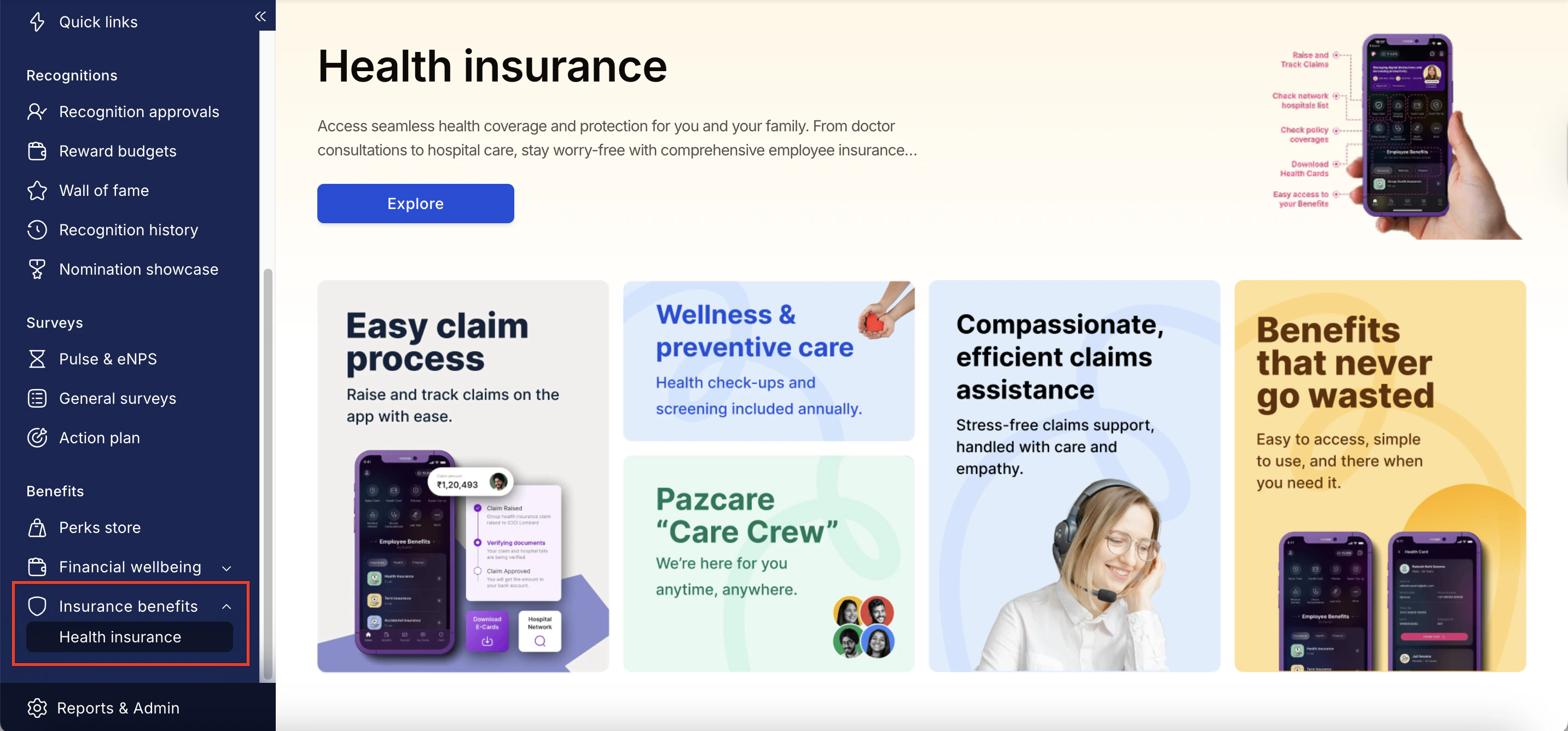 Select\*\* Explore and you scan the QR Code to download the Pazcare app.\*\*
 Book your benefit by clicking on **Pay.**
## \*\*Support \*\*
For setup or usage assistance, contact us at **[cs@xoxoday.com](mailto:cs@xoxoday.com)**.
Book your benefit by clicking on **Pay.**
## \*\*Support \*\*
For setup or usage assistance, contact us at **[cs@xoxoday.com](mailto:cs@xoxoday.com)**.