> ## Documentation Index
> Fetch the complete documentation index at: https://help-empuls.xoxoday.com/llms.txt
> Use this file to discover all available pages before exploring further.
# Seamless opd coverage for employees with OpdSure
> Learn how to integrate OPDSure with Empuls
## **About OPDSure**
OPDSure is a healthcare platform that focuses on outpatient care, covering essential medical expenses such as doctor consultations, pharmacy costs, diagnostic tests, and preventive health checkups. It helps individuals and families manage the high proportion of healthcare spending that comes from routine outpatient needs, while promoting regular health monitoring and preventive care.
## **Why Connect OPDSure with Xoxoday Empuls**
Connecting OPDSure with Xoxoday Empuls allows organizations to provide employees with structured support for everyday healthcare needs. Employees gain access to consultations, medicines, diagnostics, and checkups under a unified healthcare benefit, encouraging timely medical attention and contributing to overall well-being at work.
## Key Benefits for HRs
* **Offer Comprehensive and Manageable OPD Benefits**
Enable employees to access a wide range of outpatient services while managing everything effortlessly through seamless Empuls integration.
* **Gain Actionable, Data-Driven Insights**
Track utilization, engagement, and wellness trends to understand employee health behavior and enhance benefits strategies effectively.
## How Employees Can Use OPDSure
* **Access Routine Consultations Easily**
Employees can book convenient outpatient consultations for regular health checkups and everyday medical needs.
* **Get Specialized Care When Required**
Avail packages for specialized consultations, helping employees seek expert advice for specific health concerns.
## Co-Sponsor & Deliver OPDSure Benefits at Scale
Employers can easily roll out OPDSure’s comprehensive OPD benefits across their organization, ensuring every employee has access to top-quality healthcare services. By integrating OPDSure with Xoxoday Empuls, businesses can streamline the process, track engagement, and foster a culture of health and well-being.
Follow the steps below to bring OPDSure to your organization:
## Step-by-Step Setup for Admins
* Click on **Reports & Admin** to land onAdmin Dashboard.
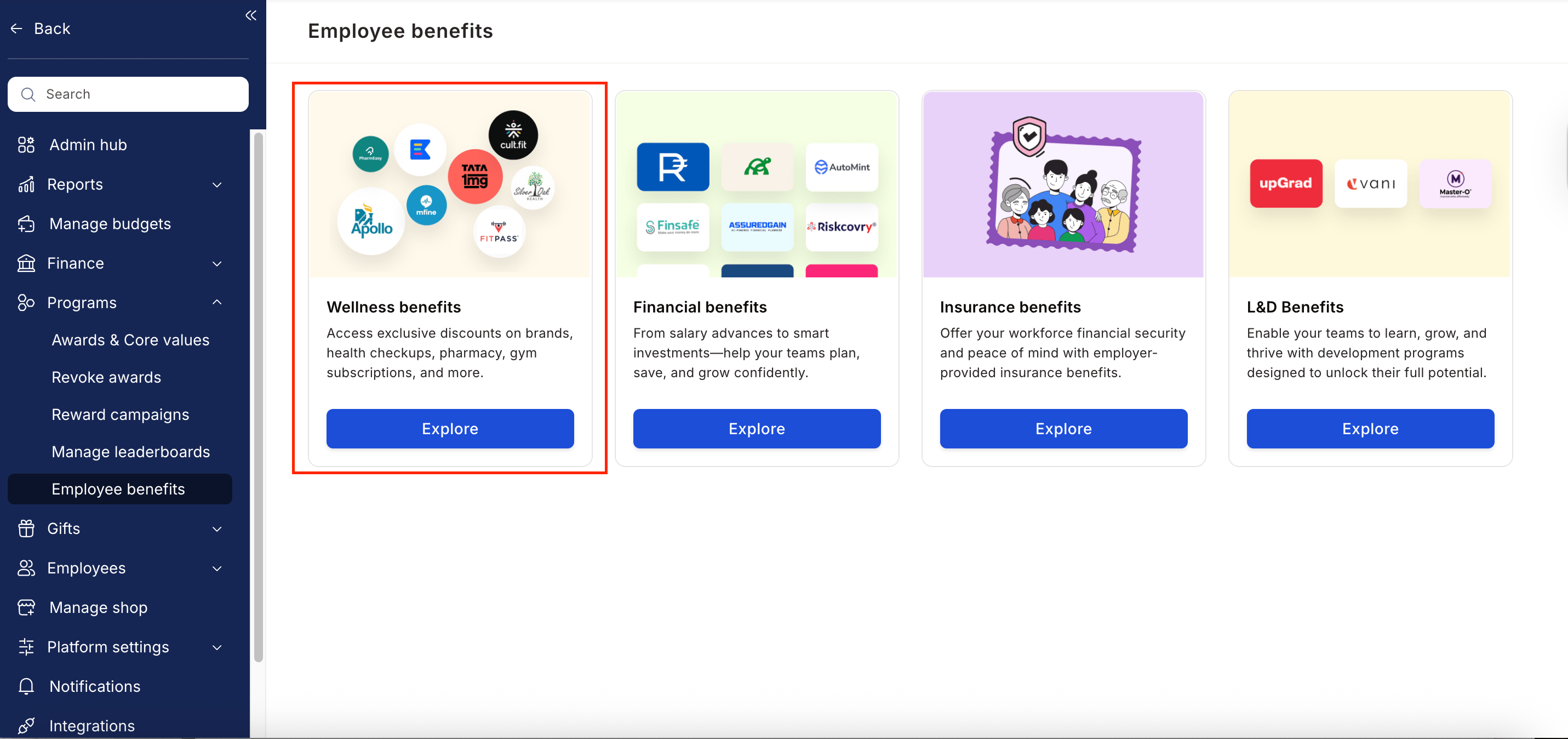
* Navigate to **Program >> Manage Benefits >> Wellness Benefits**
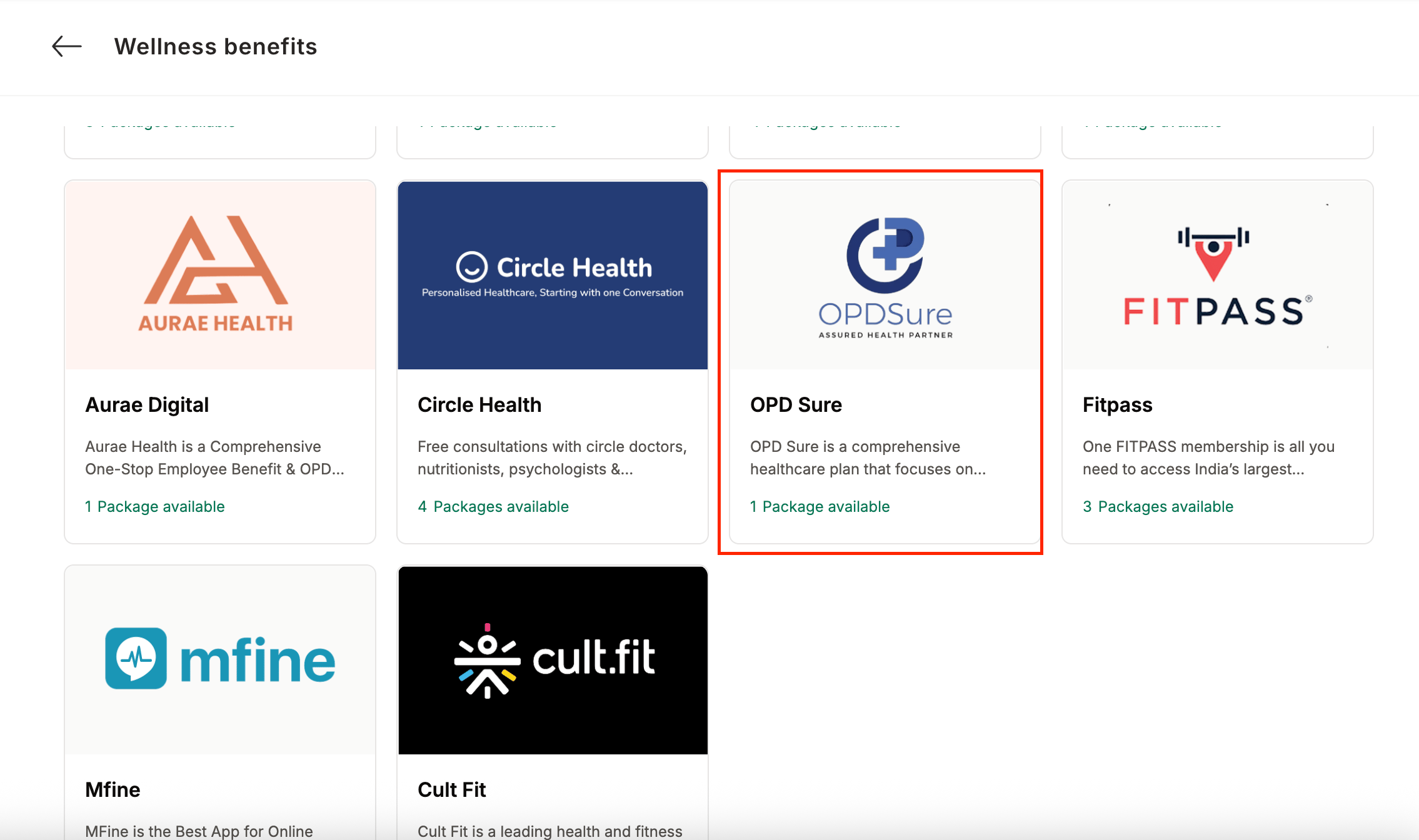
 * From the list of wellness partners, choose OPDSure.
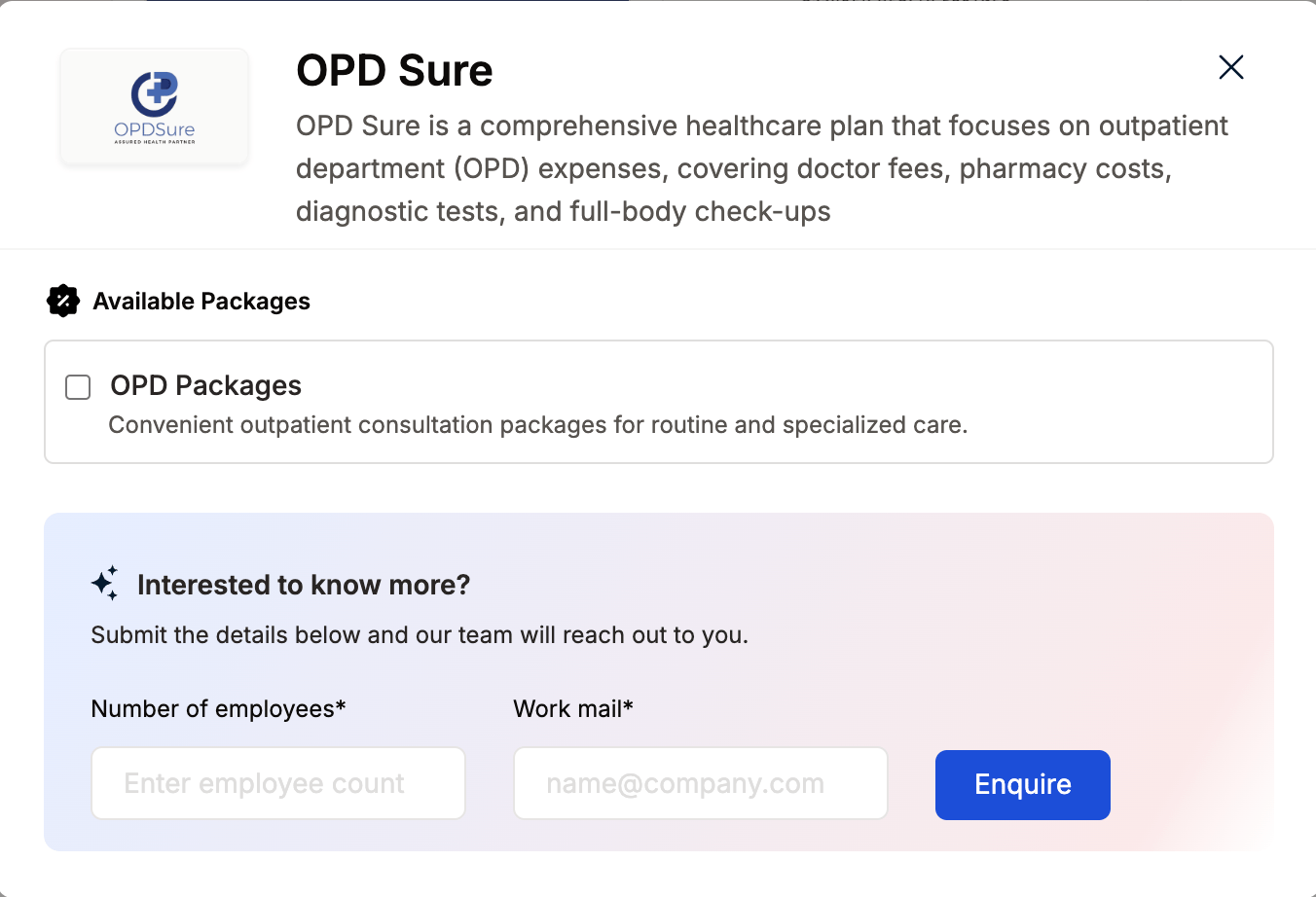
 * Enter:
* Number of employees
* Work email addresses
* Phone numbers
* Click **Enquire**.
* Our team will respond with details and pricing.
* Enter:
* Number of employees
* Work email addresses
* Phone numbers
* Click **Enquire**.
* Our team will respond with details and pricing.
 * Our team will connect with you, confirm pricing and requirements, and activate the benefit for all employees.
## How Employees Can Access OPDSure
Log in to Empuls with your credentials.
Navigate to \*\*Shop \*\*
Select\*\* OPDSure \*\*from the available options.
Pick the counselling or well-being service you need.
Book your benefit by clicking on **Pay.**
## Support
For setup or usage assistance, contact us at **[cs@xoxoday.com](mailto:cs@xoxoday.com)**.
* Our team will connect with you, confirm pricing and requirements, and activate the benefit for all employees.
## How Employees Can Access OPDSure
Log in to Empuls with your credentials.
Navigate to \*\*Shop \*\*
Select\*\* OPDSure \*\*from the available options.
Pick the counselling or well-being service you need.
Book your benefit by clicking on **Pay.**
## Support
For setup or usage assistance, contact us at **[cs@xoxoday.com](mailto:cs@xoxoday.com)**.