> ## Documentation Index
> Fetch the complete documentation index at: https://help-empuls.xoxoday.com/llms.txt
> Use this file to discover all available pages before exploring further.
# Comprehensive wellness with Healthify
> Learn how to integrate Empuls with HealthiFy
## About HealthiFy
HealthiFy is a global digital health and wellness platform offering AI-led nutrition, fitness, and wellness solutions. Combining advanced analytics with human expertise, it helps users build healthy habits through data-driven insights and coaching support.
## Why Connect HealthiFy with Empuls
Integrating HealthiFy with Empuls enables HR teams to deliver a unified, science-backed wellness experience for employees. Through this integration, employees can access wellness programs, monitor progress, and receive expert guidance—all within their corporate wellness ecosystem.
## Key Benefits
* **For HR**
* **Comprehensive wellness ecosystem**
Offer employees AI-powered health tracking, expert coaching, and engagement tools in one platform.
* **Seamless integration**
Embed HealthiFy’s programs directly into Empuls for unified wellness delivery.
* **Data insights & engagement**
Track participation, engagement, and overall wellness trends across teams.
* **Preventive health impact**
Encourage early health awareness and reduce long-term healthcare costs.
* ## For Employees
* **Personalised wellness journey**
Receive customized plans for diet, exercise, and mindfulness.
* **Continuous support**
Access guidance from professional health coaches and AI-driven insights.
* **Sustainable habit formation**
Build long-term healthy routines through consistent nudges and motivation.
* **Engaging digital experience**
Use the HealthiFy app to log meals, track progress, and celebrate milestones.
## How Employees Can Redeem Points Using HealthiFy
* **Enroll in the Program**
Employees can sign up through Empuls and get a personalized wellness assessment.
* **Set Health Goals**
Define goals—such as fitness, nutrition, or mindfulness—and receive tailored plans.
* **Track Daily Progress**
Use the Healthify app to log meals, workouts, and hydration.
* **Get Expert Support**
Interact with nutritionists and fitness coaches for customized advice.
* **Stay Motivated**
Participate in wellness challenges, leaderboards, and team activities for engagement.
## Co-sponsor & Deliver HealthiFy Benefits at Scale
Organizations can roll out **HealthiFy’s corporate wellness solutions** company-wide via Empuls, ensuring every employee benefits from a holistic and measurable wellness experience. This collaboration fosters a healthier, more productive workforce while strengthening the culture of well-being across teams. Follow the steps below to bring HealthiFy to your organization:
* Click on **Reports & Admin** to land onAdmin Dashboard.
* Navigate to **Program >> Manage Benefits >> Wellness Benefits**.
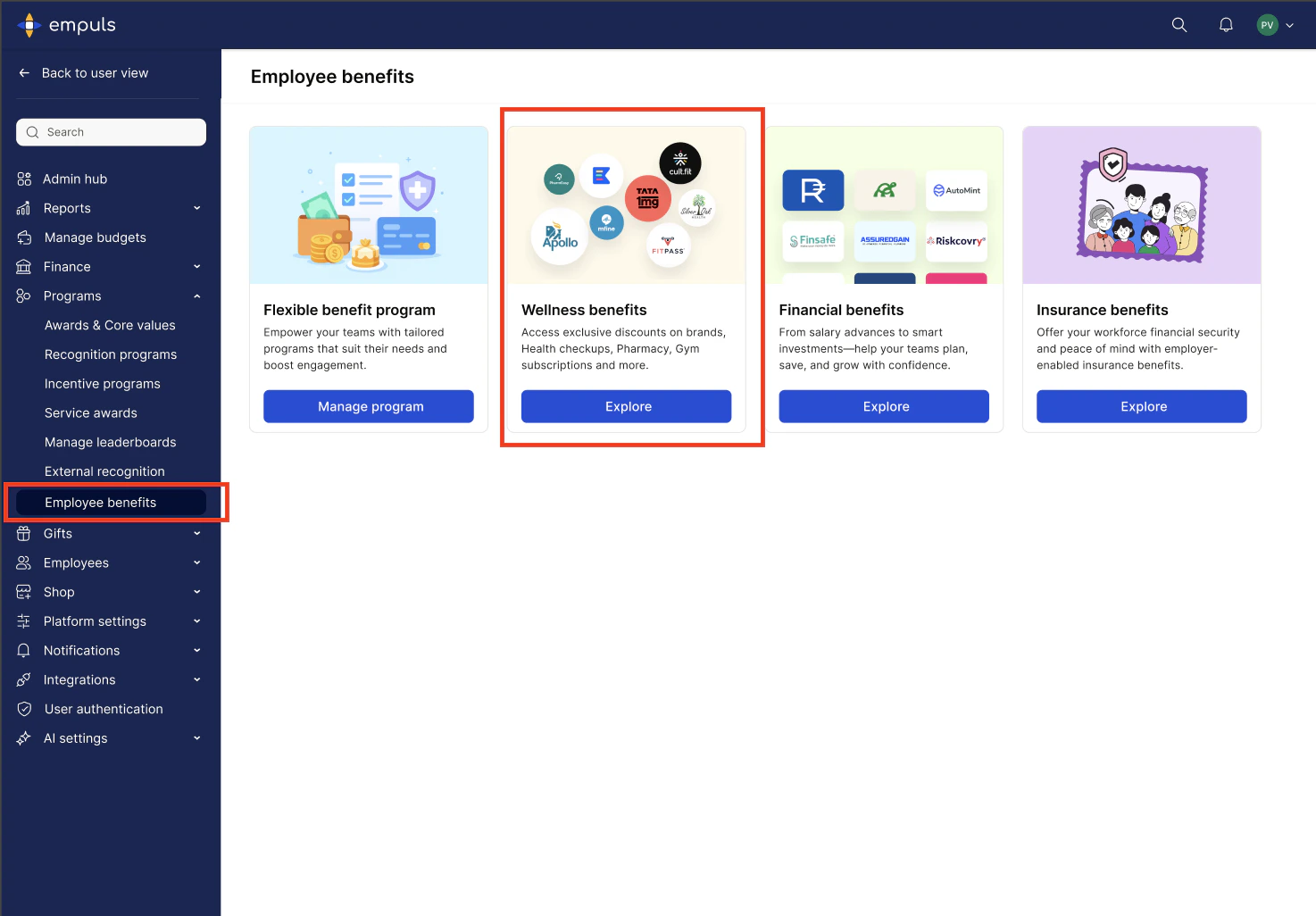 * From the list of wellness partners, choose HealthiFy.
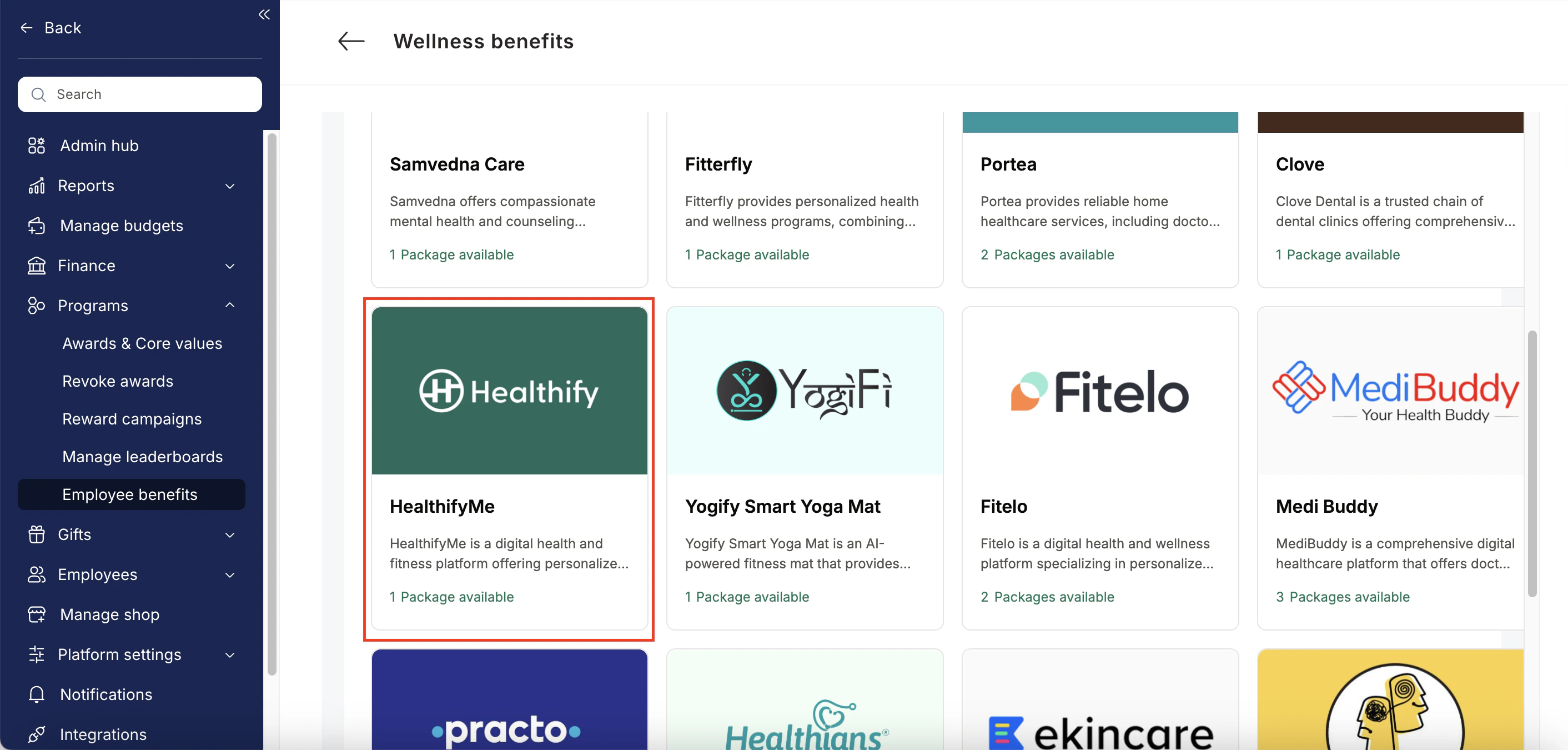 * Enter:
* Number of employees
* Work email addresses
* Phone numbers
* Click **Enquire**.
* Our team will respond with details and pricing.
* Our team will connect with you, confirm pricing and requirements, and activate the benefit for all employees.
## How Employees Can Access HealthiFy
Log in to Empuls with your credentials.
Navigate to **Shop → Health & Wellness.**
* Enter:
* Number of employees
* Work email addresses
* Phone numbers
* Click **Enquire**.
* Our team will respond with details and pricing.
* Our team will connect with you, confirm pricing and requirements, and activate the benefit for all employees.
## How Employees Can Access HealthiFy
Log in to Empuls with your credentials.
Navigate to **Shop → Health & Wellness.**
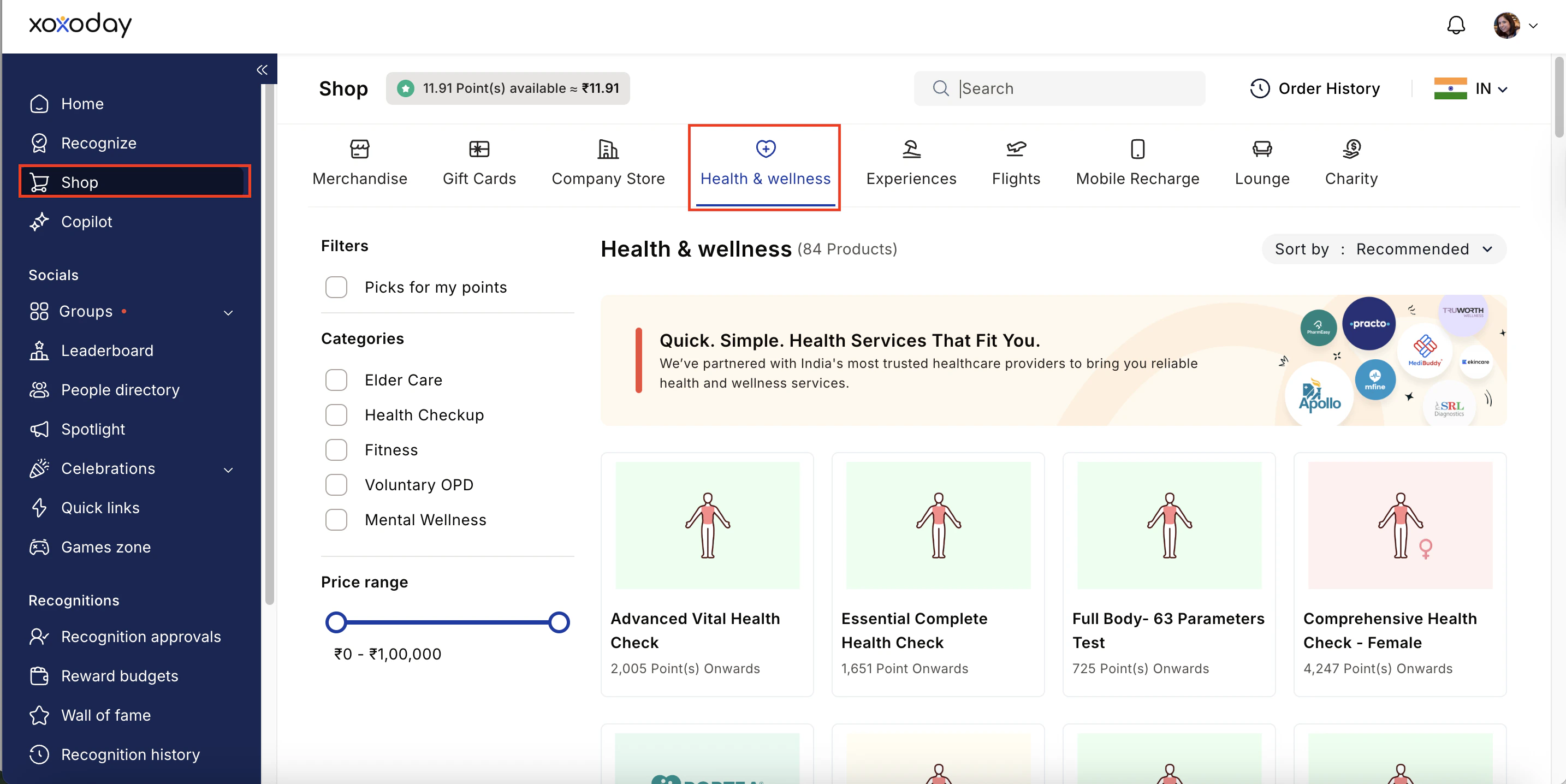 Select\*\* HealthiFy \*\*from the available options.
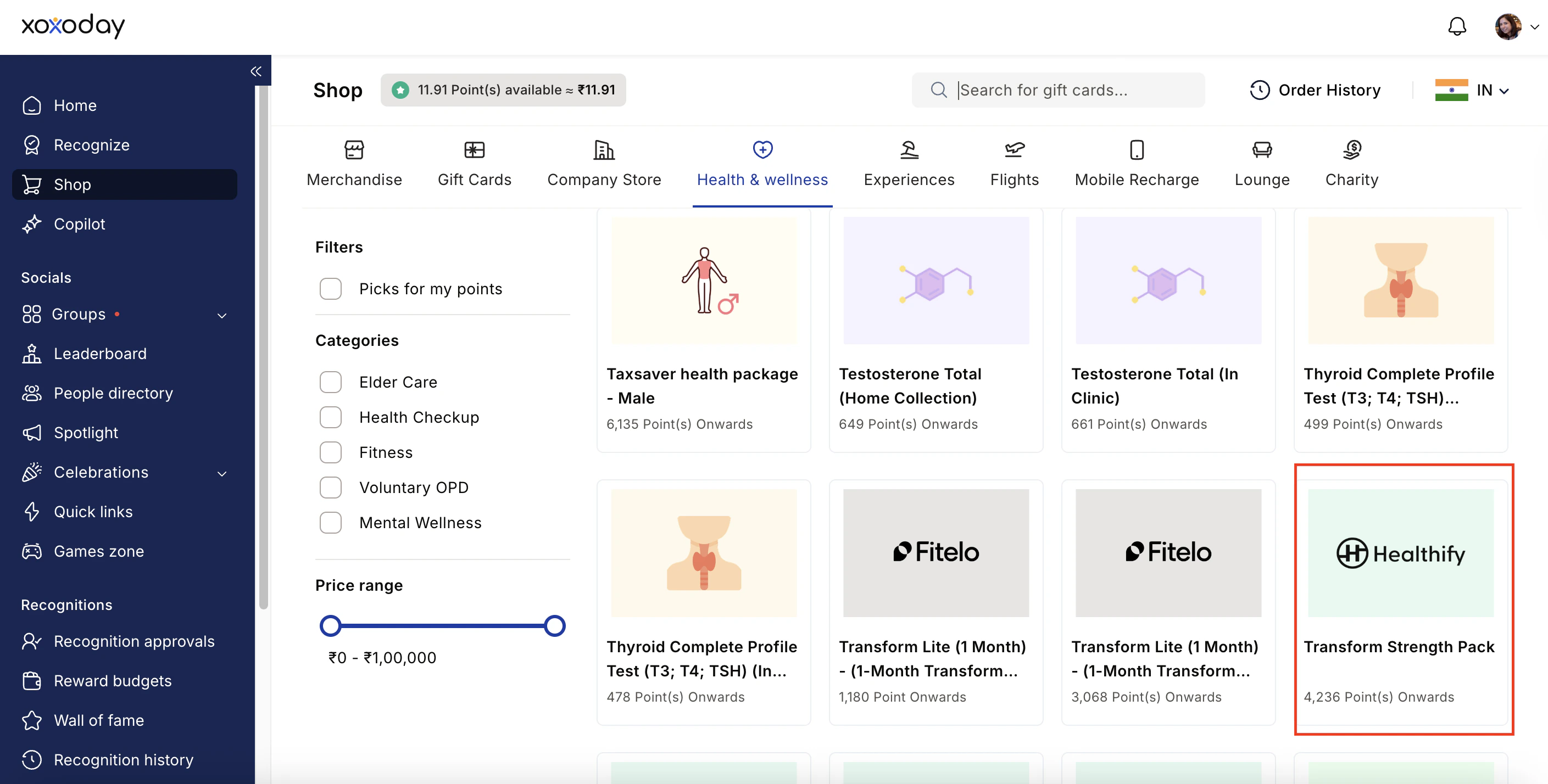 Pick the counselling or well-being service you need.
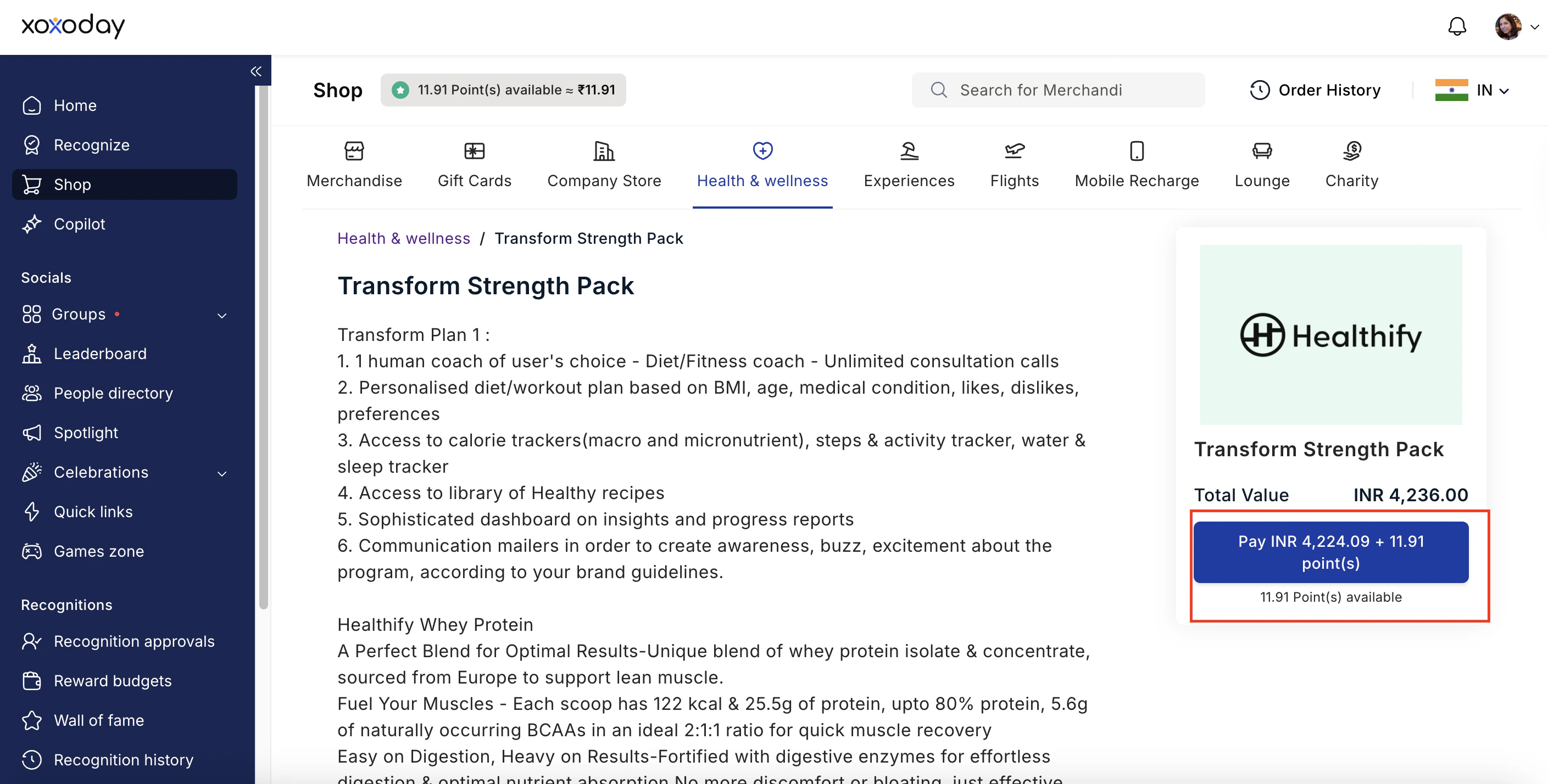 Book your benefit by clicking on **Pay.**
## Support
For setup or usage assistance, contact us at **[cs@xoxoday.com](mailto:cs@xoxoday.com)**.
Book your benefit by clicking on **Pay.**
## Support
For setup or usage assistance, contact us at **[cs@xoxoday.com](mailto:cs@xoxoday.com)**.