> ## Documentation Index
> Fetch the complete documentation index at: https://help-empuls.xoxoday.com/llms.txt
> Use this file to discover all available pages before exploring further.
# Secure gold investing with safe gold
> Learn all about integrating Safe Gold with Empuls
## About Safe Gold
Safe Gold provides a secure and reliable platform for buying, storing, and managing gold. Built for both new and experienced investors, it ensures complete transparency, safety, and convenience throughout the journey.
## Why Connect Safe Gold with Xoxoday Empuls
Adding Safe Gold to Xoxoday Empuls brings a trusted, easy-to-use gold platform into your benefits stack—supporting employee financial wellbeing with transparent, secure ownership and management.
## Key Benefits
* **For HR**
* **Financial wellbeing perk:** Offer employees a trusted avenue to invest in gold.
* **Transparent & secure:** Backed by a platform focused on safety and clarity.
* **Simple to communicate:** One partner for buy, store, and manage needs.
## How Employees Can Use Safe Gold
* **Buy Gold Securely**
Purchase gold through a reliable, transparent platform.
* **Manage with Ease**
View and manage gold holdings from a single, convenient interface.
## Co-Sponsor & Deliver Safe Gold at Scale
Employers can roll out Safe Gold access across teams to support long-term financial wellbeing with a secure, transparent gold platform. Follow the steps below to bring Safe Gold to your organization.
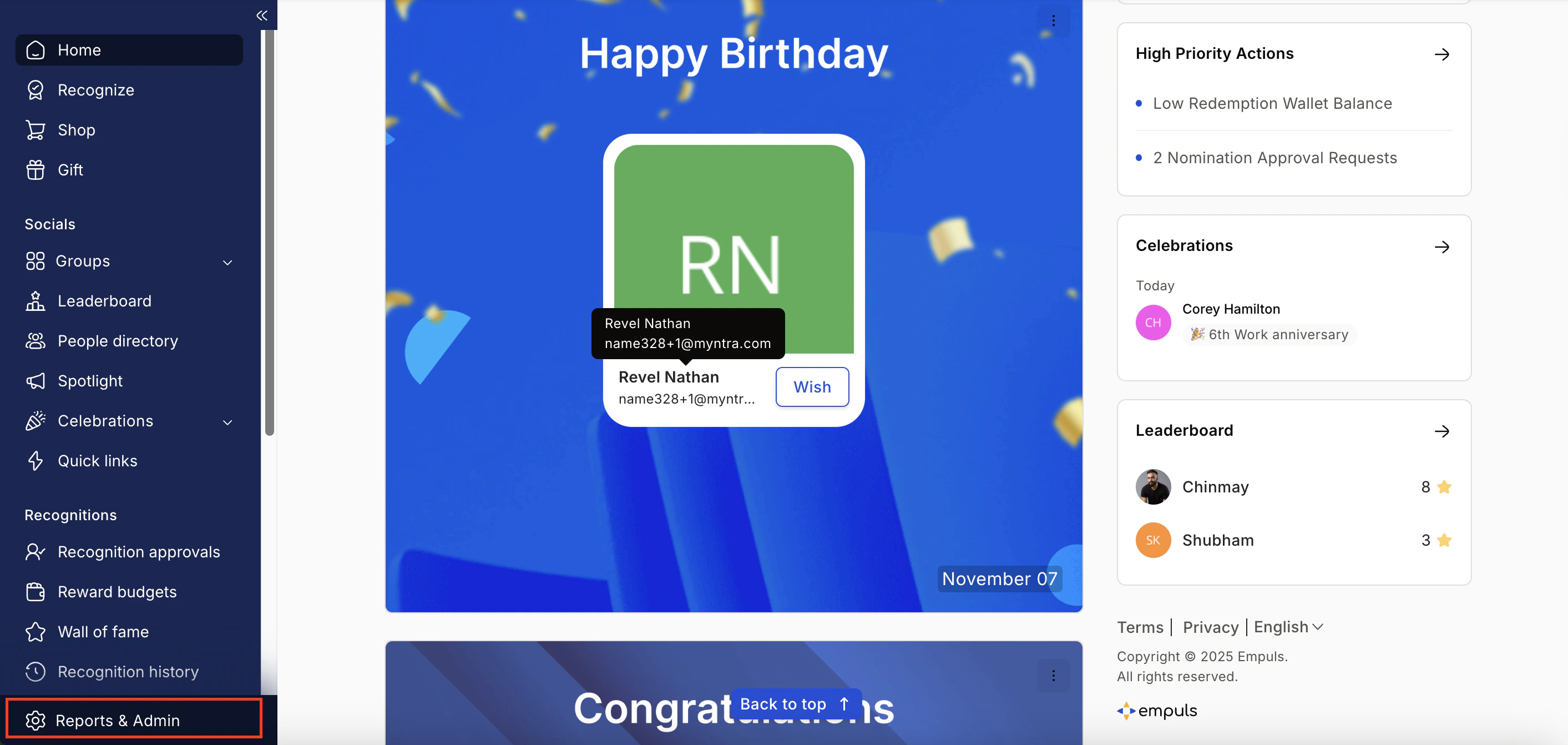
* Click on **Reports & Admin** to land onAdmin Dashboard.
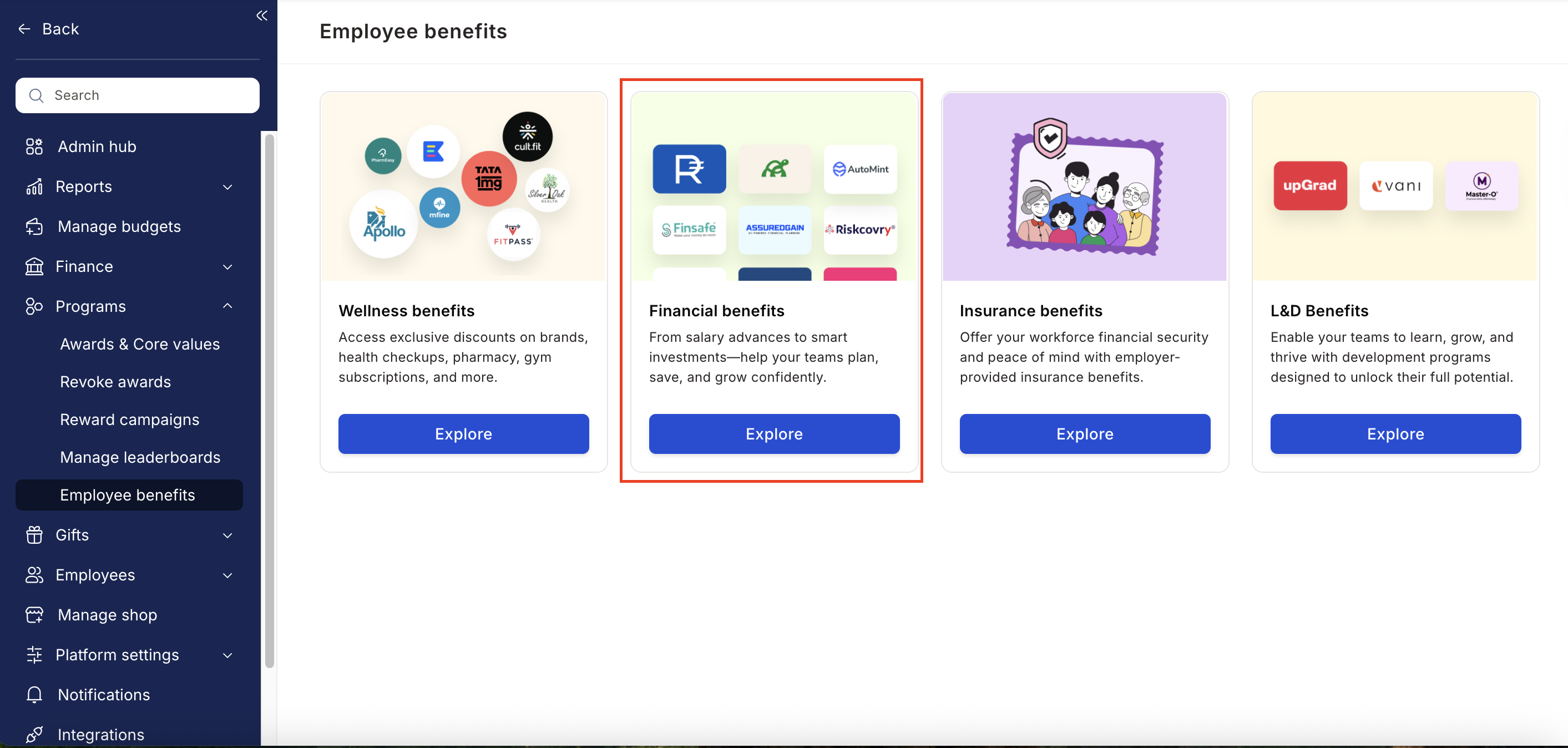
 * Navigate to **Program >> Manage Benefits >> Financial Benefits**
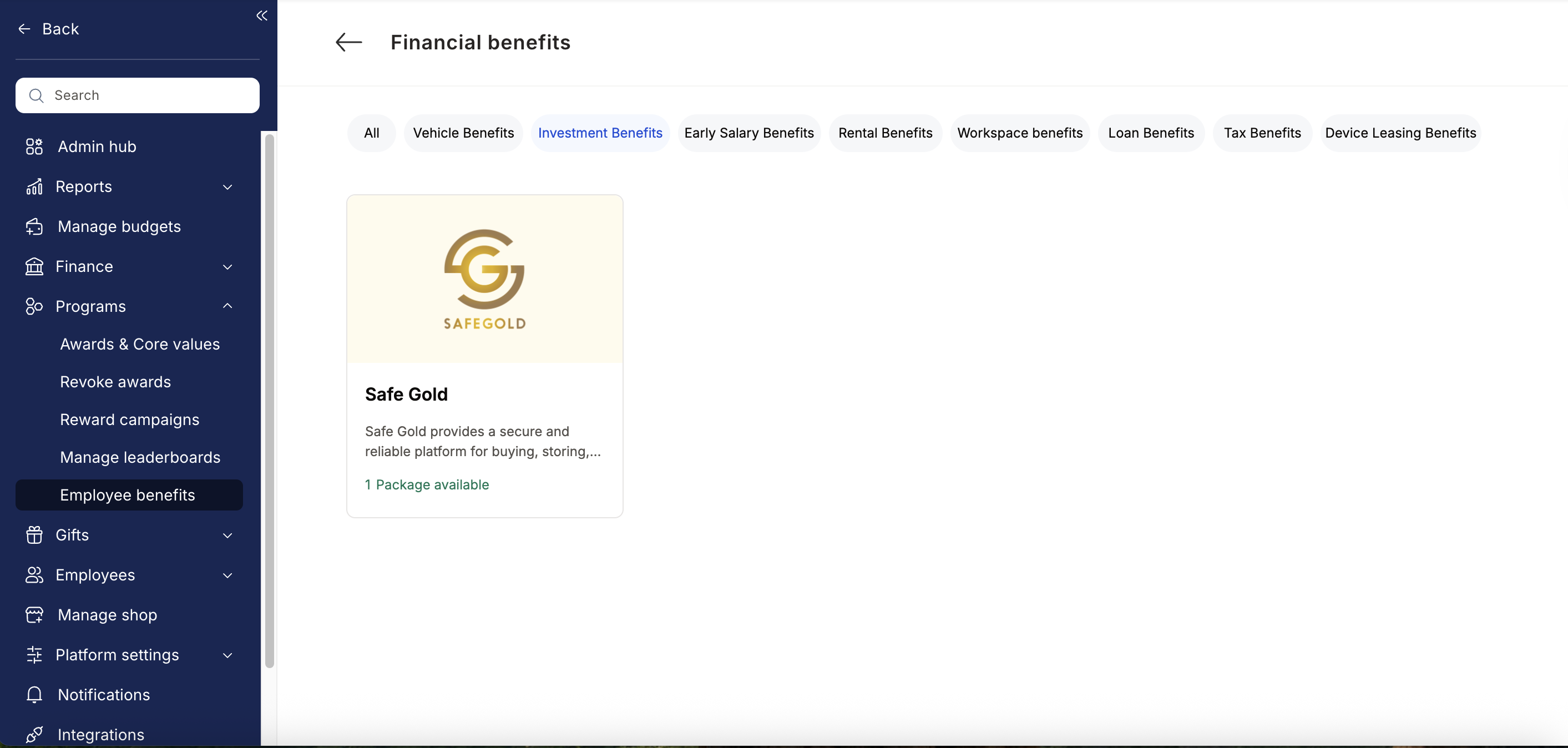
 * From the list of financial benefits partners, choose Safe Gold.
 * Enter:
* Number of employees
* Work email addresses
* Phone numbers
* Click **Enquire**.
* Our team will respond with details and pricing.
* Our team will connect with you, confirm pricing and requirements, and activate the benefit for all employees.
## How Employees Can Access Safe Gold
Log in to Empuls with your credentials.
Select\*\* Safe Gold \*\*from the available options.
Pick the service you need.
Book your benefit by clicking on Pay and Invest Gold\*\*. \*\*
## Support
For setup or usage assistance, contact us at **[cs@xoxoday.com](mailto:cs@xoxoday.com)**.
* Enter:
* Number of employees
* Work email addresses
* Phone numbers
* Click **Enquire**.
* Our team will respond with details and pricing.
* Our team will connect with you, confirm pricing and requirements, and activate the benefit for all employees.
## How Employees Can Access Safe Gold
Log in to Empuls with your credentials.
Select\*\* Safe Gold \*\*from the available options.
Pick the service you need.
Book your benefit by clicking on Pay and Invest Gold\*\*. \*\*
## Support
For setup or usage assistance, contact us at **[cs@xoxoday.com](mailto:cs@xoxoday.com)**.