> ## Documentation Index
> Fetch the complete documentation index at: https://help-empuls.xoxoday.com/llms.txt
> Use this file to discover all available pages before exploring further.
# Employee financial wellness with Muro
> Learn more about integrating Muro with Empuls.
## About Muro
Muro is a rental deposit financing platform that helps employees overcome the financial burden of moving into new rental homes by providing flexible financing solutions for security deposits. This enables employees to preserve their savings while securing quality housing and reduces relocation-related stress.
## Why Connect Muro with Empuls?
By integrating Muro with Xoxoday Empuls, organizations can bring together financial wellness and recognition on one unified platform. This partnership ensures employees receive housing financial support while HR teams promote holistic well-being alongside rewards and engagement programs.
## Key Benefits
* **For HR Teams**
* Centralized platform for recognition and financial wellness programs
* Easy access to rental deposit financing for employees
* Improved engagement with recognition and rewards automation
* Reduced financial stress for relocating or new employees
* **For Employees**
* Affordable rental deposit financing solutions
* Direct access to housing financial support within Empuls
* A workplace that actively supports financial and housing needs
* Preserve savings while securing quality rental housing
## How Employees Can Use Muro?
Muro offers employees a convenient, affordable, and flexible solution to address rental housing financial challenges. Here are the ways you can benefit from using Muro:
* **Manage Moving Costs**
* Finance your rental security deposit without depleting savings
* Get flexible repayment terms aligned with your salary cycle
* Reduce upfront financial burden when relocating
* **Preserve Emergency Funds**
* Keep your savings intact for genuine emergencies
* Avoid liquidating investments or breaking fixed deposits
* Maintain financial stability during housing transitions
* **Career Mobility Support**
* Accept job opportunities without worrying about relocation costs
* Move to better housing without financial constraints
* Focus on career growth without housing financial stress
* **Budget Management**
* Spread deposit costs over manageable monthly payments
* Better cash flow management with predictable EMIs
* Plan your finances without sudden large expenses
* **Financial Independence**
* Secure quality housing without borrowing from family or friends
* Build credit history through timely repayments
* Access professional financial solutions tailored for renters
## Co-Sponsor & Deliver Muro Benefits at Scale
Employers can purchase wellness benefits from Muro and provide services to multiple employees at once, simplifying distribution and ensuring the whole team has access to premium health programs. Follow the steps below:
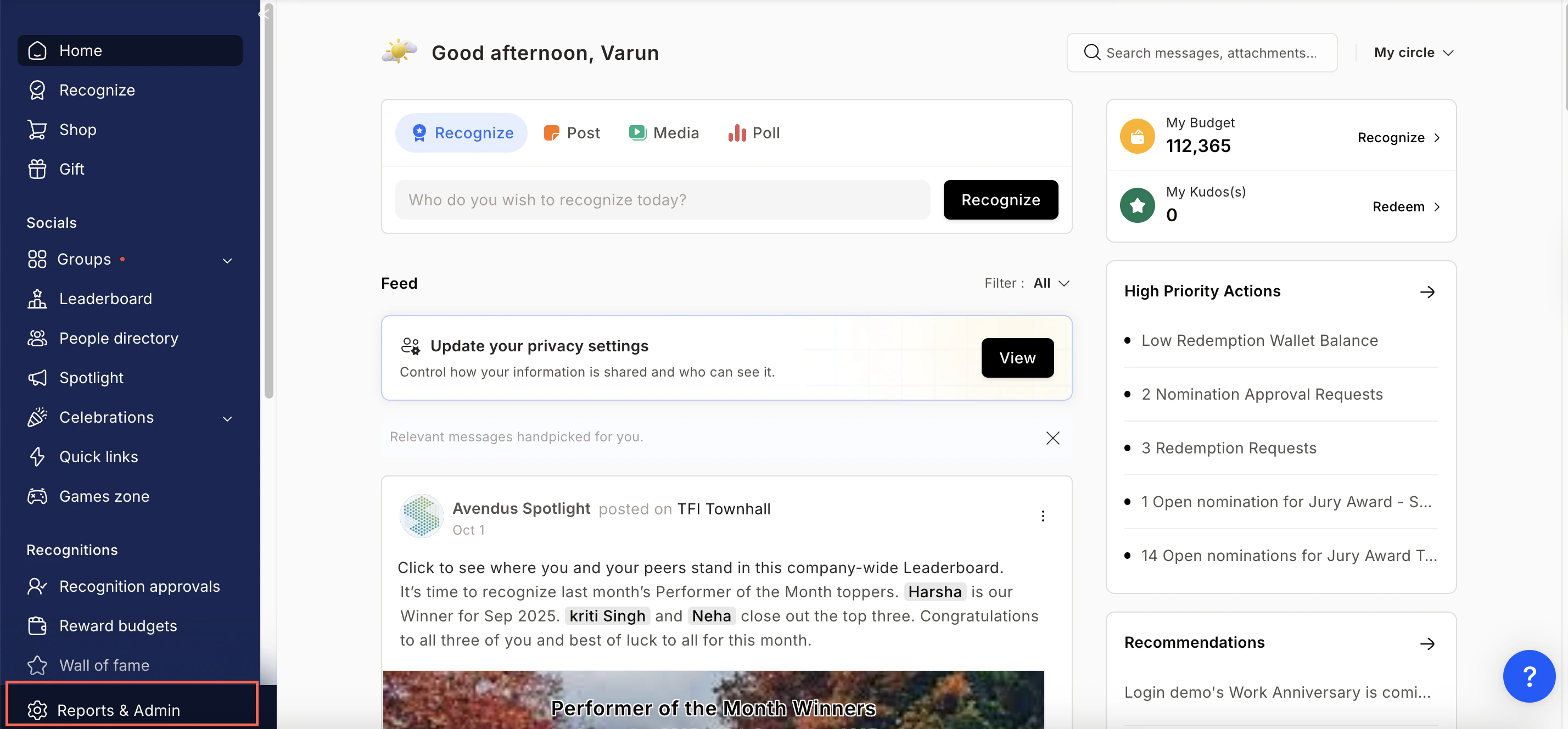
* Click on **Reports & Admin** to land onAdmin Dashboard.
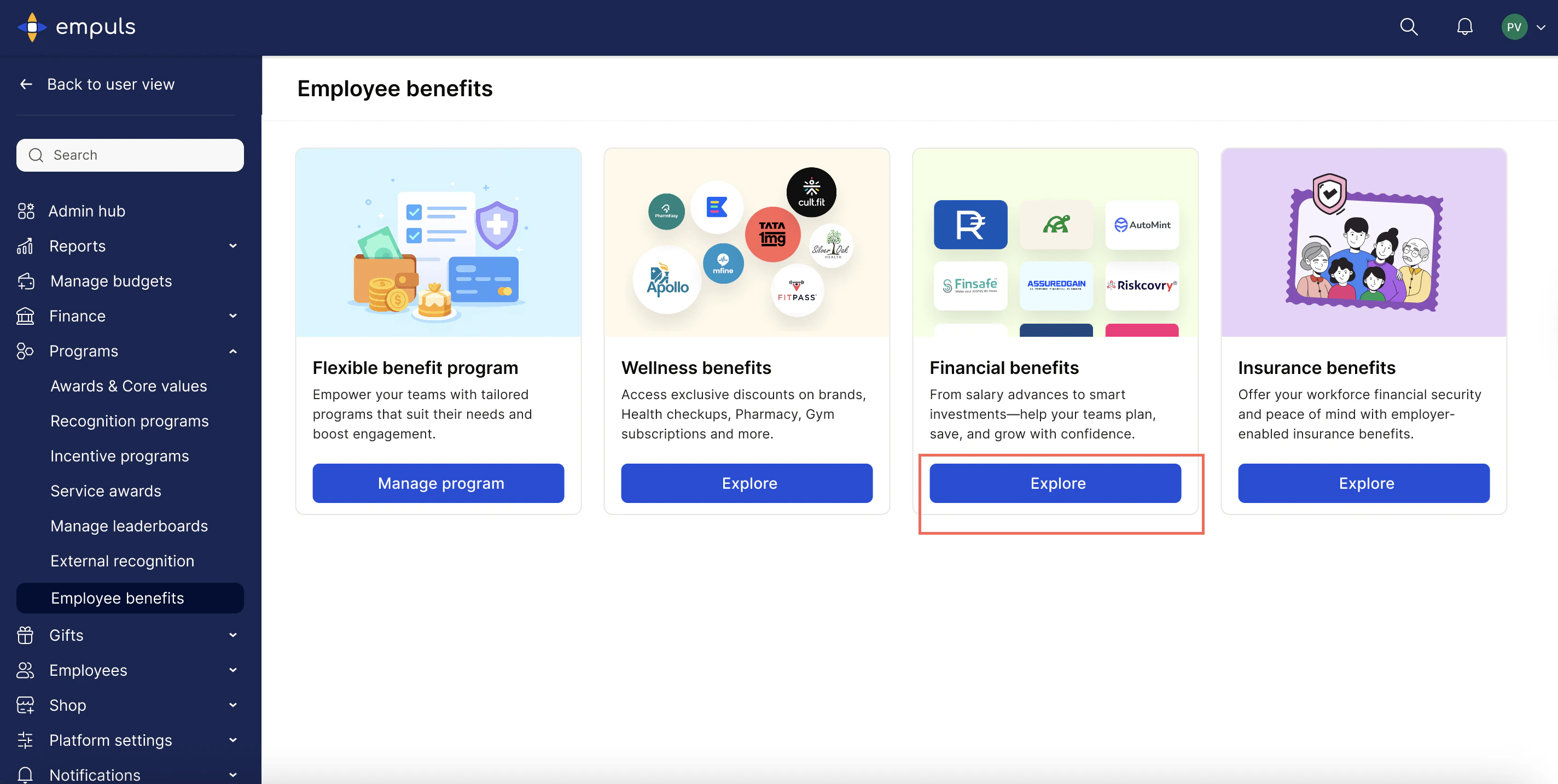
 * Navigate to **Program >> Manage Benefits >> Financial Benefits** >> **Explore.**
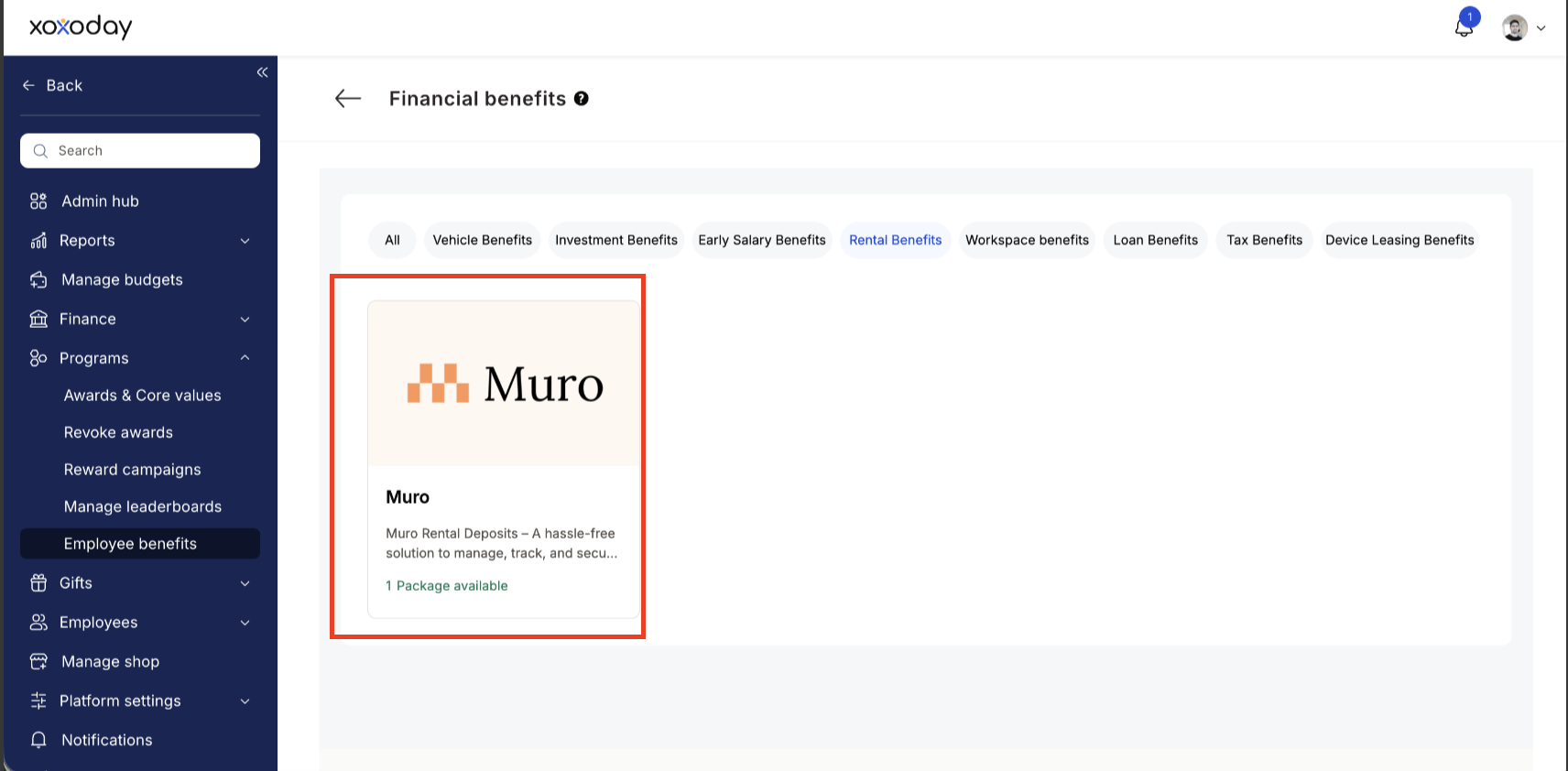
 * From the list of partners, choose **Muro.**
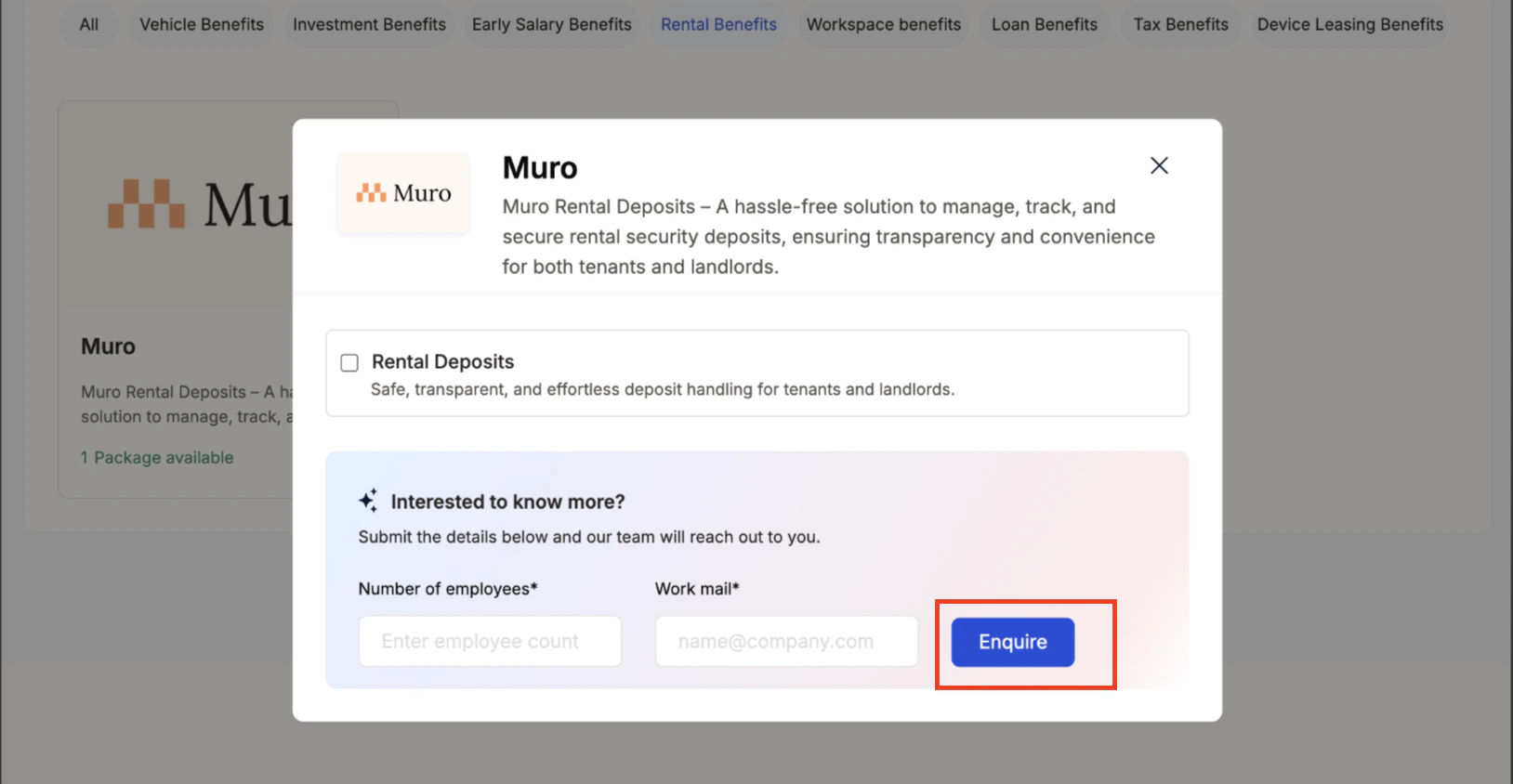
 Enter:
* Number of employees to receive the benefit
* Work email addresses
* Phone number
* Click **Enquire**.
Enter:
* Number of employees to receive the benefit
* Work email addresses
* Phone number
* Click **Enquire**.
 * Our team will get back to you with **pricing and package details** based on the number of employees you’re enabling the benefit for
* Our team will connect with you, confirm pricing and requirements, and activate the benefit for all employees.
## **How Employees Can Redeem Points for Muro Services**
Log in to Empuls with your credentials.
Navigate to **Shop → Financial Wellbeing**
Select\*\* Muro\*\* from the available options.
Pick the Financial Wellbeing service you need.
Book your benefit by **c**licking on **Pay.**
## **Co-Sponsor Health Benefits with Ease**
Empuls allows organizations to co-sponsor wellness benefits like Muro at reduced costs, making it simple to invest in employee well-being without exceeding budget constraints.
## **Support**
For setup or usage assistance, contact us at **[cs@xoxoday.com](mailto:cs@xoxoday.com)**.
* Our team will get back to you with **pricing and package details** based on the number of employees you’re enabling the benefit for
* Our team will connect with you, confirm pricing and requirements, and activate the benefit for all employees.
## **How Employees Can Redeem Points for Muro Services**
Log in to Empuls with your credentials.
Navigate to **Shop → Financial Wellbeing**
Select\*\* Muro\*\* from the available options.
Pick the Financial Wellbeing service you need.
Book your benefit by **c**licking on **Pay.**
## **Co-Sponsor Health Benefits with Ease**
Empuls allows organizations to co-sponsor wellness benefits like Muro at reduced costs, making it simple to invest in employee well-being without exceeding budget constraints.
## **Support**
For setup or usage assistance, contact us at **[cs@xoxoday.com](mailto:cs@xoxoday.com)**.