> ## Documentation Index
> Fetch the complete documentation index at: https://help-empuls.xoxoday.com/llms.txt
> Use this file to discover all available pages before exploring further.
# Automint’s tax-saving car and device leasing program
> Learn how to integrate Automint with Empuls platform
## **About Automint**
Automint transforms car and device ownership into an affordable reality through a fully compliant, tax-efficient solution that costs employers nothing. Employees can lease cars, smartphones, laptops, and tablets via salary deductions—unlocking up to 30% savings on vehicles and 40% on devices—while enjoying a seamless digital experience.
## **Why Connect Automint with Empuls**
Integrating Automint with Empuls allows HR teams to extend valuable, tax-saving lifestyle benefits within their engagement ecosystem. Through this integration, employees can explore cars and gadgets, apply directly via payroll, and manage everything digitally—enhancing both financial wellbeing and overall workplace satisfaction.
## **Key Benefits**
* **For HR**
* **Zero-Cost Benefit Program**
Offer tax-saving car and device leasing to employees with no financial impact on your organization.
* **Compliant and Risk-Protected Solution**
Enjoy complete peace of mind with AutoMint Protect—liability coverage for resignations, absconding, or terminations, all under fully legal and tax-compliant processes.
* **For Employees**
* **Real Tax Savings**
Monthly payments are deducted before tax, reducing taxable income and delivering up to 30% savings on cars and 40% on devices.
* **Flexible and Convenient Ownership**
Choose any car or device, from leading brands, with customizable tenures and complete ownership at the end of the lease term.
### How Employees Can Use Automint
* **Choose Your Product**
Select your preferred car, smartphone, laptop, or tablet from top brands through Automint’s digital platform.
* **Apply Through Payroll**
Submit your request easily with salary-deduction approval—streamlined for quick HR authorization.
* **Manage Everything Online**
Track payments, tenure, upgrades, and offers anytime using Automint’s dashboard.
* **Drive or Use, and Save**
Enjoy your car or device instantly while saving on taxes and benefiting from free damage protection for 12 months.
## Co-Sponsor and Deliver Automint Benefits at Scale
Employers can effortlessly deploy Automint’s tax-efficient lifestyle benefits across their workforce through Empuls. The integration simplifies rollout, reduces administrative overhead, and ensures every employee gains access to compliant, zero-cost financial wellness perks—enhancing engagement, retention, and satisfaction at scale.
## Step-by-Step Setup for Admins
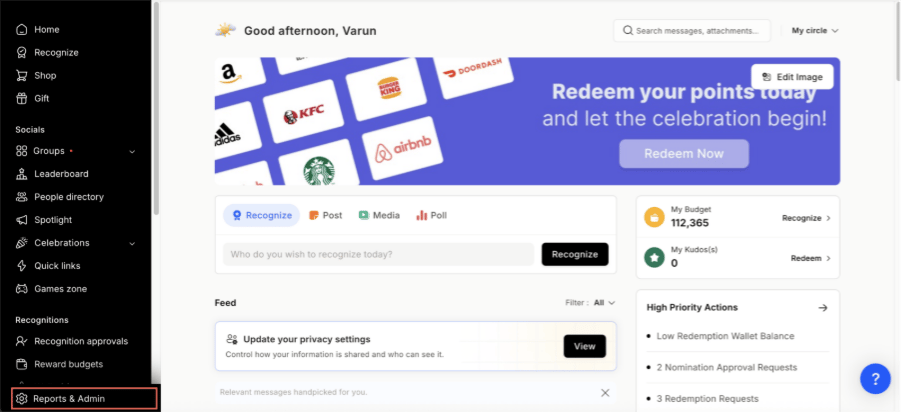
* Click on **Reports & Admin** to land onAdmin Dashboard.
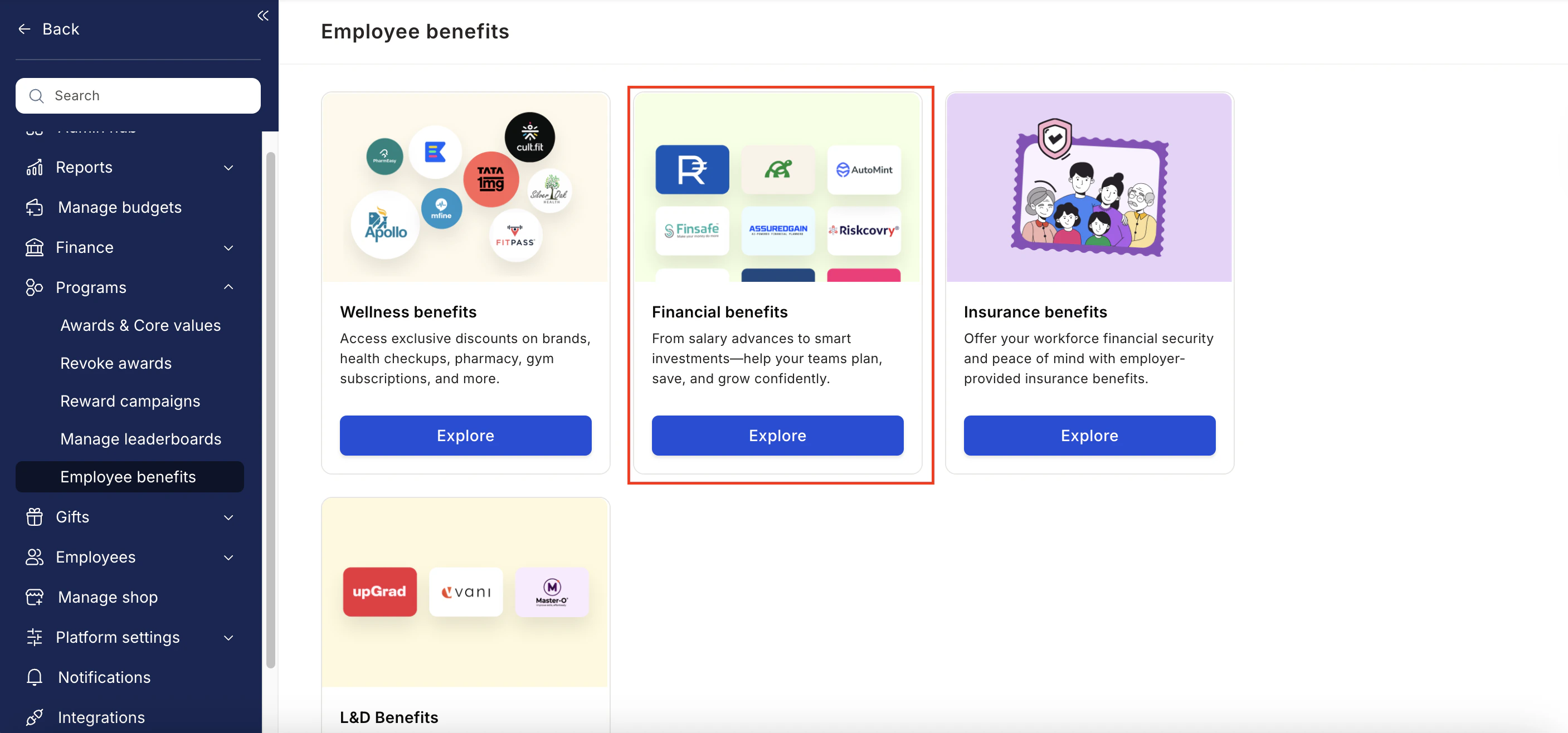
 * Navigate to **Program >> Manage Benefits >> Financial Benefits**
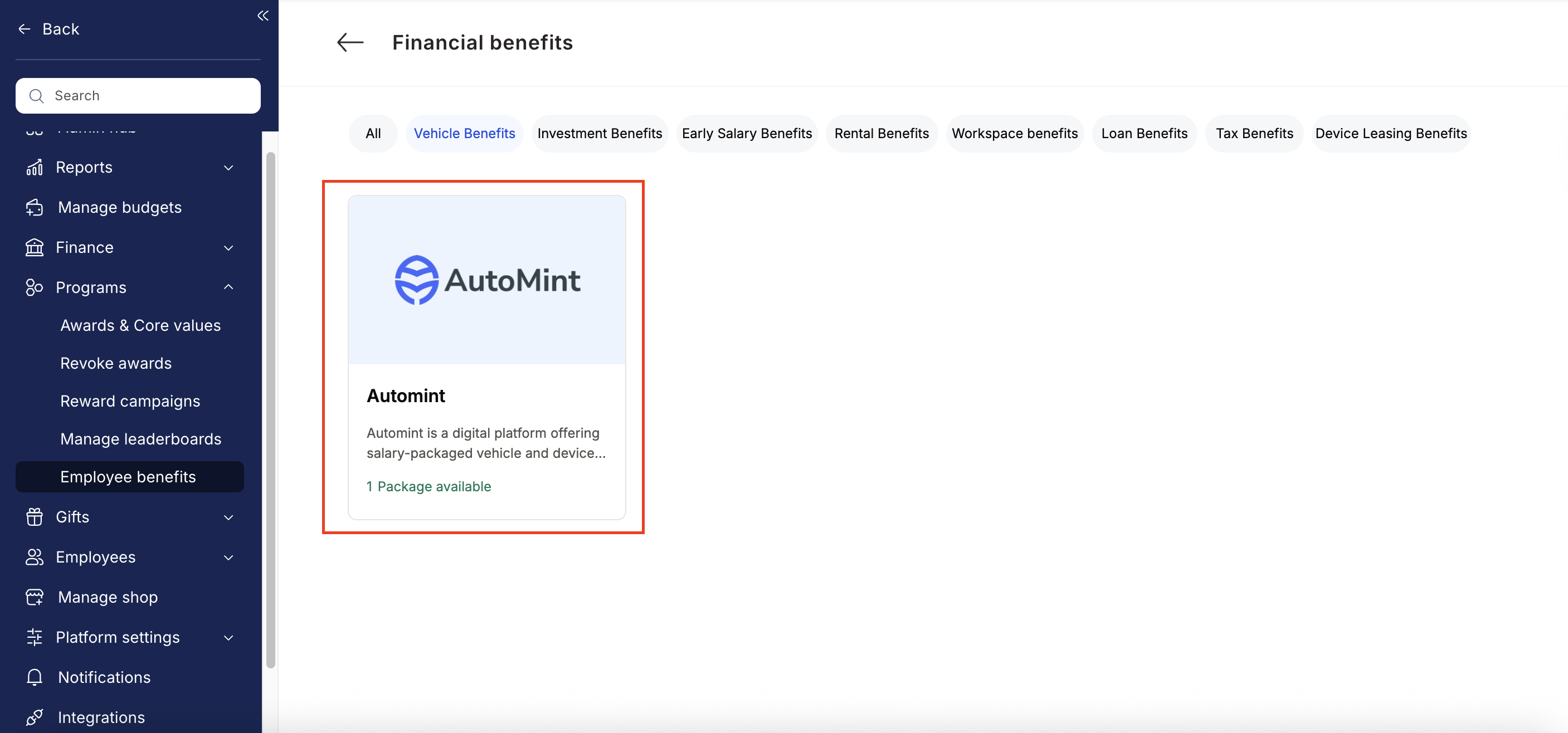
 * From the list of wellness partners, choose **Automint**.
 * Enter:
* Number of employees
* Work email addresses
* Phone numbers
* Click **Enquire**.
* Our team will respond with details and pricing.
* Our team will connect with you, confirm pricing and requirements, and activate the benefit for all employees.
## How Employees Can Access Automint
Log in to Empuls with your credentials.
Navigate to **Benefits**
Select\*\* Automint\*\* from the available options.
Pick the service you need.
Book your benefit by **c**licking on **Pay.**
## Support
For setup or usage assistance, contact us at **[cs@xoxoday.com](mailto:cs@xoxoday.com)**.
* Enter:
* Number of employees
* Work email addresses
* Phone numbers
* Click **Enquire**.
* Our team will respond with details and pricing.
* Our team will connect with you, confirm pricing and requirements, and activate the benefit for all employees.
## How Employees Can Access Automint
Log in to Empuls with your credentials.
Navigate to **Benefits**
Select\*\* Automint\*\* from the available options.
Pick the service you need.
Book your benefit by **c**licking on **Pay.**
## Support
For setup or usage assistance, contact us at **[cs@xoxoday.com](mailto:cs@xoxoday.com)**.