> ## Documentation Index
> Fetch the complete documentation index at: https://help-empuls.xoxoday.com/llms.txt
> Use this file to discover all available pages before exploring further.
# Microsoft 365
> Learn more about integrating Empuls with Microsoft 365.
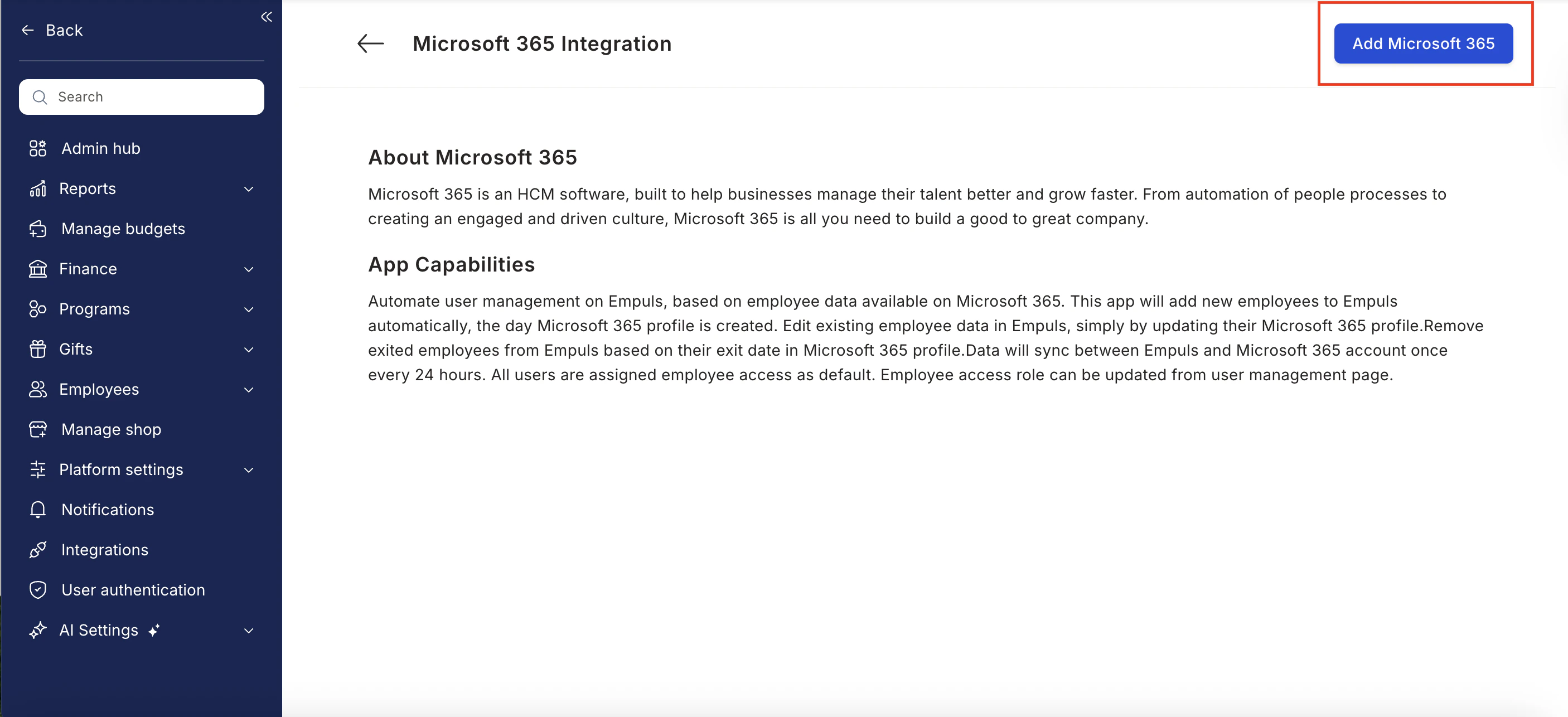
This integration automates user account management in Empuls, based on employee data available in Microsoft 365.
With this integration, you can:
* **Add new employees** to Empuls automatically, the day their Microsoft 365 profile is created.
* **Edit existing employee data** in Empuls simply by updating the corresponding Microsoft 365 profile.
* **Remove exited employees** from Empuls based on their exit date in Microsoft 365.
Once the integration is enabled, employee data will sync automatically every 24 hours between Empuls and Microsoft 365.
All users are assigned Employee access by default. Access roles can be updated later from the user management page in Empuls.
## How to Set Up This Integration
**To set up the Microsoft 365 integration with Empuls:**
1. **Verify Access:**
Ensure the Microsoft 365 admin has access to the *Integrations* page in Empuls.
2. **Sign In to Empuls:**
Log in to your Empuls account.
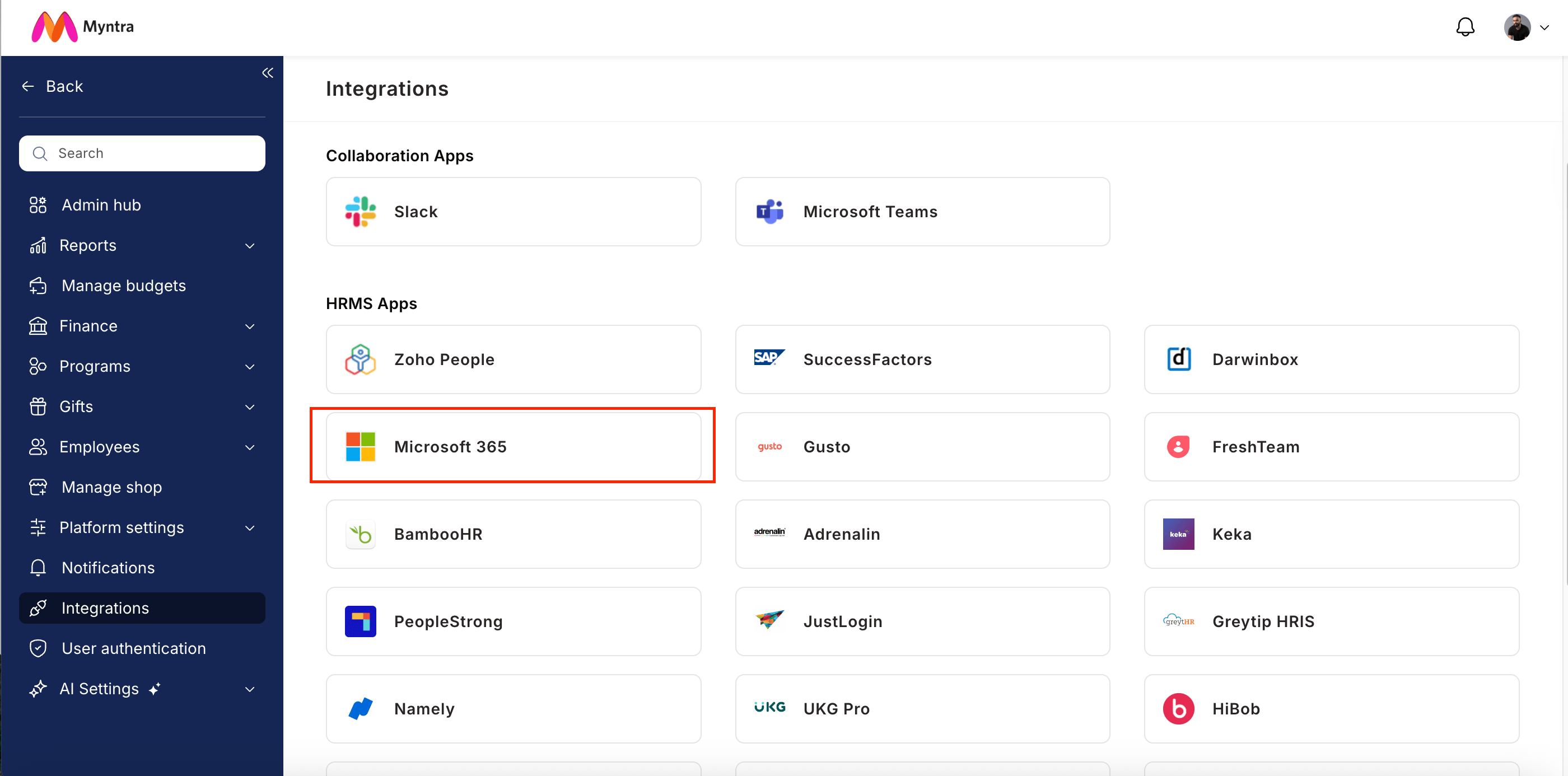
3. **Go to Integrations:**
Navigate to **Reports & Admin >> Integrations**.
4. **Select Microsoft 365:**
Choose **Microsoft 365** from the list of available integrations and click **Integrate**.
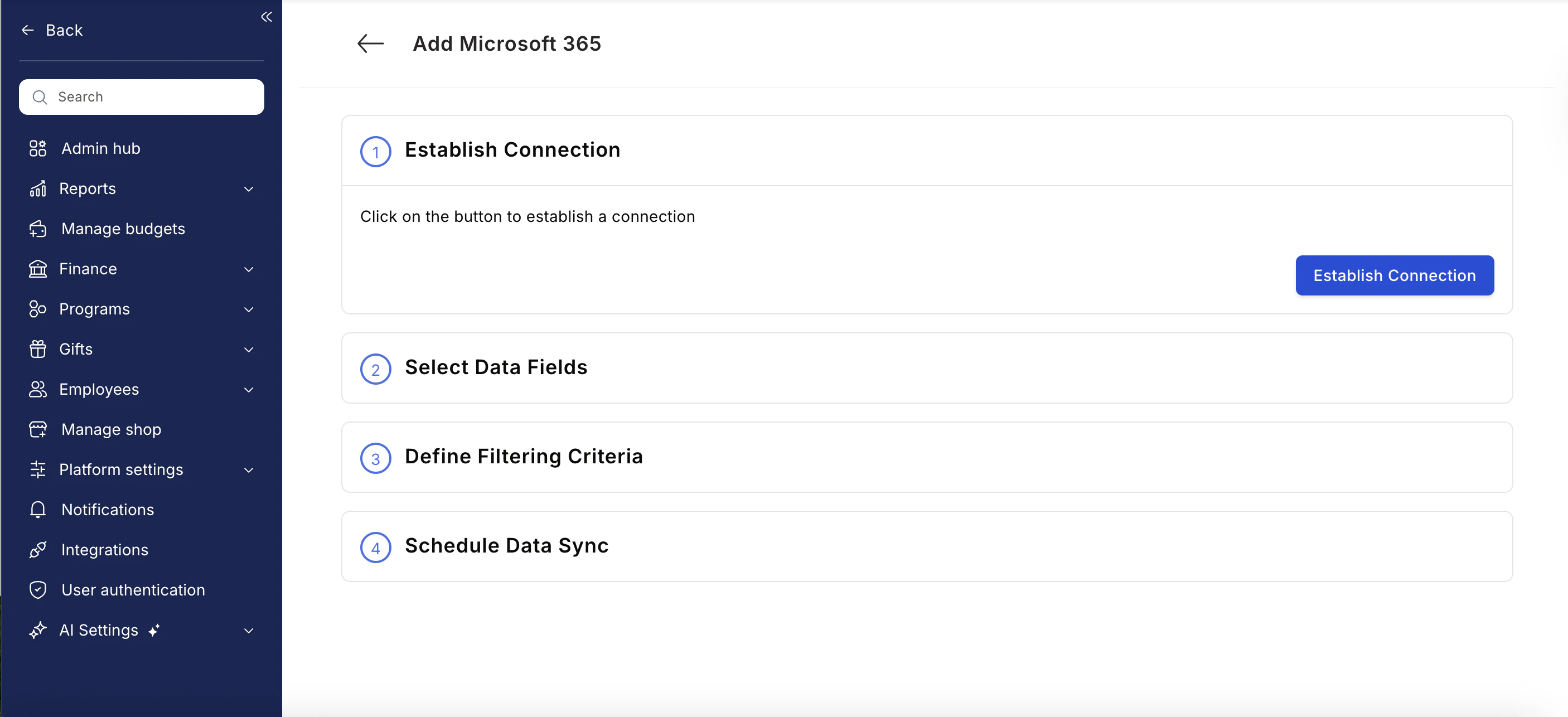
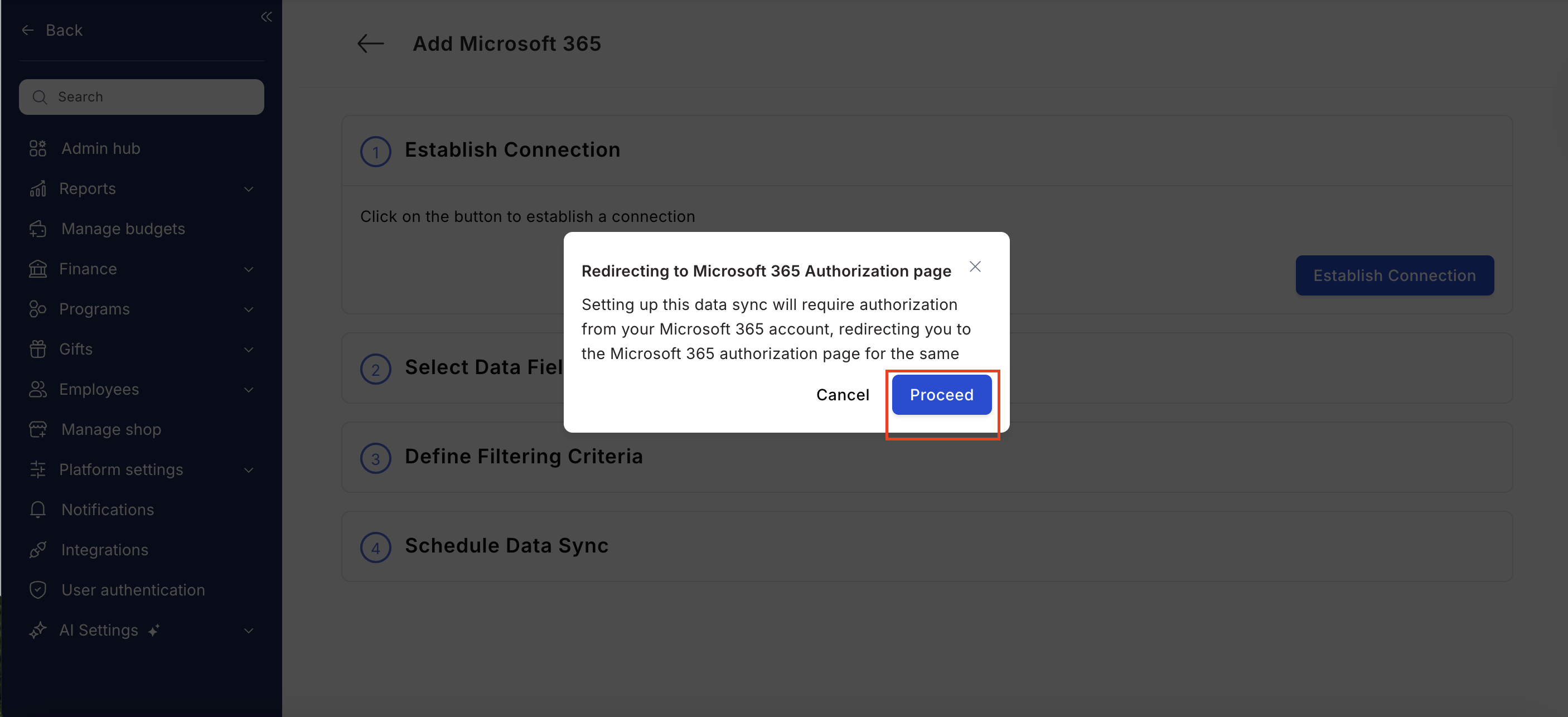
5. **Authorize the Connection:**
Click **Establish Integration**.
You will be redirected to your Microsoft 365 admin account to authorize permissions.
6. **Map Data Fields:**
Select the employee data fields you want to sync from Microsoft 365 to Empuls.
7. **Apply Filters (Admin Only):**
Define filtering criteria such as departments or locations.
*Note: Only Microsoft IT Administrators can grant the required permissions for filtered data access.*
8. **Schedule Sync:**
Set the synchronization frequency to automate ongoing data updates.
 ## Data Fields Synced Between Empuls and Microsoft 365
| **Empuls Field** | **Microsoft 365 Field** |
| -------------------- | ----------------------------- |
| First Name | givenName |
| Last Name | surname |
| Official Email ID | email |
| Employee ID | employeeId |
| Date of Joining | employeeHireDate (YYYY-MM-DD) |
| Department | department |
| Designation or Title | jobTitle |
| Office Location | officeLocation |
| Employee Status | accountEnabled |
| Cost Center | employeeOrgData |
## Integration Capabilities Summary
* Automates user provisioning and de-provisioning on Empuls.
* Reflects updates from Microsoft 365 automatically in Empuls.
* Ensures daily sync to keep user data up to date.
## Data Fields Synced Between Empuls and Microsoft 365
| **Empuls Field** | **Microsoft 365 Field** |
| -------------------- | ----------------------------- |
| First Name | givenName |
| Last Name | surname |
| Official Email ID | email |
| Employee ID | employeeId |
| Date of Joining | employeeHireDate (YYYY-MM-DD) |
| Department | department |
| Designation or Title | jobTitle |
| Office Location | officeLocation |
| Employee Status | accountEnabled |
| Cost Center | employeeOrgData |
## Integration Capabilities Summary
* Automates user provisioning and de-provisioning on Empuls.
* Reflects updates from Microsoft 365 automatically in Empuls.
* Ensures daily sync to keep user data up to date.