> ## Documentation Index
> Fetch the complete documentation index at: https://help-empuls.xoxoday.com/llms.txt
> Use this file to discover all available pages before exploring further.
# Redemption wallets
> Manage your expenses for a seamless rewards redemption.
Super Admins can manage the expense of the rewards and recognition programs. They can manage three aspects of the Rewards Program as listed below:
## Creating a New Wallet
Scroll down to the Wallet card, click the 3 dots on the right side, and click on **Add New Wallet**.
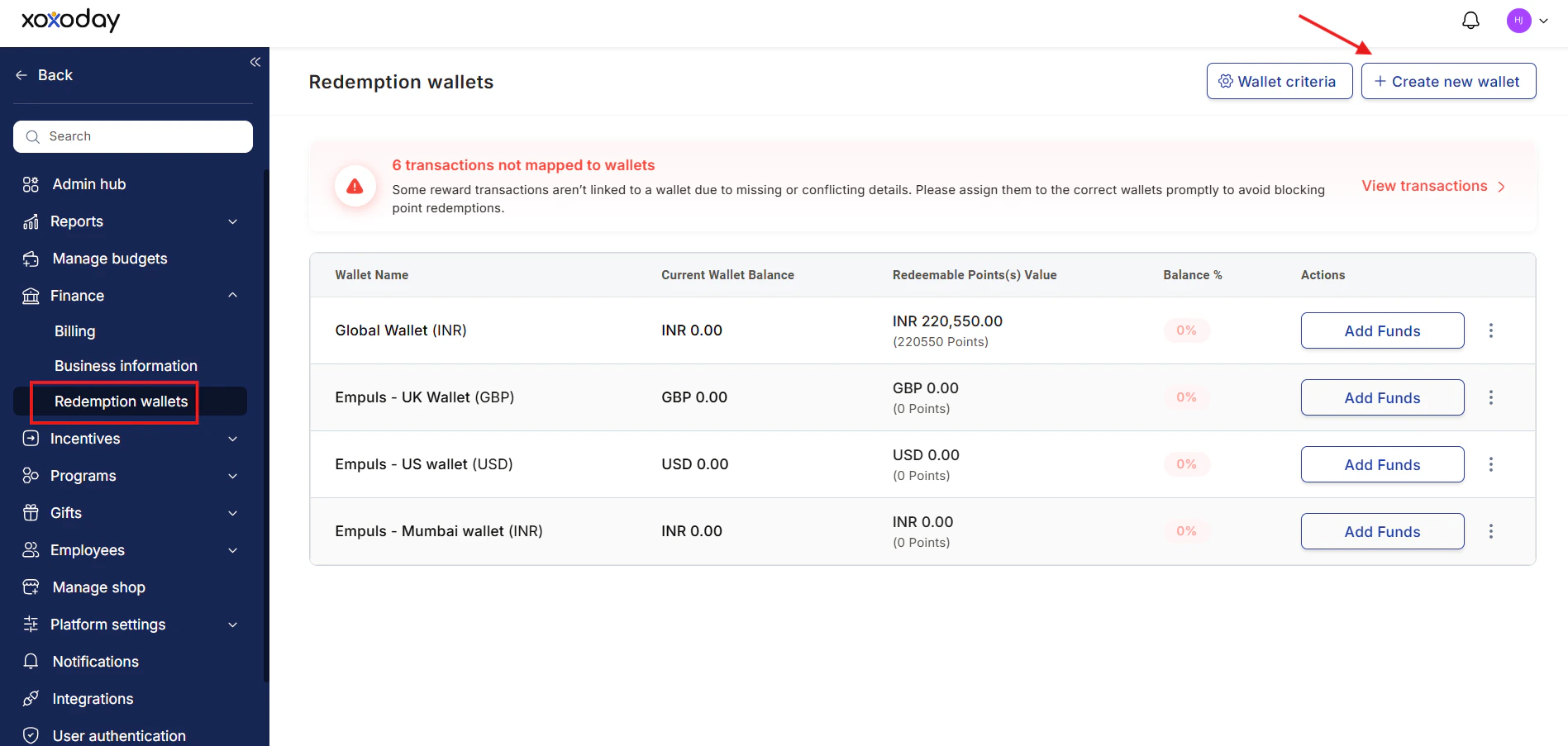 Select the desired currency from our list of supported currencies. After selecting it, click on **Add Wallet(s)**.
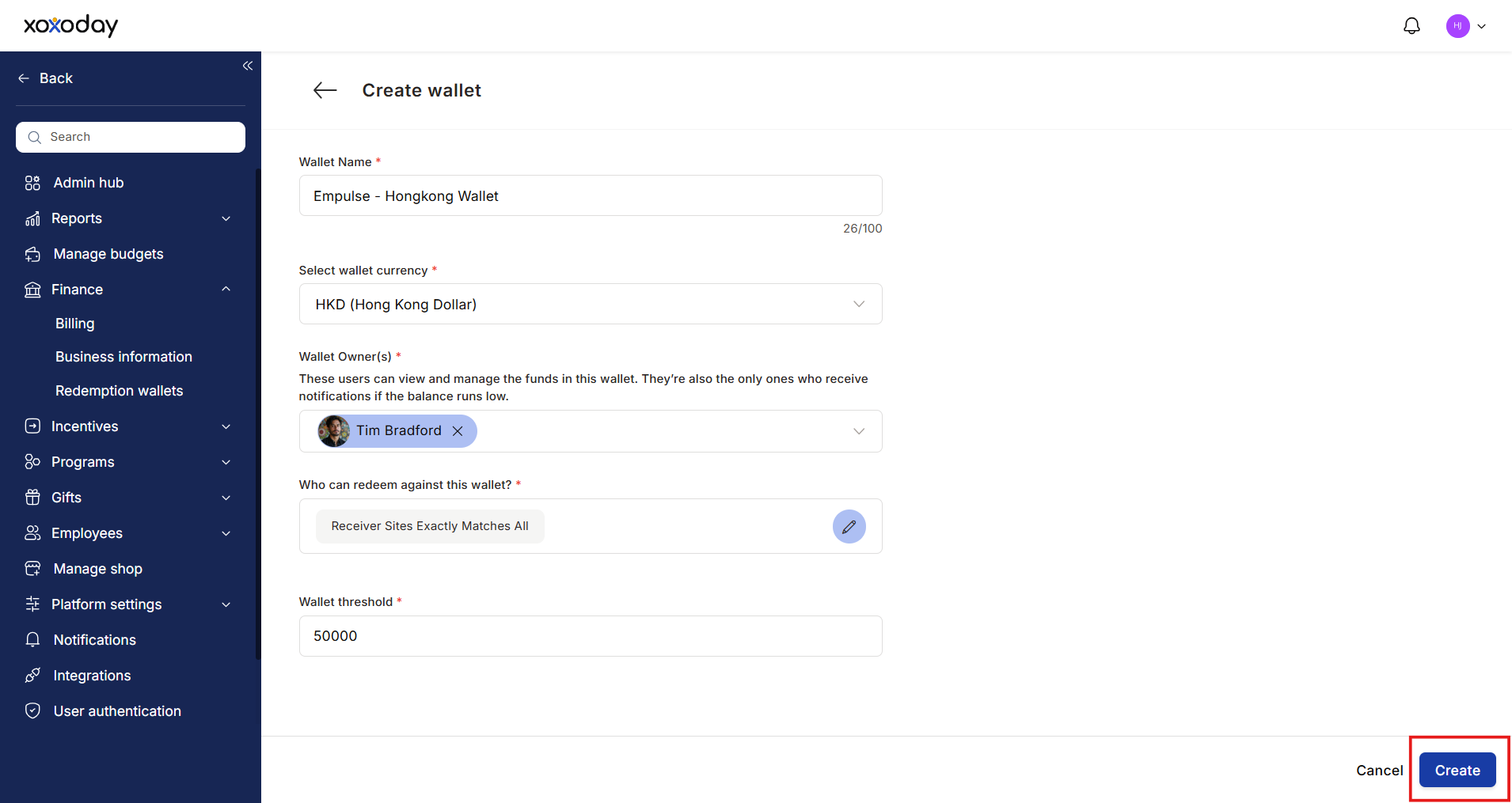 ## Managing the Redemption Wallet
Add funds to the organisation’s redemption wallet, to allow employees to redeem reward points for purchasing gifts, merchandise, and experiences from the Empuls store.
### Add money to your wallet
Adding money to your organisation's Empuls wallet allows your team to redeem the reward points earned on the platform. Amount in the wallet gets debited whenever an employee chooses to redeem their points in exchange for a gift card, voucher, or merchandise on the platform.
Navigate to **Finance > Redemption Wallet** to fund your wallet.
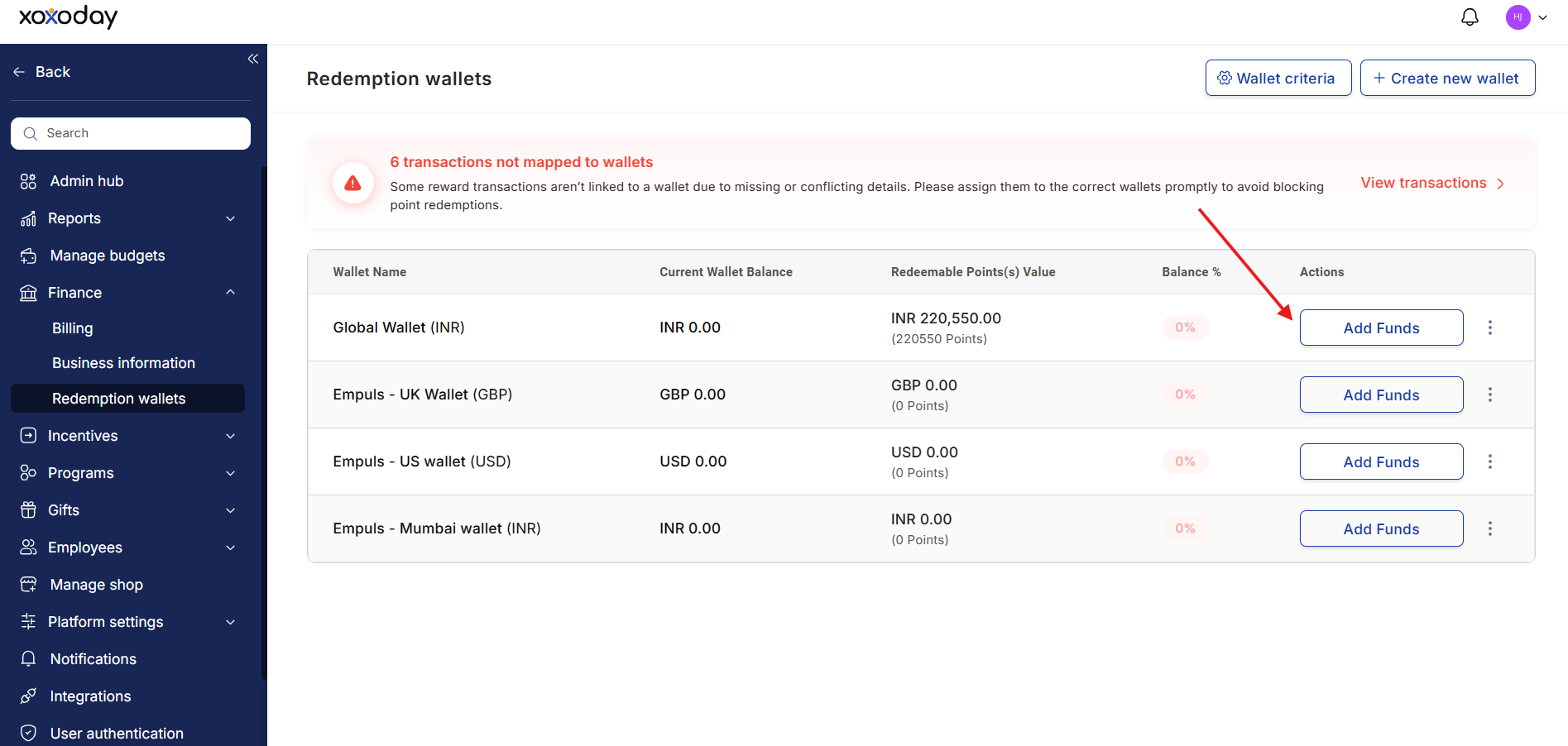
Choose the currency wallet you wish to add funds to. Click on **Add Funds**.
## Managing the Redemption Wallet
Add funds to the organisation’s redemption wallet, to allow employees to redeem reward points for purchasing gifts, merchandise, and experiences from the Empuls store.
### Add money to your wallet
Adding money to your organisation's Empuls wallet allows your team to redeem the reward points earned on the platform. Amount in the wallet gets debited whenever an employee chooses to redeem their points in exchange for a gift card, voucher, or merchandise on the platform.
Navigate to **Finance > Redemption Wallet** to fund your wallet.
Choose the currency wallet you wish to add funds to. Click on **Add Funds**.
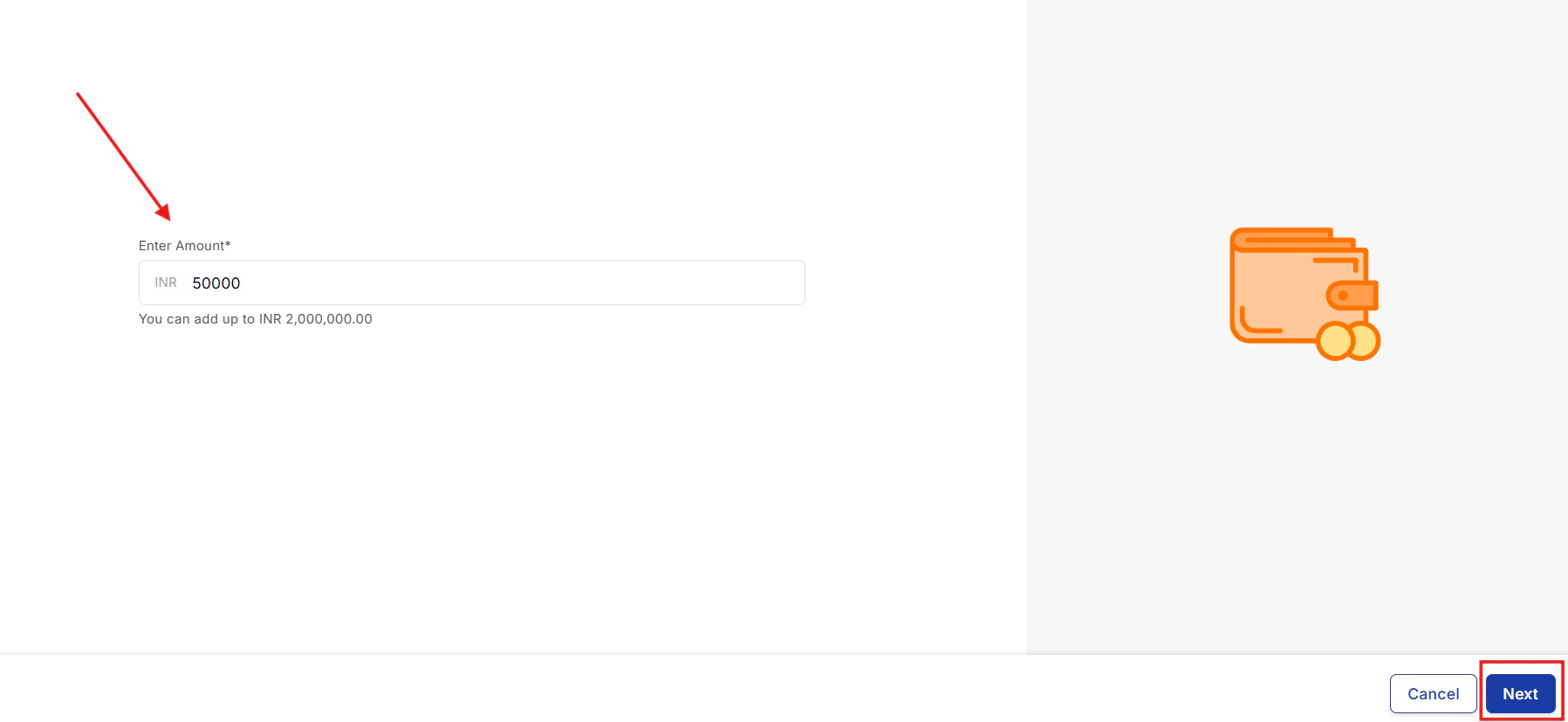
 Enter the amount you wish to add. Click on **Next**.
 Select the payment method. Add the billing details. Click on **Proceed to pay**.
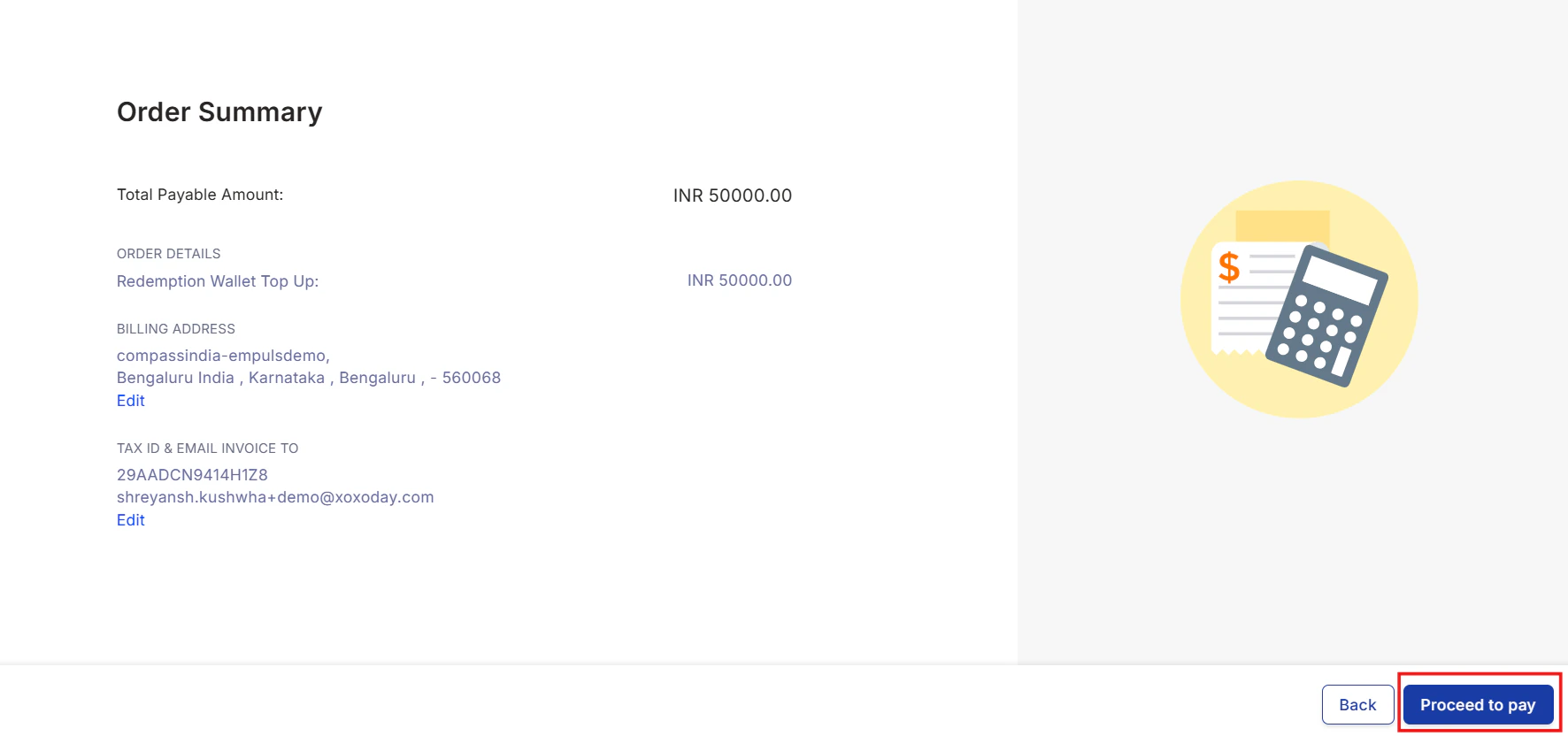 Enter your card/payment details. Review and click on **Pay**.
## Pay through bank transfer
You may also use direct bank transfer to pay towards the Empuls Wallet to avoid payment gateway charges. This facility is available for customers in a limited set of countries. Please write to [cs@xoxoday.com](mailto:cs@xoxoday.com) to learn more about this payment option.
> To ensure a smooth redemption experience for users who have received points as awards or gifts, please maintain the wallet balance equal to the total number of redeemable points.
>
> It will help ensure that users can redeem their points without any issues.
# FAQs
Empuls uses Stripe as a payment gateway for the Wallet Recharge Transactions. Stripe charges up to 2% as fees for payment processing.
Empuls sells the brand vouchers at their procured price. The lack of margins and the high volume of funds added to the wallet makes it difficult for Empuls to fund the Stripe fees.
We are working on alternatives that can reduce the burden and eventually make it financially viable for Empuls to absorb this cost.
Empuls supports 37 currencies that can be used as the base currency for your redemption wallet.
* AED (UAE Dirham)
* AUD (Australian Dollar)
* BDT (Bangladesh Taka)
* BGN (Bulgarian Lev)
* BHD (Bahraini Dinar)
* BRL (Brazilian Real)
* CAD (Canadian Dollar)
* CHF (Swiss Franc)
* CNY (Yuan Renminbi)
* CZK (Czech Koruna)
* DKK (Danish Krone)
* EUR (Euro)
* GBP (Pound Sterling)
* HKD (Hong Kong Dollar)
* HRK (Kuna)
* IDR (Rupiah)
* ILS (New Israeli Sheqel)
* INR (Indian Rupee)
* KWD (Kuwaiti Dinar)
* LBP (Lebanese Pound)
* MAD (Moroccan Dirham)
* MXN (Mexican Peso)
* MYR (Malaysian Ringgit)
* NOK (Norwegian Krone)
* NZD (New Zealand Dollar)
* PHP (Philippine Peso)
* PLN (Zloty)
* QAR (Qatari Rial)
* RON (Romanian Leu)
* RUB (Russian Ruble)
* SAR (Saudi Riyal)
* SEK (Swedish Krona)
* SGD (Singapore Dollar)
* THB (Thailand Baht)
* TRY (Turkish Lira)
* USD (United States Dollar)
* ZAR (Rand)
> Have questions or feedback? Please write to us at [cs@xoxoday.com](mailto:cs@xoxoday.com)
Application URL:
`https://#{{tenant_url}}/home/points-administration`
Enter your card/payment details. Review and click on **Pay**.
## Pay through bank transfer
You may also use direct bank transfer to pay towards the Empuls Wallet to avoid payment gateway charges. This facility is available for customers in a limited set of countries. Please write to [cs@xoxoday.com](mailto:cs@xoxoday.com) to learn more about this payment option.
> To ensure a smooth redemption experience for users who have received points as awards or gifts, please maintain the wallet balance equal to the total number of redeemable points.
>
> It will help ensure that users can redeem their points without any issues.
# FAQs
Empuls uses Stripe as a payment gateway for the Wallet Recharge Transactions. Stripe charges up to 2% as fees for payment processing.
Empuls sells the brand vouchers at their procured price. The lack of margins and the high volume of funds added to the wallet makes it difficult for Empuls to fund the Stripe fees.
We are working on alternatives that can reduce the burden and eventually make it financially viable for Empuls to absorb this cost.
Empuls supports 37 currencies that can be used as the base currency for your redemption wallet.
* AED (UAE Dirham)
* AUD (Australian Dollar)
* BDT (Bangladesh Taka)
* BGN (Bulgarian Lev)
* BHD (Bahraini Dinar)
* BRL (Brazilian Real)
* CAD (Canadian Dollar)
* CHF (Swiss Franc)
* CNY (Yuan Renminbi)
* CZK (Czech Koruna)
* DKK (Danish Krone)
* EUR (Euro)
* GBP (Pound Sterling)
* HKD (Hong Kong Dollar)
* HRK (Kuna)
* IDR (Rupiah)
* ILS (New Israeli Sheqel)
* INR (Indian Rupee)
* KWD (Kuwaiti Dinar)
* LBP (Lebanese Pound)
* MAD (Moroccan Dirham)
* MXN (Mexican Peso)
* MYR (Malaysian Ringgit)
* NOK (Norwegian Krone)
* NZD (New Zealand Dollar)
* PHP (Philippine Peso)
* PLN (Zloty)
* QAR (Qatari Rial)
* RON (Romanian Leu)
* RUB (Russian Ruble)
* SAR (Saudi Riyal)
* SEK (Swedish Krona)
* SGD (Singapore Dollar)
* THB (Thailand Baht)
* TRY (Turkish Lira)
* USD (United States Dollar)
* ZAR (Rand)
> Have questions or feedback? Please write to us at [cs@xoxoday.com](mailto:cs@xoxoday.com)
Application URL:
`https://#{{tenant_url}}/home/points-administration`